Create New Script
You can create custom scripts to address various compliance requirements. This enables full compliance with external and internal policies. As regulatory frameworks' requirements change, companies can easily adapt to evolving regulations, create their own custom checks, custom QIDs, and remediation, and close compliance gaps proactively.
To create a new script:
- Navigate to Policies > Controls > New > Controls.
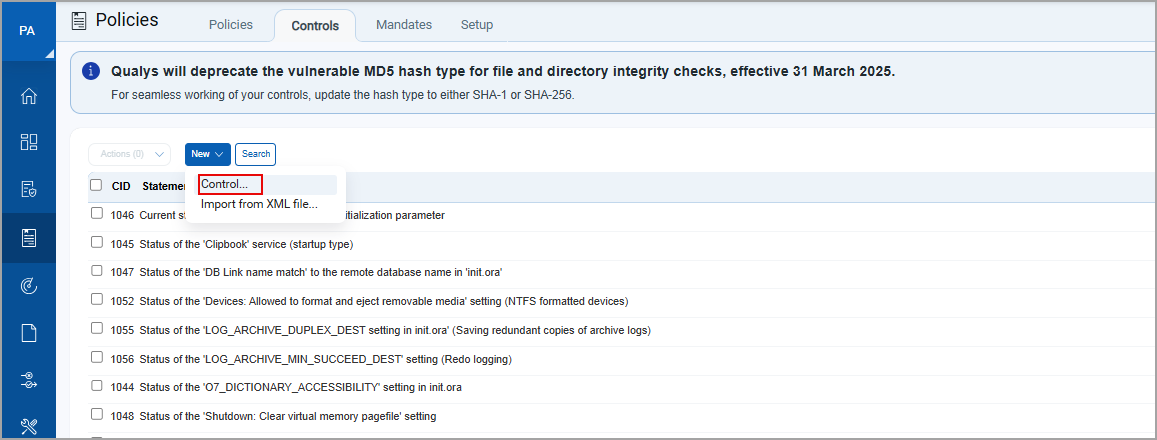
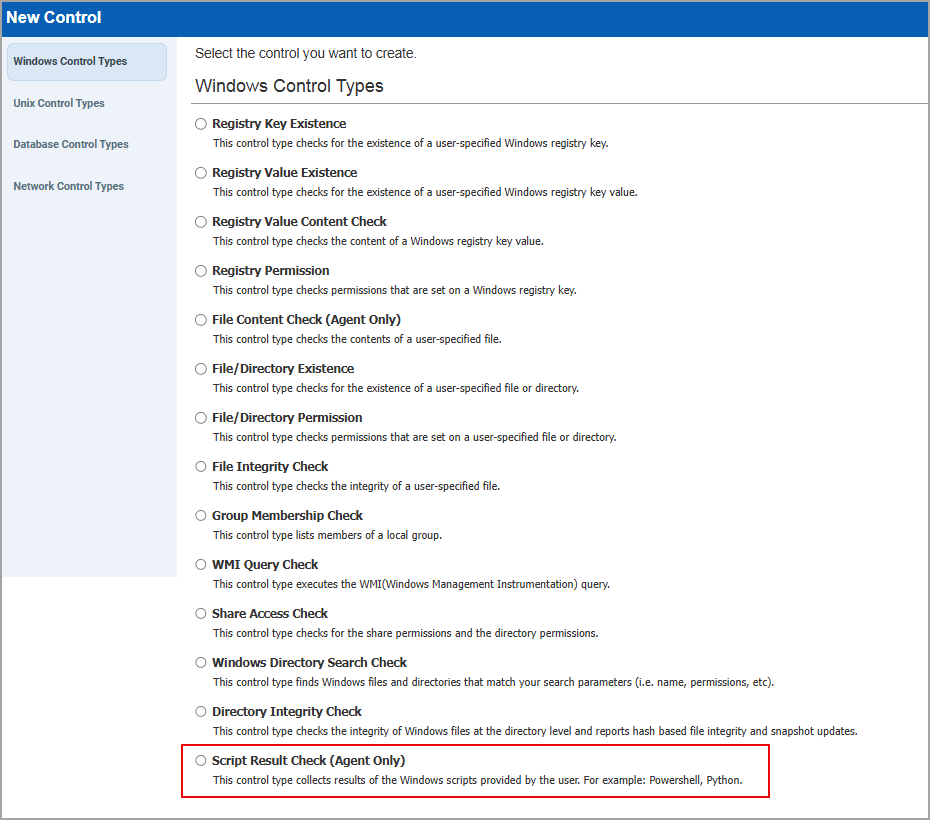
The New Controls window is displayed. - Select Script Result Check (Agent Only).
The New Control: Script Result Check window is displayed.
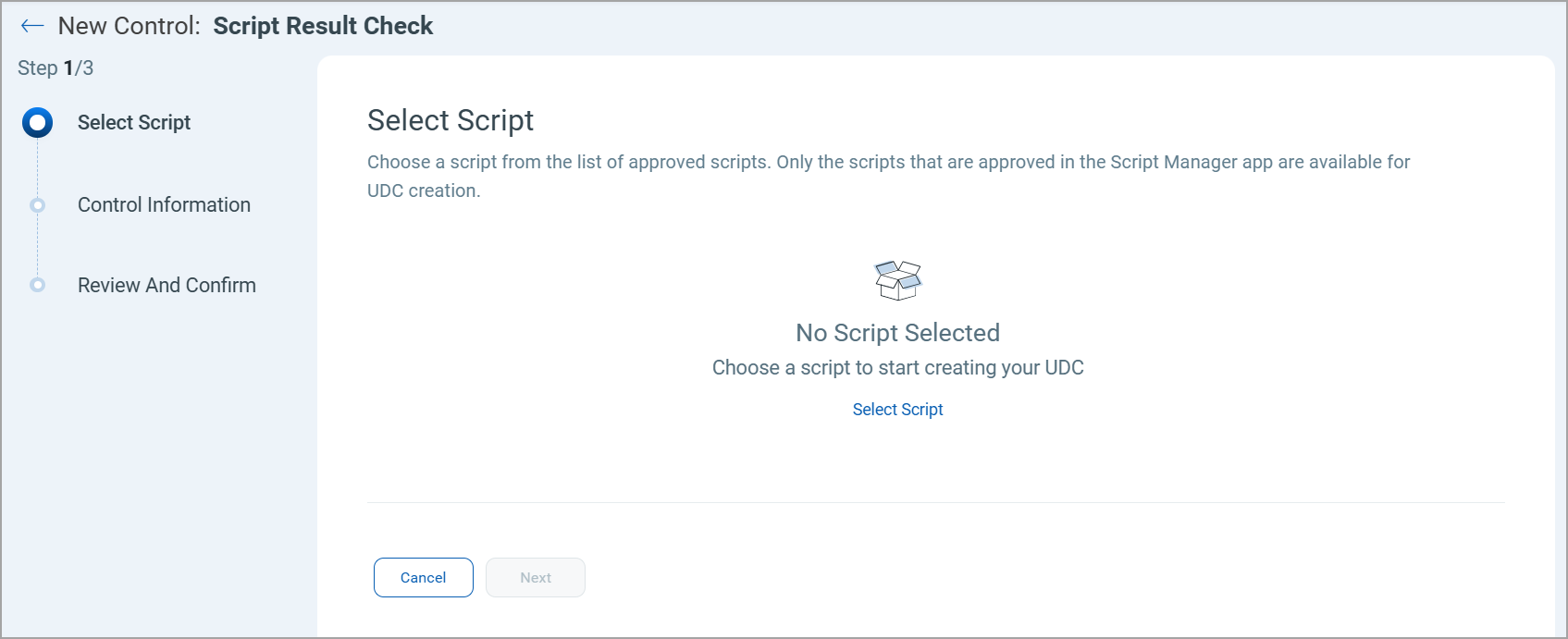
- To add a script:
- Click Select Script.
The Select Script window is displayed.
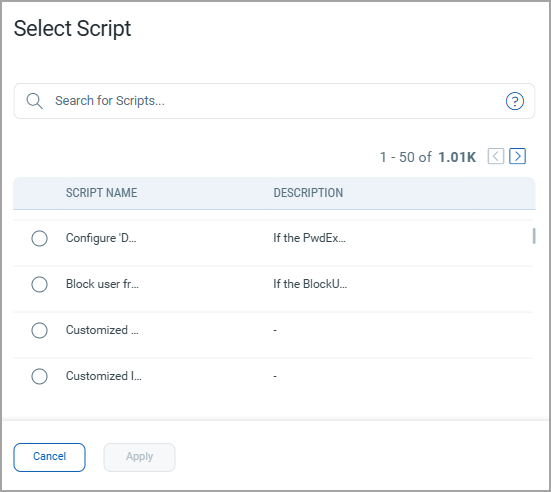
- Select the required script and click Apply.
The scripts are added.
- Click Select Script.
- Once the scripts are added, click Next.
The Control Information page is displayed.
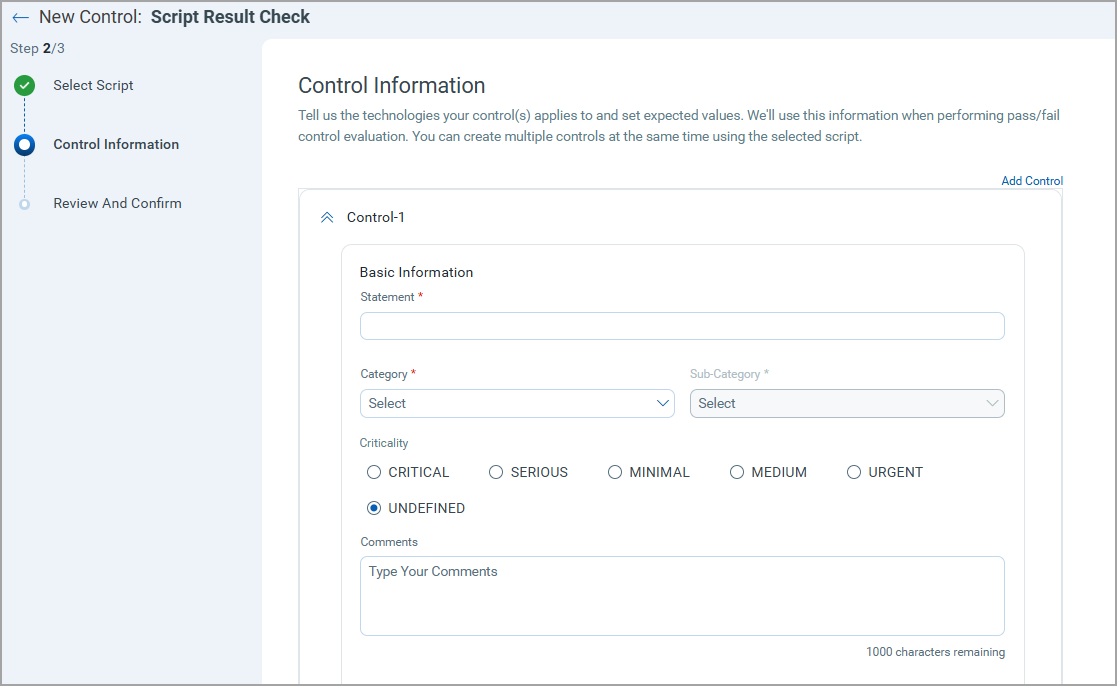
- Add the mandatory information for the control such as the basic information for the control, scan parameters, evaluation conditions, and the technologies supported for the control and click Next.
The Review And Confirm page is displayed.
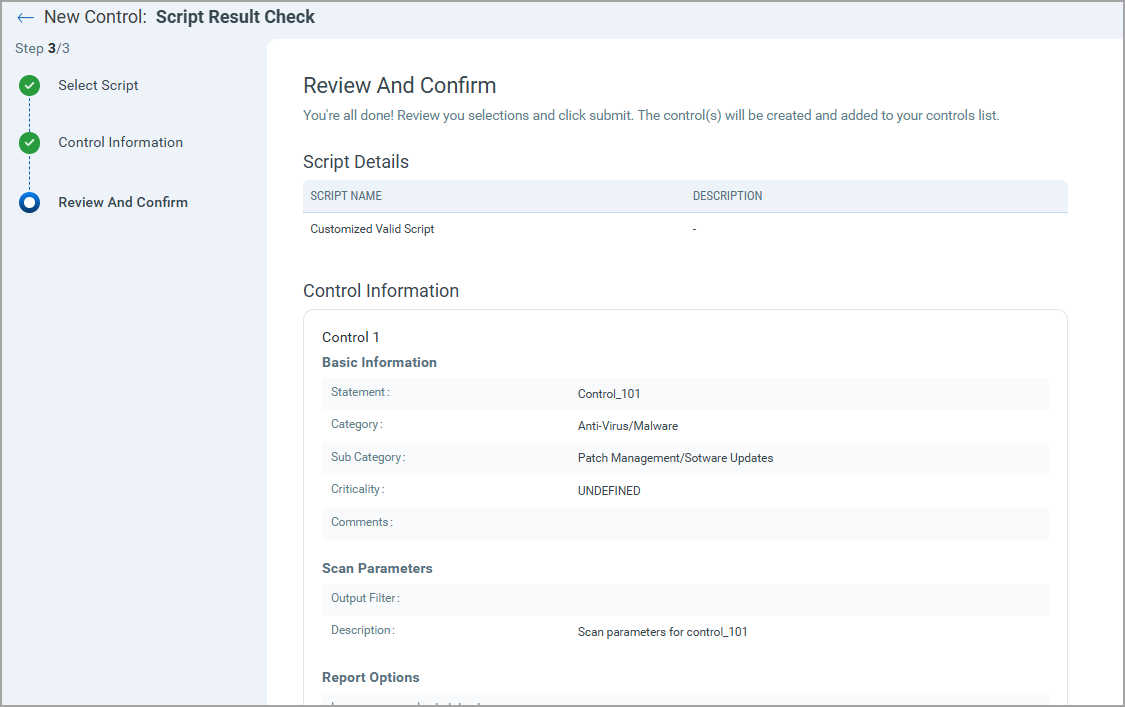
- Review your selections and click Submit.
The new script is created and saved.