Submit Compliance Status
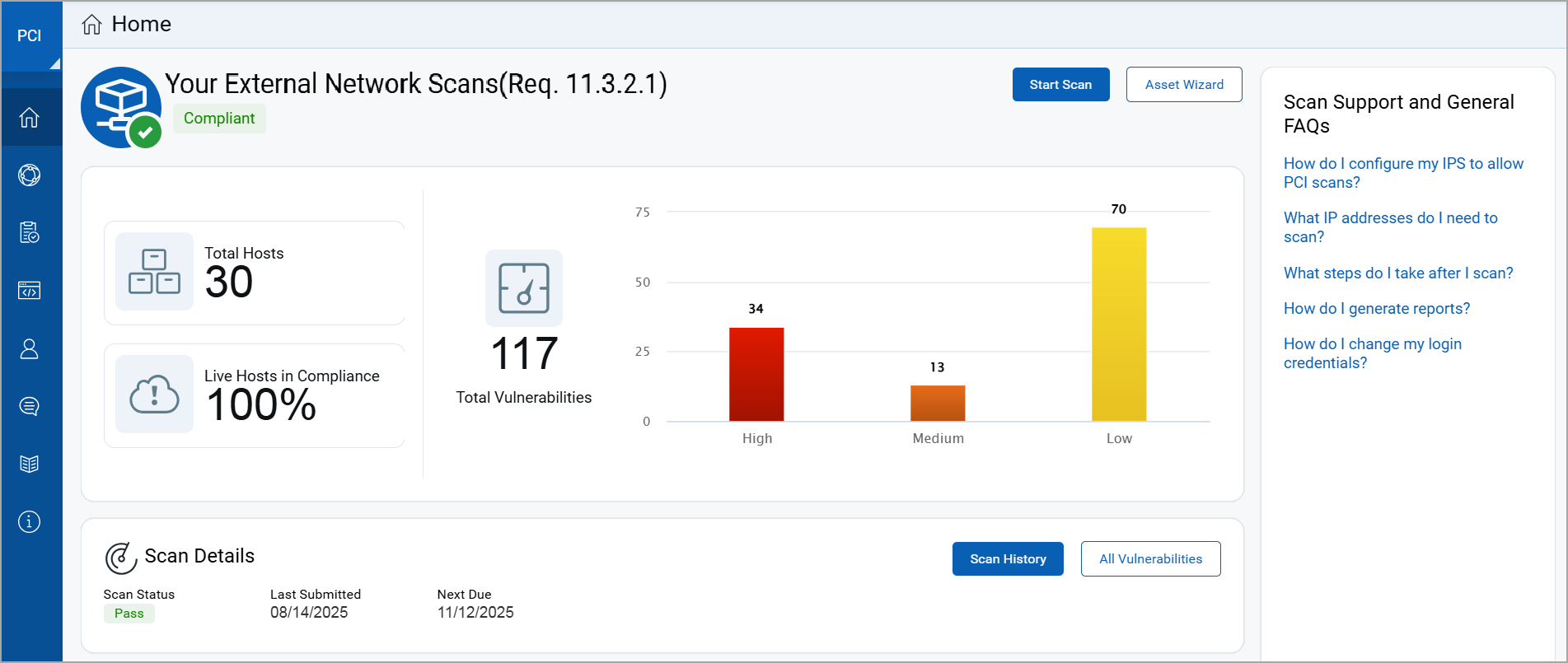
Your Home page shows your PCI compliance status. Your Network Scans will be marked as  when you are compliant with the quarterly external network scans requirement.
Create Reports for Certification
You are ready to create network reports when the Compliance Status shows that the number of hosts in your account matches the number of hosts that are compliant. In the example below there are 2 hosts in the account and 2 hosts that are compliant.
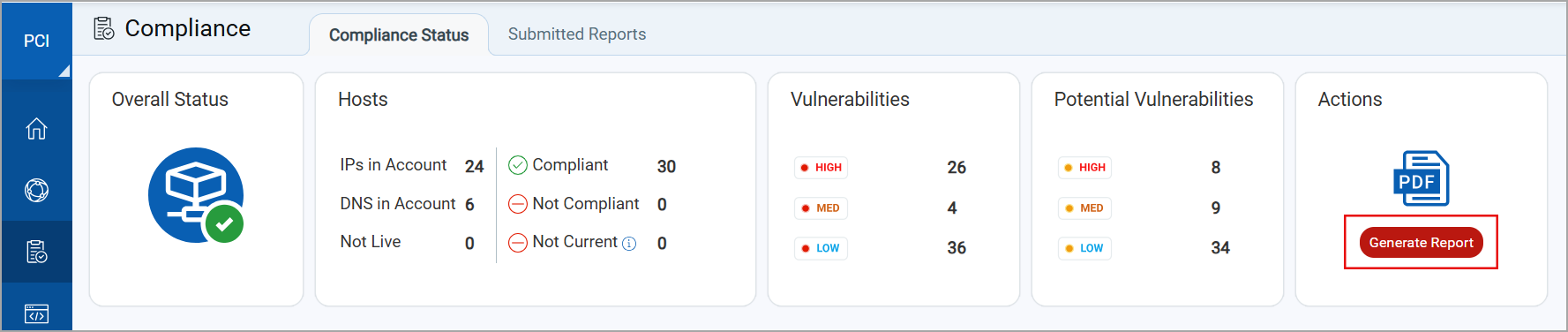
To create your reports, click Generate (under Actions) and simply follow the steps in the report generation wizard. Your reports will appear on the submitted reports list.
Get Certification for Reports
- Preview the reports online in PDF format for completeness and accuracy.
- Request a review from your Approved Scanning Vendor (ASV) using the report wizard or from the submitted reports list. You will receive an email with the review status (approved or rejected).
- Once approved by the ASV, the report is considered certified and can be submitted to your acquiring banks for PCI certification.
Auto-Submit to Acquiring Banks
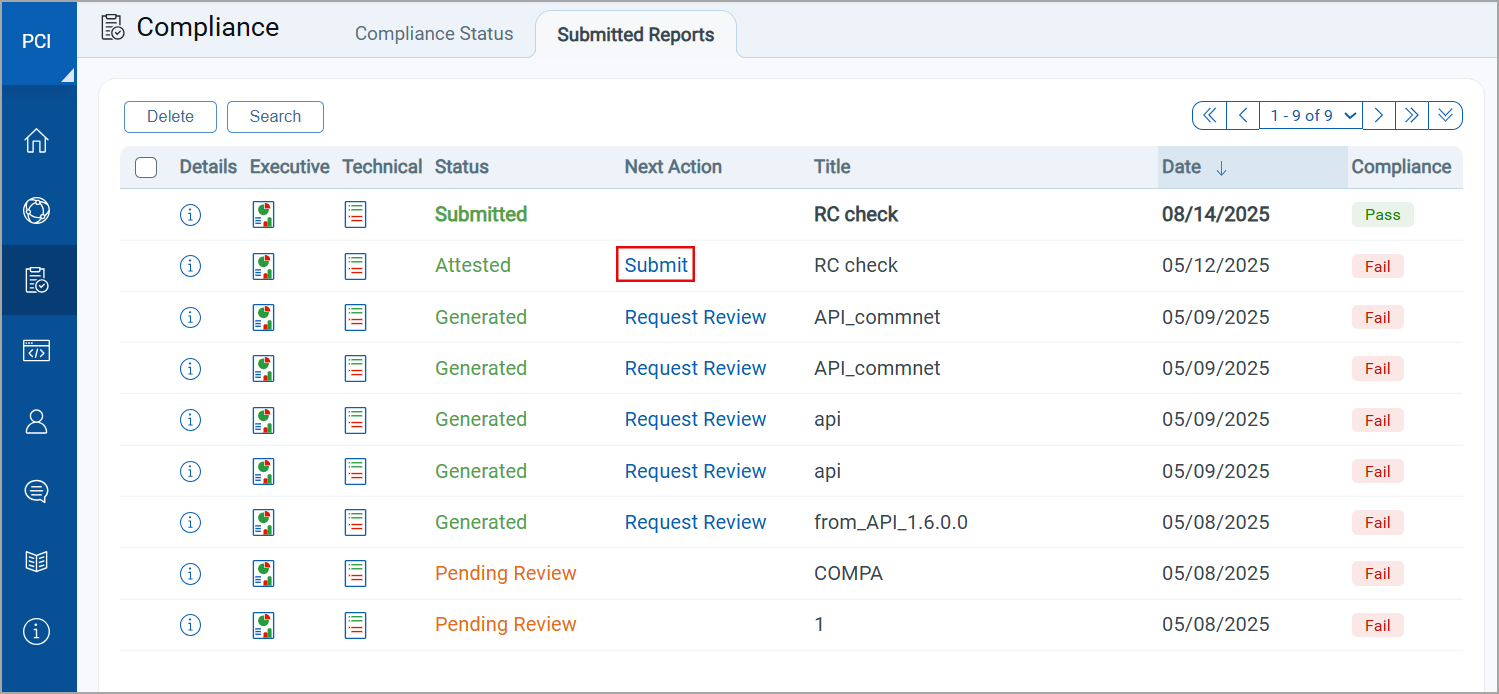
The Qualys PCI auto-submission feature allows you to submit compliance status directly to your acquiring banks. Entering your bank and merchant IDs in your “Account Settings” activates the auto-submission feature. You can also download PCI compliance reports in PDF to submit to your acquiring bank(s) or use to assist in remediation efforts.
Go to Compliance > Submitted Reports and click the Submit link.
PCI Bank Service
We offer our PCI Bank service to acquiring banks. When your bank has signed up you can submit your compliance status to them directly, without having to send it manually via email or other means. A bank representative gets a PCI Bank account and logs in to our PCI Bank application where they get a view of your compliance status and direct access to your submitted reports.
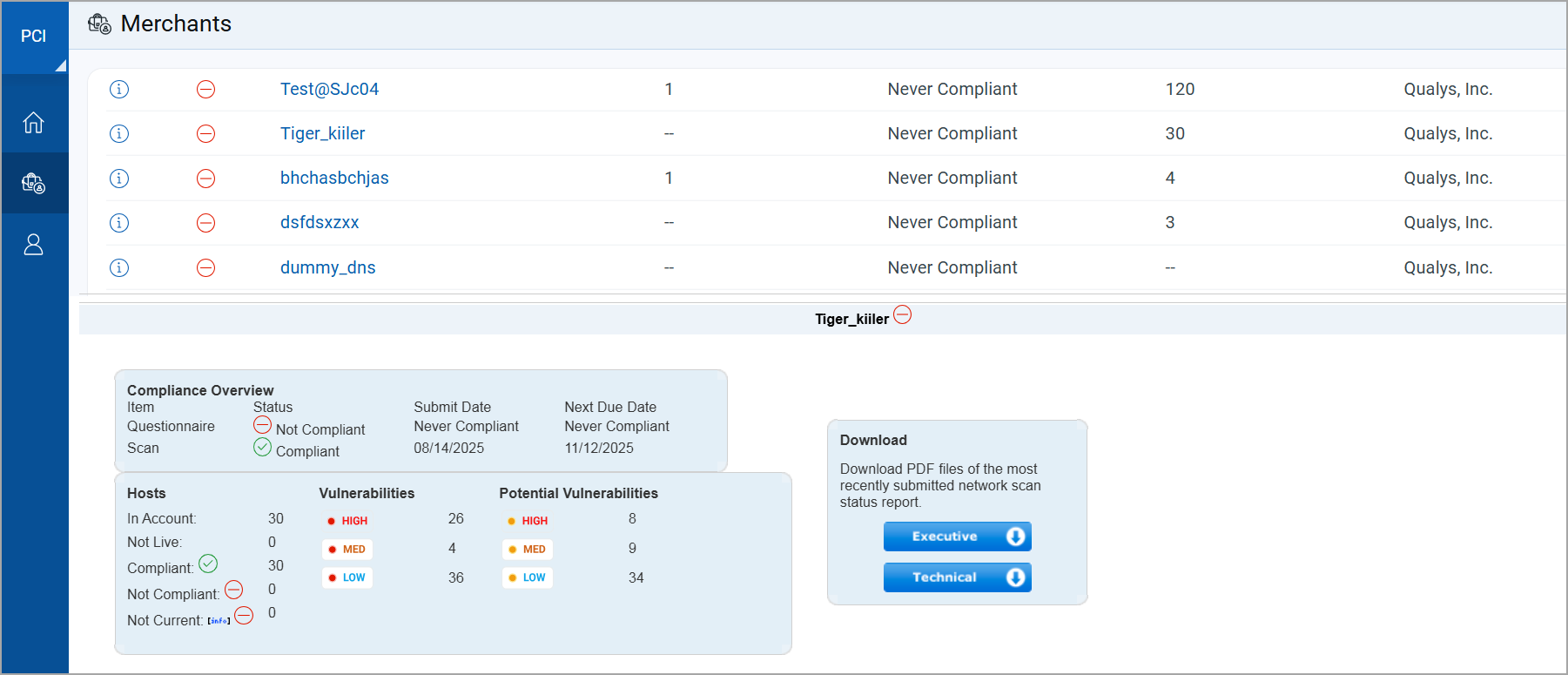
View merchant details like the current compliance status, and the last date when the scan report was submitted for certification. Only the final, submitted scan report is visible to bank users. Scans and remediation efforts that are in progress are not visible.
Download PCI network reports in PDF format from the preview pane.
Can a bank user log in to a merchant account? No, bank users do not have access to merchant accounts.