Auth ID Token Management
Qualys PCI Compliance supports API authentication using Qualys-managed access tokens. The Qualys authentication tokens provide a more secure, reliable, and automated authentication model. You map the Client ID to a specific user. The Client ID also helps you assign user permissions and track API usage.
How to Setup Qualys Managed Authentication
To set up the Qualys-managed Authentication, you need to create tokens. Perform the following to create a new token and generate Client ID and Client Secret.
- In the PCI Merchant user interface, navigate to Account > Auth ID Token Management tab.
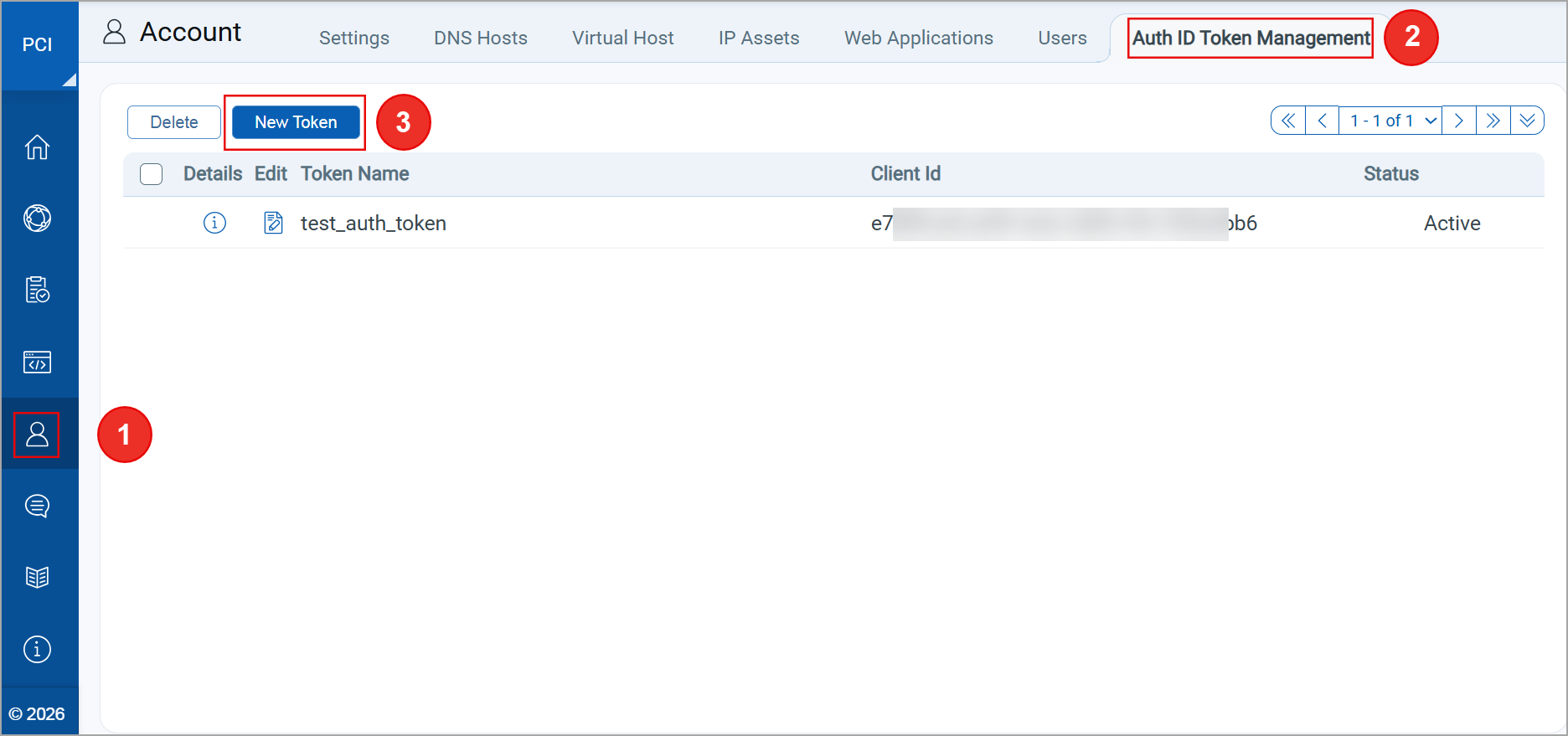
- Click New Token to create a client. The Token Settings window opens.
- Enter the Token Name. By default, all PCI Merchant permissions assigned to the user are automatically assigned to the new token.
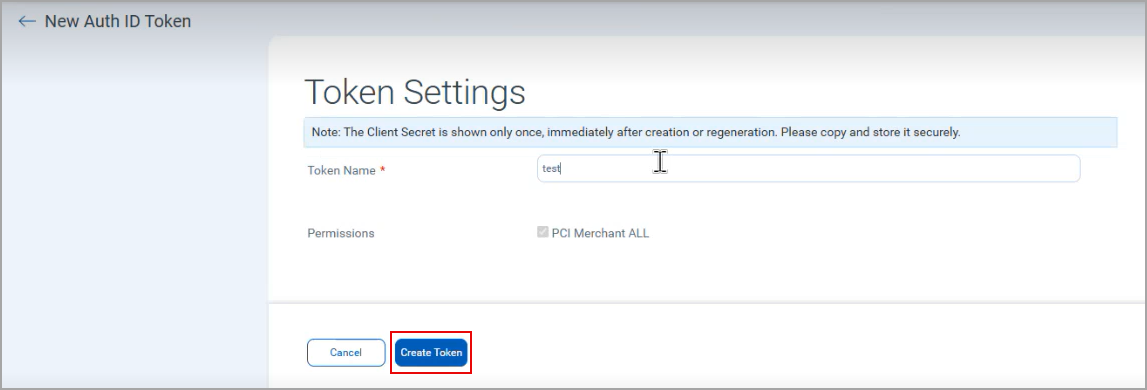
- Click Create Token to generate Client ID and Client Secret. The Client Secret Key window opens.
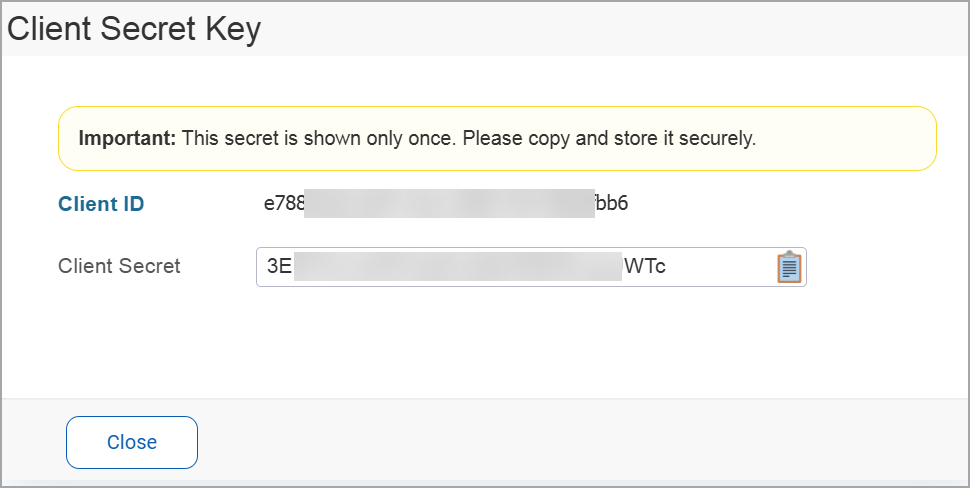
- Copy the Client ID and associated Client Secret to a secure location. The Client ID and Client Secret are required for API authentication.
The Client Secret for a client is displayed only once. Ensure that you copy the Client Secret to a secure location.
How to Access PCI Compliance APIs with Qualys Managed Tokens
To access PCI Compliance APIs, you need to generate an access token using Client ID and Client Secret. We have introduced a new API (/pci/client/token) to generate authentication tokens.
Provide the newly generated authentication token in the Authorization header of an API request. The system validates this authentication token and provides API access as per user's permissions. To learn more about accessing PCI Compliance APIs with an authentication token, refer to the PCI Compliance API User Guide.