Enable SAML for PCI Merchant
To enable SAML for the merchant level, contact Qualys Support and provide your merchant user login details.
Once the SAML is enabled at the merchant level, you can enable it for individual merchant users, as mentioned in the following steps.
Perform the following steps to enable SAML for the user level.
- In the PCI Compliance application, log in to Merchant for which SAML is enabled.
- Navigate to Account > Users.
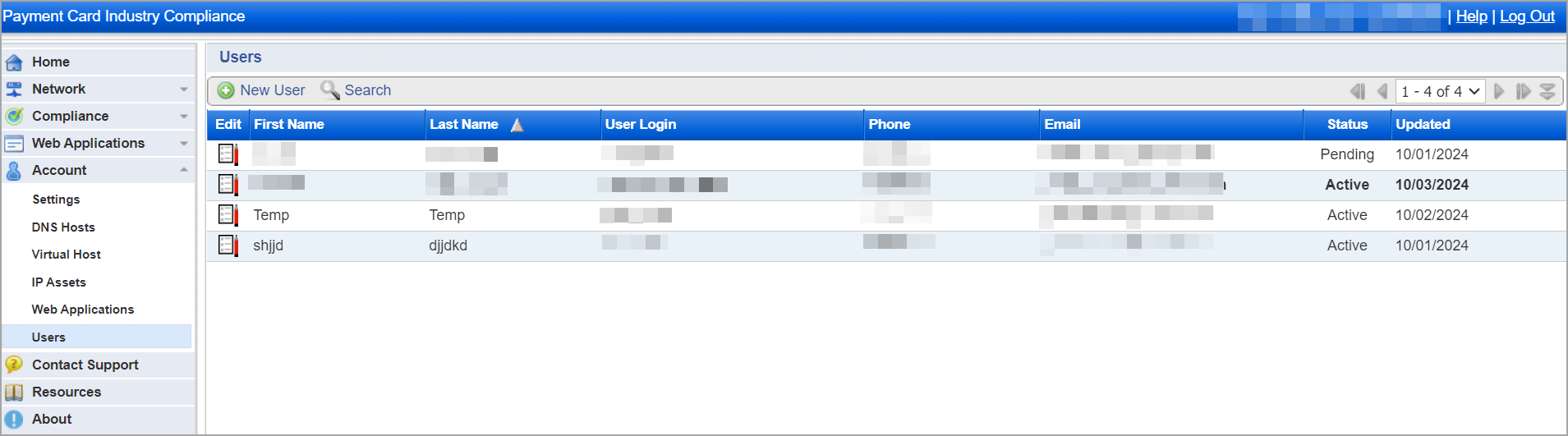
- Select the user account for which you want to enable the SAML.
- Click Edit and select the Enable SAML checkbox.
- Enter the External ID for the user.
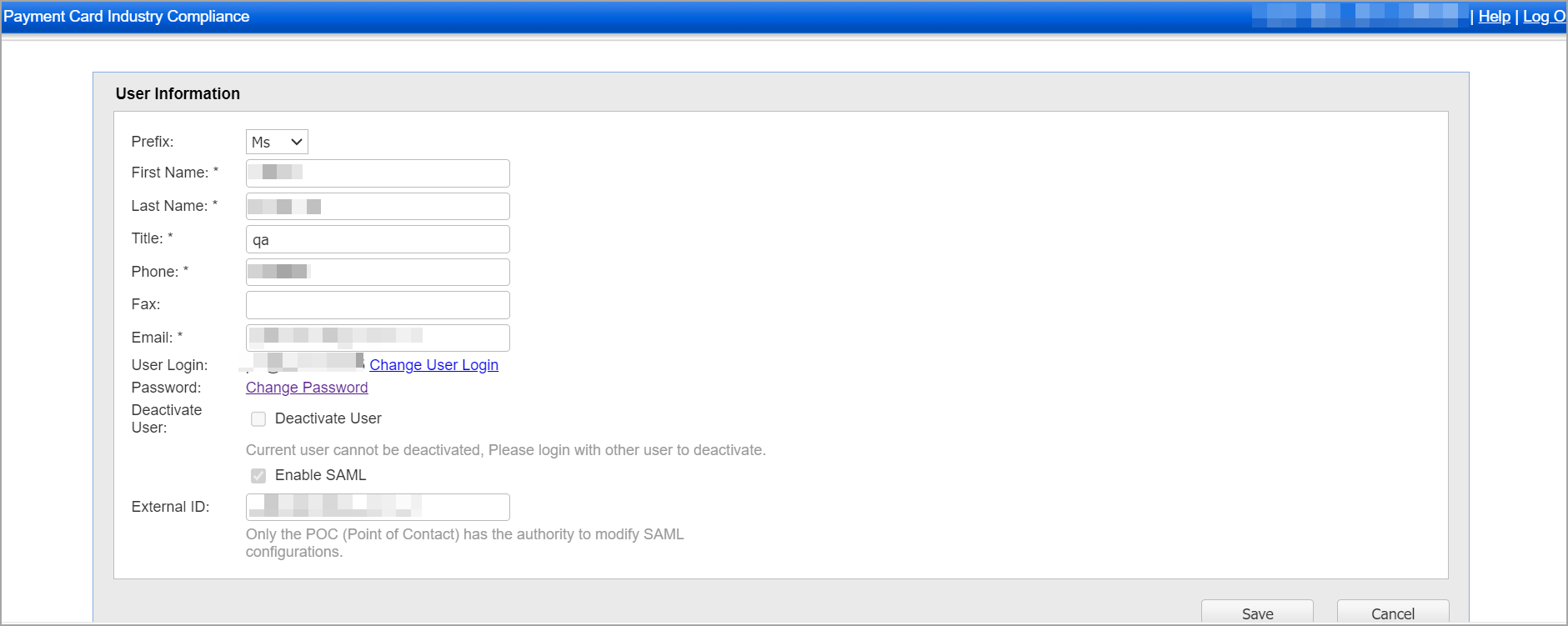
- Click Save.
- Once you enable the SAML for a user, contact Qualys Support and provide the following details:
- Merchant user login details
- External ID
- Login URL
- Logout URL
- Base Certificate - Using these details, Qualys Support creates the IdM UUID and adds the UUID to the login URL and logout URL with the help of.
- You can use these URLs for integrating SAML in Okta or Azure applications.
- To access the PCI Merchant, log in to your Okta or Azure account and click PCI Merchant application.