Create Remediation Job
You can create a QQL-based job from the Patch Management application by clicking Automated Patch Selection to remediate the vulnerabilities.
1. To complete the first three steps, that is Basic Information, Select Assets, and Select Pre-actions, refer to Creating Patch Job for Windows Assets.
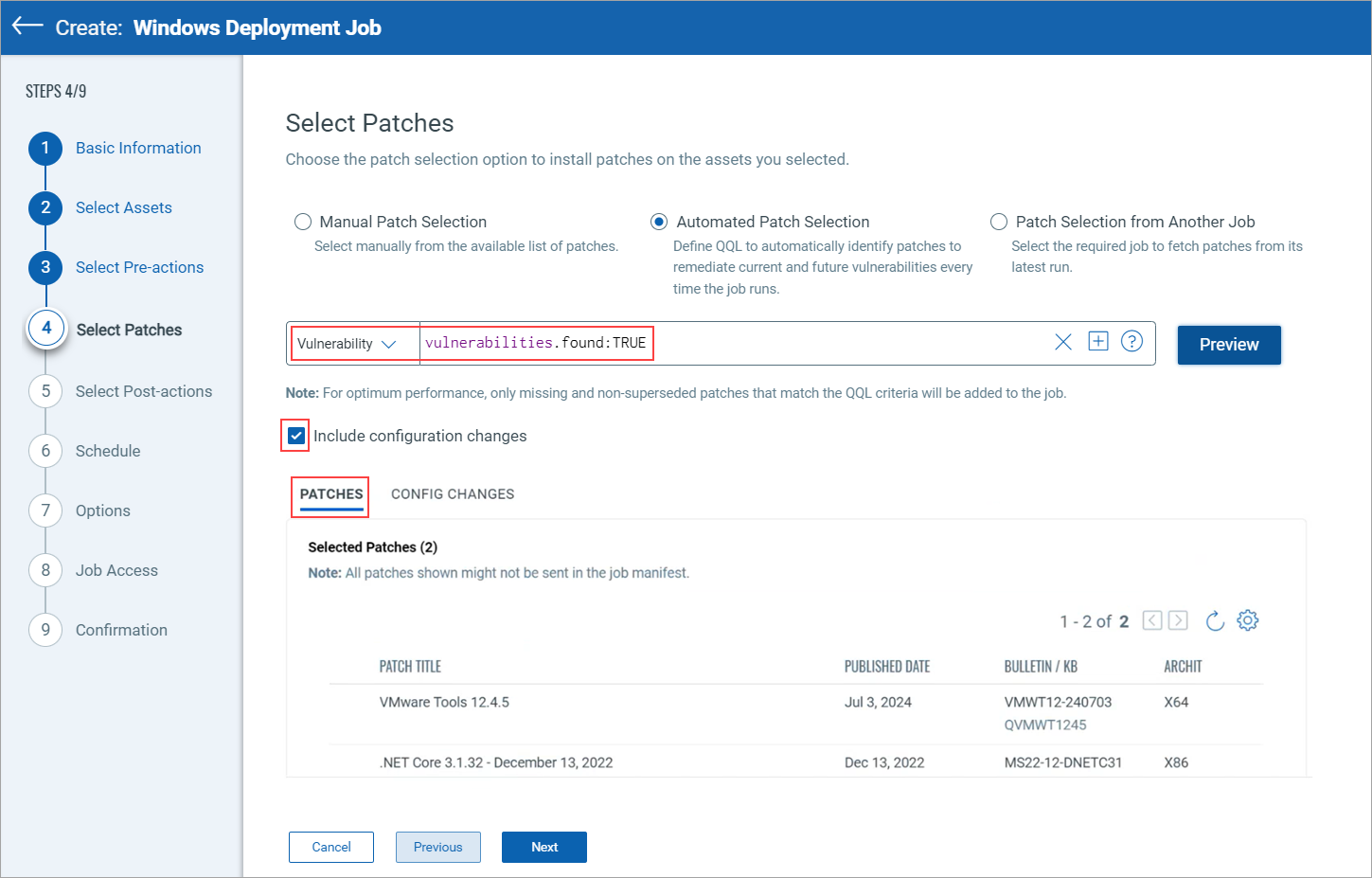
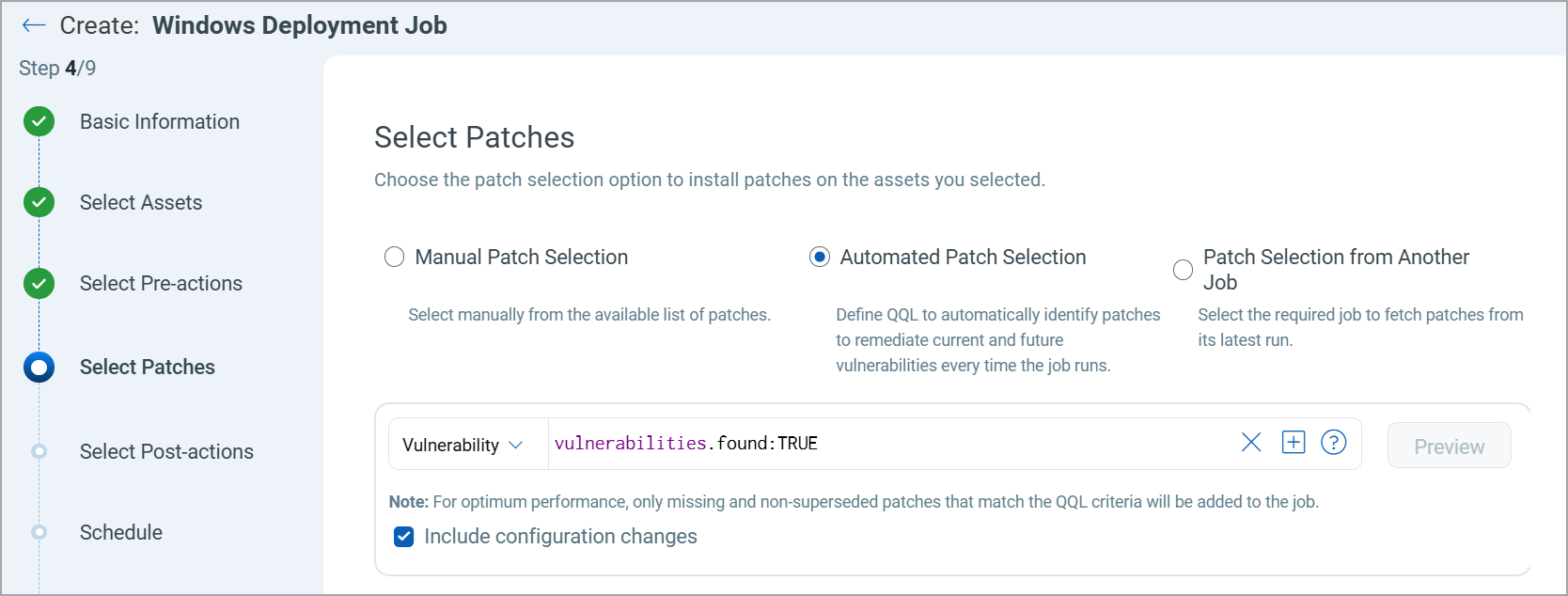
2. To select Patches, click Automated Patch Selection, enter the Vulnerability QQL, and select the Include configuration changes checkbox.
3. Click Preview.
The missing patches on the assets are visible on the Patches tab, and the applicable Configuration Scripts included in the job are visible on the Config Changes tab.
4. Complete the Select Post-actions, Schedule, Options, Job Access, and Confirmation steps by referring to Creating Patch Job for Windows Assets.