Viewing Patch Reliability
You can assess the patch reliability even before the deployment with the smart AI insights. The AI assessment helps you make smart decisions and provides information about the reliability of the patch and its respective known issues after deployment.
AI-Powered Patch Reliability, previously available as a Beta capability, is now generally available for all subscriptions. No Beta enrolment is required. Reliability ratings are available for Windows, Linux and macOS patches, in the patch catalog, in deployment job patch selection, and through the Patch Reliability Detailed Report.
You can view patch reliability insights for Windows, Linux, and macOS patches on the Patches tab, as well as for applicable QIDs on the Eliminations tab.
This feature is available only for TruRisk™ Eliminate users.
You can use the token patch. reliability: True to fetch the patches that have reliability values.
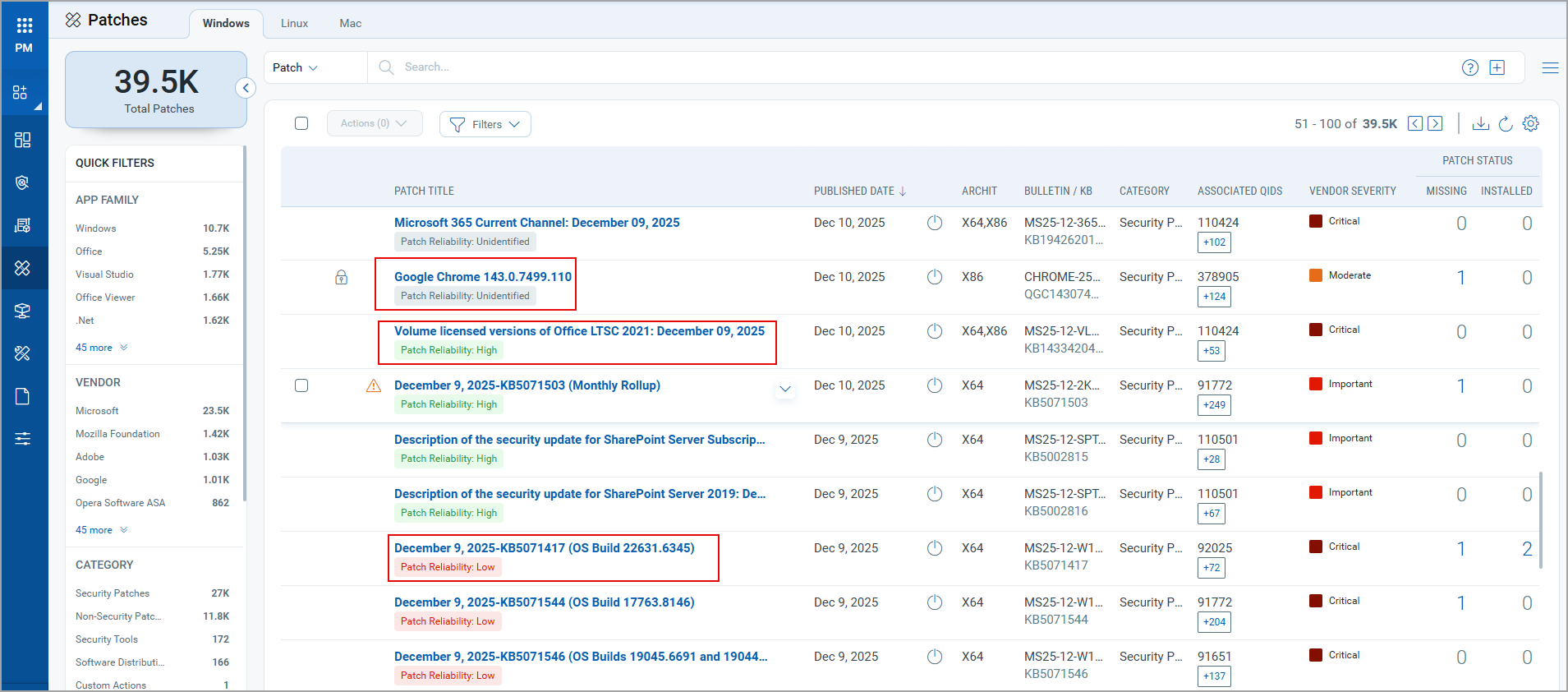
The following are the patch assessment categorizations:
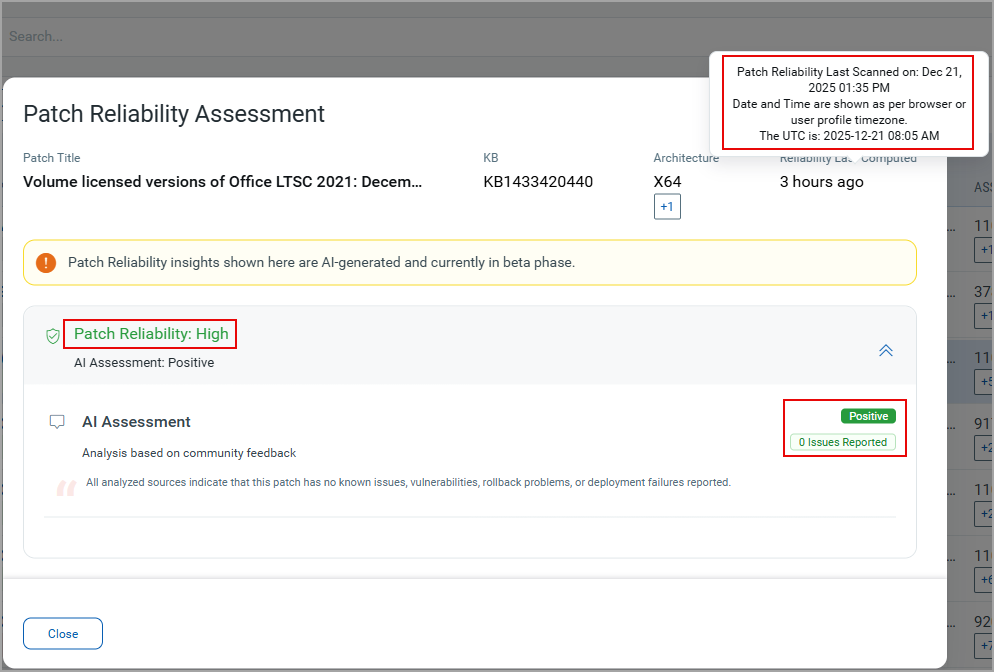
High
The patch is considered to be safe and reliable to deploy, with zero or minimal reported issues. On the Patches page, click Patch Reliability: High for the respective patch. A Patch Reliability Assessment window is displayed. It provides the patch title, the related KB number, the architecture and time stamp of the last reliability scan. This time is as per the browser or your profile timezone.
For High category, the AI assessment comes Positive or Neutral. There can be zero or minimal issues reported.
Medium
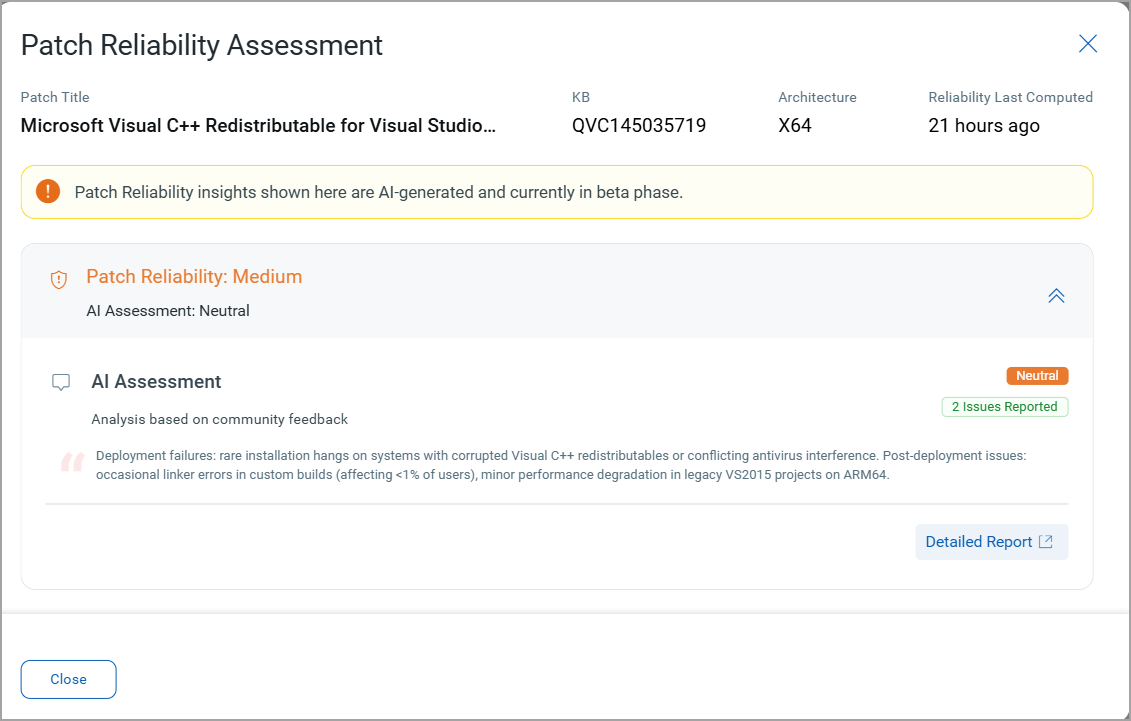
The patch is mostly safe but may include a few reported issues. On the Patches page, click on Patch Reliability: Medium for the respective patch. A Patch Reliability Assessment window is displayed. It provides the patch title, the related KB number, the architecture and time stamp of the last reliability scan. This time is as per the browser or your profile timezone.
For Medium category, the AI assessment comes Positive or Neutral. There can be a few minimal issues reported. You can view the details of the key issues reported, the valid official sources of these issues and links to any related community discussions.
Low
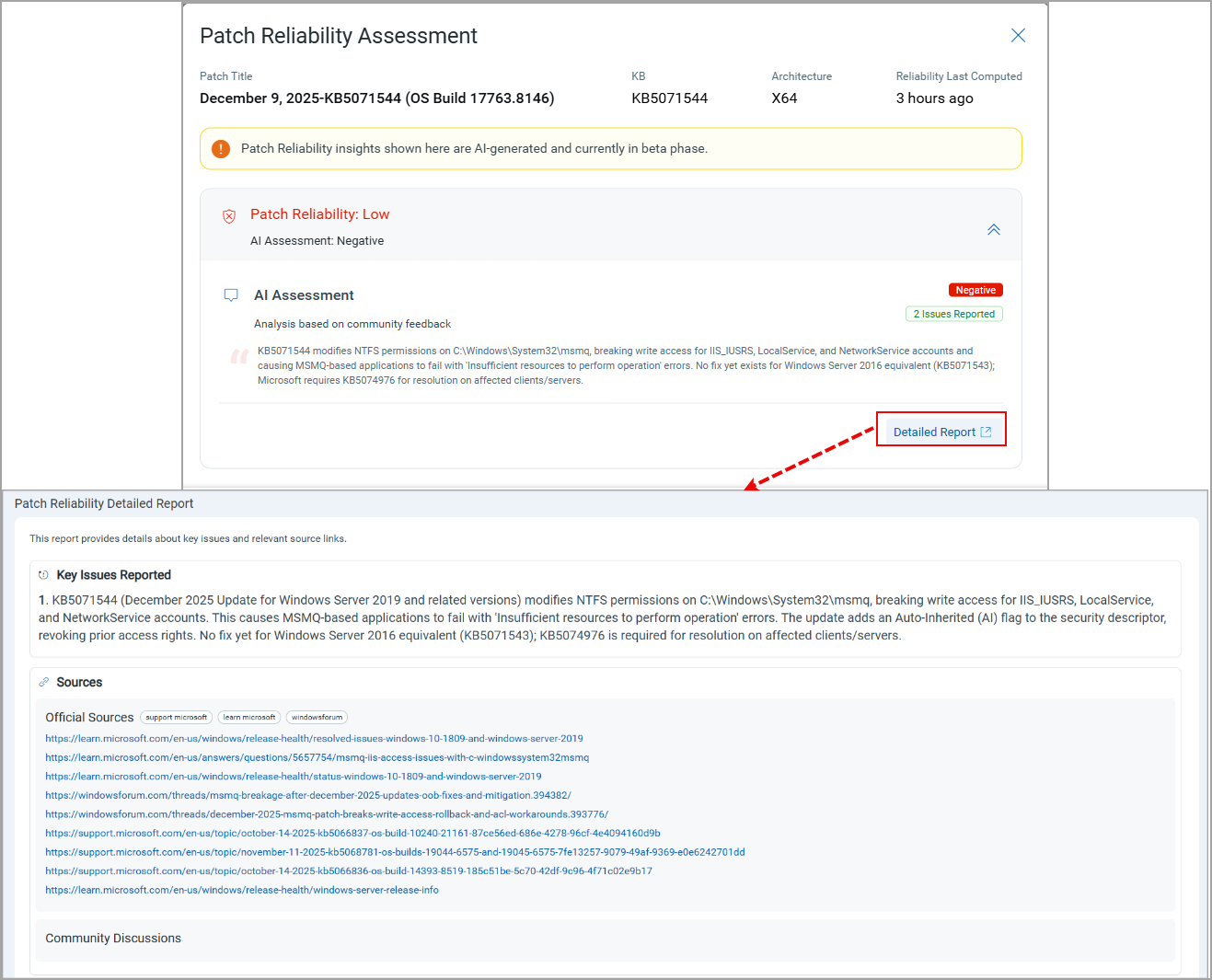
The patch has lower reliability and may include more known issues compared to the High and Medium categories.
On the Patches page, click Patch Reliability: Low for the respective patch. A Patch Reliability Assessment window is displayed. It provides the patch title, the related KB number, the architecture and time stamp of the last reliability scan. This time is as per the browser or your profile timezone.
For Low category, the AI assessment comes Negative. There can be more known issues reported. You can view the details of the key issues reported, the valid official sources of these issues and links to any related community discussions.
Unidentified
No AI information is currently available for this patch. So, there is no further information to predict before deployment.
How the Patch Reliability Rating is calculated
Each patch receives a reliability rating of High, Medium, Low or Unidentified. The rating combines two independent inputs and is recalculated as new evidence arrives.
Public signal. Reported issues for each patch are gathered continuously from vendor knowledge base articles and advisories, vendor release-health pages, Linux distribution release notes, and public administrator and sysadmin discussions. The Patch Reliability Detailed Report lists the specific issues identified for a patch together with the official and community sources they were drawn from.
Qualys deployment telemetry. Public signal is weighted against observed outcomes across the Qualys installed base, covering more than 500 million patch deployments. Two measures are used: the rate at which administrators rolled the patch back after installing it, and the rate at which the vulnerabilities the patch addresses were detected again on subsequent scans.
Because the rating draws on both reported issues and measured deployment outcomes, a patch discussed widely but deploying cleanly at scale is not downgraded, and a patch failing quietly in the field is identified even where no issue has been reported publicly.
Using the reliability rating in deployment
The reliability rating is applied before a patch reaches any deployment ring:
- Patches rated High are eligible for zero-touch automated deployment.
- Patches rated High where operational impact is expected are directed to ring-based staged deployment.
- Patches rated Low are held from deployment and routed to mitigation.
You can also configure patch blocking rules that hold any patch below a chosen reliability rating, so that patches rated risky are excluded from deployment without an administrator acting first.