Assigning/Removing IP Addresses to the Appliance Sniffing Interfaces
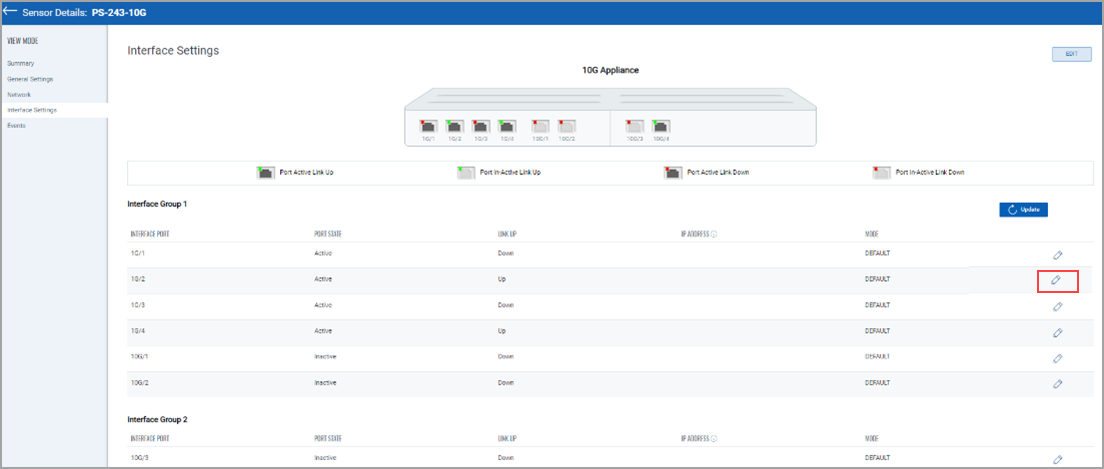
To assign or remove the IP address from the appliance sniffing interface, go to the Sensors tab and from the Quick Actions menu of a sensor, click View Details > Interface Settings. Alternatively, you can click on the sensor to go directly to the sensor view details page.
Click the edit icon of the desired sniffing interface, as shown in the following screenshot.
Select ERSPAN mode and assign an IP address to the interface along with a subnet mask.
Click Ok > Click Update to save the configuration. Refer to the following screenshot.
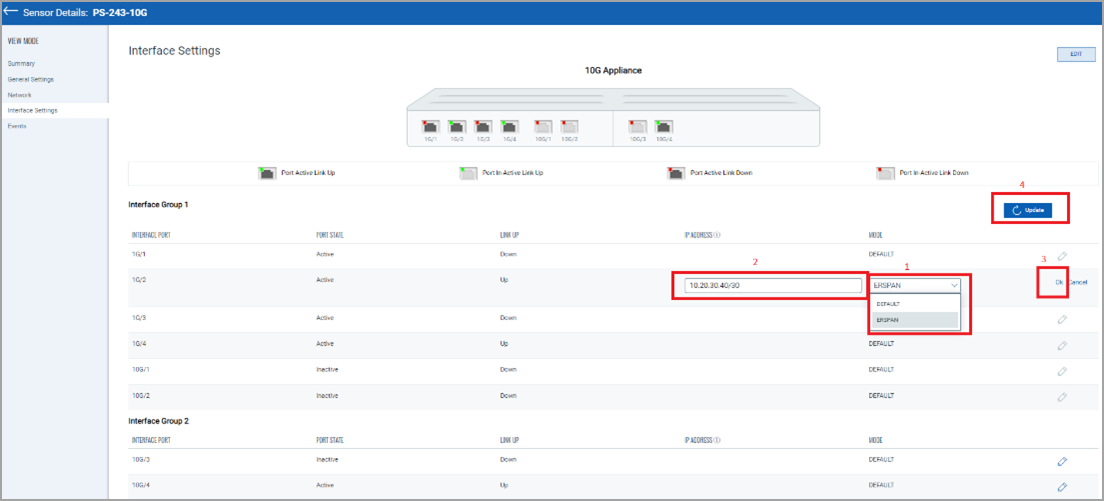
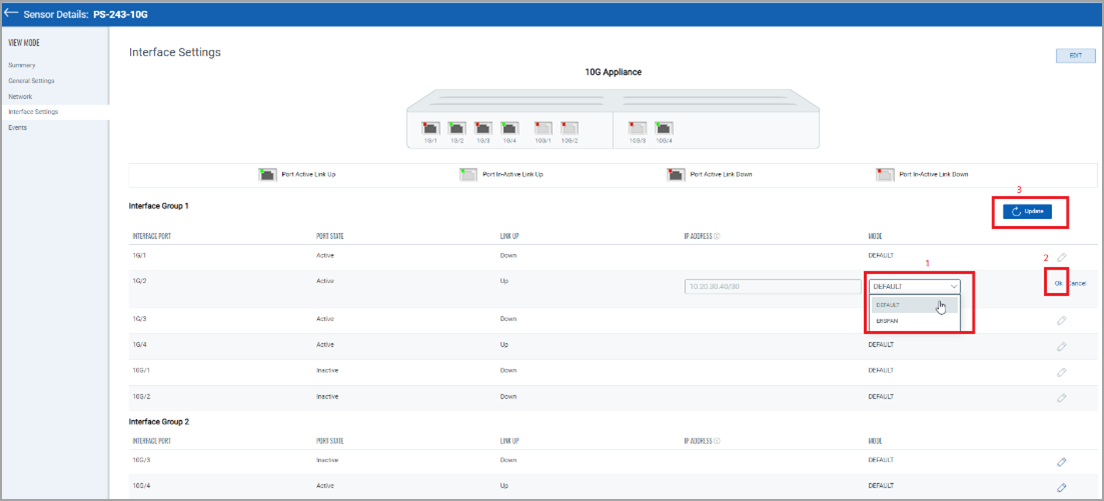
To remove the IP Address from the sniffing interface, click the edit icon of the desired sniffing interface. As shown in the above screenshot.
Select DEFAULT mode, click Ok > click Update to save the configuration. Refer to the following screenshot.
Important
- For the 10G appliance model (QPS-10G-0404-B1), the interface needs to be active before assigning an IP address to the sniffing interface.
- The Network Passive Sensor (NPS) appliance will reboot once after adding/editing/deleting the IP address of the sniffing interface.
The Network Passive Sensor (NPS) appliance version 1.3.6-12 supports assigning IP addresses on the sniffing interface. So before assigning an IP address to the sniffing interface, ensure that the NPS appliance version is 1.3.6-12 or above.