Mirroring Techniques – Hirschman
Hirschman ethernet industrial network switches are widely used across OT infrastructure consisting of devices of various manufacturers such as Yokogawa, ABB, GE etc.
Mirroring configuration in Hirschman switches could be performed from its web interface. Following are the generic mirroring configuration steps for a Hirschman industrial switch:
- Log in to the switch.
- Select the Port Mirroring from Diagnostics tab.
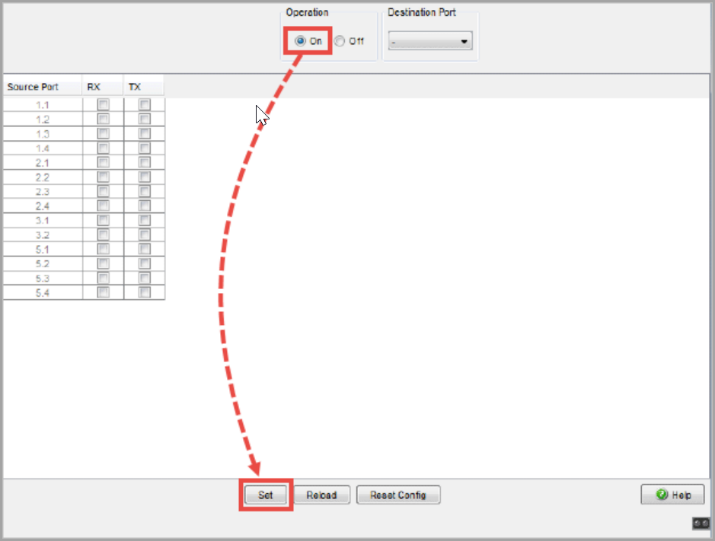
- Select all the applicable Source Ports and the data stream (RX and TX) to monitor.
- Select the Destination Port to monitor all the network traffic.
- Select On from Operation and select Set to start the mirroring.
- It is required to select Save to save the configuration changes for permanent use.
For more information on mirroring techniques for Hirschman switches, refer to the Official website