Qualys Flow Release 1.19
September 26, 2025
Implementation of QQL Token Standardization
We have now implemented Qualys Query Language (QQL) token standardization across all Qualys applications. As part of this enhancement, both common and Qualys Flow specific tokens are updated with new token names that follow a standard consistent nomenclature.
The new token format follows the syntax: <entity>.<attribute>
For example, in the new token, cloud.provider, cloud is the entity, and provider is the attribute.
Key Enhancements:
- Standardized Token Naming: The sensor, asset, and operating system tokens now follow the standardized naming convention. The tokens common to all Qualys applications have also been updated.
- Search Bar Updates: Only the new tokens are displayed in the auto-suggestion in the search bars within the UI. However, if you type the old token name manually, the QQL query still works. The old tokens will not be visible in the auto-suggestions on the UI.
- Backward Compatibility: The existing Dashboard widgets and Saved Search Queries will continue to support the old tokens in edit mode.
- Improved Interoperability: The standardized tokens make it easier to copy and reuse the search query from one application to another, eliminating the need to remember multiple token names for different applications and similar searches.
Here is the complete list of old and new token mappings.
| Old Token | New Token |
|---|---|
|
qflow.Status |
qflow.lastExecutionStatus |
|
qflow.module |
module.code |
|
qflow.provider |
cloud.provider |
|
qflow.region |
cloud.region |
|
qflow.account.id |
cloud.accountId |
|
qflow.services |
cloud.services |
|
qflow.createdByUsername |
qflow.createdBy.username |
|
qflow.createdByName |
qflow.createdBy.name |
|
qflow.active |
qflow.isDeployed |
|
qflow.state |
qflow.isDeployed |
|
qflow.type |
qflow.type |
|
execution |
execution.id |
|
source |
execution.source |
|
status |
execution.status |
|
regions |
cloud.region |
|
resource_groups |
cloud.resourceGroupName |
|
executionType |
execution.type |
|
account |
cloud.accountId |
|
region |
cloud.region |
OCI Cloud Support in QFlow
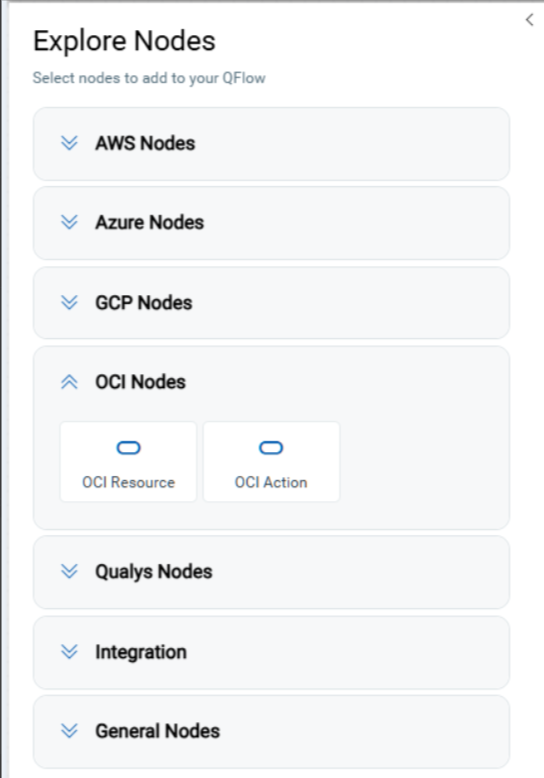
We have extended QFlow with Oracle Cloud Infrastructure (OCI) support. As part of this enhancement, two new node types are available: OCI Resource and OCI Action. These nodes allow you to seamlessly integrate OCI services into your Qualys workflows.
-
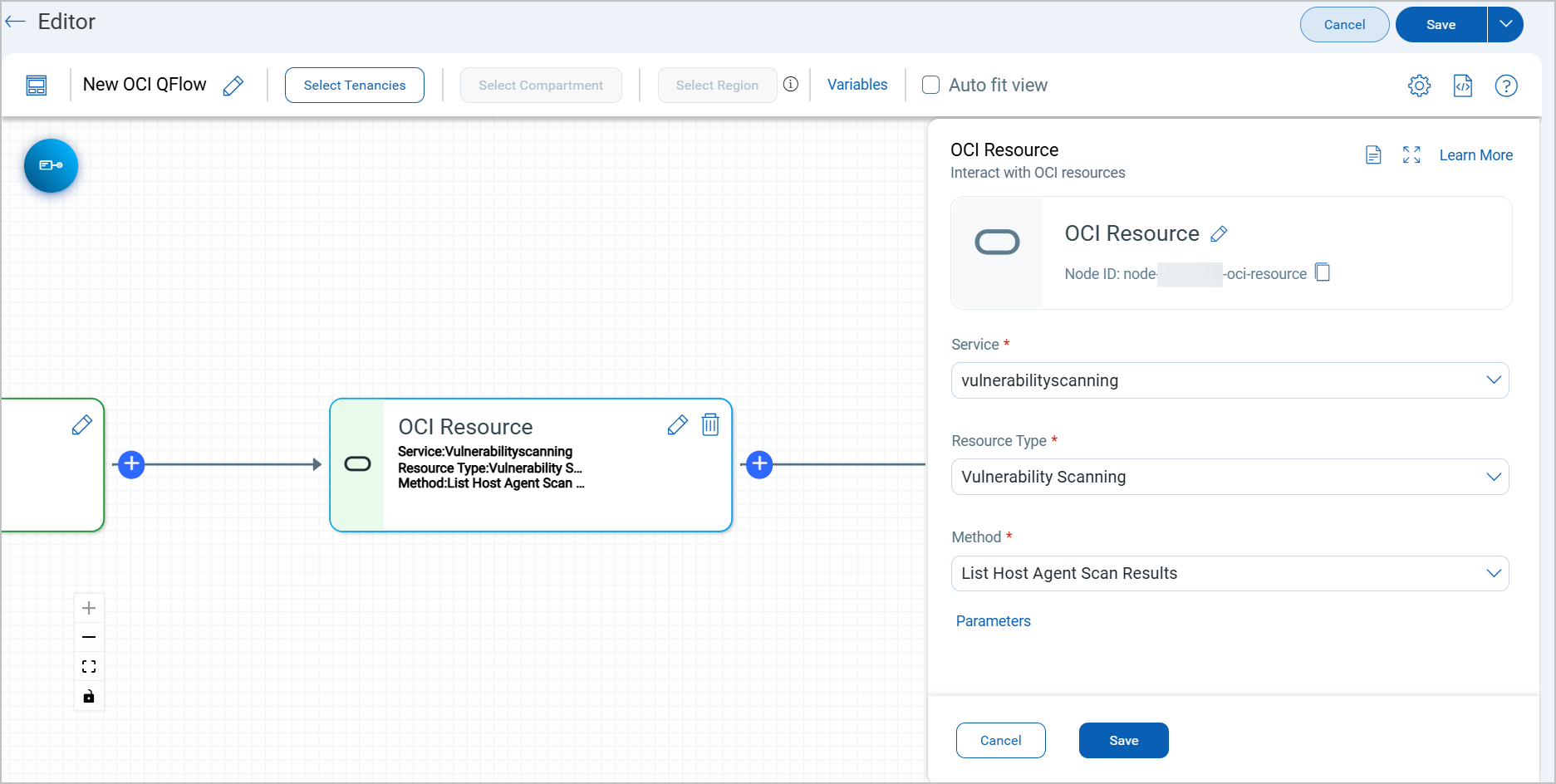
OCI Resource Node
The OCI Resource node fetches resources from a specific OCI service. You can access all OCI services and resources available to your configured account.-
The output is a JSON representation of the resources retrieved.
-
You can use Parameters to refine the fetch operation.
-
-
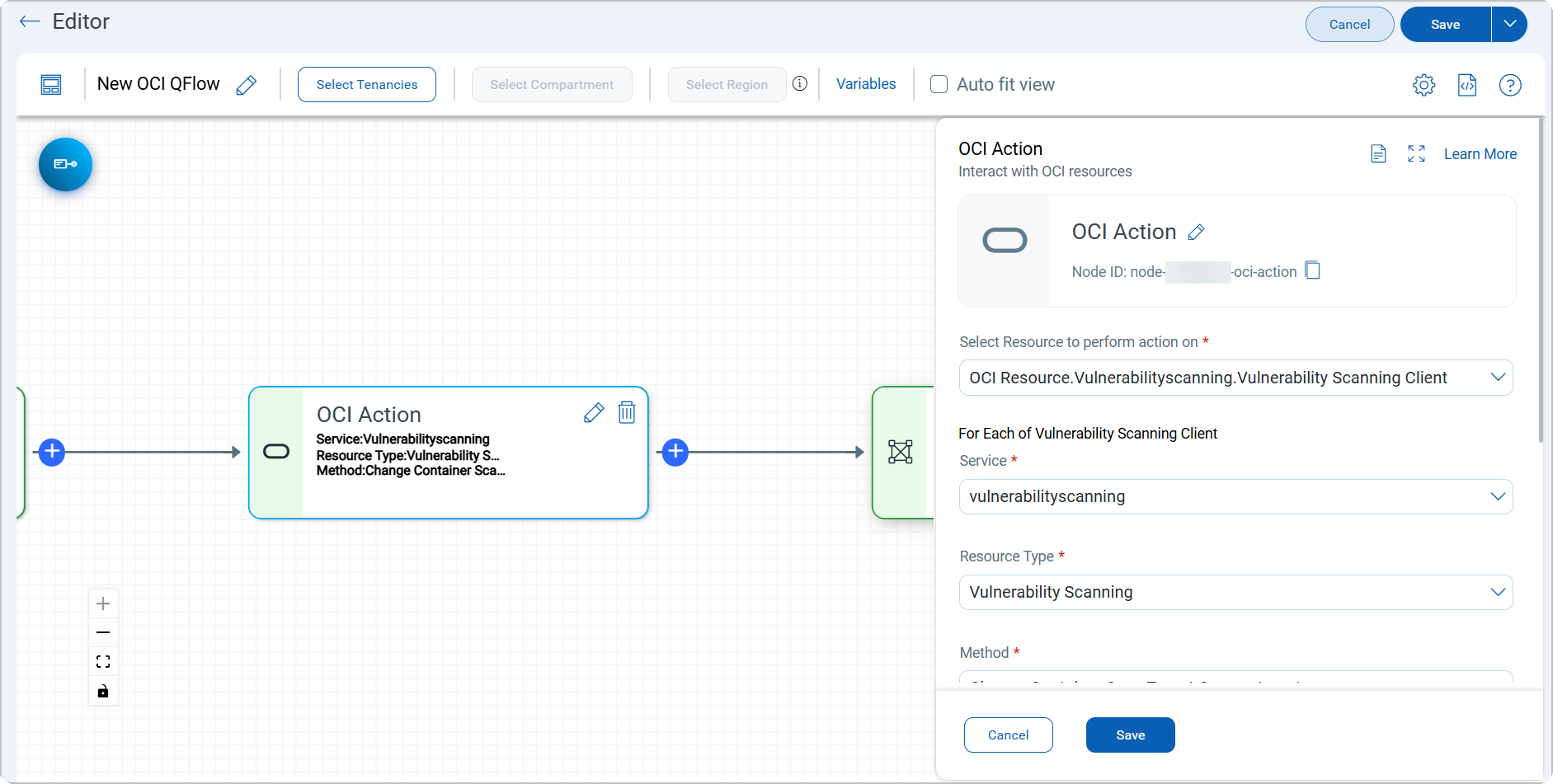
OCI Action Node
The OCI Action node performs actions on the selected resources. This is where the actual automation takes place.-
Actions can be defined based on available OCI SDK operations for the chosen resource.
-
Attributes of input resources can be accessed using parameter mapping (e.g.,
obj.<param>).
-
-
Raw Node - OCI Support
The Raw node under the General nodes list now adds support to OCI as well. Use this node to select a resource and an action together, along with parameter mapping.
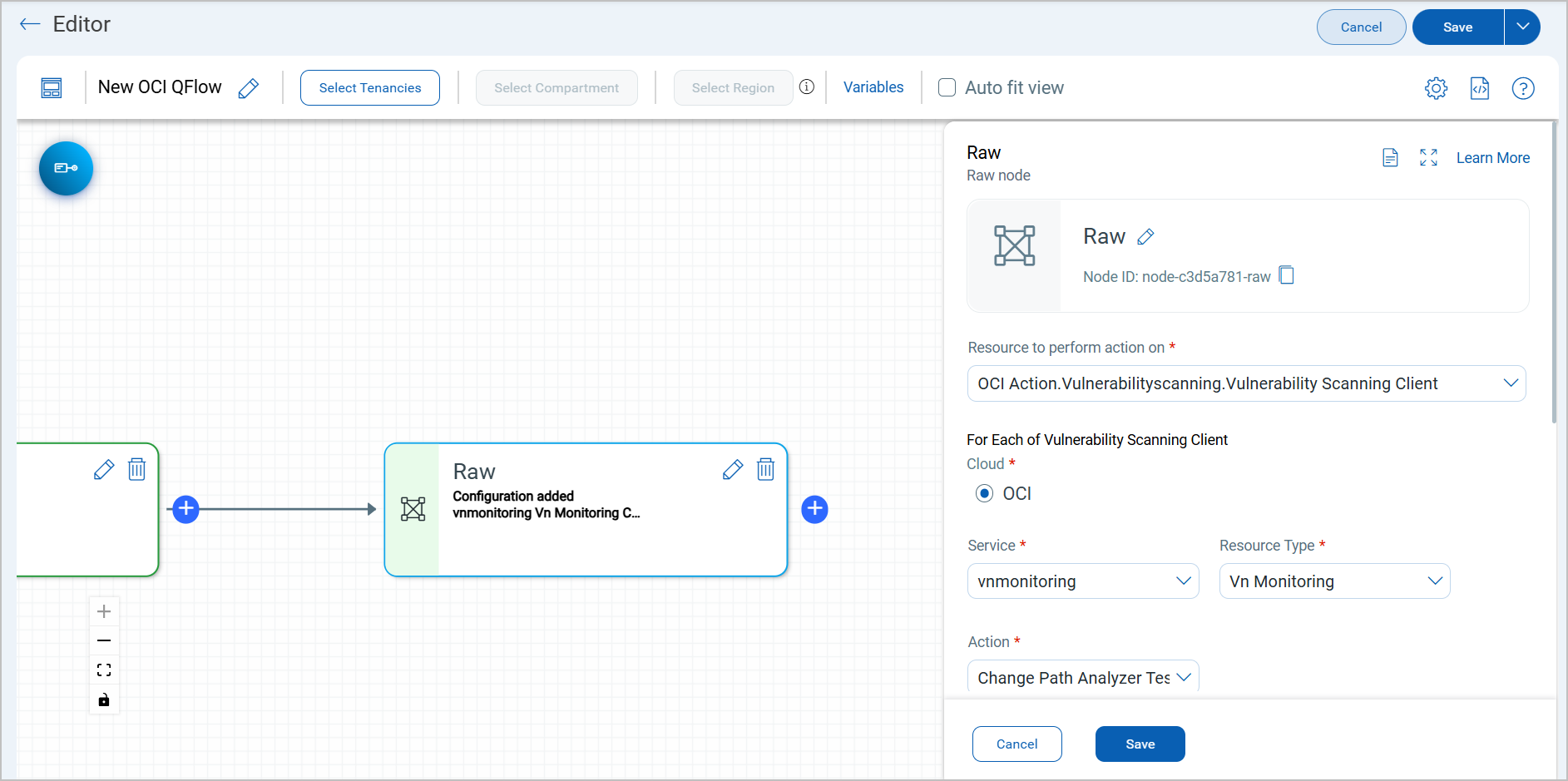
While saving your OCI node configurations, you can choose the OCI Tenancy, Compartments, and Regions to specify where the workflows impact.
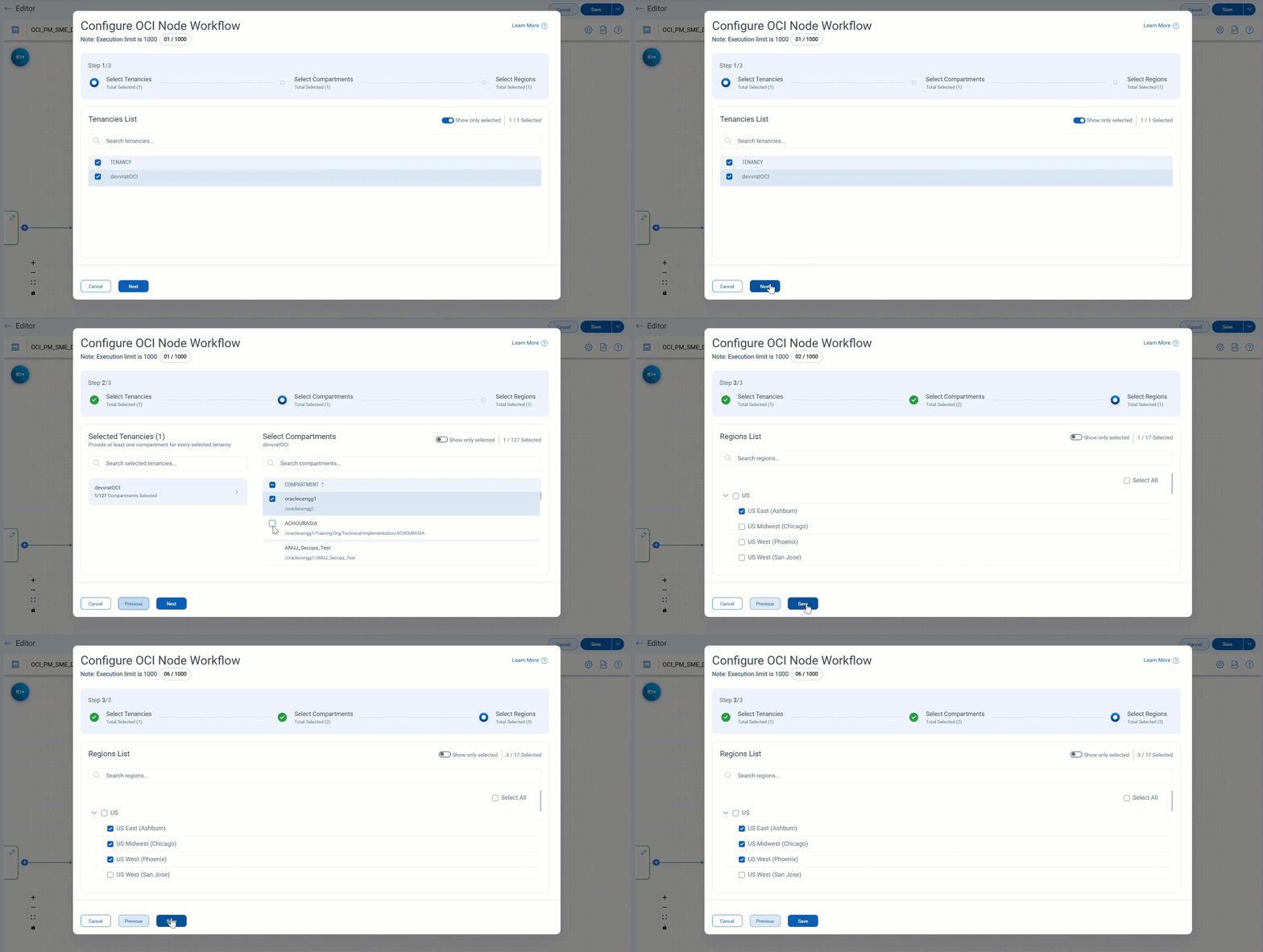
With these additions, QFlow now supports automation across AWS, Azure, GCP, and OCI, providing full multi-cloud coverage for resource management and orchestration.
Updates to QFlow API Permissions
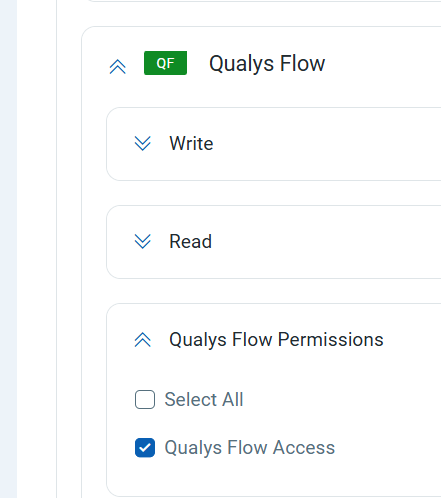
To improve security and ensure proper access control, public API access for the QFlow application now requires the "Qualys Flow Access" permission to be enabled for the client account.
You must select the "Qualys Flow Access" permission in your account settings to successfully authenticate and use public APIs related to QFlow. This permission is already available in the Qualys portal.
Improved Execution Guidance for Inactive Workflows
With this release of QFlow, we have introduced a refinement to how workflows are executed to ensure users are working with the most relevant and active configurations.
To help users avoid unintended executions, public APIs will now guide users to run only active workflows. If a workflow is inactive, the system will provide a clear error message, helping users quickly identify and update the workflow status if needed.
On the UI, you can easily filter inactive workflows using the following QQL query:
qflow.isDeployed=false
Enhanced Evaluation Experience in TotalCloud
We have introduced a new enhancement to the TotalCloud node evaluation experience that helps users gain clearer insights into control execution, especially when no resources are found.
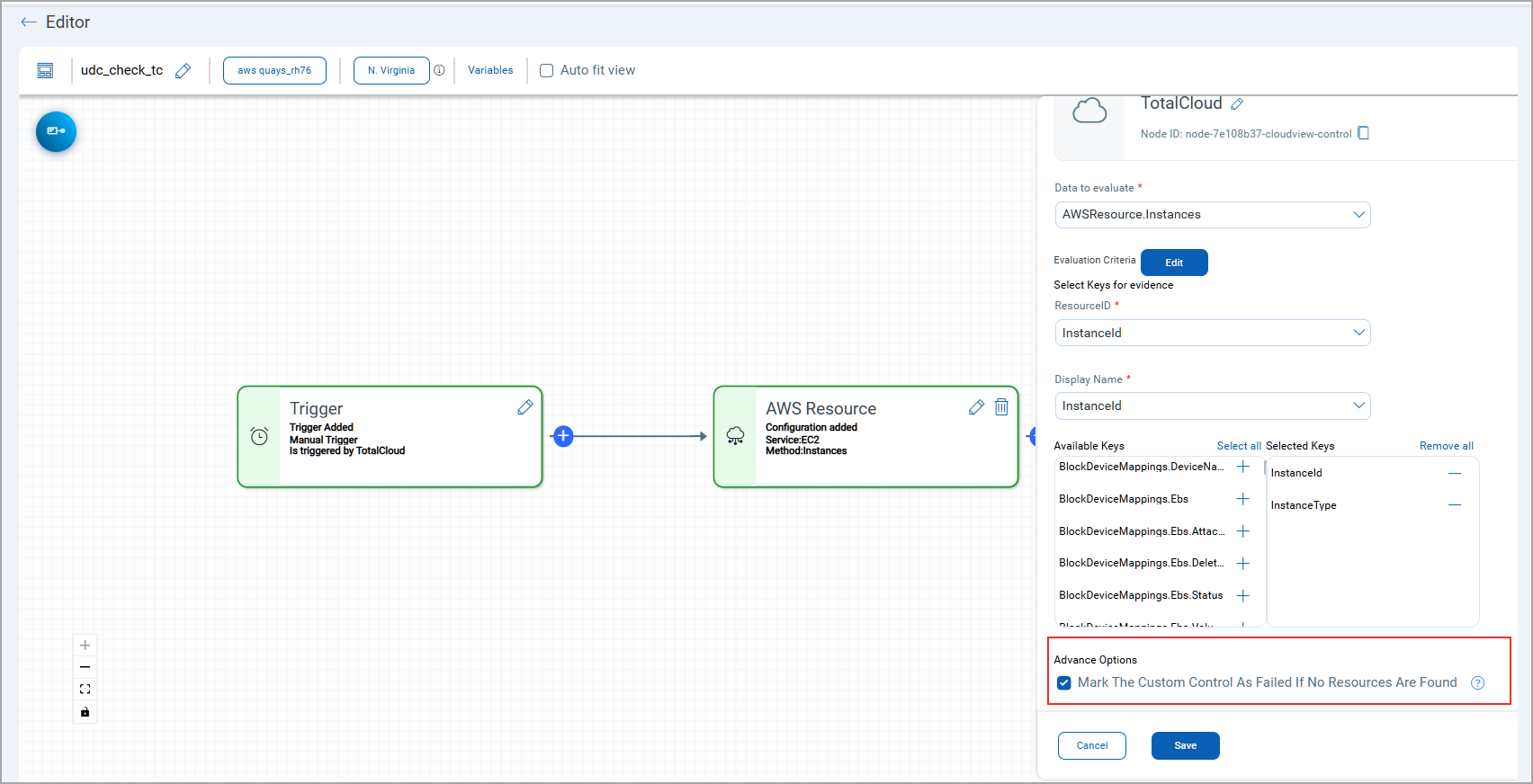
A new setting. “Mark The Custom Control As Failed If No Resources Are Found” is now available. When selected, it ensures that controls with no matching resources are clearly marked as Failed, helping users avoid false negatives in security evaluations.
Benefits
-
Improved Execution Visibility:
Execution details are now tracked and reported even when no resources are found, offering better transparency across AWS regions. -
Error Reporting:
Errors encountered during QFlow executions are now logged and surfaced, giving users more actionable insights. -
Account-Level Tracking (Beta):
Execution tracking is now available at the account level, ensuring a more consolidated and accurate view of control evaluations.
This enhancement is currently available for AWS resource nodes. Support for Azure is planned in a future phase.