Qualys Flow Release 1.25
November 3, 2026
You can now view missing AWS permissions in Qualys Flow, so you can see which permissions your AWS connection still needs.
Enhancement
View Missing AWS Permissions
What Changed For You
You can now see which AWS permissions a connector is missing, along with the root cause and fix, and rerun the check with Validate without leaving the workflow editor.
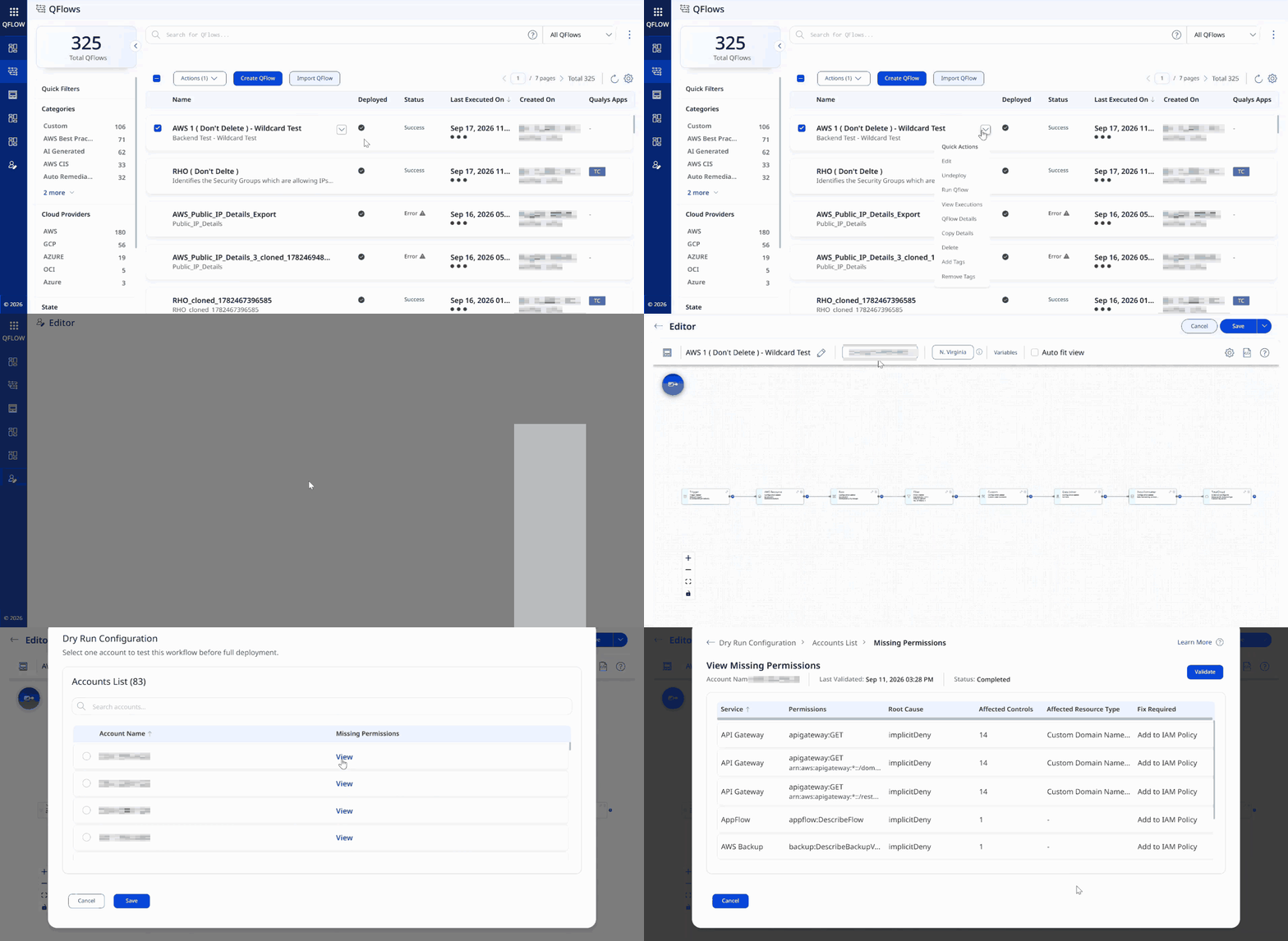
QFlow now shows missing AWS connector permissions directly inside the workflow editor, so you can spot and resolve permission gaps before you deploy a workflow.
You can view the missing permissions when you select a connector to test a workflow before full deployment (Dry Run), and when you save a workflow using Manual Scope or Dynamic Scope.
In the list of connectors, click View in the Missing Permissions column to check which permissions, if any, are missing for a connector. The View Missing Permissions page lists the AWS service, the permission, the root cause, and the fix required for each missing permission.
Add the missing AWS permissions in the AWS console, then click Validate to rerun the AWS permissions check.
To validate permissions, make sure the iam:SimulatePrincipalPolicy permission is enabled for your role. If it is missing, QFlow cannot validate the permissions.
Benefits
- Fix issues earlier: Spot missing permissions while you select connectors, before the workflow runs or is deployed.
- Clear, actionable details: See the AWS service, the permission, the root cause, and the fix required for each missing permission.
- Validate in place: Run the permissions check again from the same screen after you update the permissions in AWS, without leaving the workflow editor.
For more information, refer to View Missing Permissions.