Qualys Gateway Service Release 3.12
July 23, 2025
QGS 3.12.0 brings updates to the QGS Certificates and Appliance OS Versions to enhance system security.
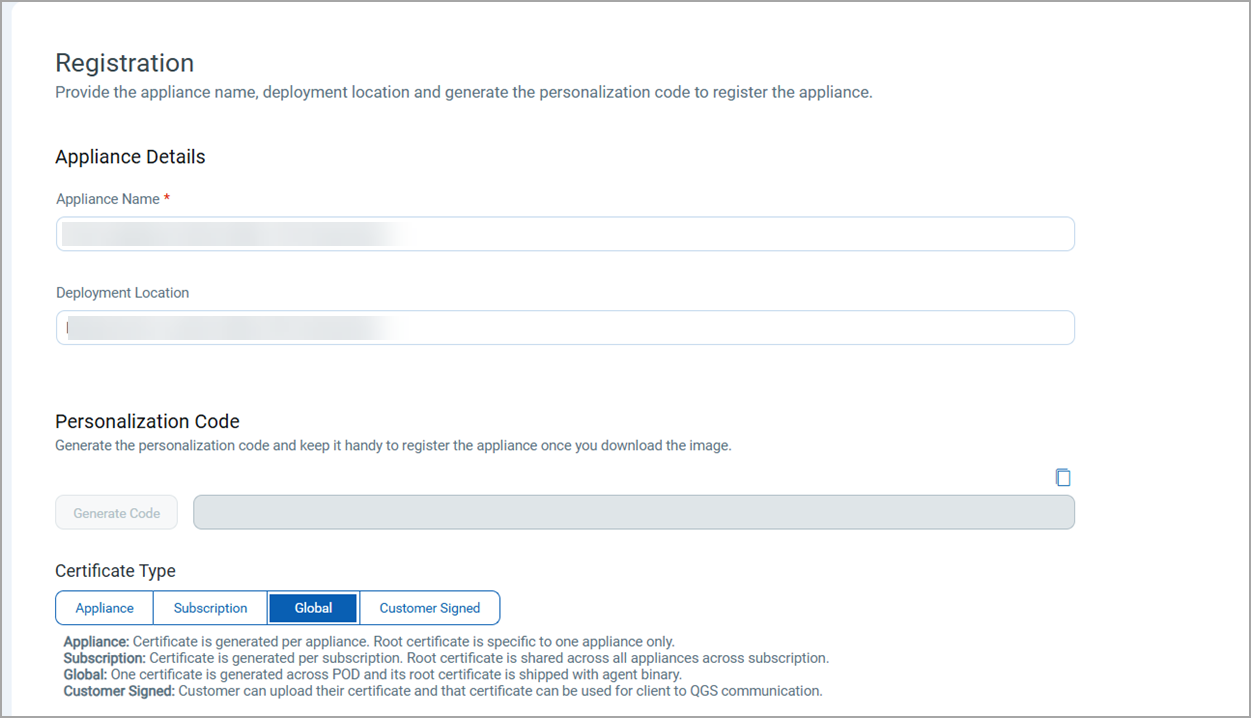
Support for Global Certificate
With this release, CAMS/QGS now supports QGS-bound global certificates, simplifying agent configuration and expanding the appliance capabilities.
- The global certificate is bundled with the latest Cloud Agent, eliminating the need for separate download and installation.
- A new Global Certificate option is added to the appliance creation which is selected by default.
- Default appliance creation type has been updated to use the global certificate in QGS UI.
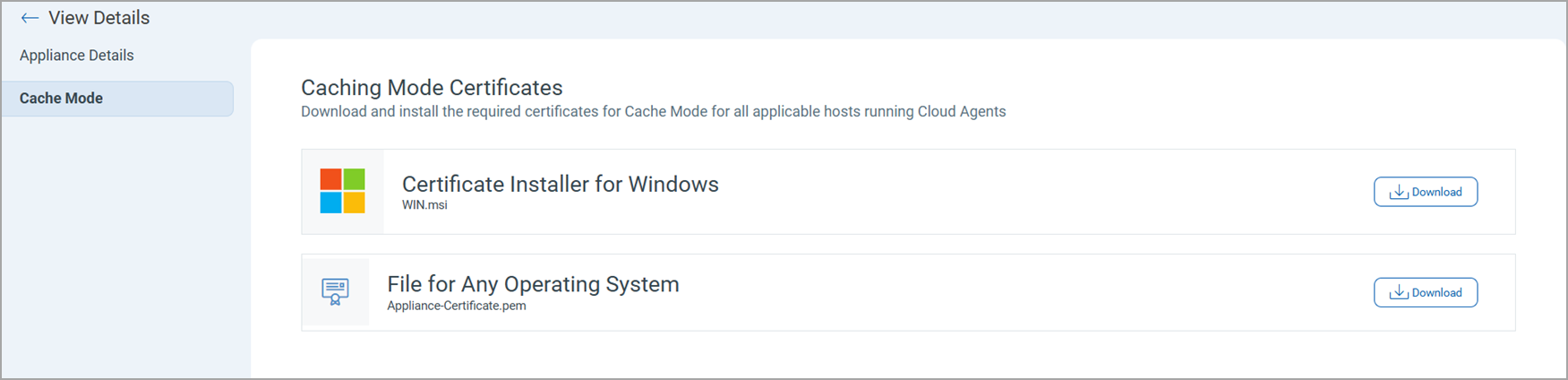
- If you are using older agents, the global certificate is available for manual download via QGS > Appliance Details.
- You can view whether your appliance has a global certificate by hovering over the certificate icon.

- You can switch to a global certificate by navigating to:
- Appliance Quick Action menu > Change Certificate
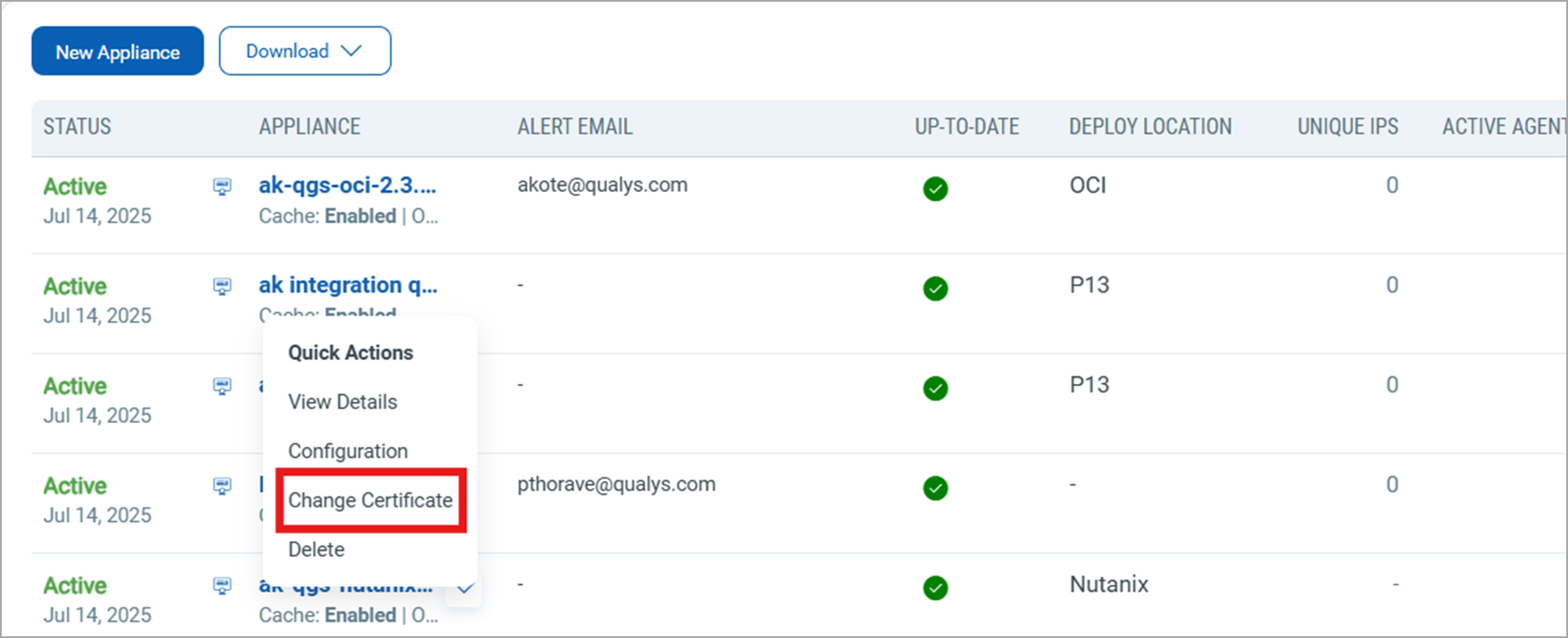
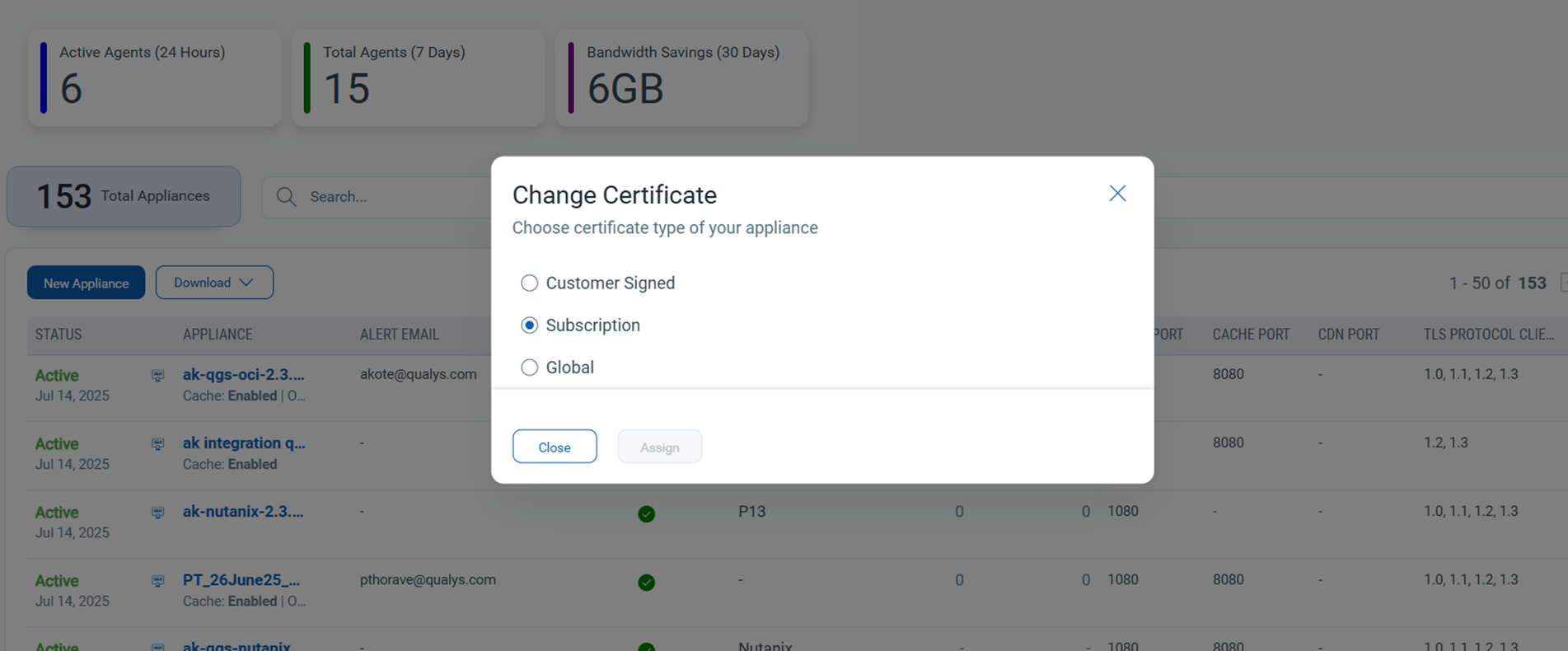
- A new generic certificate assignment flow has been introduced, allowing users to:
- Select Change Certificate from the dropdown.
- Choose the desired certificate from a modal window.
- Appliance Quick Action menu > Change Certificate
QGS global certificate is supported starting with Windows Agent version 6.2 and above.
Certificate Label Update
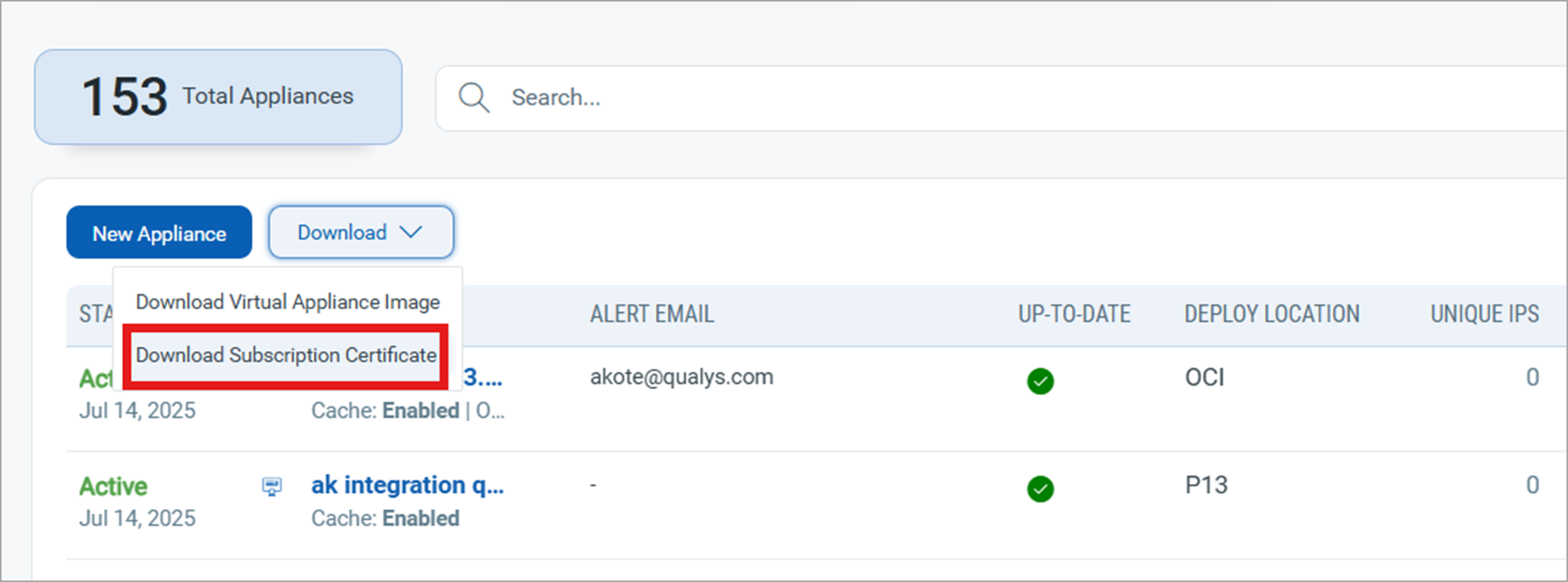
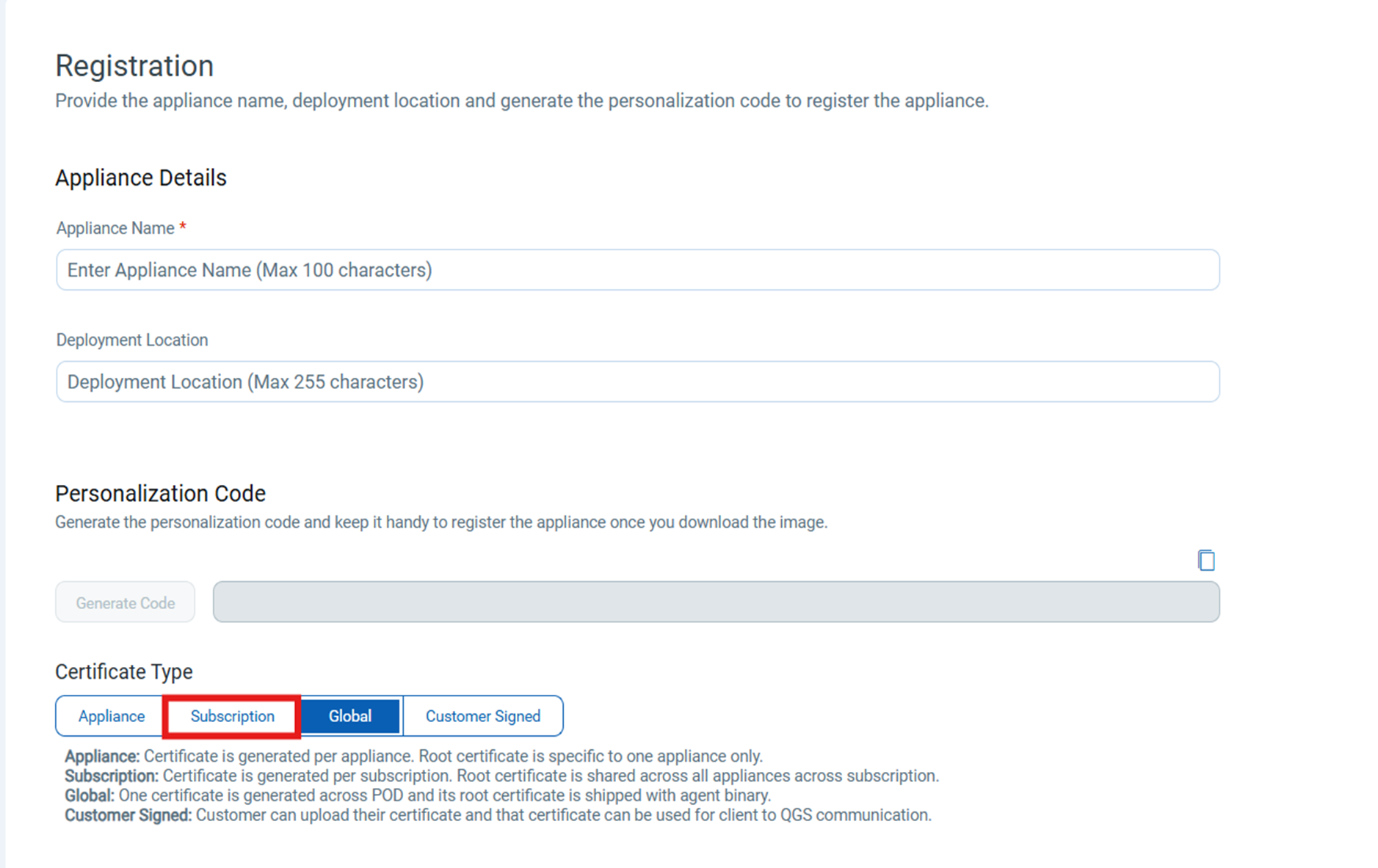
The Qualys Signed Certificate is now renamed to Subscription for better clarity and alignment with platform terminology.
This update is visible under the Download dropdown in the Appliance tab.
It is also visible in the Certificate Type section of the Appliance Registration screen.
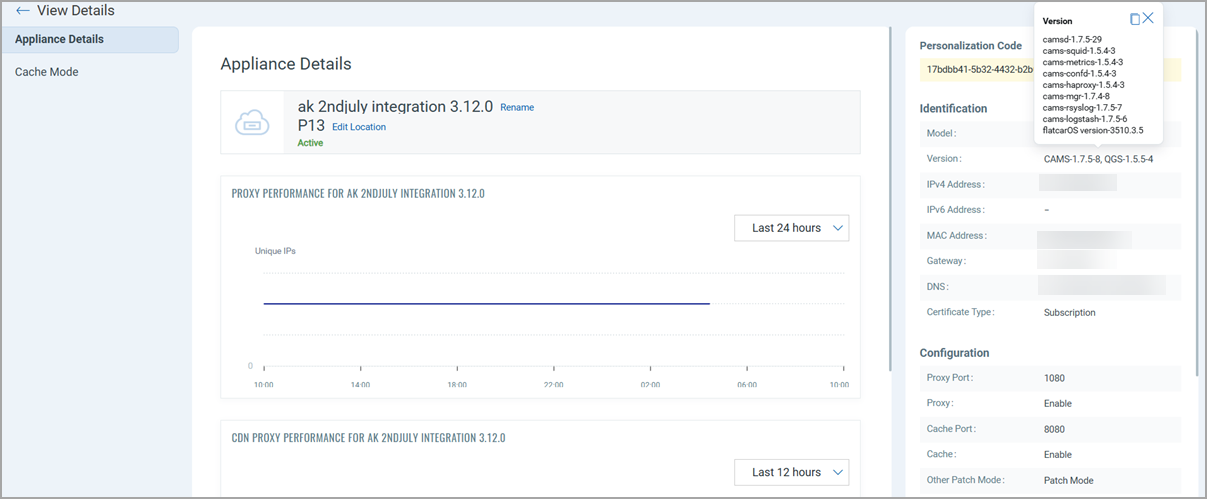
Introduced Appliance Update Status Indicators
With this release, we have enhanced the visibility of appliance version compliance inthe UP-TO-DATE column:
- Error/warning indicators are displayed when QGS Manifest or CAMS Manifest versions are not current.
- Conditions for error display:
- For over 7 days, the manifests and image versions on the existing appliance have not been updated, despite new versions being deployed to production
- For over 2 days, the manifests and image versions on the new appliance have not been updated since their initial creation.
- Specific messages include:
- "Manifests not up-to-date" if manifest versions are outdated.

- "OS not up-to-date" if the appliance OS version is outdated.

- "Manifests not up-to-date" if manifest versions are outdated.
- The Appliance Details page now includes a list of all associated manifest and OS version details.
Support for Auditing Logs for QGS Operations
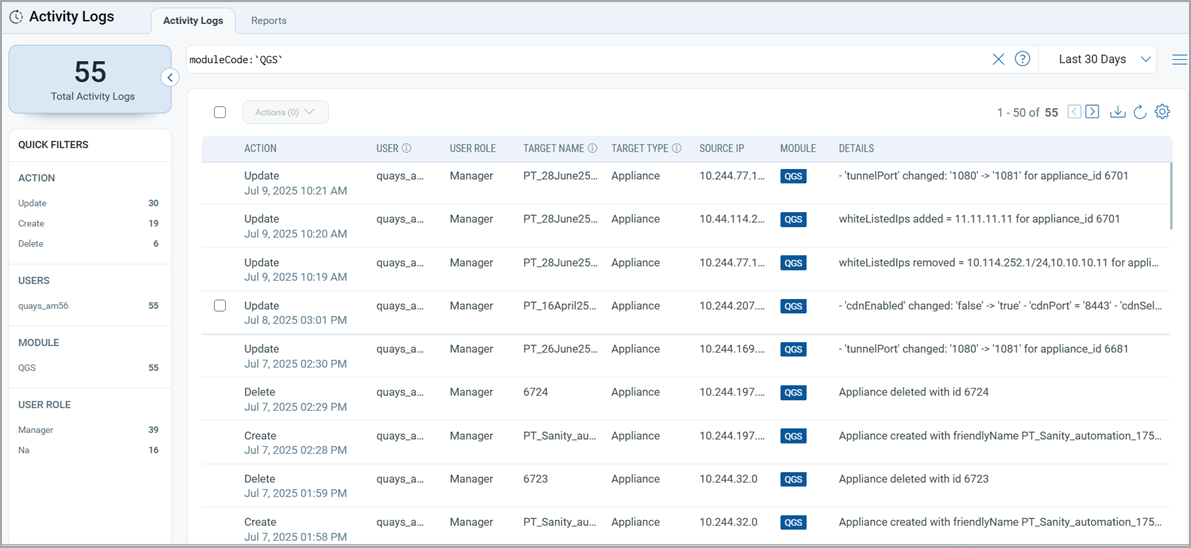
With this release, we have added support for Audit trail for all QGS UI operations in the Administration application:
- Logs of user actions (configuration changes, updates, etc.) are recorded.
- Logs can be accessed via Administration > Activity Logs.
- Use the
moduleCode: QGSQQL filter to isolate QGS-specific audit entries.
QGS Operations Supported in the Logs
The following QGS Operations are supported to view in the audit logs.
- Create and Delete QGS appliance
- Add/Edit/Delete Custom certificate
- Change configurations of the QGS appliance:
- On/Off Tunnel/Cache/Patch mode
- Change ports
- Change TLS versions
- Add Allowed IPs
- Add email ID for the notification