Release 3.14
March 20, 2026
Updated CAMS/QGS Images and Containers
In QGS 3.14, we updated the CAMS and QGS container images to improve overall stability and performance.
The following container versions are included:
| Container | Version |
|---|---|
| cams-logstash | 1.7.5-6 |
| cams-rsyslog | 1.7.5-9 |
| camsd | 1.7.7-3 |
| cams-mgr | 1.7.4-8 |
| cams-metrics | 1.5.6-12 |
| cams-haproxy | 1.5.5-11 |
| cams-squid | 1.5.6-3 |
| cams-confd | 1.5.4-3 |
| cams-qgs-cdn-server | 1.5.4-3 |
| cams-appliance-image | 2.3.0-51 |
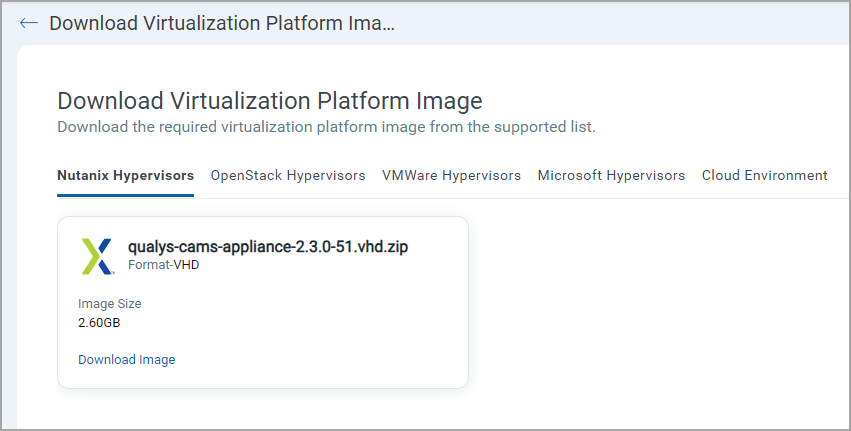
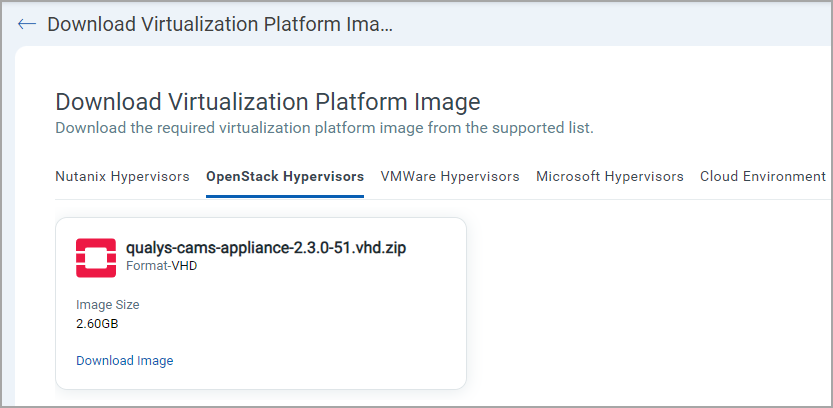
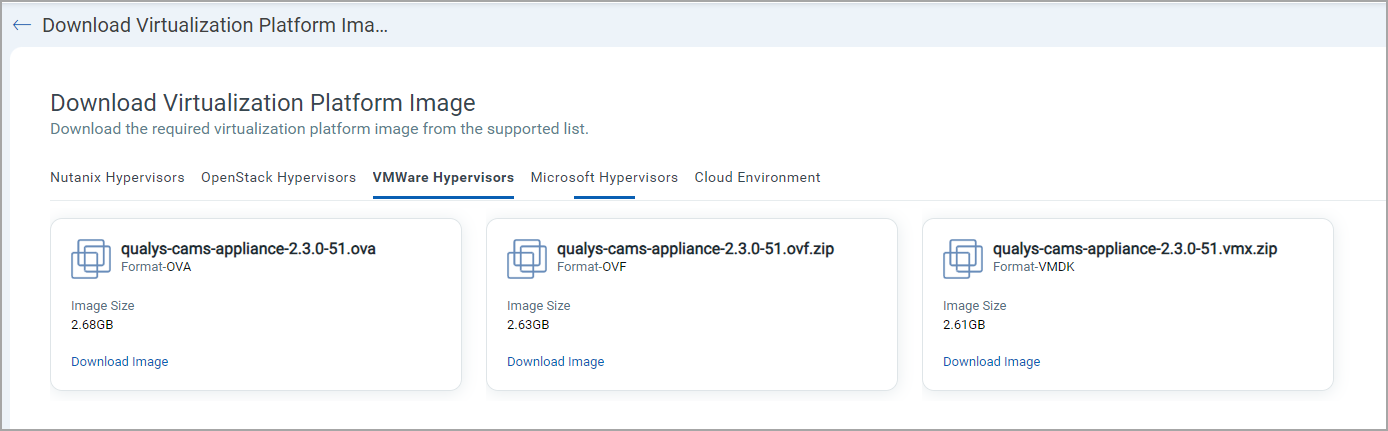
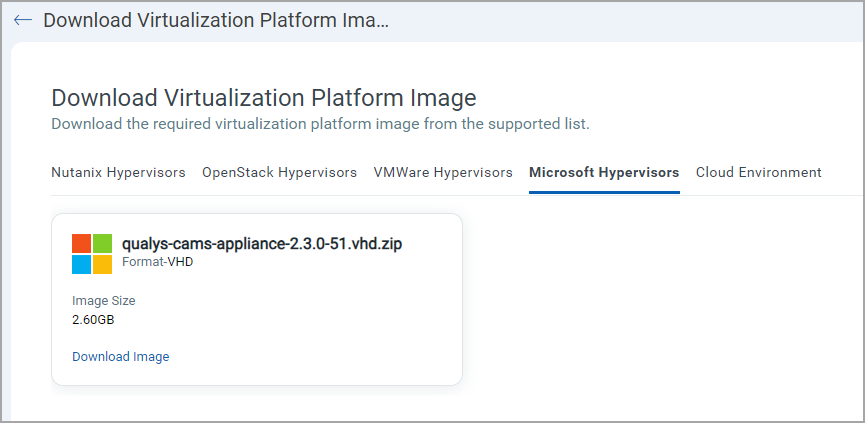
The updated CAMS appliance image is available for download from the QGS user interface for supported hypervisors, including VMware, Microsoft, Nutanix, and OpenStack environments.
| Hypervisors | Appliance Image Version |
|---|---|
| Nutanix |
|
| OpenStack |
|
| VMWare |
|
| Microsoft |
|
Bandwidth and Speed Test Support in TextUI
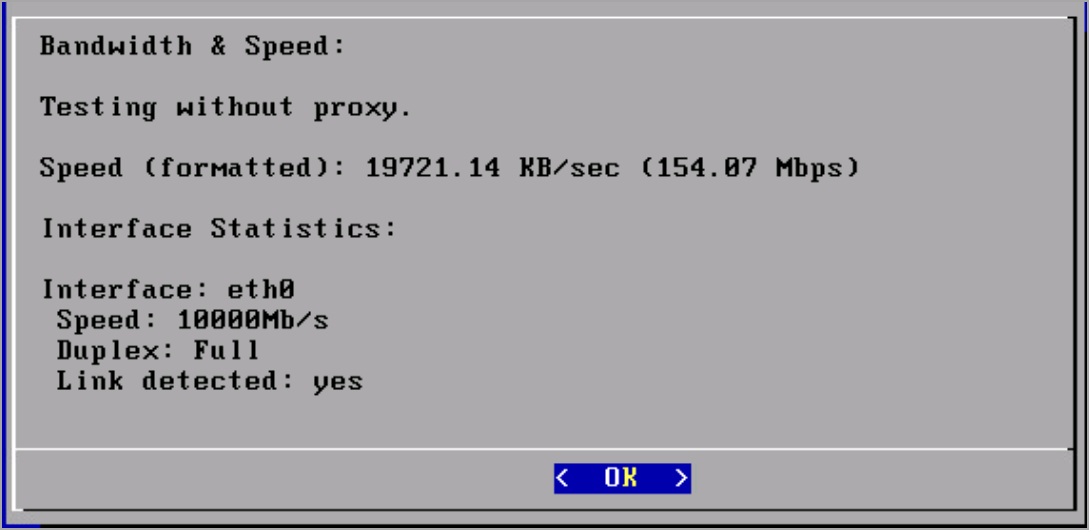
With this release, QGS introduces the Bandwidth and Speed Test feature in the TextUI.
This feature allows you to test network speed in your environment and view the supported Gbps network capacity in your setup.
From the QGS TextUI, navigate to Diagnostics
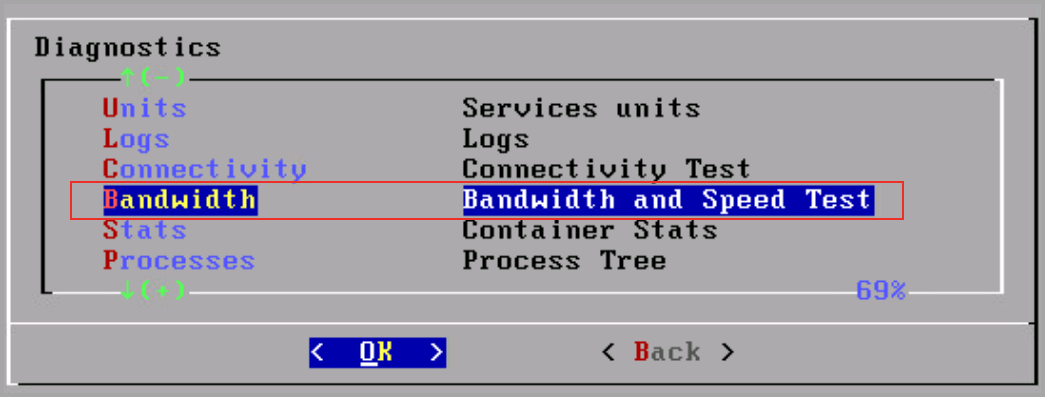
Select Bandwidth to view the bandwidth details
Key Benefits
- Validate Network Throughput: Measure available bandwidth directly from the appliance.
- Environment Verification: Confirm supported Gbps speed within your infrastructure.
- Improved Troubleshooting: Quickly identify network-related performance constraints.
QGS Home Page Enhancements
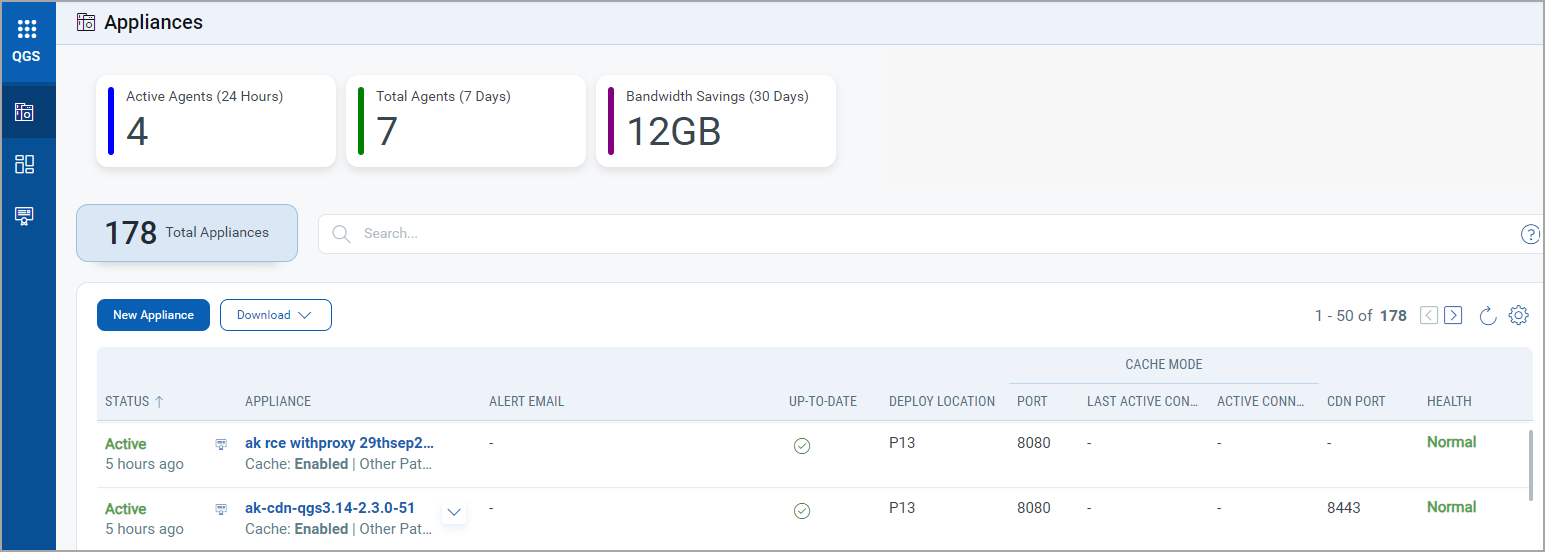
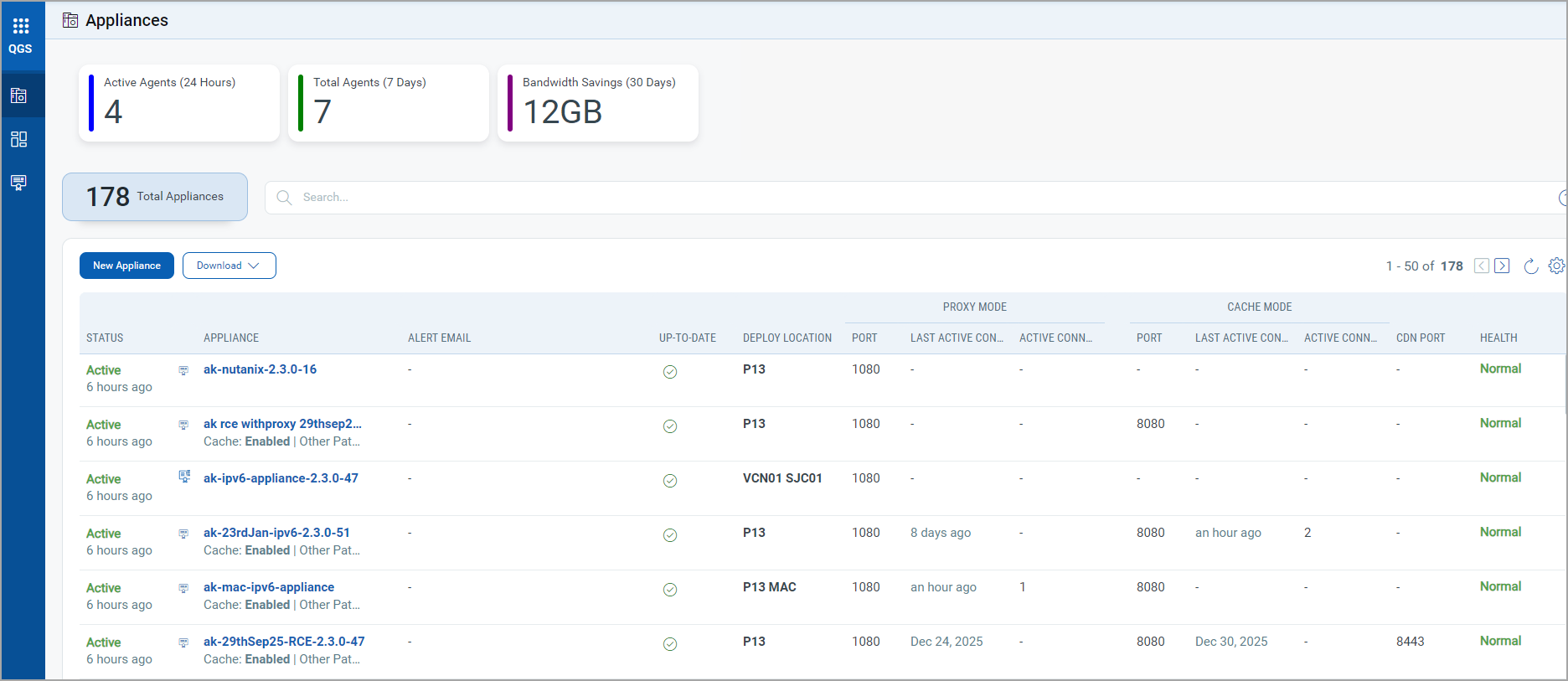
We have enhanced the QGS Home page to improve visibility and usability.
Introduced Agent UUIDs to Prevent Duplicate Entries in Connected IPs
Agent identification previously relied solely on IP addresses. Because IP addresses can change (for example, due to DHCP reassignment or network reconfiguration), this sometimes resulted in the same agent being recorded multiple times in the Connected IPs list.
With this update, each agent is now identified using a unique Agent UUID assigned at installation. The system uses this UUID as the primary identifier, ensuring consistent agent recognition even when the IP address changes.
Key Benefits
-
Eliminates Duplicate Entries - Agents are now recognized by their UUID rather than their IP address. If an agent’s IP address changes, the system still identifies it as the same machine, preventing duplicate records.
-
Improves Reporting Accuracy - All agent-related data (scans, updates, and alerts) is consistently associated with the correct agent, resulting in more reliable reporting, analytics, and dashboards.
-
Simplifies Large-Scale Management - In environments with large numbers of agents, UUID-based identification enables administrators to track, update, and manage agents without issues caused by IP reassignment or conflicts.
Updated the Connection Metrics
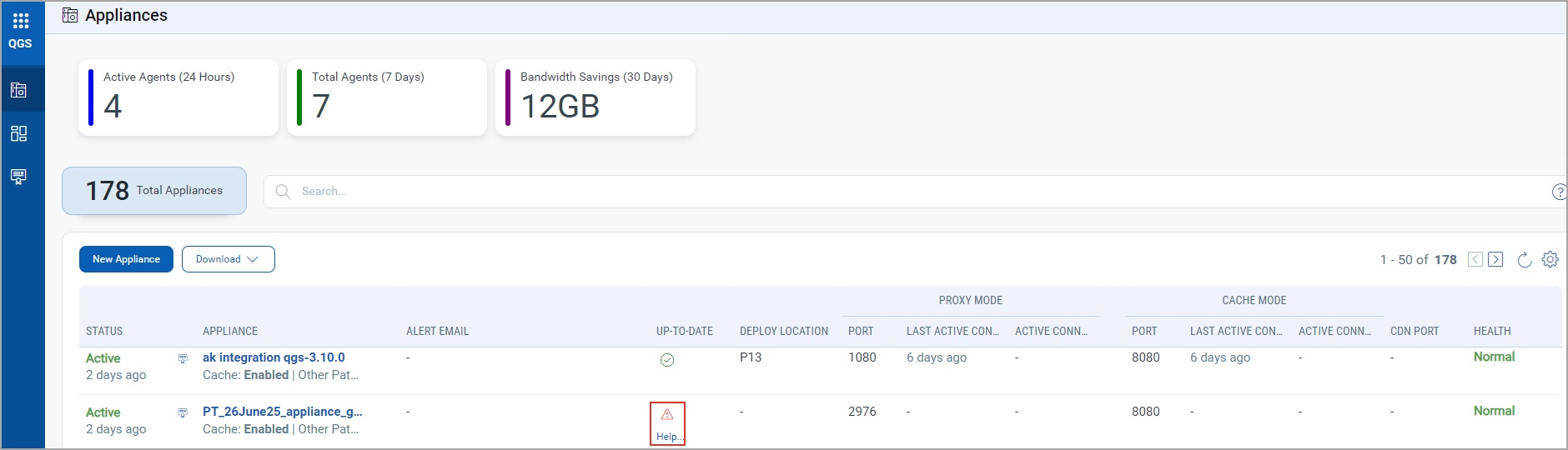
The Home page now segregates Proxy Mode and Cache Mode counts into two new columns:
Proxy Mode:
- Last Active Connection: Shows when the last IP was connected to the QGS appliance in Proxy mode.
- Active Connections in the Last 24 Hours: Shows the count of Unique agent UUIDs connected in the last 24 hrs.
Cache/Patch Mode:
- Last Active Connection: Shows when the last IP was connected to the QGS appliance in Cache/Patch mode.
- Active Connections in the Last 24 Hours: Shows the count of Unique agent UUIDs connected in the last 24 hrs.
This enhancement provides clearer visibility into appliance usage patterns and recent connectivity activity.
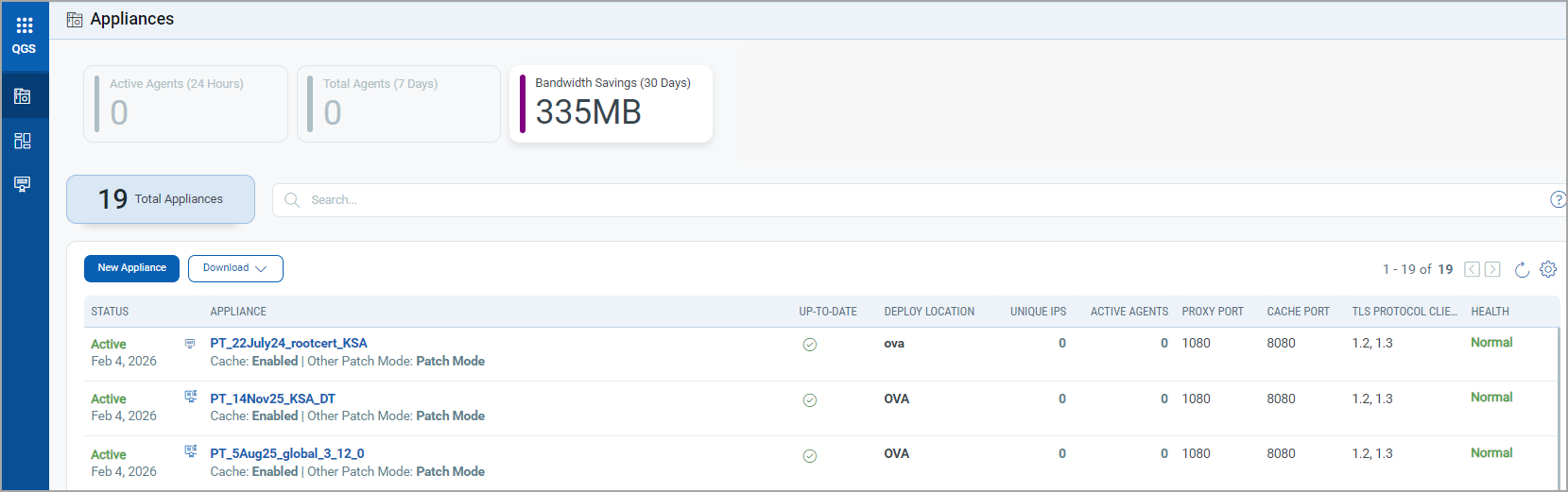
Removal of TLS Protocol Client Column
We have removed the TLS protocol client column from the QGS Home page.
You can now view TLS version details on the Appliance Details page, which follows the legacy behavior.
Help Link Visibility for Outdated Appliances
Users can now see the Help link for appliances whose manifests or operating systems have not been updated. This improvement provides better guidance for remediation and upgrade actions.
Sorting Support for Status Column
You can now sort the Status column on the Home page in both ascending and descending order. This enhancement improves appliance monitoring and operational efficiency.