Integration with GitLab
GitLab is a web-based platform that helps software development teams manage their projects, code, and security.
A GitLab runner is a lightweight, highly scalable agent that picks and runs the CI job as outlined in the pipeline configuration file, and sends the result back to the GitLab instance.
QScanner supports its integration with GitLab. By integrating QScanner with the GitLab Pipeline, you can scan your artifacts and view the vulnerability results directly on GitLab UI under Pipeline > Security Tab.
To integrate QScanner within the GitLab pipeline, Qualys has set a sample pipeline and the details to enable Container Scanning and Secrets detection within the pipeline.
Pre-requisites
To scan your GitLab image using QScanner DockerHub Image or its Binary, you need to enable the following options.
- Login to your GitLab account.
- Under Project > Secure > Security Configurations, enable the following.
- Container Scanning
- Pipeline Secret Detection
- Container Scanning For Registry
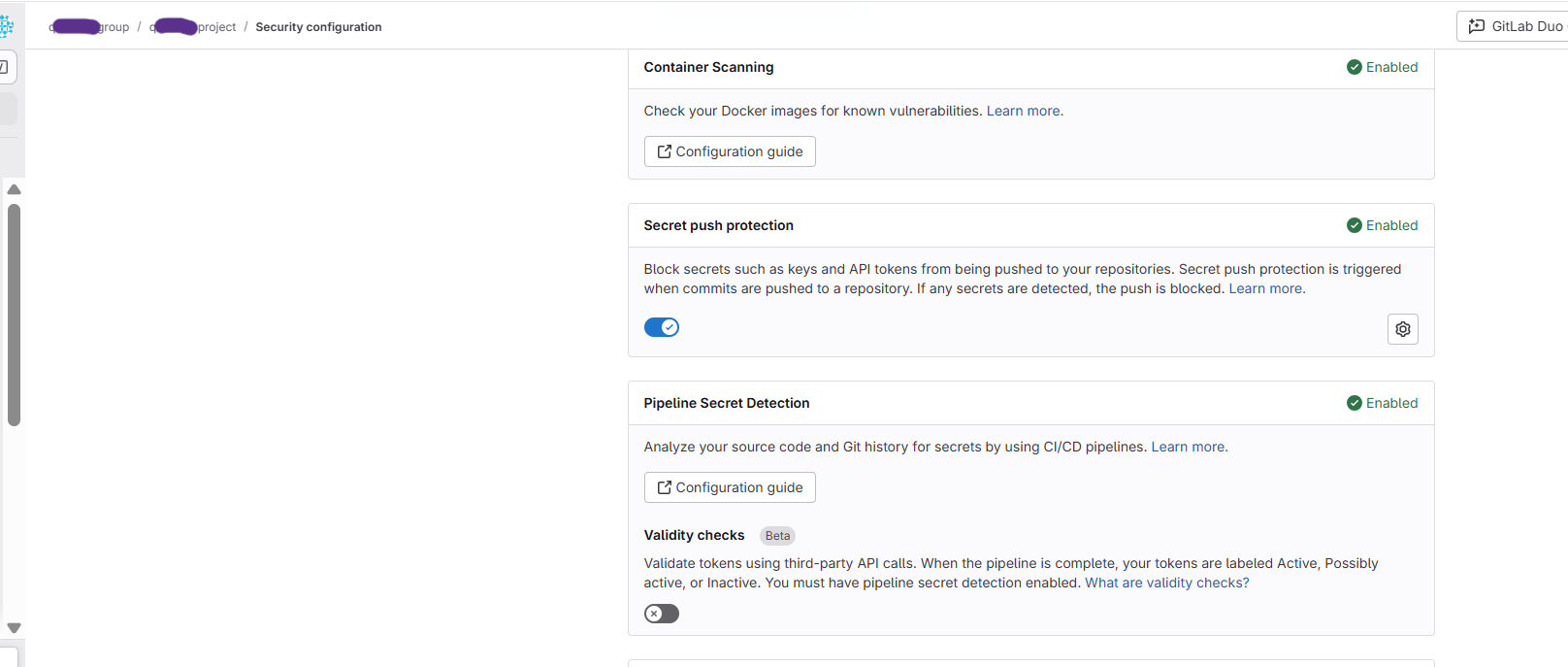
You can scan your Images hosted on GitLab registries using QScanner using either QScanner DockerHub Image or QScanner Binary.
Pipeline Job with QScanner DockerHub Image
Pre-requisite
A registered GitLab Runner with Docker Runtime
Follow the steps below to create a GitLab pipeline job using QScanner DockerHub image.
- Create a Project.
- Add a GitLab runner to this project.
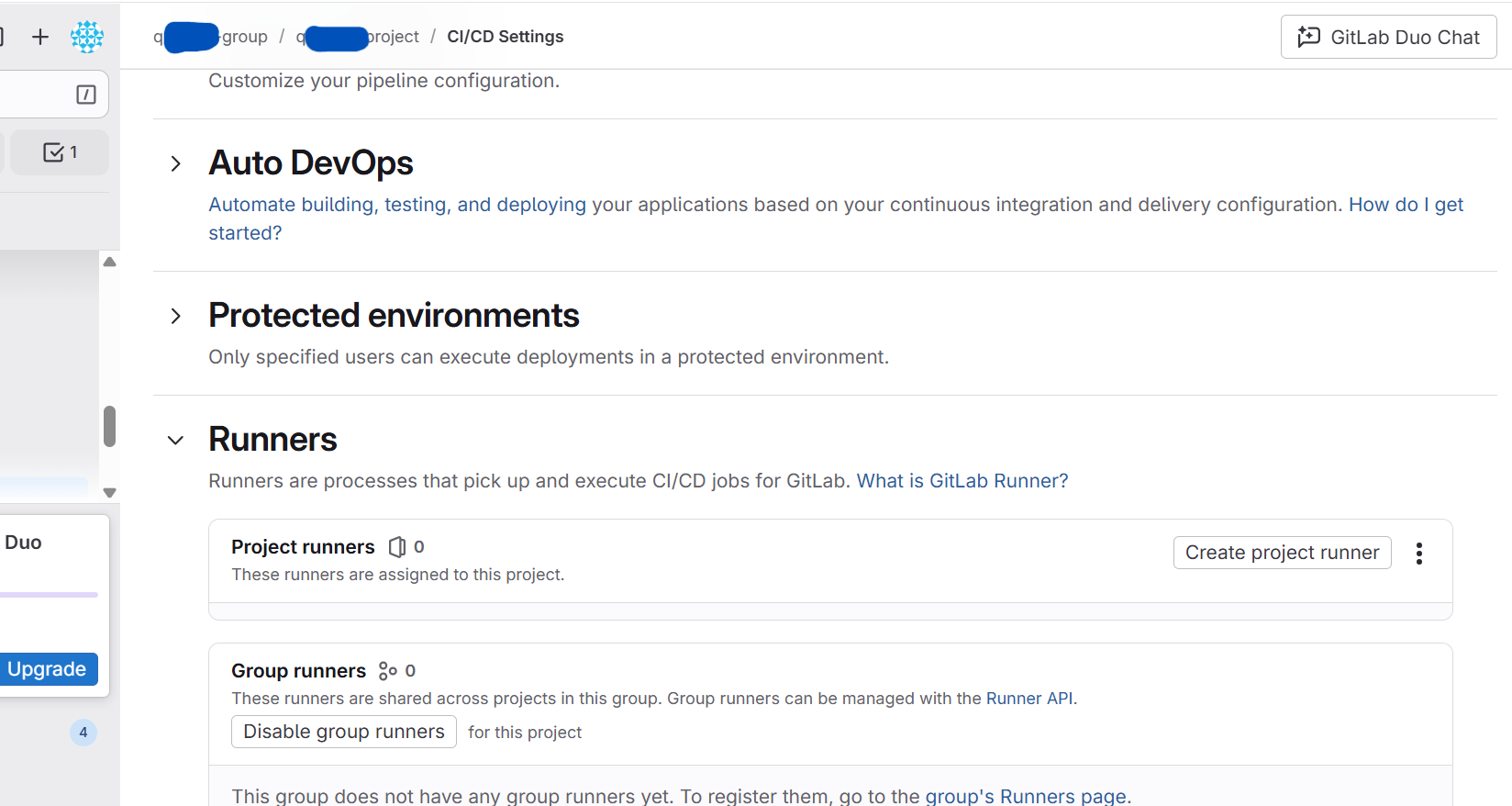
- For every job to be picked up by this runner, disable the instance and group runners for this project.
- Create a Pipeline YAML file (.gitlab-ci.yml) for your project.
A sample .gitlab-ci.yml is shown below.
Sample GitLab pipeline Script - .gitlab-ci.yml
stages:
- scan
scan:
  image: docker:24.0.2
  stage: scan
  script:
    - export HOME=$CI_PROJECT_DIR
    - docker run --env QUALYS_ACCESS_TOKEN=$QUALYS_ACCESS_TOKEN --env HOME="/opt/qualys"
      --volume /var/lib/docker/:/var/lib/docker/ --volume /var/run/docker.sock:/var/run/docker.sock
      --volume $CI_PROJECT_DIR:/opt/qualys/.cache/qualys/qscanner --volume $CI_PROJECT_DIR:/opt/qualys/qualys/qscanner/data
       qualys/qscanner:latest image $CI_REGISTRY_IMAGE/<Image Name> --pod <Qualys POD> -l debug --scan-types secret,pkg --skip-verify-tls
      --report-format gitlab --scan-timeout 30m
  artifacts:
    access: developer
    when: always
    paths:
      - $IMAGE_ID-gitlab_vuln_report.json
      - $IMAGE_ID-gitlab_secret_report.json
    reports:
      container_scanning: $FULL_OUTPUT_DIR/$IMAGE_ID-gitlab_vuln_report.json  # Scan report
      secret_detection: $FULL_OUTPUT_DIR/$IMAGE_ID-gitlab_secret_report.json  # Secret report
The pipeline job gets added to your project. You can see it under the Pipelines page.
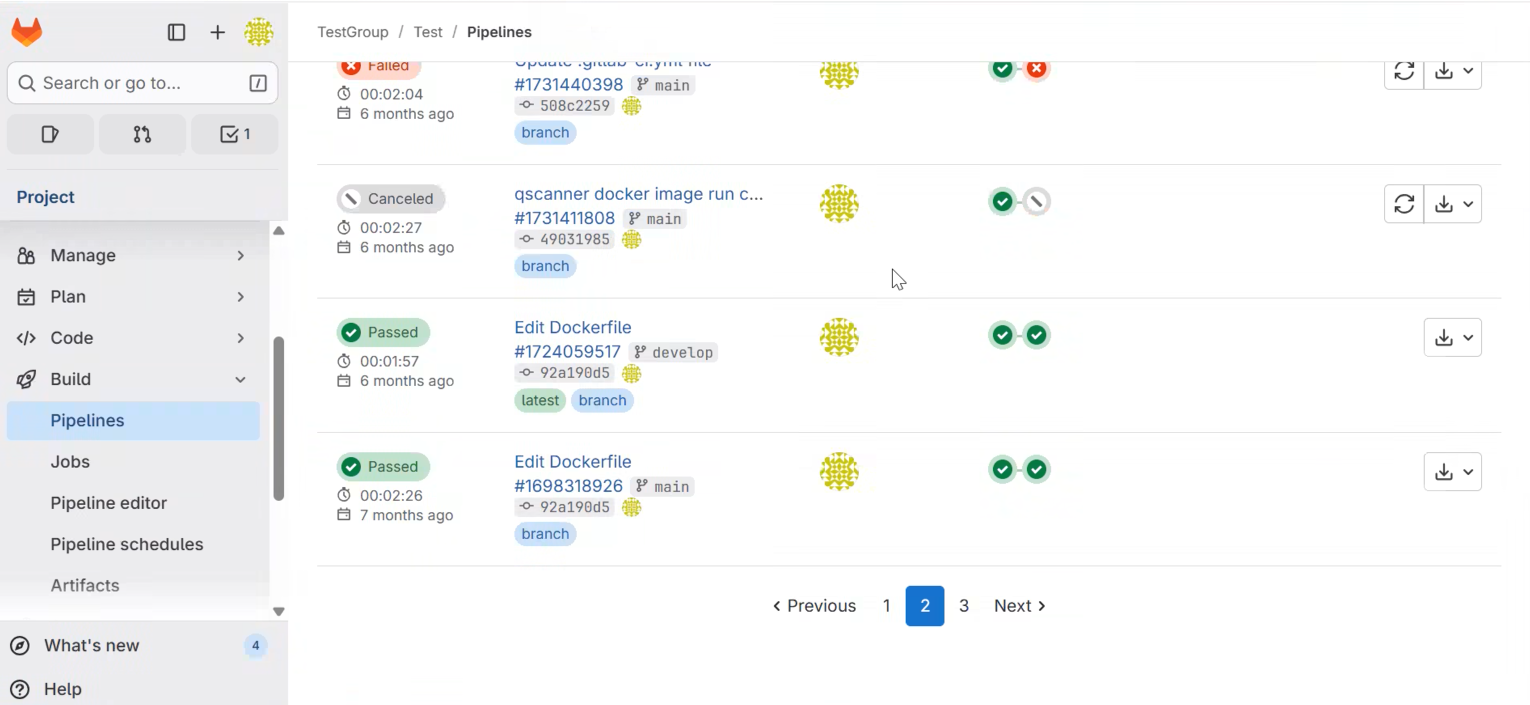
You can check the results for scanned vulnerabilities under Pipeline > Security.
To see sample GitLab vulnerability reports, refer to QScanner Online Help > GitLab Reports.
Pipeline Job with QScanner Binary
You don't need to deploy an instance runner to use the QScanner binary. The binary will be downloaded as part of Gitlab's build pipeline.
Follow the steps below to create a GitLab pipeline job using QScanner Binary.
- Create a Project.
- Create a Pipeline YAML file (.gitlab-ci.yml) for your project. The QScanner Binary gets executed as a part of GitLab Pipeline.
A sample gitlab-ci.yml is shown below.
Sample GitLab pipeline Script - .gitlab-ci.ymlstages: - scan scan: image: docker:24.0.2 stage: scan script: - wget https://www.qualys.com/qscanner/download/v4.6.0/download_qscanner.sh - chmod +x download_qscanner.sh - ./download_qscanner.sh - cd linux-amd64 - pwd - ./qscanner --version - chmod +x $PROJECT_DIR - QSCANNER_BUILD_DIR_UPDATED=$PROJECT_DIR/linux-amd64 - set +e # disable 'exit on error' - $QSCANNER_BUILD_DIR_UPDATED/qscanner image $CI_REGISTRY_IMAGE/<Image Name> --pod <Qualys POD> -l debug --cache local --offline-scan --scan-types pkg,secret --skip-verify-tls --report-format gitlab --mode evaluate-policy SCAN_EXIT_CODE=$? echo "Scanner finished with exit code $SCAN_EXIT_CODE" artifacts: access: developer when: always paths: - $IMAGE_ID-gitlab_vuln_report.json - $IMAGE_ID-gitlab_secret_report.json reports: container_scanning: $FULL_OUTPUT_DIR/$IMAGE_ID-gitlab_vuln_report.json # Scan report secret_detection: $FULL_OUTPUT_DIR/$IMAGE_ID-gitlab_secret_report.json # Secret report
The pipeline job is added to your project. You can see it under the Pipelines page.
You can check the results for scanned vulnerabilities under Pipeline > Security. To see sample GitLab vulnerability reports, refer to QScanner Online Help > GitLab Reports.