SaaS Detection and Response Release 1.17.0
NOVEMBER 02, 2026
This release adds an OpenAI connector to SaaSDR, letting you monitor users, groups, pending invitations, and audit log events from your OpenAI organization. It also introduces an enhanced user interface across all SaaSDR pages.
Enhancement
Enhanced User Interface for SaaSDR
What's New for You
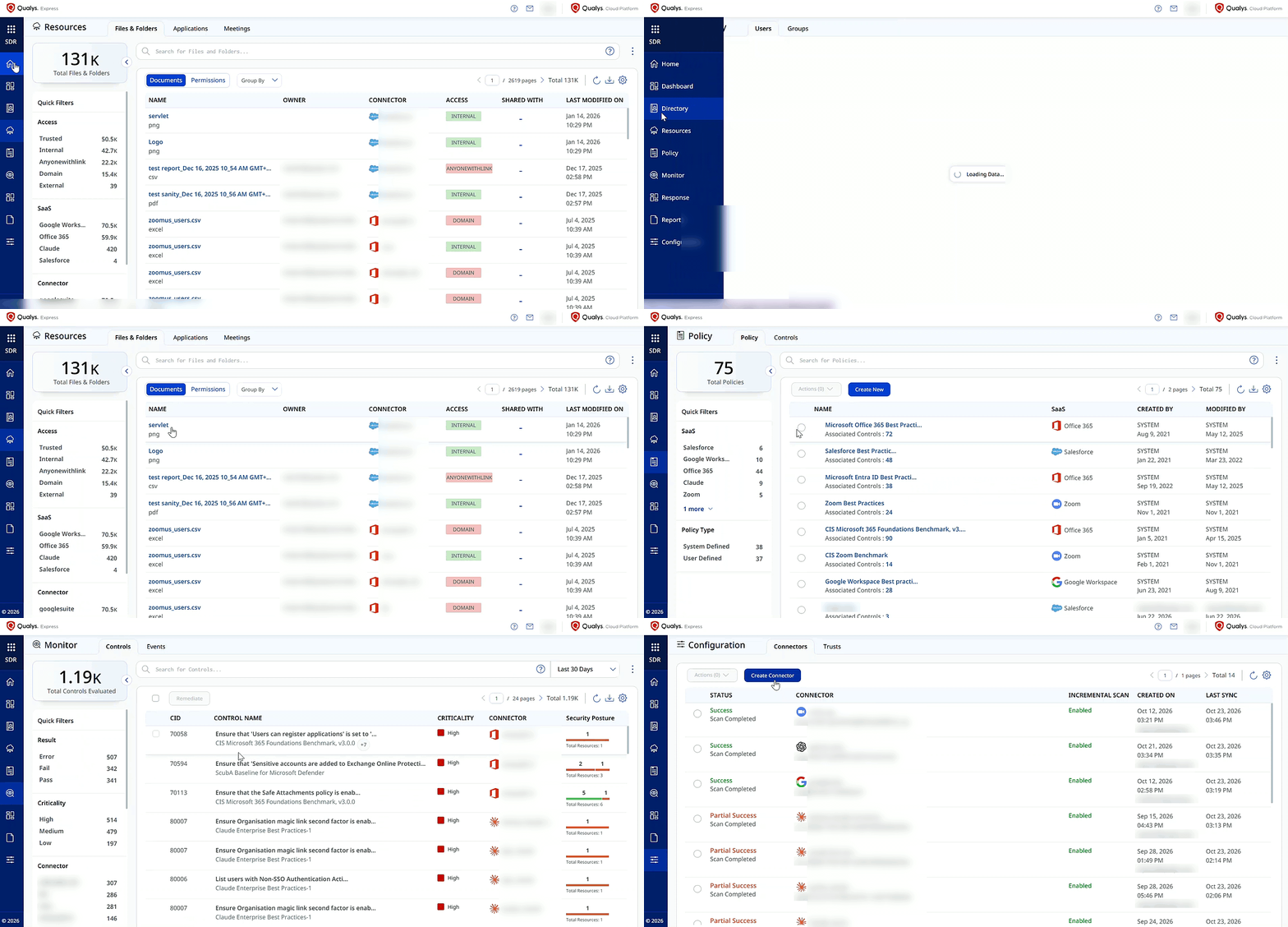
SaaSDR pages now have a cleaner, more consistent look with updated fonts, colors, typography, and buttons that make information easier to read and act on.
We introduced an improved user experience across all SaaSDR pages, with updates to fonts, colors, typography, and buttons that make the interface more intuitive and user-friendly. Enhancements to the User Interface and design system improve visual consistency, readability, and usability throughout the application, resulting in a cleaner and more streamlined experience.
Key benefits are:
-
Cleaner, more consistent screens
-
Easier-to-read and understandable text
-
Important information stands out better, with less clutter
-
Faster comprehension of risk, status, and numbers
-
User Interface Consistency and Clarity
Introducing the new and improved User Interface with the following key upgrades:
-
Easier-to-read labels and text, with ALL CAPS replaced by sentence-style text
-
Consistent text style for status and source names across the application
-
Uniform text colors in tables, filters, page numbers, and tabs
-
Aligned colors and text styles for tabs and page navigation throughout the application
-
Clear visual indicators for buttons and options, showing active, inactive, or secondary states
-
Better emphasis on important information, with subtle styling for less critical details to help users focus
New Feature
OpenAI Connector Support
What's New for You
You can now connect your OpenAI organization to SaaSDR and monitor its users, groups, group members, pending invitations, and events.
SaaSDR now supports a SaaS connector for OpenAI. The connector collects and monitors information from your OpenAI organization, including users, groups, group members, pending invitations, and events.
After you configure the connector, SaaSDR runs a full scan of your OpenAI organization right away. After that, incremental scans run every 24 hours to keep the information up to date, so events in SaaSDR can be up to 24 hours old.
The following information is available for OpenAI:
-
Users: All users in your OpenAI organization, along with their roles.
-
Groups and Group Members: Groups in your OpenAI organization and the members of each group.
-
Pending Invitations: Users who have been invited to your OpenAI organization but have not yet accepted the invitation.
-
Events: Audit log activity from your OpenAI organization, including login events, project activity events, user management events, and API key management events.
Users discovered through the connector are shown as Internal users on the dashboard.
File inventory is not supported for OpenAI. Therefore, no OpenAI data is shown on the Resources tab.
The OpenAI API Platform Controls are available in your SaaSDR application. You can use these controls only after the OpenAI connector is available on your platform. The OpenAI connector is rolled out according to the deployment schedule for each platform and becomes available after general availability from Qualys.
Admin API Key Requirement
To set up the connector, you need an OpenAI Admin API key. You can create the key in your OpenAI organization from Organization settings > Admin keys by creating a new key, providing a name, selecting the permission, and setting an expiration.
-
Use the Read only permission for the key. If the key has the Restricted permission, the connector moves to the Unauthorized state.
-
When the key expires, you must create a new key.