Scanner Appliance Configuration
The Scanner Appliance Configuration section allows you to model the scanner appliance that performs the scan workload.
The Scanner Capacity Calculator uses the selected scanner type and allocated hardware resources to estimate scan capacity and recommend an appropriate scanner deployment.
-
Virtual/Container Scanner:
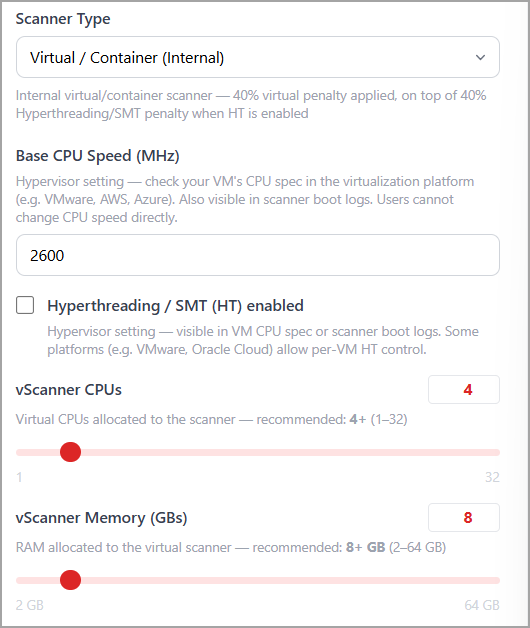
VM-hosted internal scanner. A 40% virtual penalty (x3/5) is applied to the estimated capacity, on top of the 40% Hyperthreading/SMT penalty when HT is enabled. -
Physical-6120-A1 (NVX):
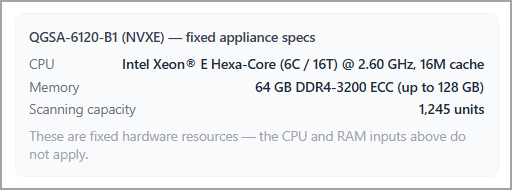
Fixed hardware appliance with 1,245 capacity units. CPU and RAM inputs do not apply. -
Physical-6120-B1 (NVEX):
Fixed hardware appliance with 1,040 capacity units. CPU and RAM inputs do not apply. -
Virtual Perimeter:
VM-hosted perimeter scanner for external scanning. No hypervisor penalty. Minimum 8 vCPU / 16 GB RAM. Pool size is capped by the External Scanners tothe use setting.
|
Input |
Description |
Applies To |
Default |
|---|---|---|---|
|
Scanner Type |
Select the type of scanner appliance to use for scanning. |
All |
Virtual / Container (Internal) |
|
External Scanners to Use |
Specify the maximum number of Virtual Perimeter scanners available in your scanner pool. Recommendations will not exceed this limit. |
Perimeter only |
40 |
|
Base CPU Speed (MHz) |
Specify the clock speed of a single CPU core available to the scanner. Check the VM CPU specifications in your virtualization platform (VMware, AWS, Azure, , and so on.) or in the scanner's boot logs. Typical values range from 2,500–2,900 MHz. |
Virtual scanners |
2,600 MHz |
|
Hyperthreading / SMT |
Enable or disable Hyperthreading/SMT. When enabled, a 40% penalty (×3/5) is applied to the effective CPU speed. The scanner daemon automatically detects HT at boot. Verify the setting using your VM CPU specifications or scanner boot logs. |
Virtual scanners |
Off |
|
vScanner CPUs |
Specify the number of virtual CPUs allocated to the scanner. Supported range: 1–32 vCPUs. |
Virtual scanners |
4 (Perimeter: 8) |
|
vScanner Memory (GBs) |
Specify the amount of RAM allocated to the virtual scanner. Supported range: 2–64 GB. |
Virtual scanners |
8 GB (Perimeter: 16 GB) |
Virtual/Container Scanner
Use the Virtual / Container (Internal) scanner type when calculating capacity for internal scanning workloads.
This scanner type models virtual scanners or container-based scanners deployed within the internal network to perform vulnerability and compliance scanning.
From the Scanner Type list, select Virtual/Container Scanner and perform the following steps:
-
Enter the Base CPU Speed (MHz) for the scanner host.
-
Select Hyperthreading / SMT (HT) enabled if Hyperthreading is enabled on the host.
-
Specify the number of vScanner CPUs allocated to the scanner.
-
Specify the amount of vScanner Memory (GBs) allocated to the scanner.
-
Review the capacity calculations.
RAM Size Reference
|
Profile |
vCPUs |
RAM |
Ratio |
|---|---|---|---|
|
Minimum Stable |
2 |
4 GB |
1:2 |
|
Small / Medium |
4 |
8 GB |
1:2 |
|
Enterprise |
8+ |
16 GB+ |
1:2 |
Ideal ratio- 1 vCPU : 2–3 GB RAM (maximum 1:4).
Disk Recommendation
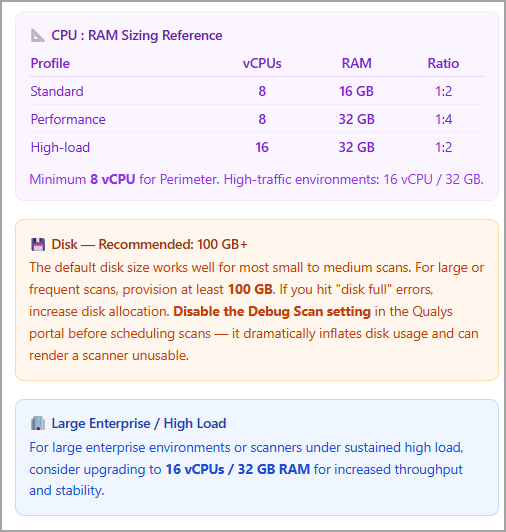
The default disk size works for most small to medium scans. For large or frequent scans, provision at least 100 GB of storage. If you encounter disk full errors, increase disk allocation. Disable the Debug Scan setting in Qualys before scheduling scans - it dramatically inflates disk usage and can render a scanner unusable.
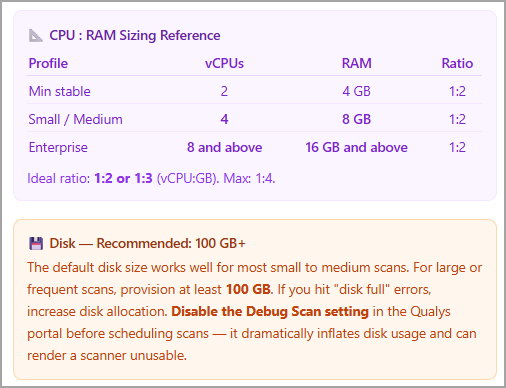
You can view the configuration recommendations for the virtual scanner type at the bottom of the same section.
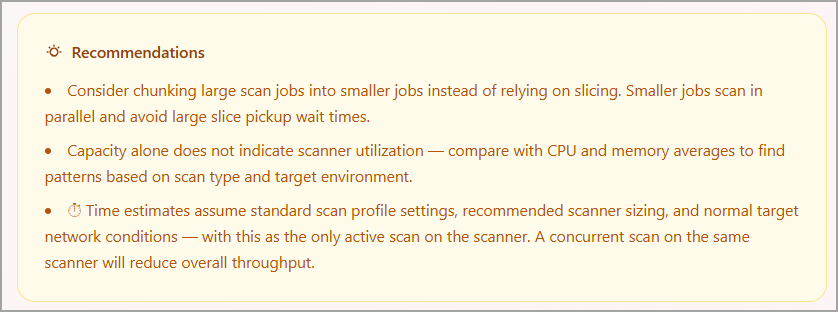
Recommended Resource Allocation
|
Resource |
Recommended Value |
|---|---|
|
vScanner CPUs |
4 or more |
|
vScanner Memory |
8 GB or more |
Internal virtual and container scanners apply a 40% virtual penalty in addition to any Hyperthreading-related adjustments when estimating capacity.
Physical Scanner
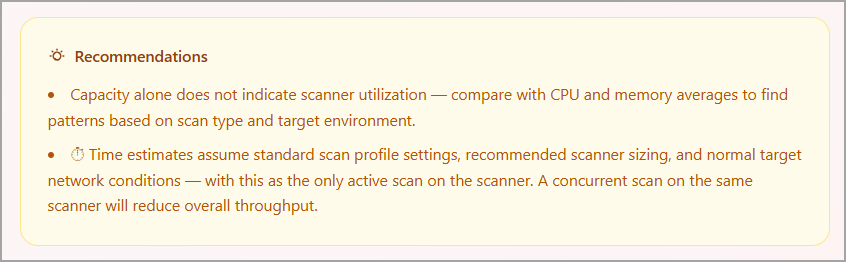
You do not need to set any configuration for the physical scanner, as its capacity is fixed by the model. You can view the recommendations for the physical scanner type at the bottom of the same section.
Virtual Perimeter
Use the Virtual Perimeter scanner type when calculating capacity for perimeter scanning workloads.
This scanner type models virtual perimeter scanners used to scan internet-facing and externally accessible assets.
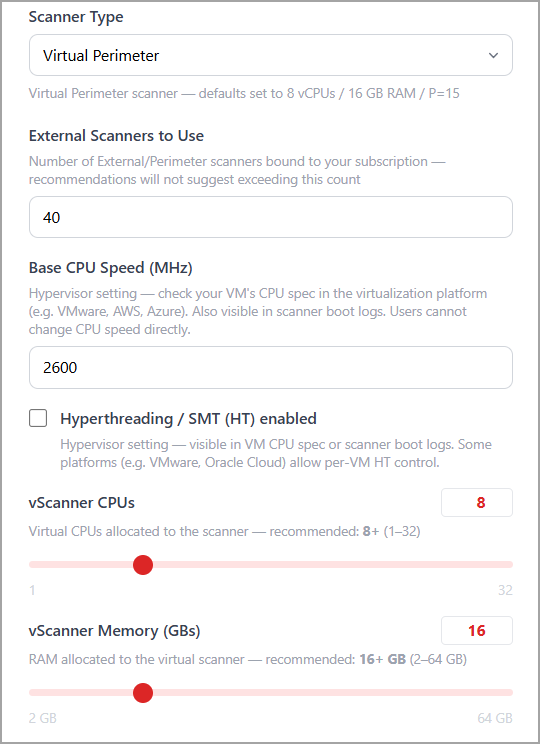
In the Scanner Appliance Configuration section, select Virtual Perimeter from the Scanner Type list and perform the following steps:
-
In External Scanners to Use, enter the number of perimeter scanners available for scanning.
-
Enter the Base CPU Speed (MHz).
-
Select Hyperthreading / SMT (HT) enabled if applicable.
-
Specify the number of vScanner CPUs.
-
Specify the amount of vScanner Memory (GBs).
-
Review the calculated capacity results.
Default Configuration
When you select Virtual Perimeter, the calculator initializes the scanner with the following recommended values:
- 8 vCPUs
- 16 GB RAM
- P = 15 (Parallel Hosts)
Recommended Resource Allocation
You can view the recommendations for the physical scanner type at the bottom of the same section.
|
Resource |
Recommended Value |
|---|---|
|
vScanner CPUs |
8 or more |
|
vScanner Memory |
16 GB or more |
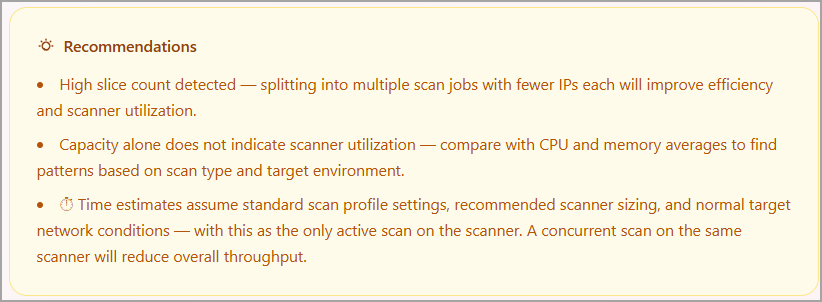
The External Scanners to Use value represents the number of perimeter scanners available for the workload. Scanner recommendations generated by the calculator do not exceed this value.