Switch to CLOUD SYNC Mode in VMware ESXi
To configure CLOUD SYNC mode for a scanner deployed in VMware ESXi, perform the following steps:
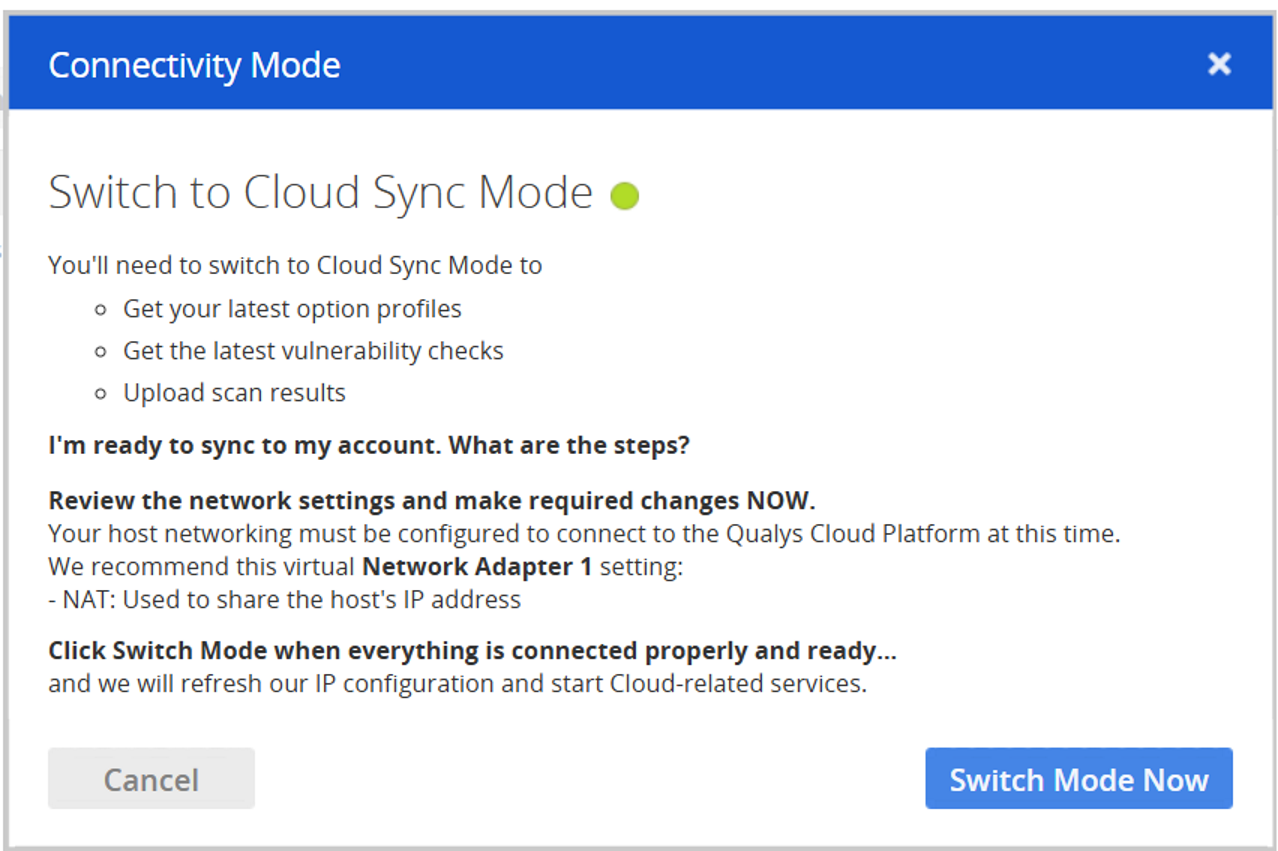
- Choose Change mode to get started.
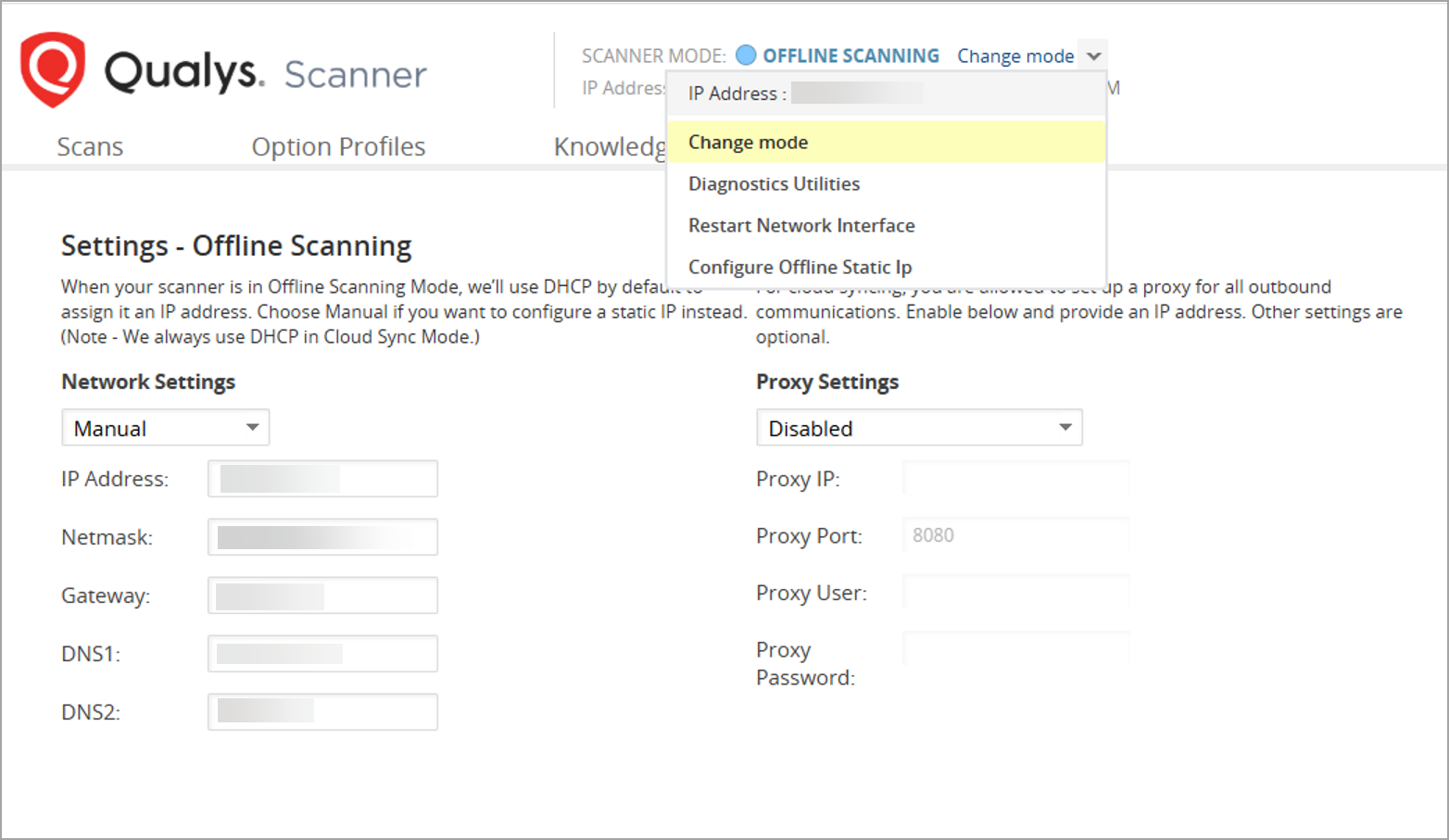
Do not click the Switch Mode Now button yet. You need to do this later, after configuring the networking settings of your Scanner VM.
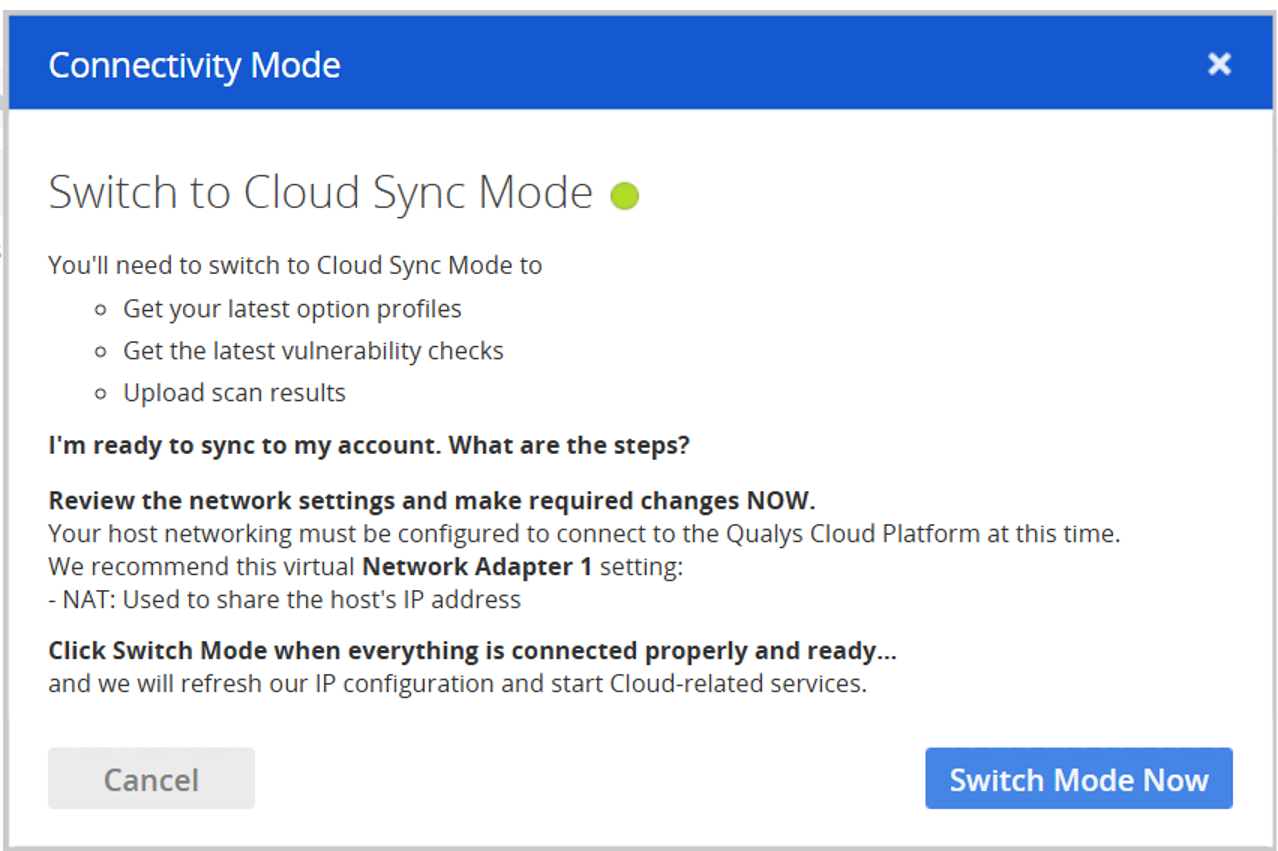
- Configure your VM’s network settings.
To configure network settings in VMware ESXi, click Edit Settings for your Virtual Machine.
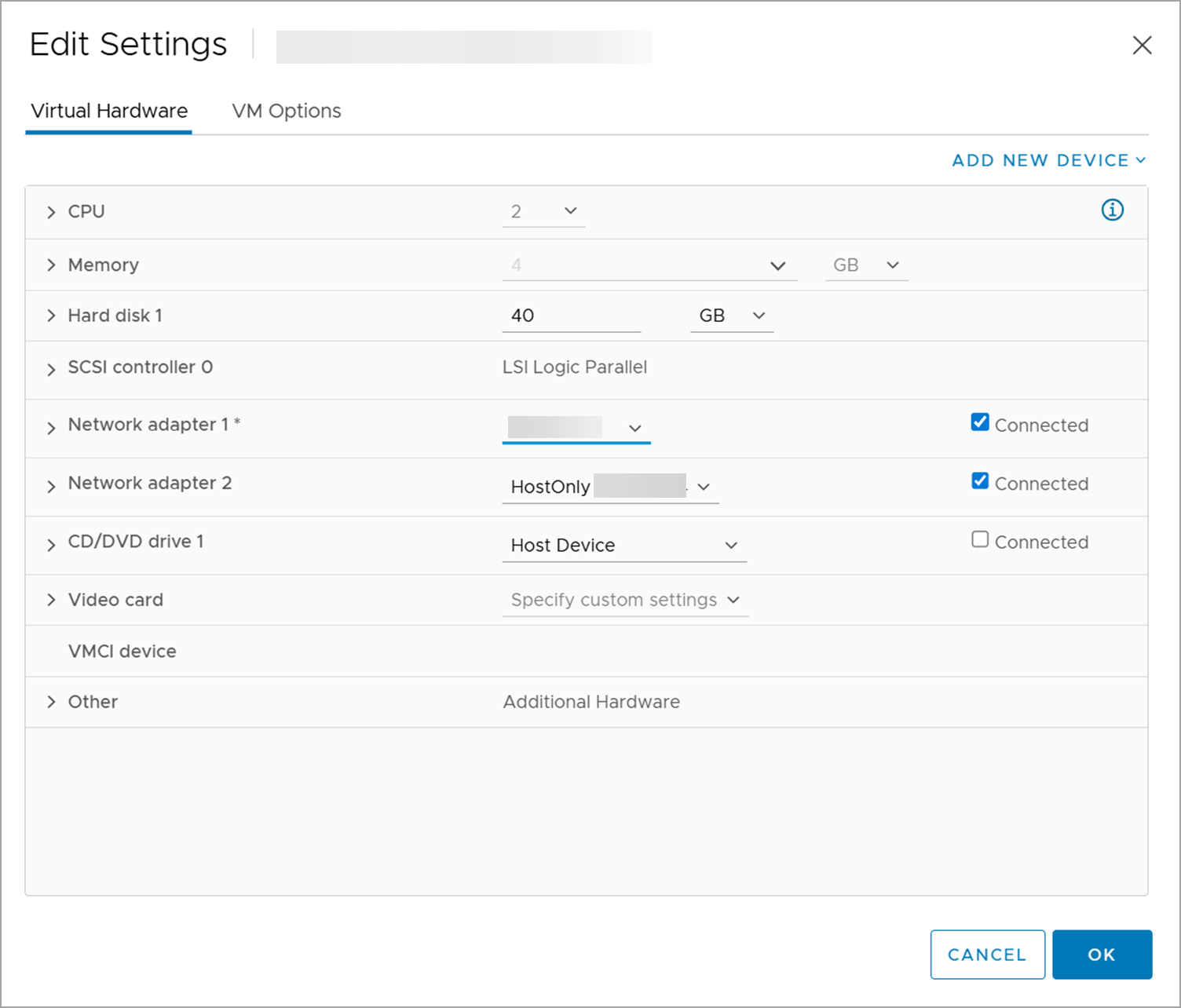
Network Adapter 1 should be assigned an IP address that can reach the Qualys Enterprise TruRisk™ Platform while the scanner is in CLOUD SYNC mode.
Network Adapter 2 is designated for scanner management and configuration. It provides access to the scanner’s UI via a web browser from another VM on the same subnet.
-
Click OK.
-
Now, your network is configured in CLOUD SYNC mode. Return to the Scanner WEB UI and click Switch Mode Now.
-
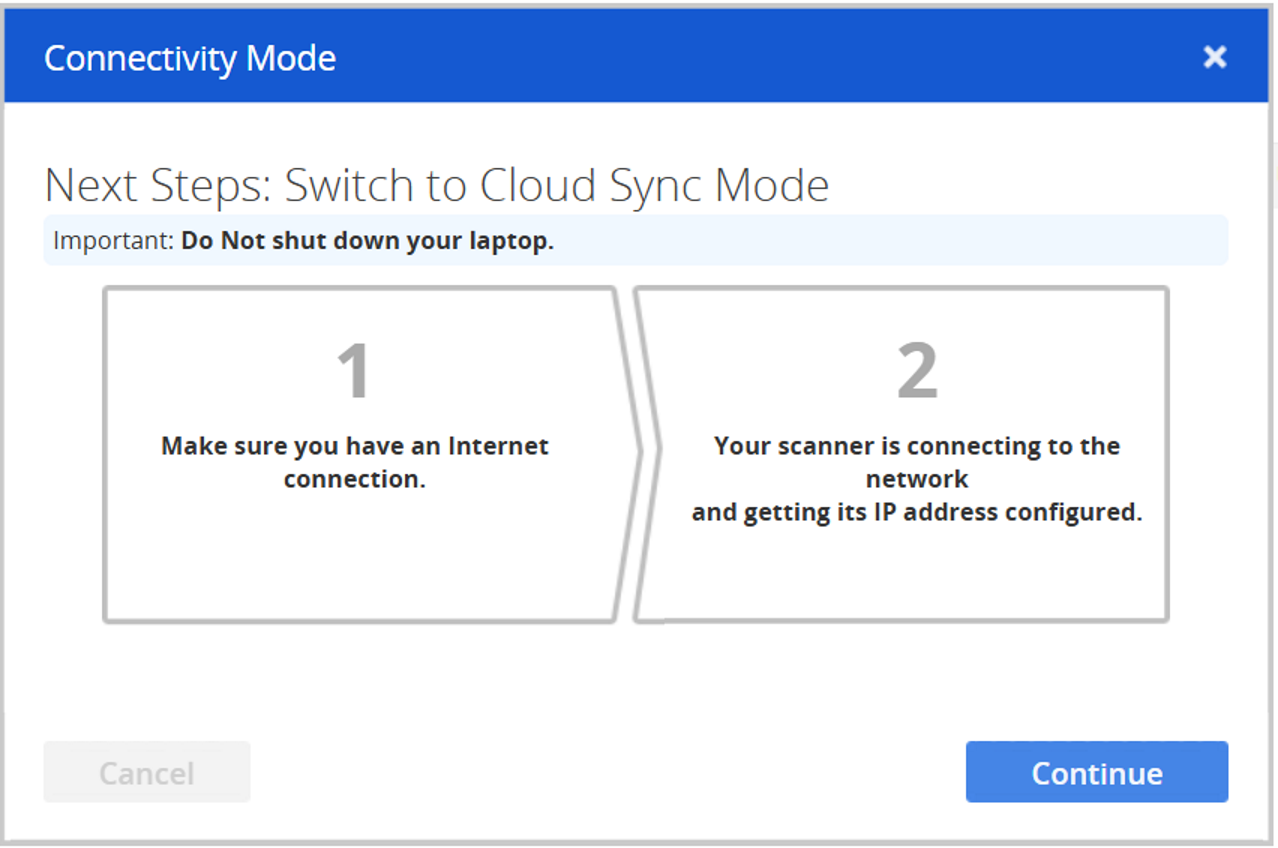
To complete the switch to CLOUD SYNC mode, click Continue.