Troubleshooting
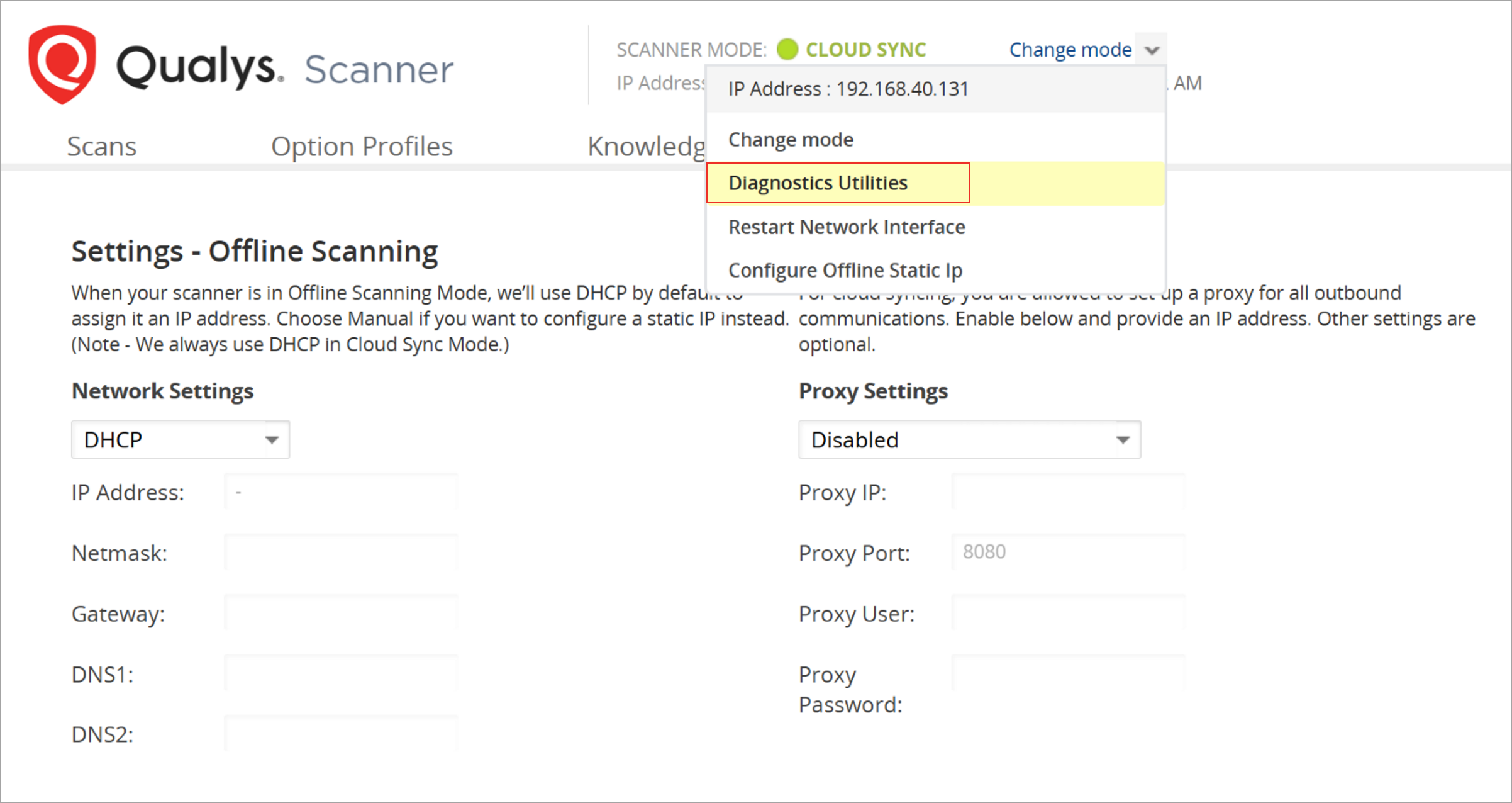
To troubleshoot basic issues, you can use our diagnostic tools, which are available at Offline Scanner Web UI under Change mode.
Scanner Failed to Detect Scan Targets
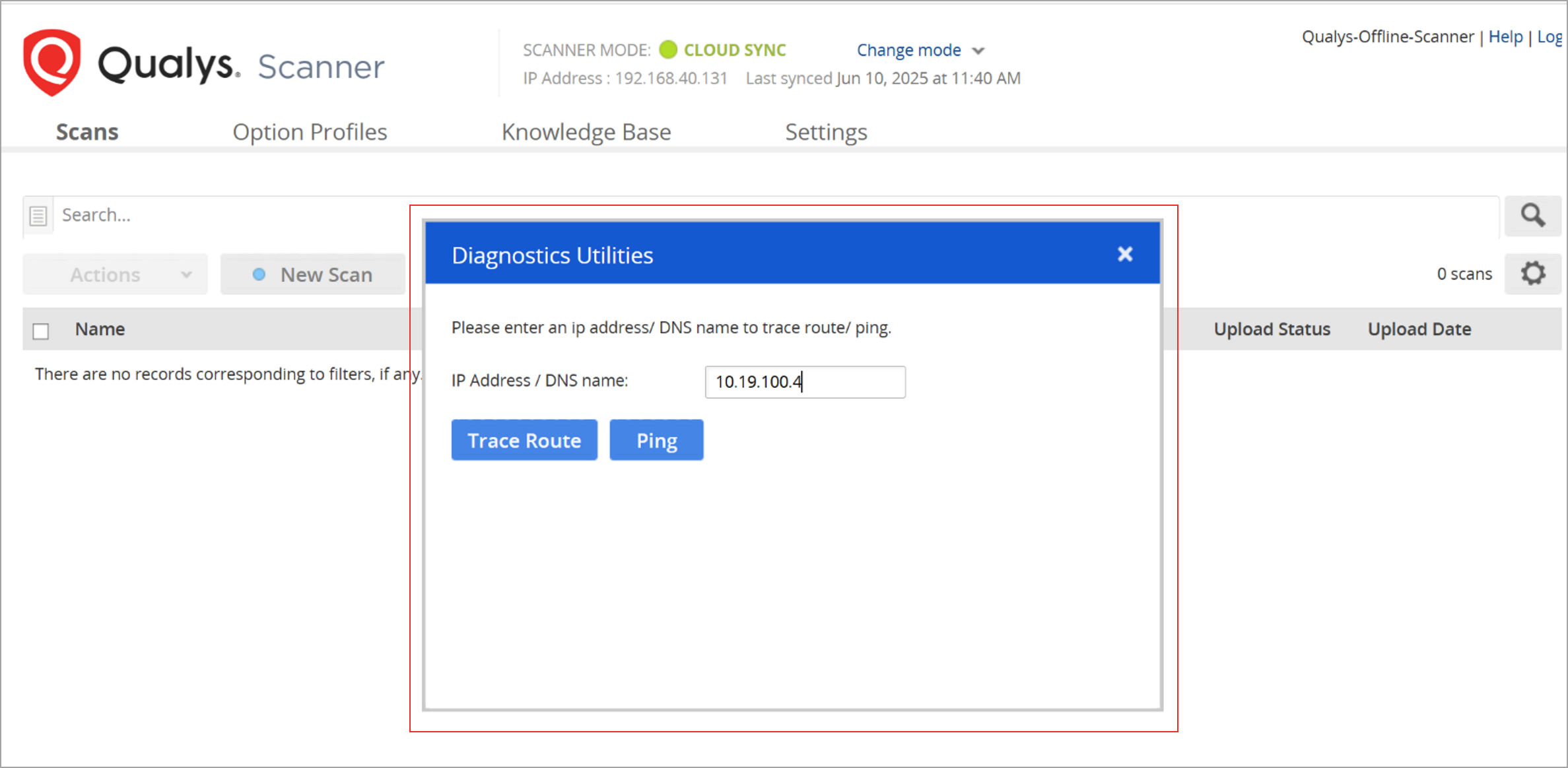
If the scanner is unable to detect scan targets, use our Diagnostics Utilities under Change mode to Ping or Trace Route by IP address or DNS name to check if it is able to establish a connection with the scan targets. If it is unable to connect, check for network connectivity issues.
Perform the following steps to resolve the connectivity issue between the scanner and scan targets:
- Go to Change mode > Diagnostics Utilities.
-
In the Diagnostics Utilities window, provide the IP address or DNS name of the scan target and then click Ping or Trace Route.
You can also use the Change mode > Restart Network Interface option to resolve the connectivity issue between the scanner and scan targets.
Do not perform this activity during an ongoing scan or during a scan upload, as it would break the scanner connection with the scan targets and permanently interrupt the scan or upload process.