View Scanner Status
To view your virtual scanner status, perform the following steps:
- Go to Scans > Appliances,
- Select your scanner and you can see the preview pane.
After you add a new appliance, the Qualys user interface can take a few minutes to update. Refresh your browser periodically to ensure that you are seeing the most up-to-date details.
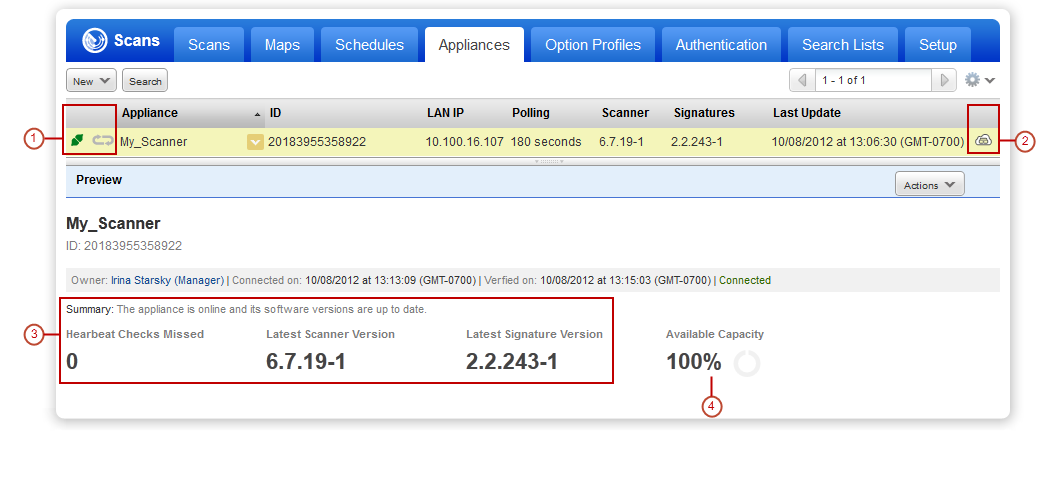
 tells you your virtual scanner is ready. Now you can start internal scans! (Next to this, you can see the busy icon is greyed out until you launch a scan using this scanner).
- This shows you it’s a virtual appliance.
- Latest software versions - these are installed as part of the activation.
- The available capacity will be 100% until you launch a scan. You can come back and check this at any time.