Start Wizard
Perform the following steps to start the Wizard:
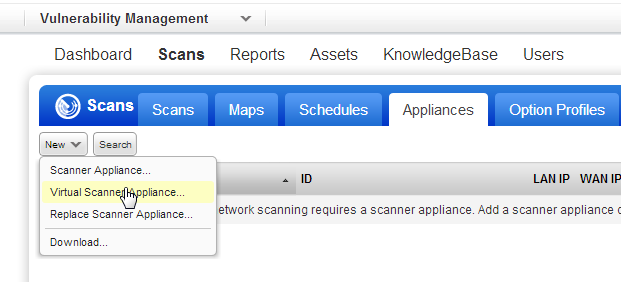
- Go to Scans > Appliances.
- Select New > Virtual Scanner Appliance.
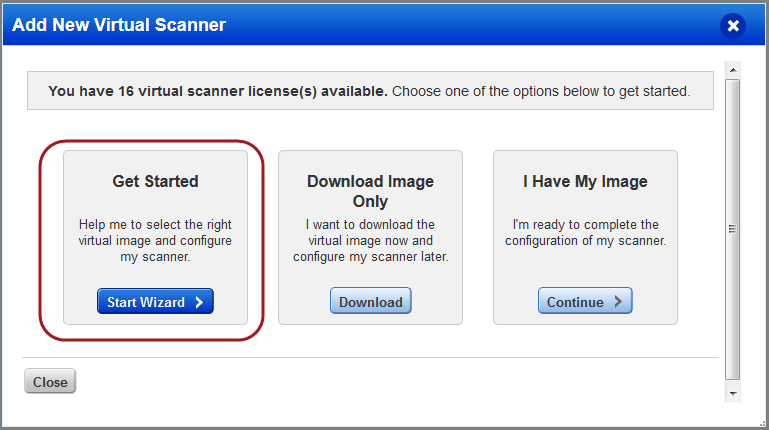
- Click Start Wizard. From here we guide you through the steps.
Perform the following steps to start the Wizard: