Switch Between Modes
You can easily switch between IPv4+v6 and IPv6-only network modes.
Perform the following steps to switch modes:
- Access the Scanner Console.
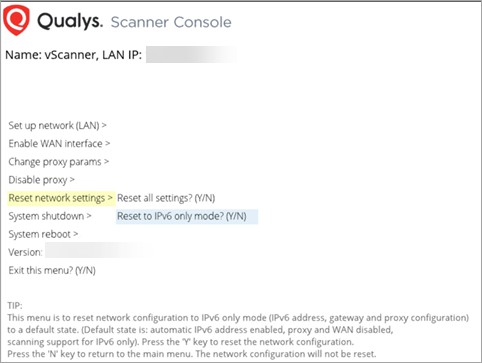
- Select Reset network settings from the main menu.
In the sub-menu, you may see the option Reset to IPv4+v6 if you are in IPv6-only mode or Reset to IPv6 only mode if you are in IPv4+v6 mode.
-
Select the reset option.
-
Type Y to confirm (or N to cancel).