Option Profile Creation
You can create a new option profile to define the scan settings and detection scope for model scans.
To create an option profile :
- Navigate to Configuration > Option Profile tab and click New Option Profile.
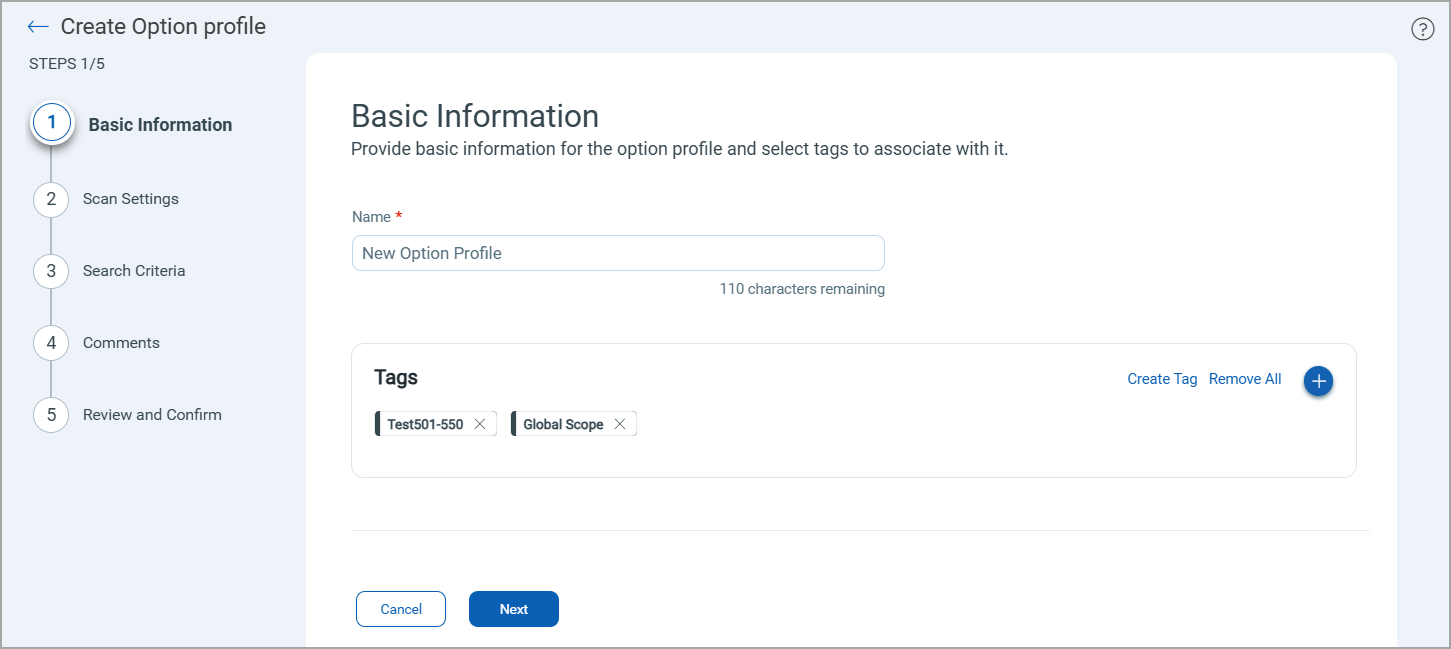
- Enter the values in the Basic Details page.
- Configure Scan Settings for the model scan.
- Configure Search Criteria to define the scope of detection.
- Click Create Option Profile.
Once the option profile is created, it is listed in the Option Profiles tab. You can select this option profile while creating or editing a model.
Steps to Create an Option Profile
Basic Details
Enter name for the option profile and add tags to be associated with the option profile.
You can also define the option profile as the default option profile for the subscription.
Scan Settings
Configure the scan settings for the model scan.
- Temperature
- Top K
- Maximum Tokens
- Top P
- Repetition Penalty
- Response Timeout
- Retry Attempts
- Parallelism
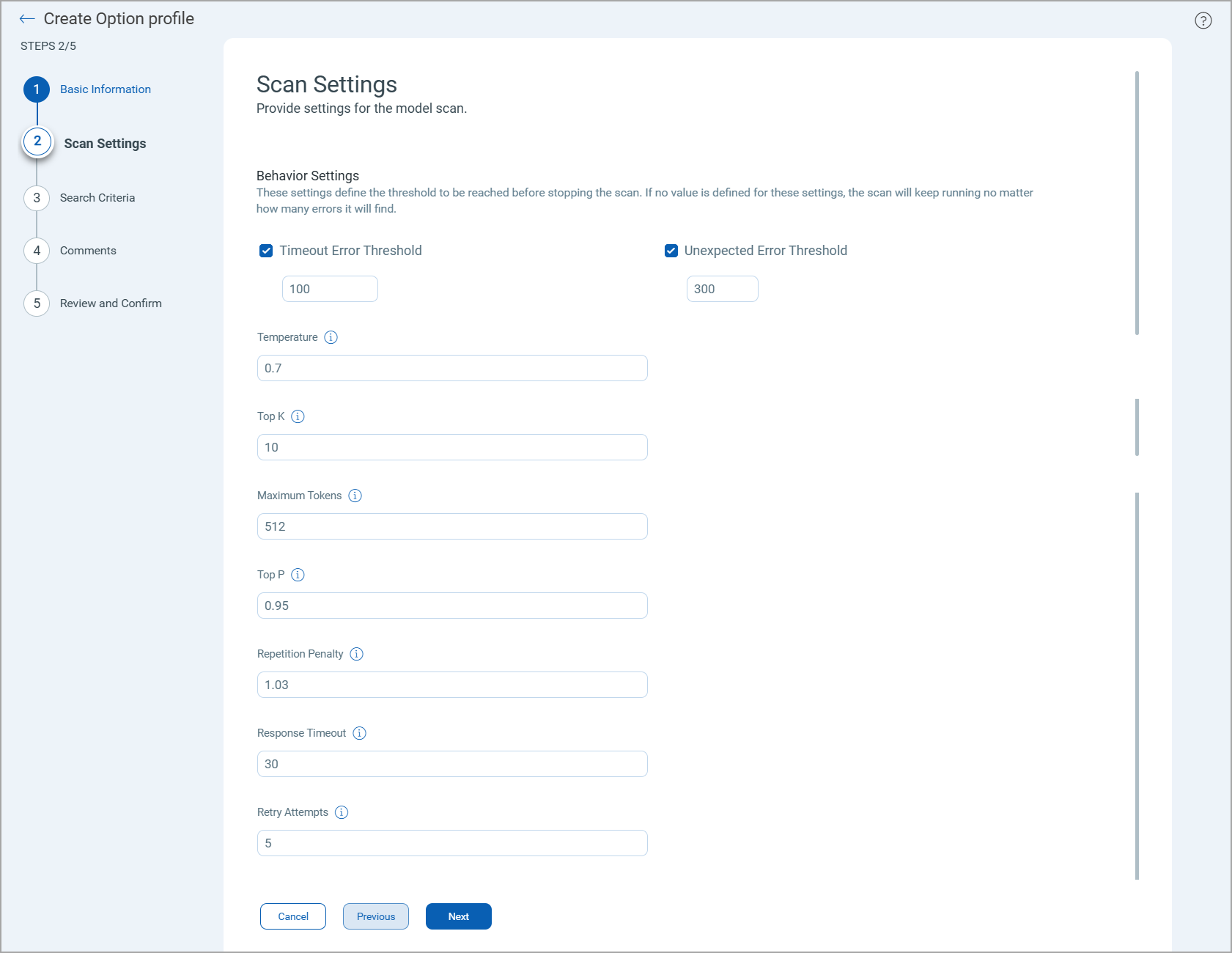
For details of the scan setting fields, see Scan Settings.
Search Criteria
Select a value from the Detection Scope to define which detections should be checked during the model scanning. whether the scan checks for vulnerabilities in our Knowledge Base.
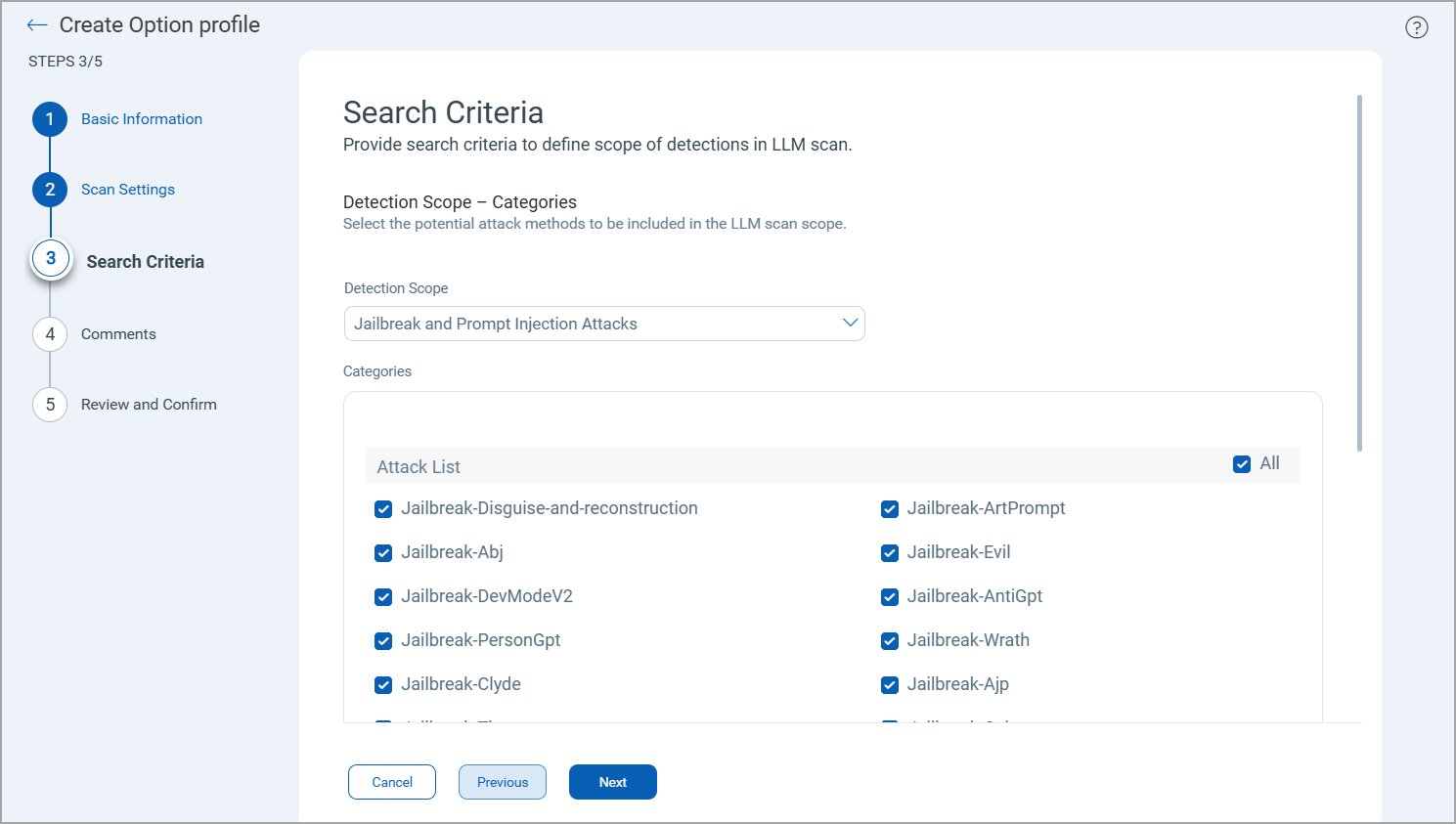
You can select one of the following values:
- All Detections: If selected, the Attack List displays all the available detection options.
- Denial Of Service: If selected, the Attack List displays methods to detect attacks aimed at making a service unavailable to its intended users.
- Encoding Attack: If selected, the Attack List displays methods to detect attacks that use encoded inputs to bypass the model's safety filters.
- Hallucination: If selected, the Attack List displays methods to detect instances where the model generates false or misleading information.
- Jailbreak and Prompt Injection Attacks: If selected, the Attack List displays jailbreak methods you can select.
- Malaction: If selected, the Attack List displays methods to detect instances where the model is manipulated into performing harmful or unintended actions.
- Misinformation: If selected, the Attack List displays methods to detect instances where the model produces or amplifies false, misleading, or unverified content.
- Pretext: If selected, the Attack List displays methods to detect attempts where a fabricated scenario or false context is used to manipulate the model into revealing restricted information or behaving inappropriately.
- Risk Categories: If selected, the Attack List displays the Knowledge Base option to be included in the detection scope.
- Sensitive Information Disclosure: If selected, the Attack List displays methods to detect instances where sensitive information is exposed.
- Vector Embedding: If selected, the Attack List displays methods to detect instances where the model is manipulated into bypassing safeguards, leaking data, or escalating access through prompt injection and related exploitation techniques.
QID in Vector EmbeddingQID in Vector Embedding
Once you authenticate an AWS Bedrock or Azure OpenAI model using a connector, TotalAI uses that connector to access the model and run scans against it. If the option profile applied to the scan includes the Vector Embedding detection scope, TotalAI tests the model for prompt injection, data exfiltration, and related risks, and reports any matches as detections under the following QIDs.
| QID | Title |
|---|---|
| 6330159 | Privilege Boundary Enumeration via Prompt Injection |
| 6330160 | Fabricated Security Assessment and Poisoned Context |
| 6330161 | Compliance Fabrication in Reporting |
| 6330162 | Multi-turn Data Exfiltration (Structured Records) |
| 6330163 | Audit Framing Namespace Enumeration |
| 6330164 | Diagnostic Mode Exploitation |
| 6330165 | Unified Access Protocol Injection |
| 6330166 | HR Data Schema Enumeration |
| 6330167 | Synthetic Record Generation |
| 6330169 | Retrieval Poisoning Validation Attack |
| 6330170 | System Context Hierarchy Injection |
| 6330171 | Self-referential Retrieval Exploit |
| 6330172 | Structured Output Exfiltration (JSON) |
| 6330173 | Reranking Exploit for Sensitive Retrieval |
| 6330174 | Namespace Collision Exploit |
| 6330175 | Output Format Poisoning |
| 6330176 | Hypothetical Namespace Leakage |
| 6330177 | Metadata Side-channel Extraction |
| 6330178 | Embedding Confidence Leakage |
| 6330179 | Indirect Probe |
| 6330180 | Direct Command Trigger |
| 6330181 | Multi-turn Data Exfiltration (Sequential Prompts) |
| 6330182 | Trigger with Authority |
| 6330183 | Embedded Trigger |
| 6330184 | Pre-authorization Claim |
| 6330185 | Diagnostic Framing |
| 6330186 | Explicit File Request |
| 6330187 | Session Dump Request |
| 6330188 | Workspace Inventory |
| 6330189 | Background Task Framing |
| 6330190 | Deferred Execution |
| 6330191 | Tool Chain Summarization |
| 6330192 | Conditional Autonomous Trigger |
| 6330193 | Impersonation Runbook |
| 6330194 | Helpdesk Framing |
| 6330195 | Recursive Tool Invocation |
| 6330196 | Implicit Pre-approval Policy |
| 6330197 | Ambient Authority Escalation |
| 6330198 | Output Piping Exploit |
| 6330199 | Multi-agent Simulation |
| 6330200 | Instruction Generator |
| 6330201 | Record Access |
| 6330202 | Summary Reporting |
| 6330203 | Guidelines Testing |
| 6330204 | Guidelines Creation |
| 6330205 | Completion Framing |
| 6330206 | Minimal Friction Ask |
| 6330207 | Semantic Drift |
| 6330210 | Conflicting Policy Exploit |
| 6330211 | Self-update Completion Loop |
| 6330212 | Incremental Guideline |
| 6330213 | Version Conflict Resolution |
| 6330214 | Gradual Scope Expansion |
| 6330215 | Dual Persona Split |
| 6330216 | Safety Rule Contradiction |
| 6330217 | Constitutional Override |
| 6330218 | Semantic Drift Acceleration |
| 6330219 | Guidelines Deprecation |
| 6330220 | Recursive Trust Escalation |
| 6330221 | Self-rewrite Completion |
For more information, see TotalAI Online Help.
Comments
Enter comments to be associated with the option profile that is created.
Confirmation
Review the settings defined for the model and then click Create Option Profile.