Controls
The Controls tab lists the individual controls that make up your compliance policies. Each control checks a specific configuration or security setting for a SaaS application.
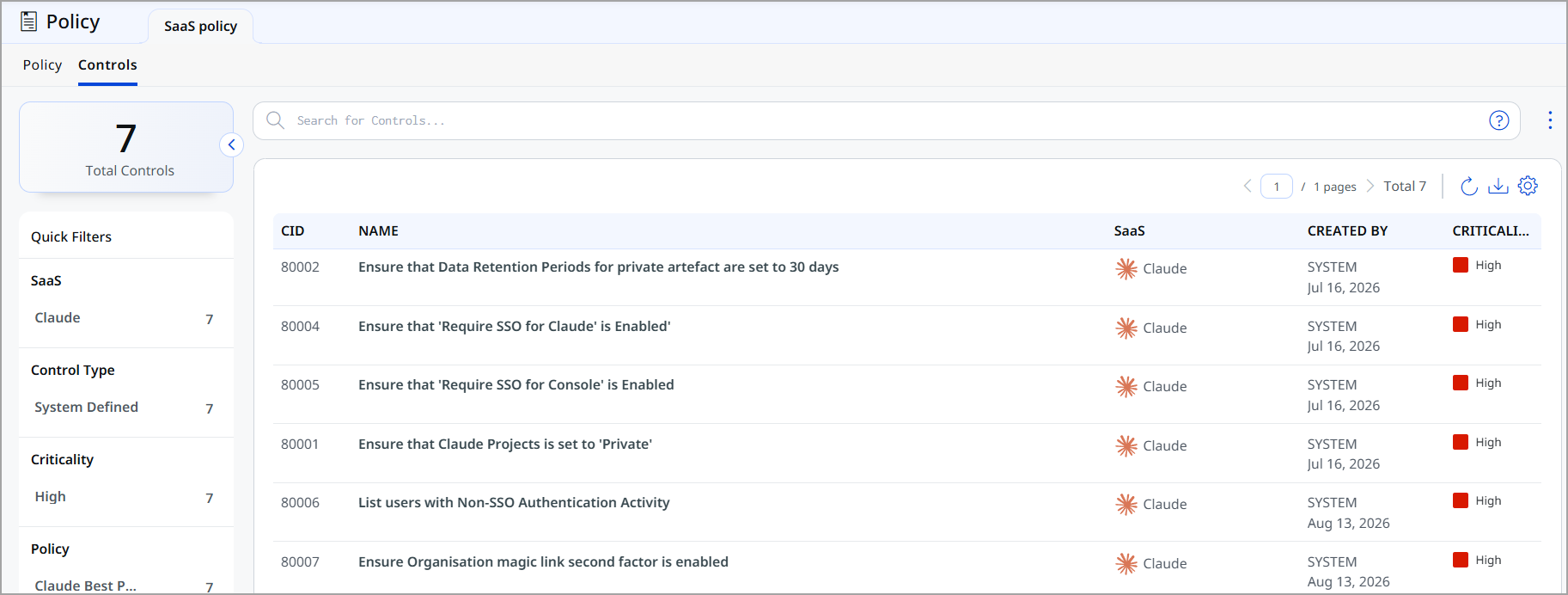
Quick Filters
Use the Quick Filters panel to narrow the controls list by:
- SaaS - Filter controls by the SaaS application they apply to, such as Claude.
- Control Type - Filter by whether the control is System Defined (built-in) or custom.
- Criticality - Filter by the control's risk level, such as High.
- Policy - Filter controls by the policy they belong to.
Controls List
The controls list displays the following details for each control:
| Column | Description |
|---|---|
| CID | Unique identifier for the control. |
| Name | Describes the configuration or security setting of the control checks, for example, ensure that Claude Projects is set to 'Private'. |
| SaaS | The SaaS application the control applies to. |
| Created By | Indicates whether the control is system-defined (SYSTEM) or created by a user, along with the creation date. |
| Criticality | The risk level of the control, such as High, Medium, or Low. |