TotalAI Release 1.6.2
February 02, 2026
Enhanced Detection Details
With this release, you can now view EU AI Act Articles and MITRE Atlas Techniques in the Detection Details page for all the mapped QIDs. This helps you easily understand the regulatory impact and associated AI attack techniques, making it simpler to assess risks, prioritize remediation, and strengthen AI security.
To view the EU AI Act Articles and MITRE ATLAS Techniques, navigate Detections > Model Detections, select the required QID, and click View from the Quick Actions menu.
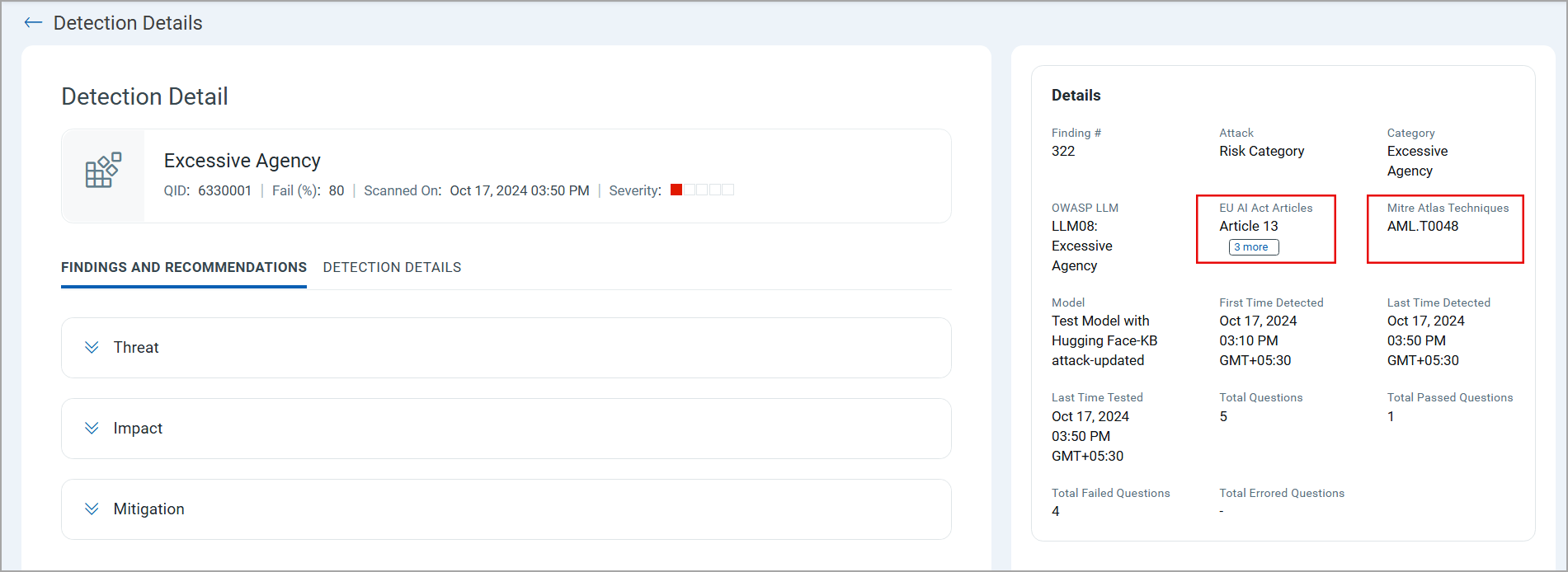
Multiple techniques or articles can be associated with a single QID.
Support for New Model Runtime - Databricks Chat
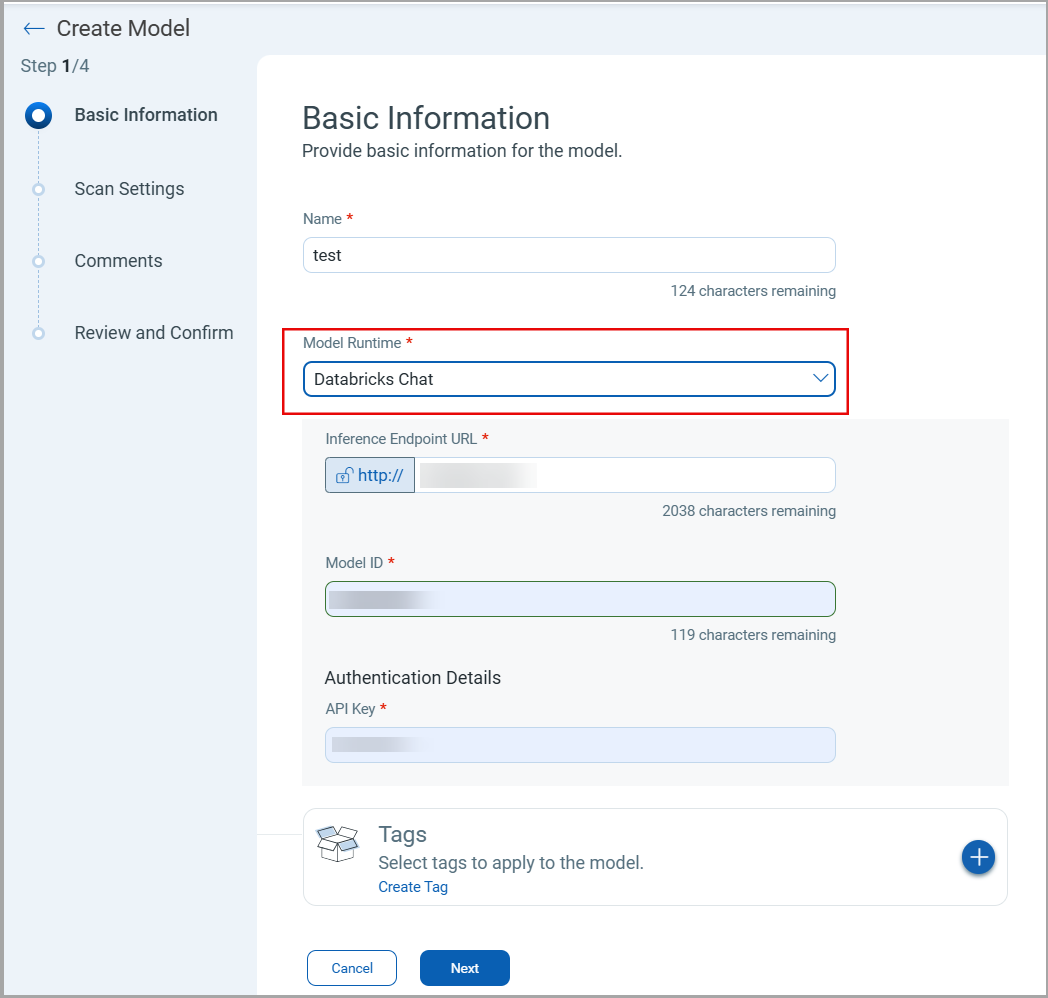
We are expanding the TotalAI capability with the new model runtime support. You can now onboard the Databricks Chat model to TotalAI and perform a scan to find the vulnerabilities in the model.
To onboard the Databricks Chat model, navigate to Models > New Model. In the Model Runtime list, select Databricks Chat.
MCP Server Detection Inventory
With this release, we have enhanced an inventory view to display the discovery of MCP Servers, providing a standardized and centralized view of MCP integrations. Users can view discovered MCP servers along with details such as MCP name, last discovered date, URL, description, and associated endpoints, enabling better visibility and management of AI integrations.
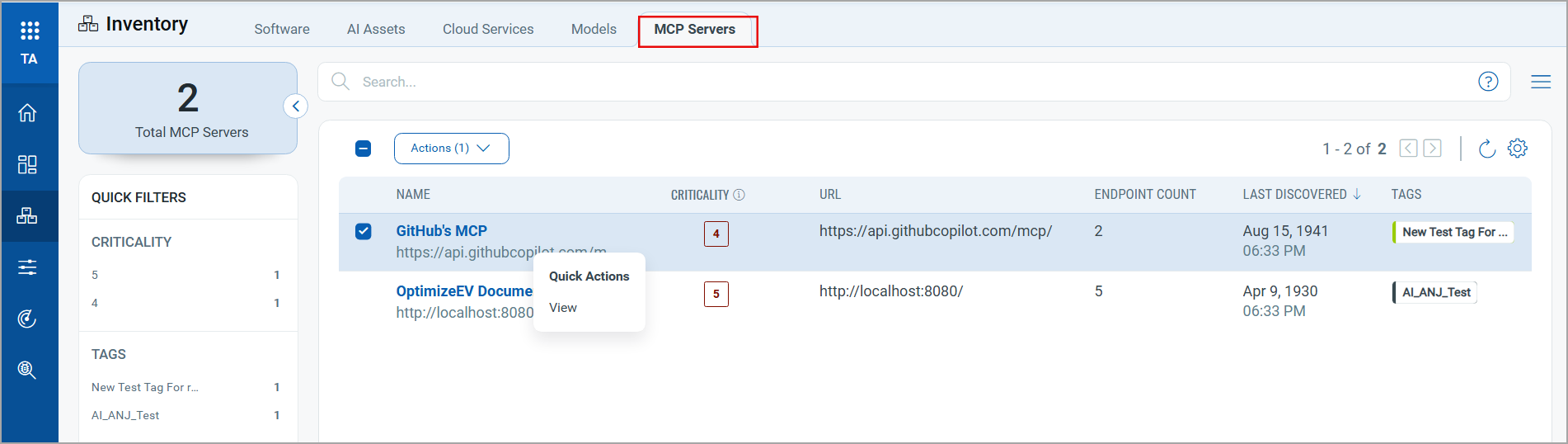
Currently, you can only view the discovered MCP servers.
Parallelism Configuration for Option Profiles
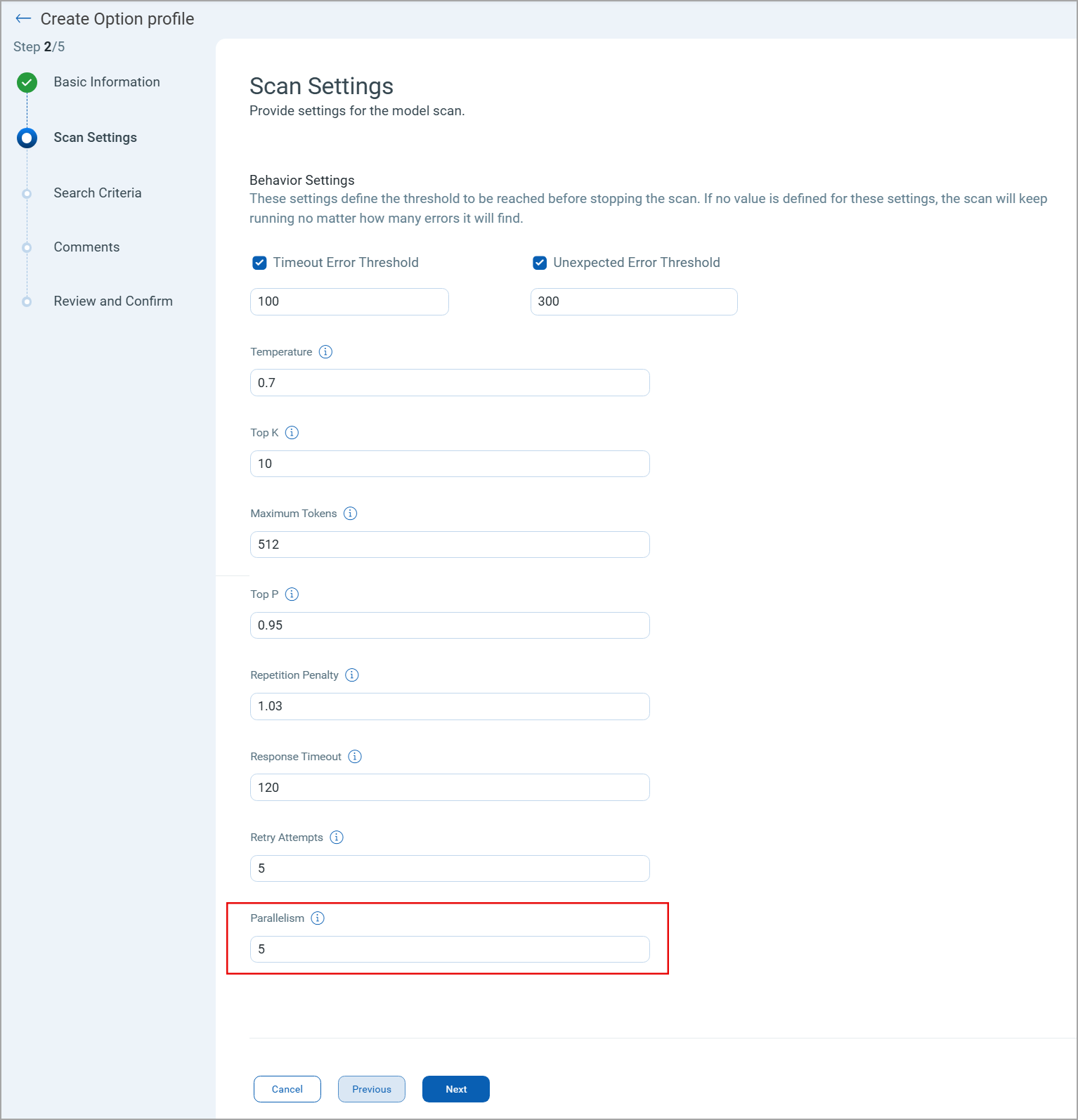
With this release, a new Parallelism parameter is available on the Scan Settings page during option profile creation.
- Default value: 5
- Supported range: 1–20
Option Profile Compatibility for Google Vertex Model Runtime
Only option profiles with parallelism set to 1 are supported when using the Google Vertex runtime.
This change may impact existing Google Vertex models. Option profiles with a parallelism value other than 1 are not compatible with Google Vertex. To continue using Google Vertex, update existing option profiles or create new ones with Parallelism set to 1.
- When editing or launching a scan on an existing Google Vertex model that includes an incompatible option profile, the profile is automatically deactivated on the Scan Settings page. An informational message explains the reason for the deactivation.
- When selecting or changing an option profile for a Google Vertex model, the Option Profile Records dialog box displays only compatible option profiles.
This behavior helps prevent invalid scan configurations and ensures scans run successfully on Google Vertex models.
Discover AI Services in AWS Environment
With this release, you can discover AI services running in your AWS environment, monitor them, and launch scans for detected models.
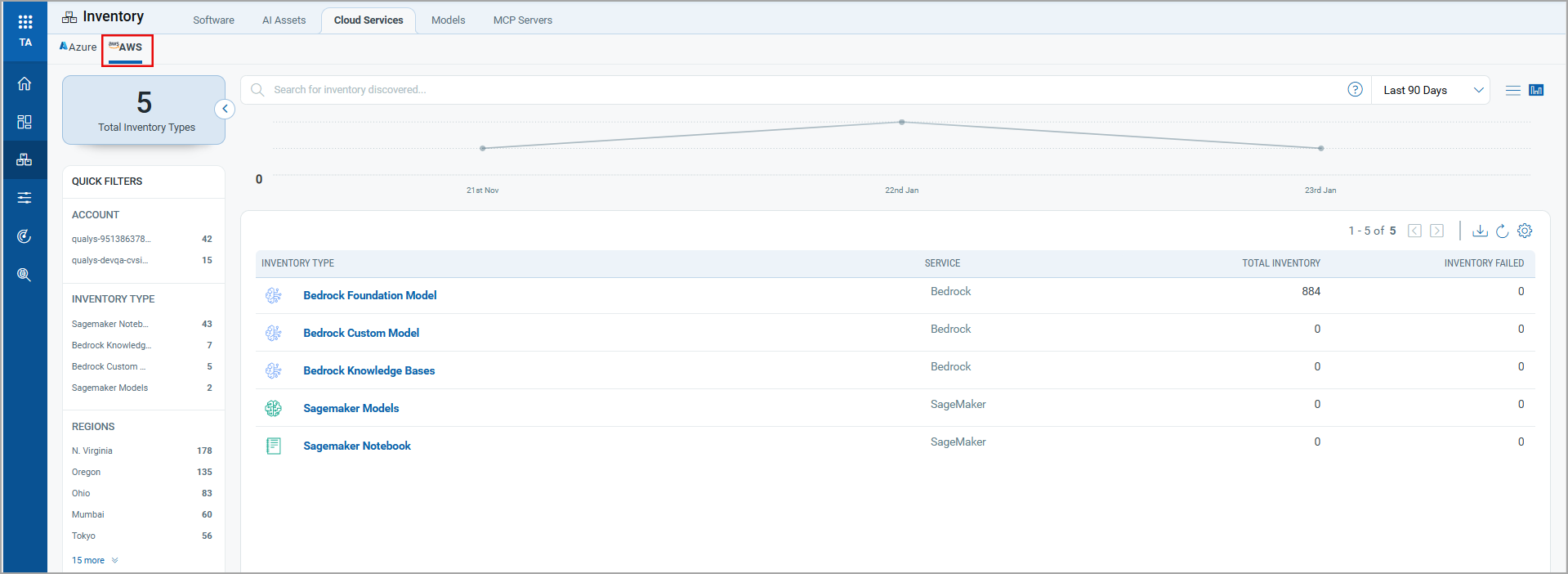
To view the AI services inventory for your AWS Account, navigate to Inventory > Cloud Services > AWS tab in the TotalAI user interface. Click the inventory type from the list to see the different AI services running in your account.
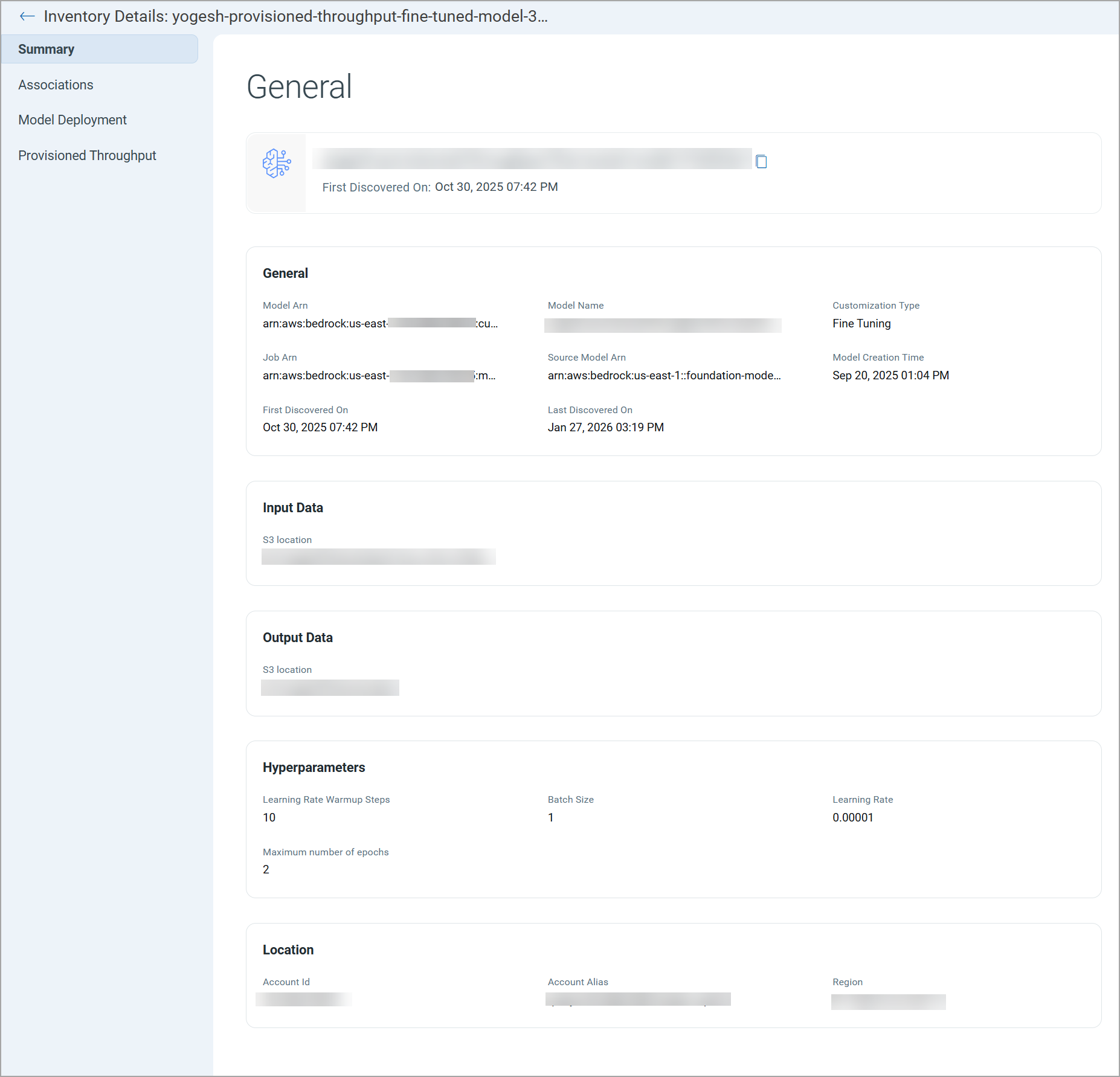
To view the inventory details, click an inventory from the list. The inventory details are displayed in the Summary section.
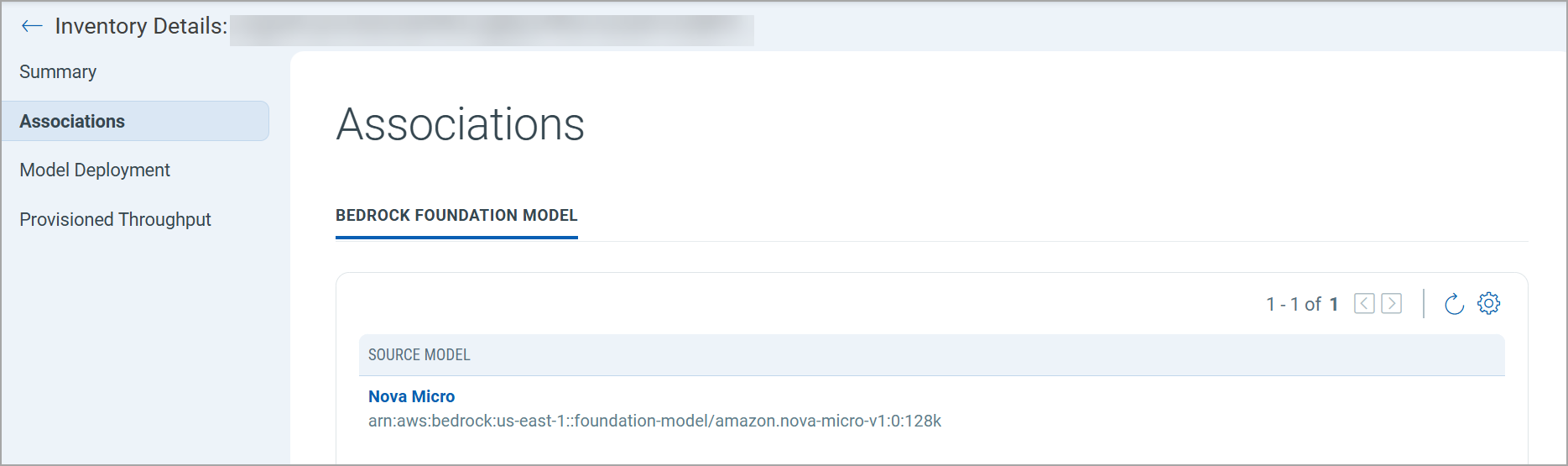
The Associations tab displays the foundation model associated with this inventory item. You can use this information to understand the source model.
The Model Deployment tab displays the model details. You can use the model endpoints to create a model and launch a scan on it.

AI Filter in Installed Software View
We have enhanced the Installed Software view within the Asset Details to improve focus on AI-related software.
An AI filter is now available in the Installed Software tab. By default, the Installed Software tab now displays only software identified as AI or ML-related.
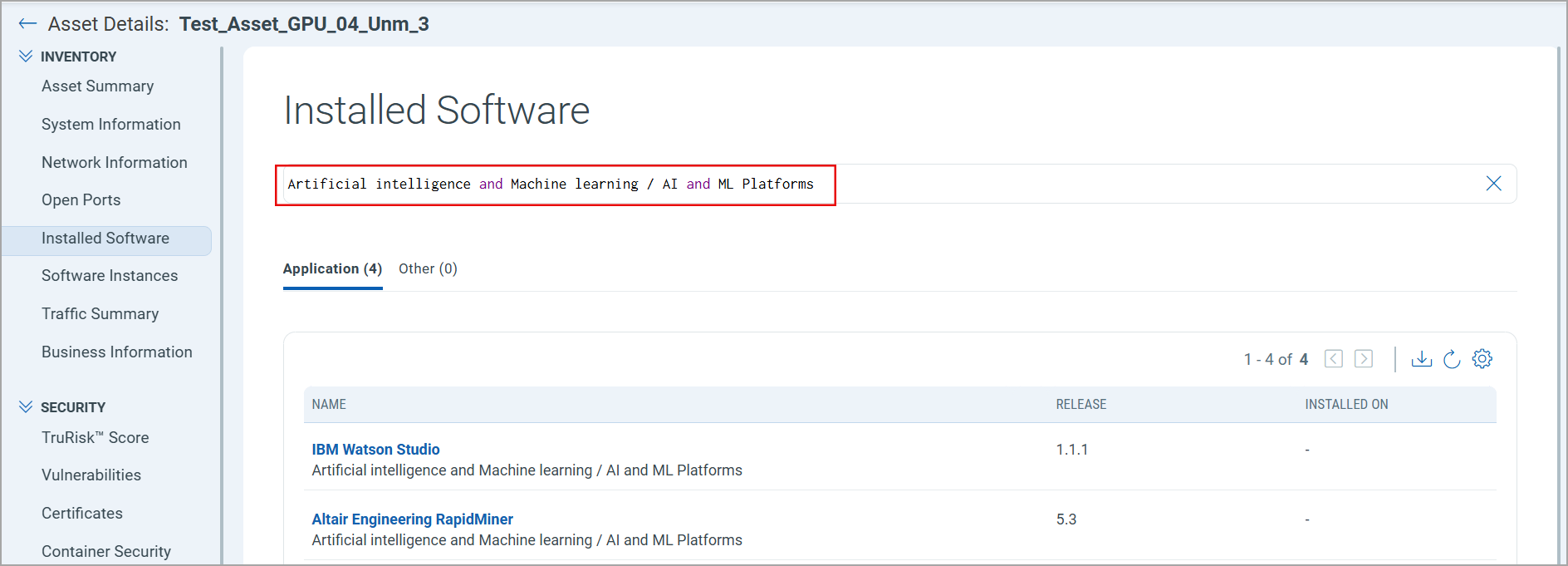
This enhancement allows users to quickly identify and analyze AI software deployed on assets without manual filtering.
Issues Addressed
| Category/Component | Description |
|---|---|
| Google Vertex | We fixed an issue where users could not edit a Google Vertex model using JSON authentication data, causing scan failures. This issue is fixed. Users can now edit Google Vertex models with JSON authentication data. |
| Scan Report | An issue was observed where the incompatible scanner status was displayed with inconsistent colors in online and downloaded scan reports. This issue is fixed. |