TotalAI Release 1.7.1
June 29, 2026
Discover and Scan Vertex AI Models in GCP Environment
TotalAI now supports the discovery, import, and management of Vertex AI models from Google Cloud Platform (GCP). You can also scan these models to identify security and compliance issues, enabling consistent AI governance and risk management across your GCP-hosted AI assets.
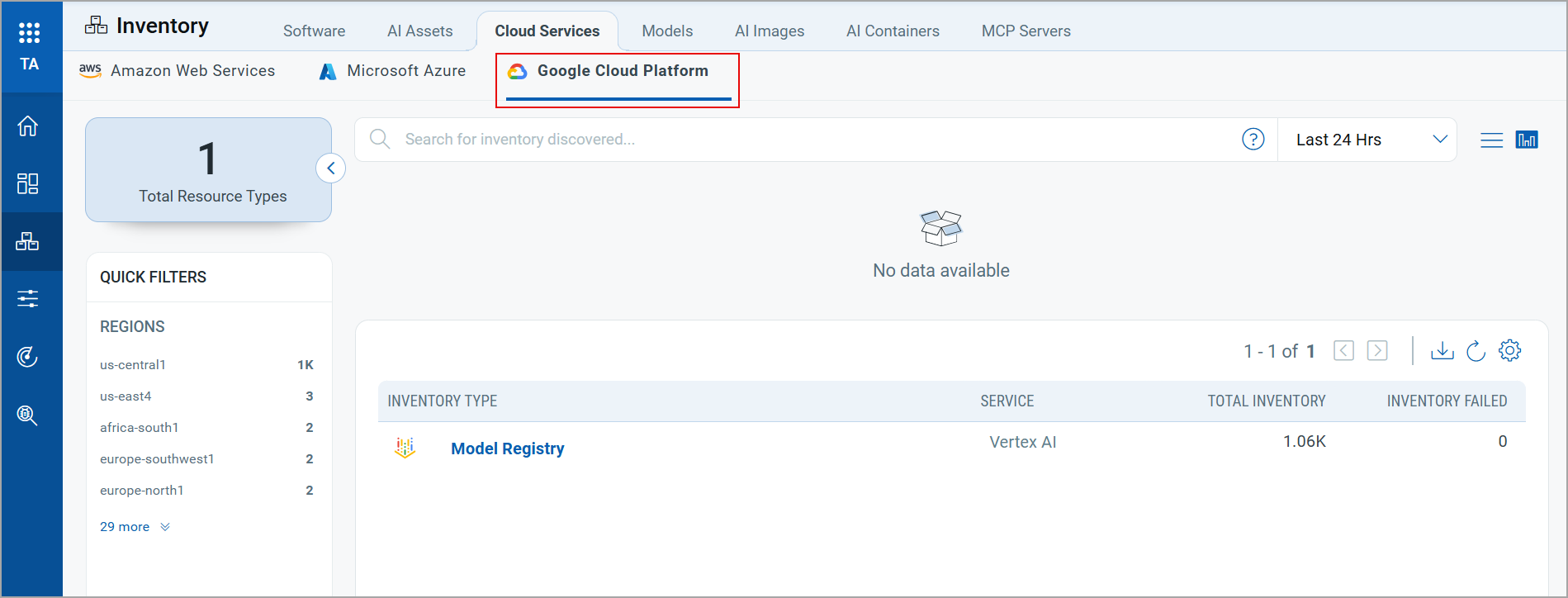
This enhancement extends TotalAI coverage to GCP environments and improves visibility into AI model assets. You can use the GCP AI inventory to:
- Process and persist model metadata, including version and region information.
- Track model versions and associated deployment endpoints.
- Maintain region-specific model inventory.
- Correlate models with security detections.
To view the discovered models, navigate to Inventory > Cloud Services > Google Cloud Platform.
To learn more about this feature, refer toTotalAI Online Help.
Confirm Potential Models in GCP Environment
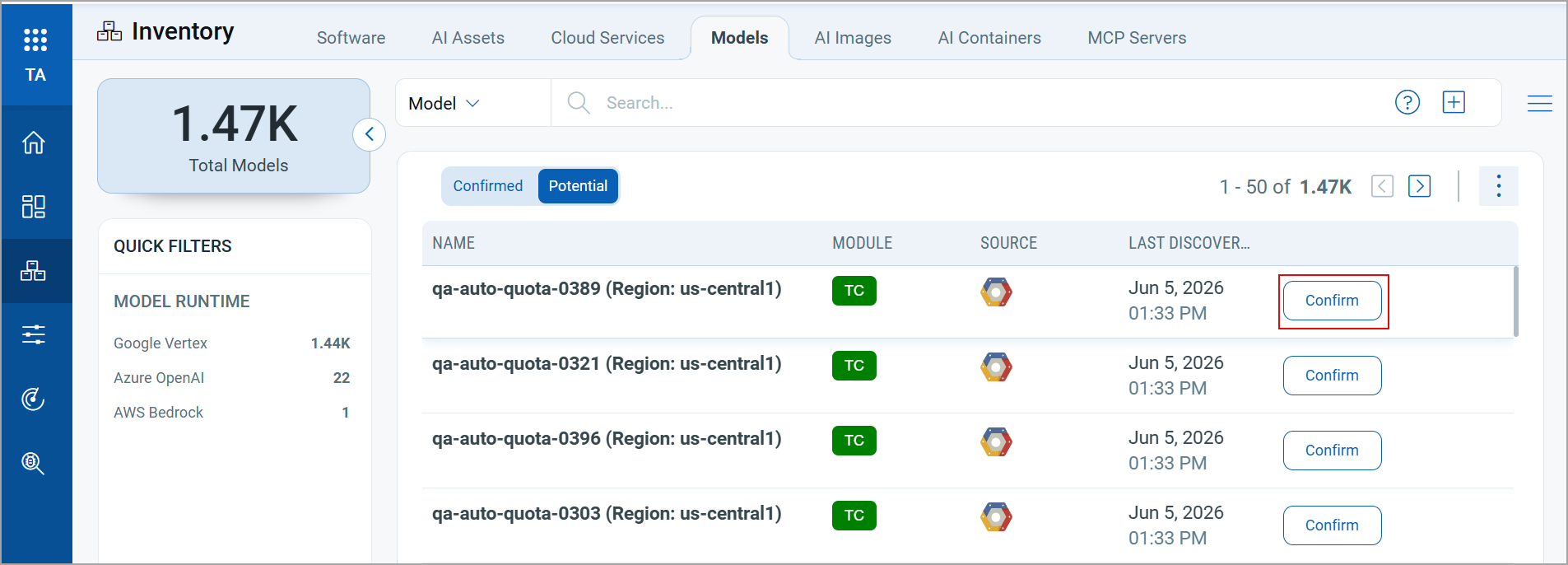
You can now confirm potential AI models discovered in your GCP environment, enabling their management and security assessment within TotalAI.
To confirm the models discovered in the GCP environment, navigate to Inventory > Models > Potential tab.
| Dependent Application Version | TotalCloud 2.25 |
To learn more about this feature, refer to TotalAI Online Help.
Onboard Non-Authenticated Models Without API Key Authentication
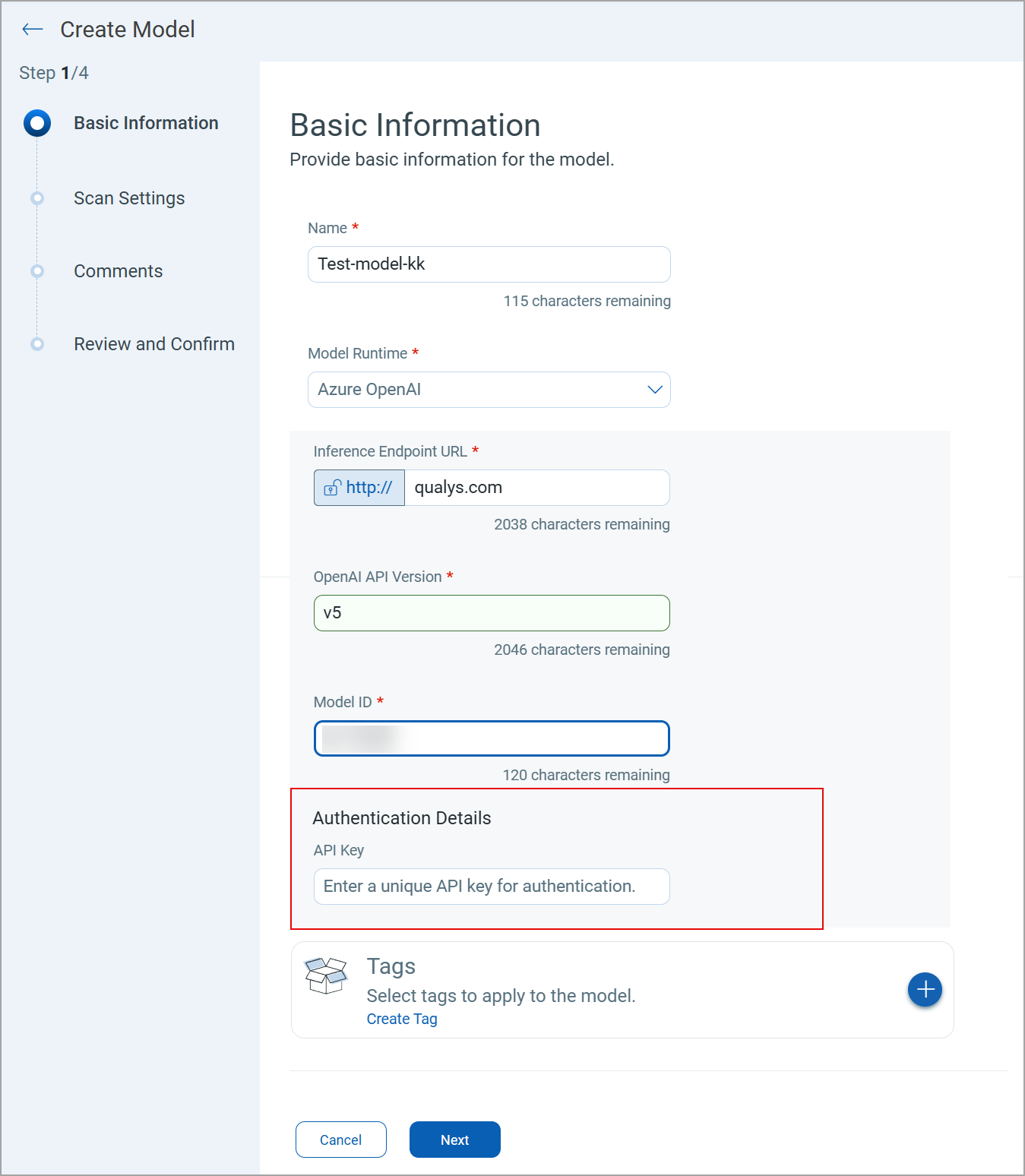
You can now onboard non-authenticated models without providing API keys. Previously, an API key was a mandatory field during model creation. This enhancement simplifies the model creation workflow and reduces configuration effort, enabling faster and more seamless onboarding of self-hosted AI models.
Currently, the option to onboard the model without using an API key is available only for the Azure OpenAI, Chat Completion, and Databricks Chat models.
To onboard a model without an API key, navigate to the Basic Information page in the new model creation workflow using Inventory > Models > New Model.
Issue Addressed
The following is an important and notable customer issue fixed in this release.
| Category/Component | Description |
|---|---|
| AWS Region Mapping | We fixed an issue where a few regions were unavailable for models in the AWS Bedrock runtime. Now, all the regions supported for AWS Bedrock are available for model configuration. |