Access Control Testing
With Access Control Testing, you can validate authorization controls on your API assets by running targeted tests for Broken User Authentication (BUA), Broken Function Level Authorization (BFLA), and Broken Object Level Authorization (BOLA). Configure test criteria directly on an API asset, then control which tests run per scan or schedule without losing your saved configuration.
Prerequisites
Confirm all of the following before you configure access control testing:
- The API asset contains a Swagger or OpenAPI definition file with at least one endpoint.
- At least one prior vulnerability or compliance scan has run against the API asset so that endpoint data is available.
- At least one API authentication record exists under Configuration > Authentication. Only API authentication record types are supported. Web application authentication records are not supported.
- For Broken Function Level Authorization (BFLA) and Broken Object Level Authorization (BOLA) criteria, a default authentication record is configured on the API asset.
- Your user role includes the Asset Update permission.
Access Control Test Criteria
| Criterion | What it tests | Endpoint Selection | Authentication Record Restriction |
|---|---|---|---|
| Broken User Authentication (BUA) | Whether disabled/locked or logged-out account credentials can reach API endpoints | All endpoints (automatic selection) | API Key or Bearer Token |
| Broken Function Level Authorization (BFLA) | Whether a lower-privilege role can access endpoints restricted to higher-privilege roles | All Endpoints, Pick from List, or Match by Query | Any API authentication record type |
| Broken Object Level Authorization (BOLA) | Whether a user can access object-level data belonging to another user or role | All Endpoints, Pick from List, or Match by Query | Any API authentication record type |
Configure Access Control Testing
To configure access control testing:
- Navigate to Applications > API.
- Select an API record and click Access Control Testing from the contextual menu.
- In the Access Control Testing window, configure the roles and API endpoints for Broken User Authentication, Broken Function Level Authorization, and Broken Object Level Authorization.
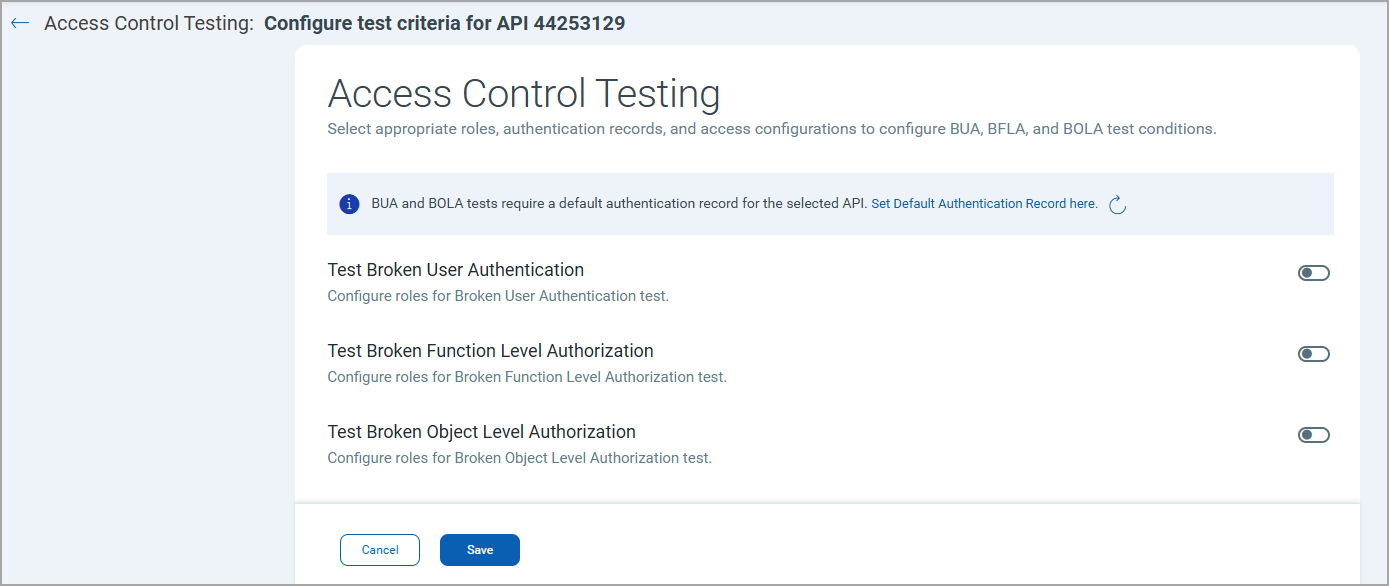
- Click Save.
The access control test criteria are saved to the API asset. The configuration persists across vulnerability scans and vulnerability scan schedules. You can modify or remove individual criteria at any time without affecting other asset settings.
Broken User Authentication
In the Role Configuration: Test Broken User Authentication window:
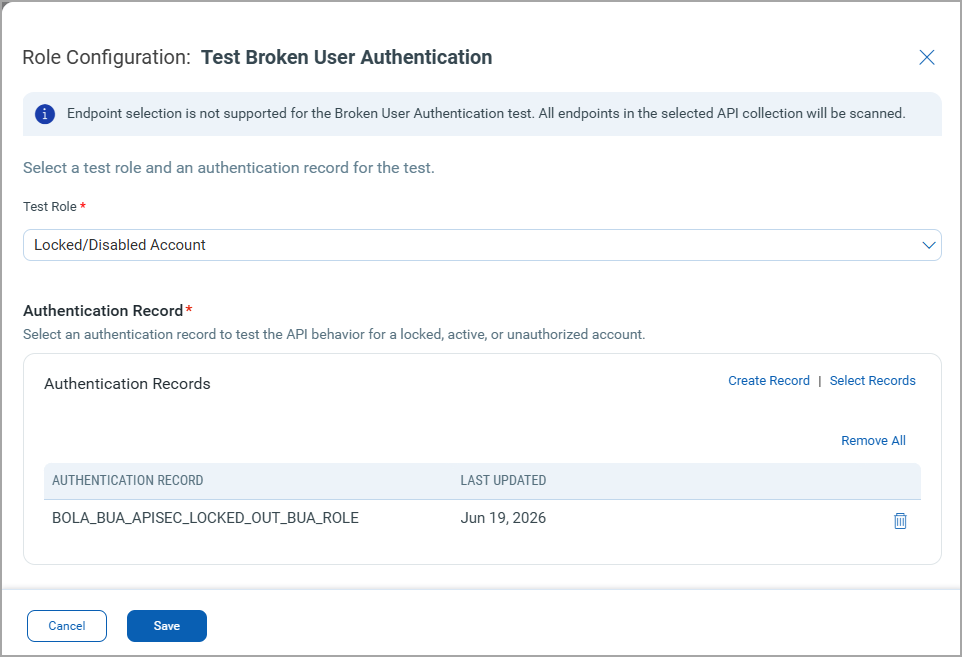
- Select the Test Role: Locked/Disabled Account or Logged Out Session.
- Add an authentication record.
Only API authentication records with Auth Type - API Key or Bearer Token are available in the list.
- Click Add.
You cannot select specific endpoints. All endpoints in the selected API collection are scanned.
Broken Function Level Authorization
In the Role Configuration: Test Broken Function Level Authorization window:
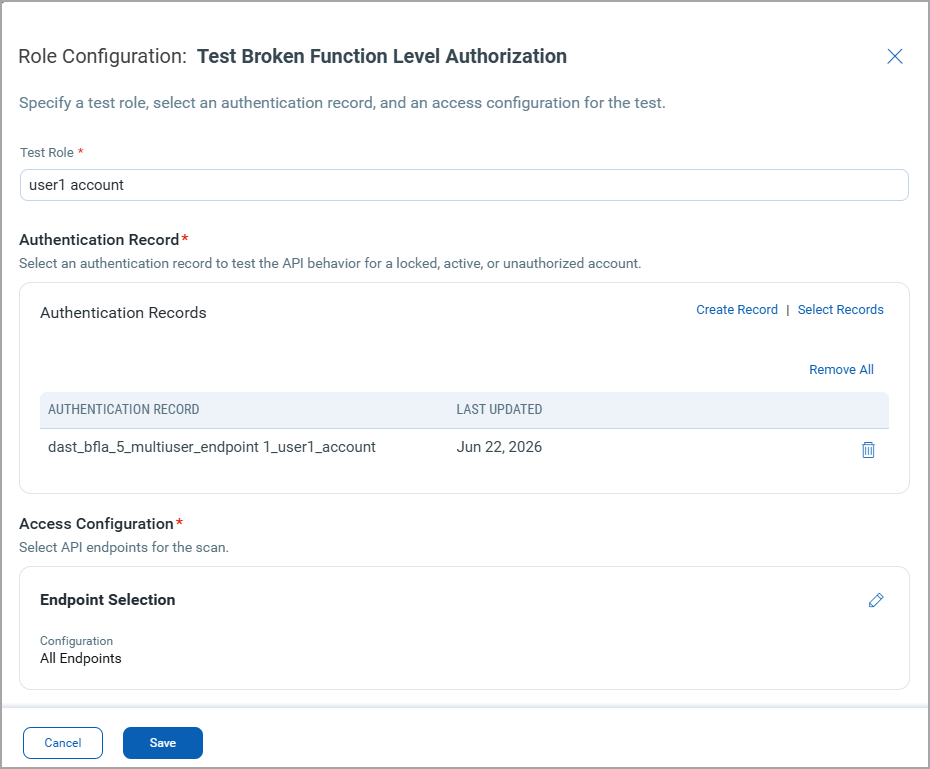
- Specify the Role.
- Add an authentication record.
- Add the endpoints for the scan by one of the following methods:
- All endpoints - Includes all endpoints on the API asset.
- Select Endpoints - Select specific endpoints from the displayed list.
- Match by query - Enter a QQL expression. The expression is evaluated at scan launch. For example, enter
endpoint.method:DELETEto match all DELETE method endpoints.
- Click Add.
Broken Object Level Authorization
In the Role Configuration: Test Broken Object Level Authorization window:
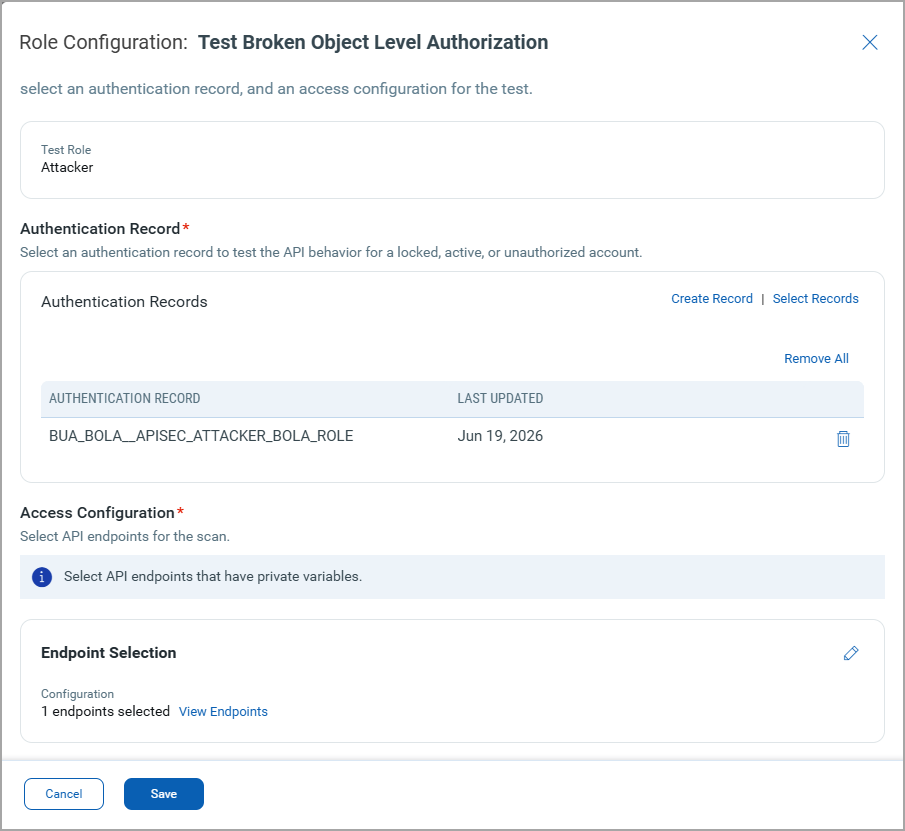
By default, the Test Role: Attacker is selected.
- Add an authentication record.
- Add the endpoints for the scan by one of the following methods:
- All endpoints - Includes all endpoints on the API asset.
- Select Endpoints - Select specific endpoints from the displayed list.
- Match by Query - Enter a QQL expression. The expression is evaluated at scan launch. For example, enter
endpoint.method:DELETEto match all DELETE method endpoints.
- Click Add.
You must add API endpoints that have private variables.
Add the API Access Control Testing Criteria in Vulnerability Scan
To include the access control testing criteria in a vulnerability scan, while launching or scheduling a scan, select the checkboxes for BUA, BFLA, and BOLA testing in the Scan Settings page under the API Security Testing section. For details, see Launch Vulnerability Scan - Scan Settings.