Create API - Additional Configuration
On this page, configure additional options for the API scanning.
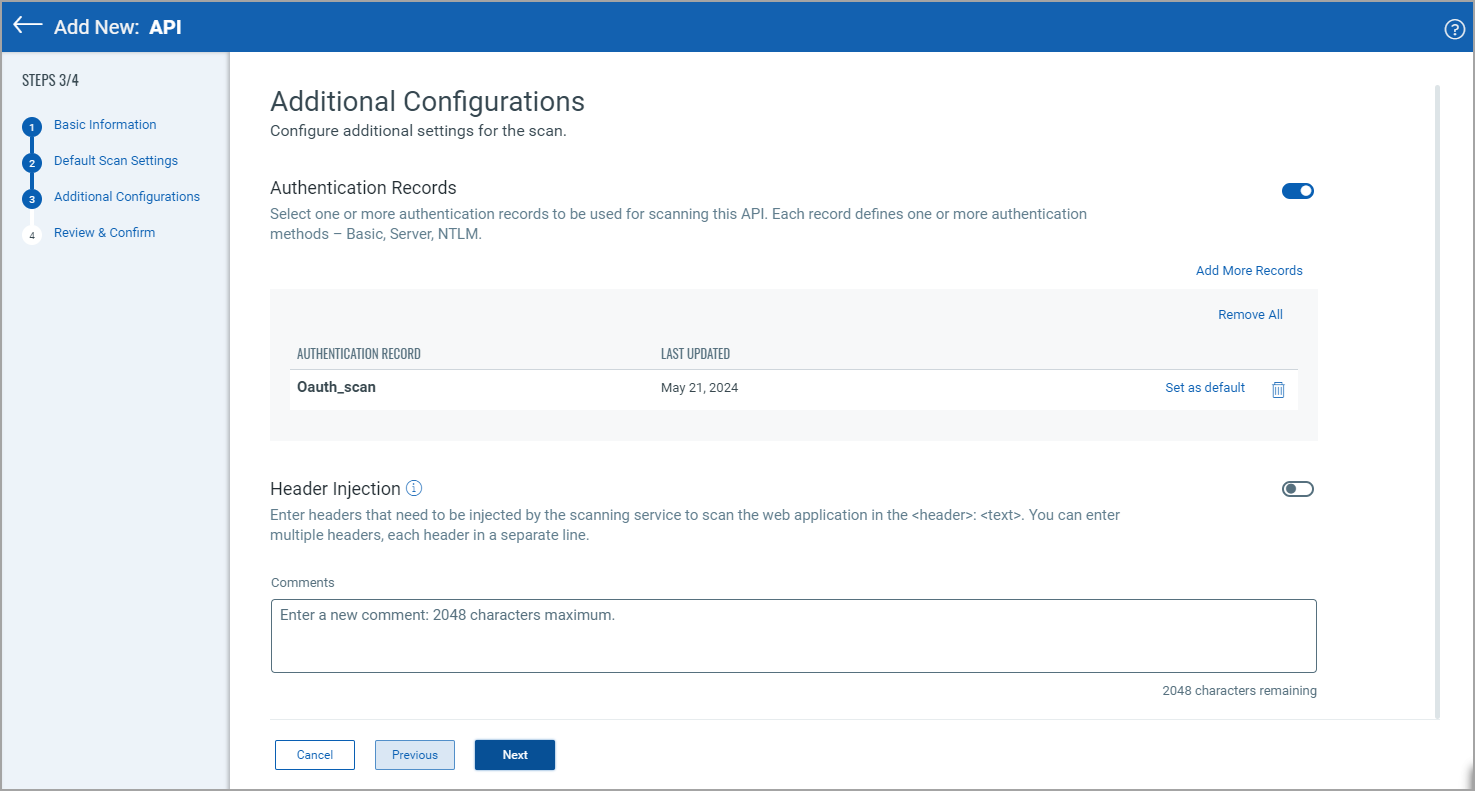
Authentication Record
Select one or more authentication records to discover and validate vulnerabilities by performing an in-depth assessment of your applications.
Some applications require authenticated access to the majority of their functionality. Authenticated scanning can be configured for HTML forms like login pages and server-based authentication (HTTP Basic, Digest, NTLM)
Header Injection
Enter headers that need to be injected by the scanning service to scan the API in the <header>: <text> format. You can enter multiple headers, each header in a separate line.
Default DNS Override
Use DNS override records to scan an API asset with multiple instances deployed across different environments. Another scenario is when your API does not have a DNS entry because it is in a non-production environment.
By default, crawling and scanning use the DNS associated with the web application URL. If a DNS override record is specified, the scan uses the mappings defined in that record. You can also create a new DNS record. Learn more
Reauthentication Setting
Automatically try logging in again if it does not work the first time. This helps with temporary connection issues but may trigger account lockouts if credentials are wrong.
-
Auto-Retry Failed Authentication: Automatically tries to log in again if the first login attempt fails. This option is helpful when network issues or temporary connection errors cause login failures. However, if your credentials are incorrect, retrying does not work.
-
Wait Between Retries: Defines how many seconds to wait before trying to log in again after a failed attempt. A longer wait time reduces load on the server but increases scan time.
-
Maximum Login Attempts: Sets the number of re-authentication attempts allowed. The default value is fifteen retries. A higher number of login attempts increases the chances of a successful login, but may trigger security alerts due to excessive attempts.
-
URL to Confirm Active Session: This is an optional setting that allows you to add a URL when reauthentication is used. It is used to verify if the login session is still active. If the URL returns a "forbidden" (401) response, the scans will automatically re-authenticate.
Crawling Behavior
This setting is used to set the page settlement time, the time (in seconds) the scans wait after a page loads, to let JavaScript finish running and content finish loading before it starts scanning. The default value is five seconds. A longer wait time improves accuracy but slows down the scan.
Browser Setting
This setting keeps the browser's same-origin policy enabled during scanning. When the setting is disabled, the scanner can access content from different domains, but this can cause some sites to block requests or behave unexpectedly.
Scan Time Optimization
This setting skips the header and cookie testing for URLs without parameters. It can speed up scanning but may miss vulnerabilities on simple pages.
Comments
Enter comments to be saved with the application.
Next Step: New API - Review and Confirm