TotalAppSec Dashboard
You can use dashboards to convey relevant information to any audience at any time and in any place. The dashboards are customized, secured, and shared with their intended end-users.
Unified Dashboard provides greater agility and enriches the capabilities of dashboards. You can visualize data from other applications at a central place and get a better understanding of your data. You can use widget builder and improvise dashboards to make it uniform across all products.
When you come to the dashboard, you might not have vulnerability counts yet. All you have to do is add an application and then launch a vulnerability scan to get started.
The Classic WAS Dashboard (DEFAULT) is the default dashboard provided with TotalAppSec.
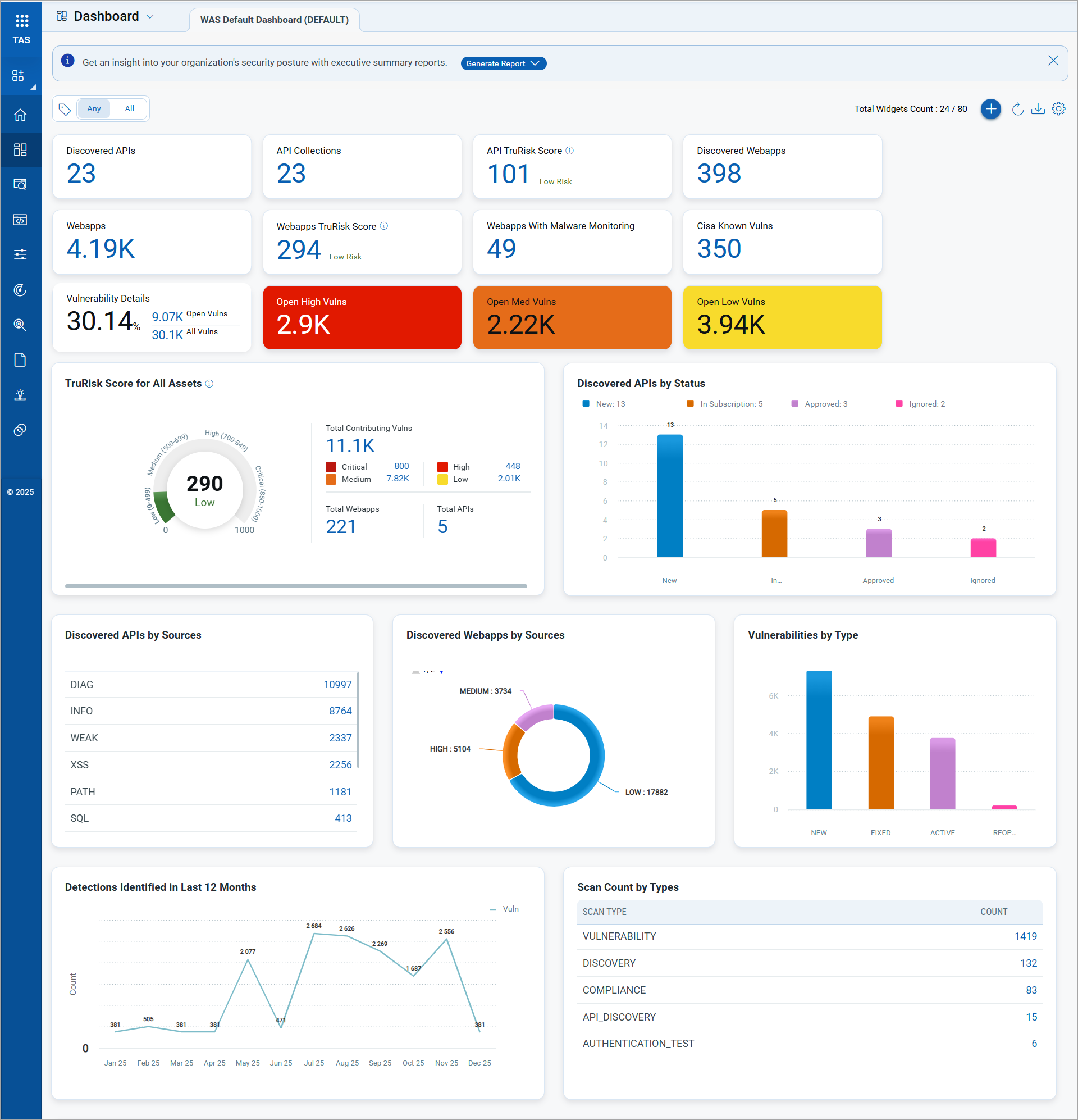
Customizable Dynamic Dashboards
You can use the default dashboard provided by Qualys or easily configure widgets to pull information from other modules/applications and add them to your dashboard. You can also add as many dashboards as you like to customize your vulnerability posture view.
With customized dashboards, you can visualize your assets, view your threat exposure, leverage saved searches, and quickly prioritize vulnerabilities.
For information on creating widgets, dashboards, templates, and more, refer to the Unified Dashboard.