Report Save Settings
Report Format
Select a report format from the list provided. Tip - It's easy to set a default format for downloading reports. Just edit your profile settings - select My Profile under your user name (in the top right corner).
By downloading search results to your local system you can easily manage incidents or events outside of the Qualys Enterprise TruRisk™ Platform and share them with other users. You can export results in multiple formats (ZIP, HTML, PDF, PPT, XML, CSV, CSV V2).
The PPT format is not supported for report schedules that use the Qualys Scheduling Service and for online reports in subscriptions where the new reporting service is enabled. In these cases, the PPT option is not available for selection.
The CSV V2 report format is applicable for Web application report and Scan report. The CSV_V2 report format provides you information about 12 new fields in addition to all the fields that exist in CSV format. ExampleExample
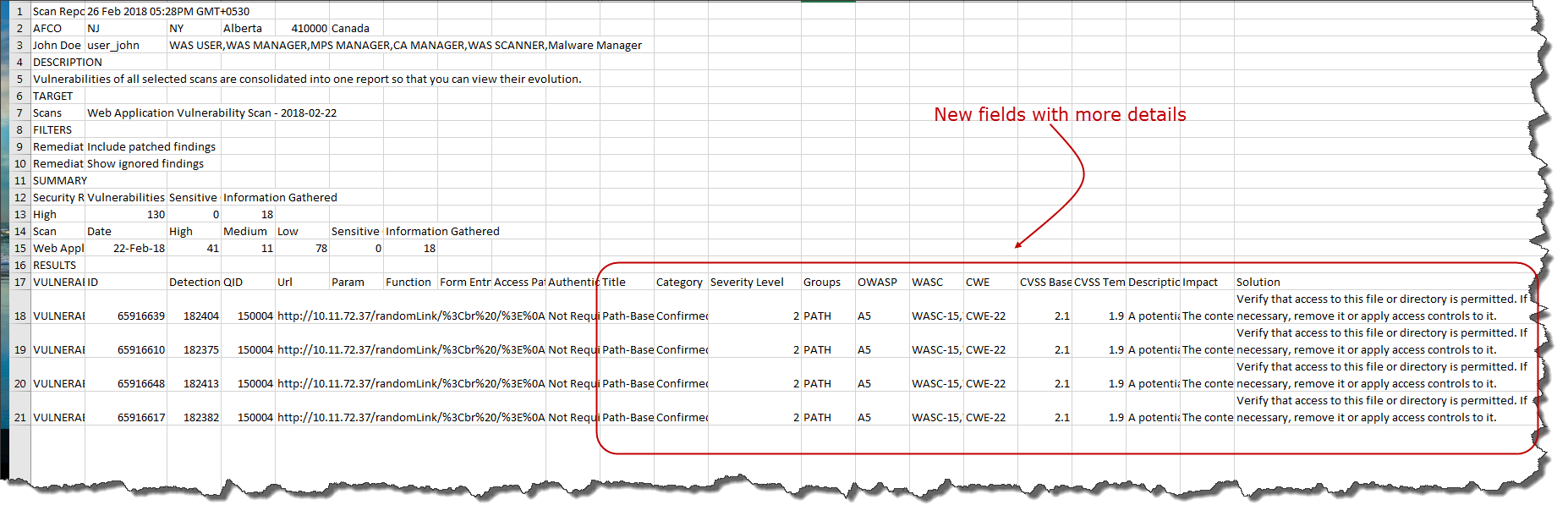
Unlike the CSV format, the CSV_V2 format reports the severity of each detection on the individual detection row.
Choose a time zone
We'll use this time zone to display all the dates in your saved report.
Secure PDF Settings
Enter and confirm the password to be used for viewing the report and, optionally, enter the email addresses for distributing the report.