Email Notification on Scan Completion
This email notification is sent at scan completion. All users with permission to view the target web application will get this email. The email notification gives you a summary of the scan - the number of links scanned, vulnerabilities detected, information gathered, and sensitive contents detected.
You can select the email address that is to be used in the notification. The From Address list populates two options: the email address of the scheduled report owner and the email address configured in your subscription (for example, [email protected]). Select one email address from the list.
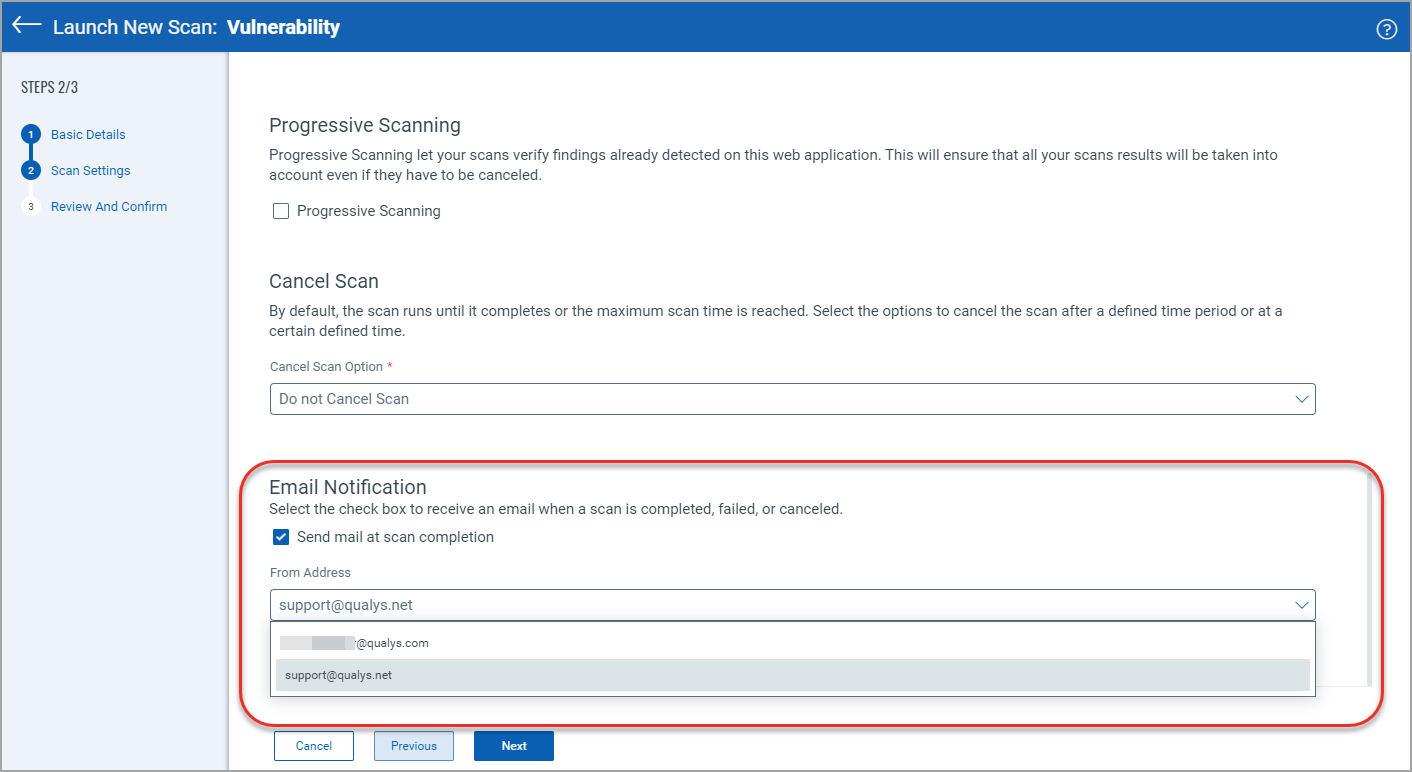
Choose Which Outcomes Send an Email
When Send mail at scan completion is selected, use the Send email for section to choose the outcomes you want to be emailed about:
- Successful scans
- Failed scans
- Canceled scans
All three outcomes are selected by default, for manual scan launches and scan schedules alike. At least one must stay selected while the completion email is enabled.
The outcomes you select are shown in Scan Review and Confirm, Scan Details, Schedule Review and Confirm, and Schedule Settings View.
Each completion email names the outcome that triggered it on a Triggered By line.
The outcome is decided by the scan's final consolidated status, which takes result processing into account rather than only how the scan run ended. A scan that finished but produced a terminal non-success result, such as no host alive, counts as Failed rather than Successful.
Existing scans and schedules are unaffected. Where no outcome preference is stored, all outcomes remain enabled.
Configure Email Frequency for Multi-Scan
We have an option for multi-scan, where you can configure the frequency of notification emails to be sent on completion of multi-scan. You can select one of the following options
- Send out an email upon each scan completion.
- Send one email upon multi-scan completion.
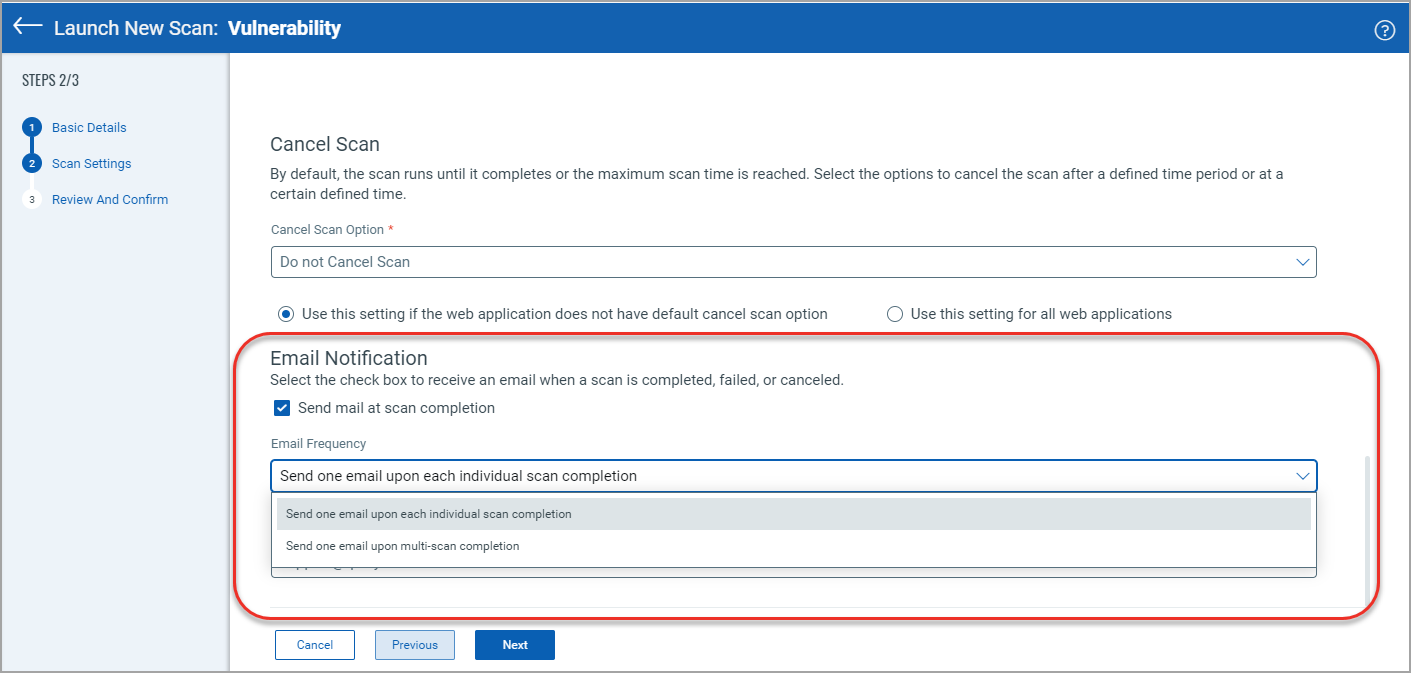
The option Email Frequency is available only when:
- Scan involves multiple web applications (multi-scan).
- Email notification is enabled for the multi-scan.
Disabling the email notification
You may want to disable the email notification in some cases, for example, for automation testing purposes. To disable receiving the email notification while launching or scheduling a scan, clear the Send mail at scan completion check box.