TotalAppSec - PCI Compliance Integration
Limited Customer Release
December 23, 2025
TAS - PCI Compliance Integration
We have integrated the PCI Compliance and TotalAppSec (TAS). With this integration, you can now share the TAS Scan data with PCI Compliance to generate the compliance report for attestation.
The new PCI–TAS integration provides increased scan coverage, not limited to the number of links, and supports generating PCI-compliant reports from comprehensive TotalAppSec scan results.
Prerequisites
You must meet the following requirements to use this feature:
- Active subscription for Qualys TotalAppSec and a PCI Merchant account.
- TotalAppSec version 2.4 or later
- PCI Merchant version 1.6.5 or later
- PCI Merchant users must be added to your Qualys Vulnerability Management (VM) account.
- The TAS scans, which you want to share with PCI Compliance, must be complete. The scans must meet the following conditions:
- If the scan is performed using an external scanner and is completed with open findings. Only scans with the following statuses can be shared with PCI: Result Processed Successfully, Max Links Crawled, Time Limit Reached, Time Limit Exceeded, Service Error, and Canceled With Results.
- The scan URL contains an IP address or FQDN, with a base URL only (no path, query, or fragment except
/). - The scan targets IPv4 addresses only; for DNS-based URLs, the resolved IP must be IPv4.
Steps to Attest TAS Scan Reports
Perform the following steps to share TAS Scan reports with PCI Compliance for attestation.
Step-1: Share TAS Scans with PCI Module
The following steps outline how to share TAS scans with PCI Compliance.
- In the TAS application user interface, navigate to Scans > Scan List.
- Identify the scans that can be shared with the PCI merchant. You can use the
scan.canShareWithPCItoken and select Share with PCI from the Quick Actions menu. Thescan.canShareWithPCIis available with TotalAppSec version 2.5.
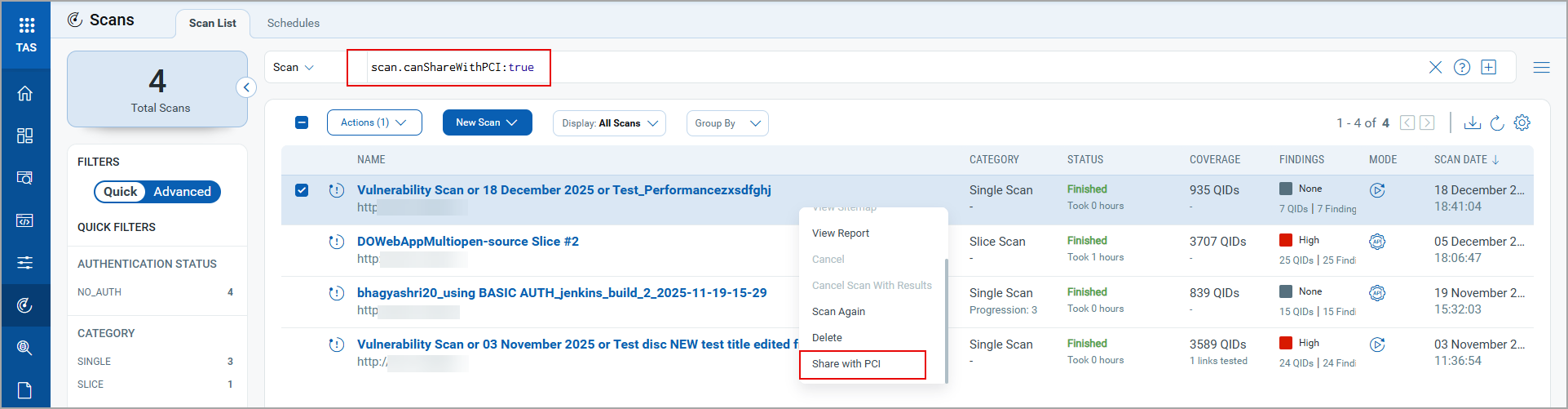
The Share with PCI option is available only for scans that meet the criteria defined in the Prerequisites section.
- In the PCI List window, select the PCI Merchant user with whom you want to share the TAS scan data.
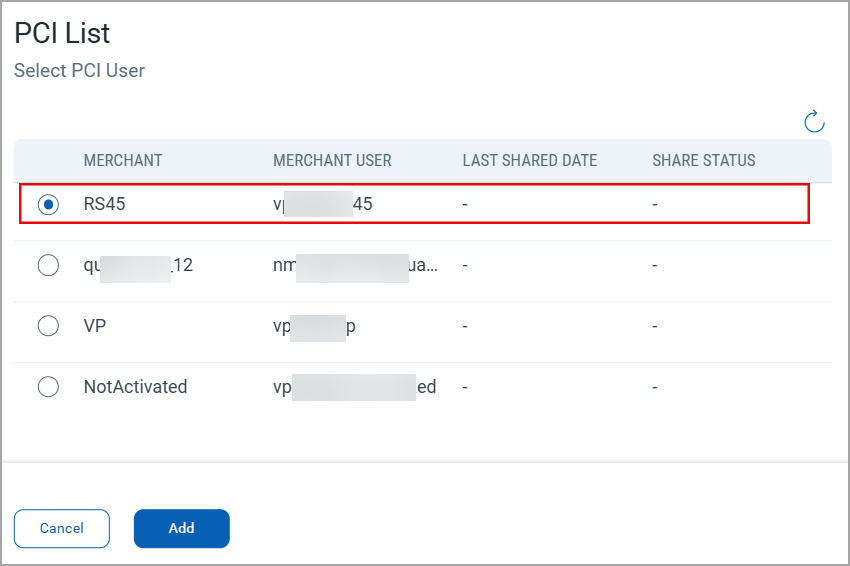
The PCI Merchant user list in TAS is imported from the VM application. You can edit the list in PCI Admin or VM applications.
- Click Add to share the selected scan with the PCI Merchant user.
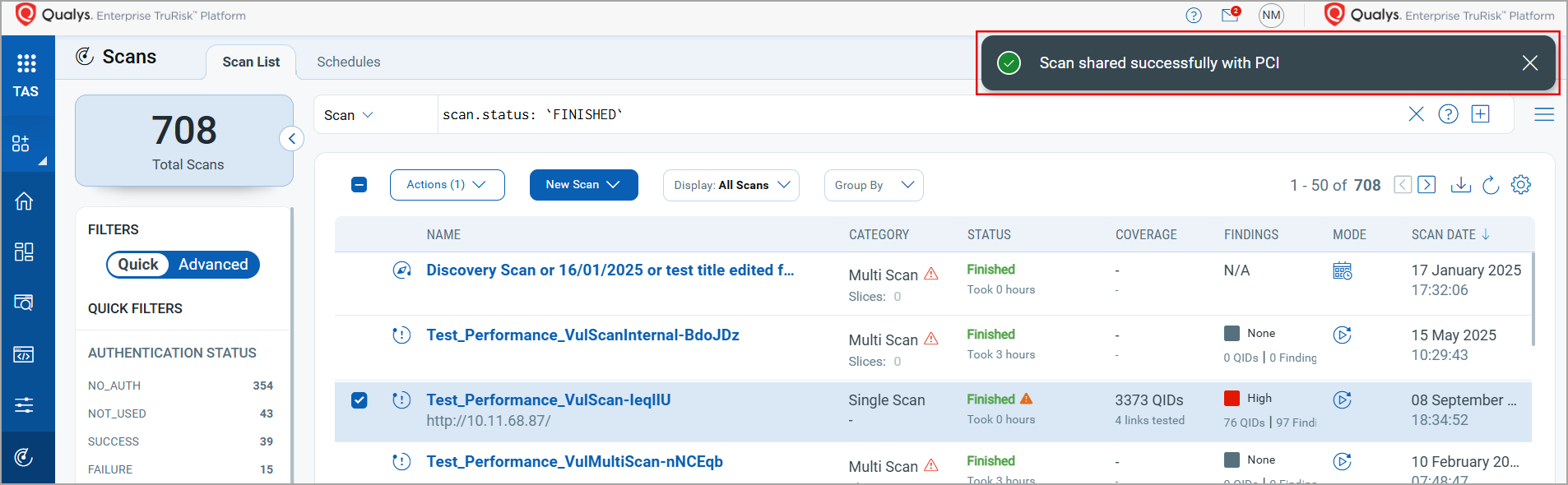
Step-2: Submit Compliance Reports for Attestation
The following steps outline how to submit TAS scan reports and share them for attestation.
- From the module picker, click the PCI application. The PCI Setup window opens.
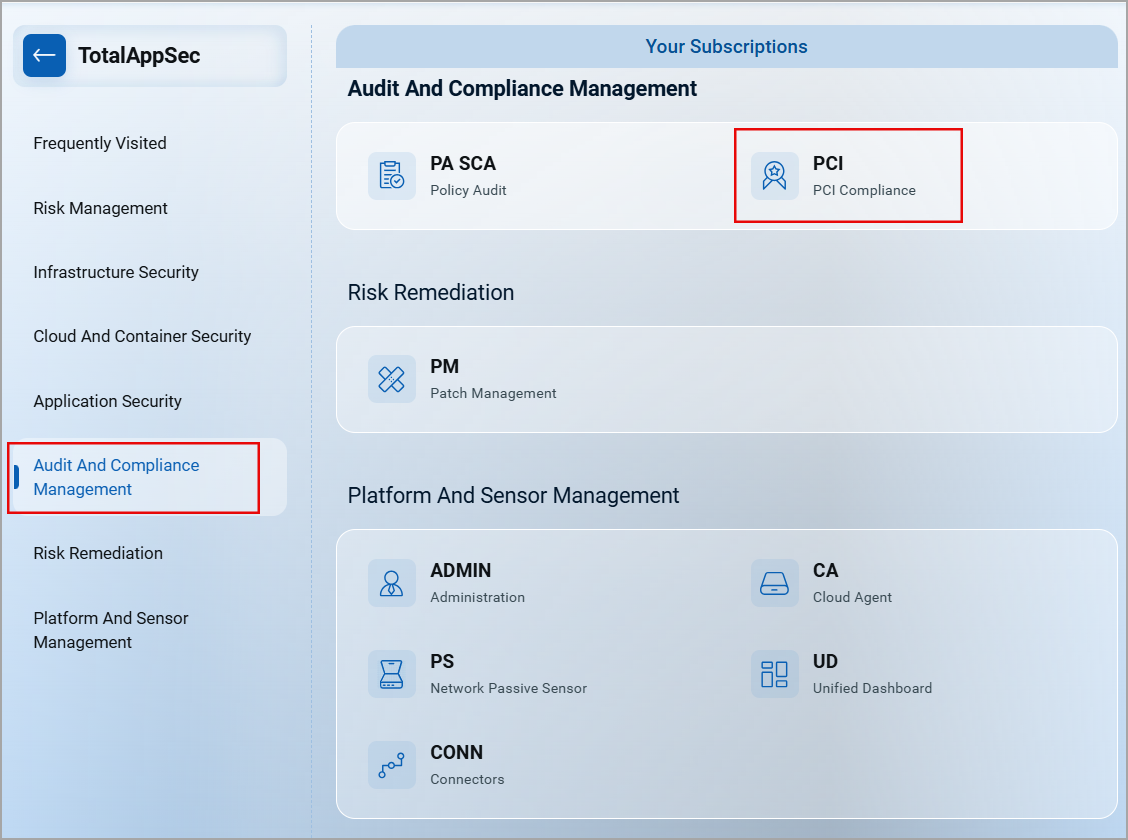
- Select the user with whom you want to share the TAS Scan data and click Launch.
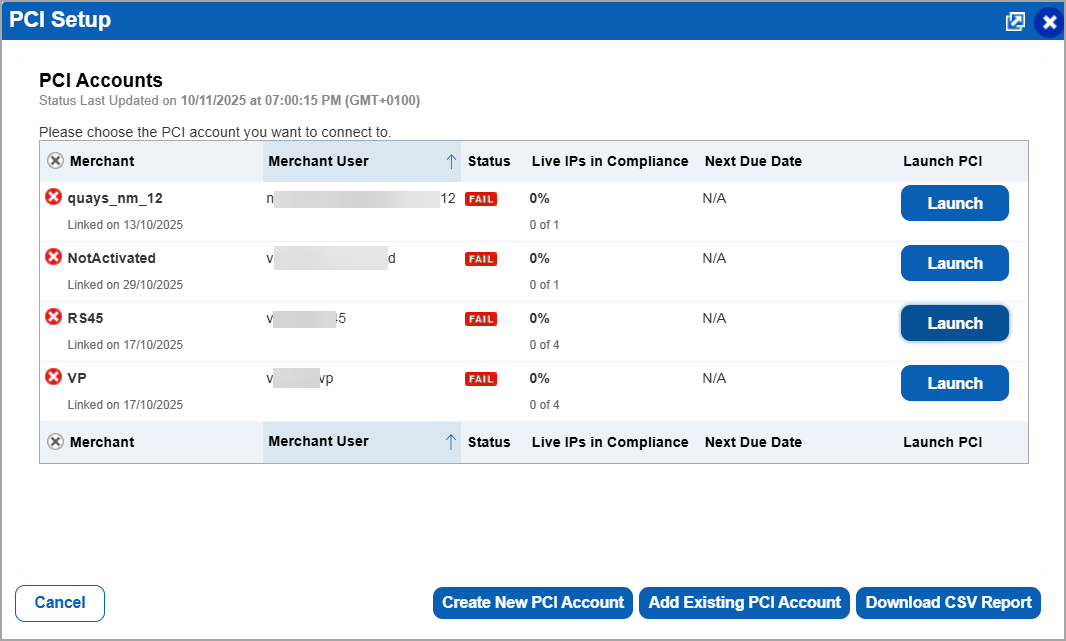
In the PCI Setup window, you can also create the new users or add the existing users to share the TAS Scan data. - In the PCI Compliance user interface, navigate to Network > Scan Results to see the scan shared from TAS to PCI.
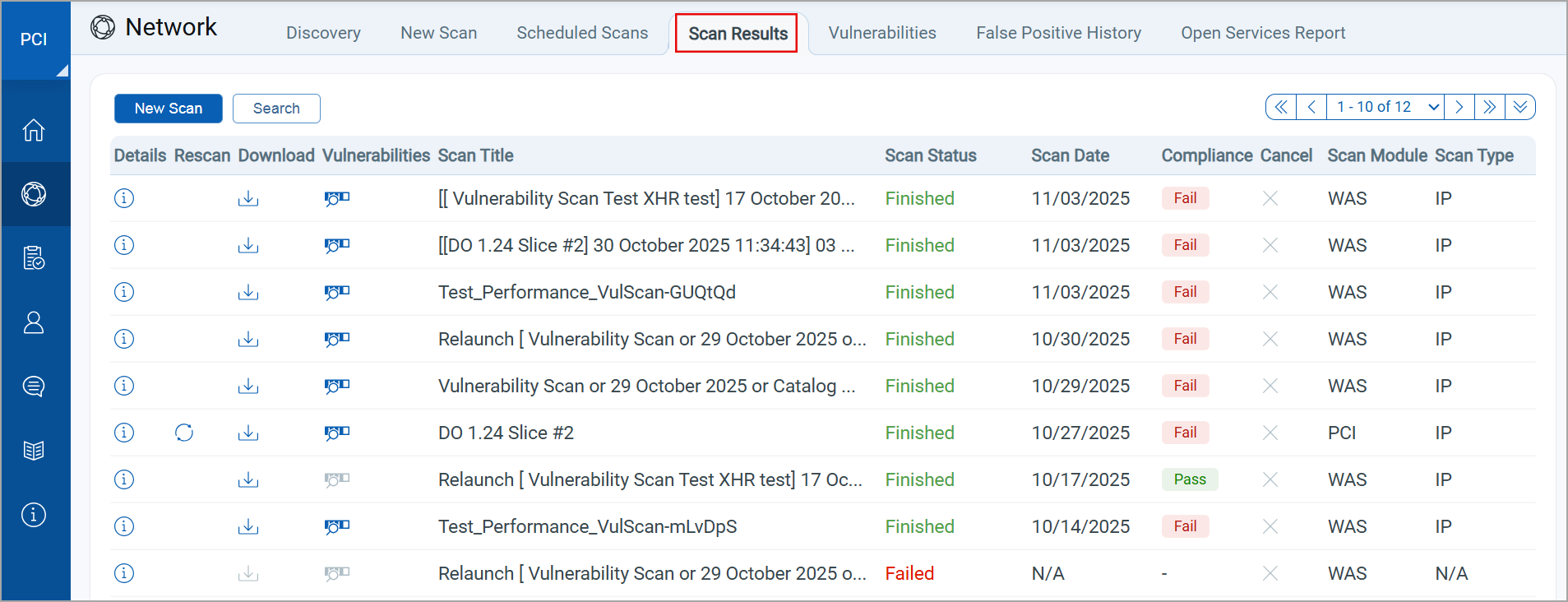
- Download
 the TAS scan result to see the scan details.
 - To view the list of vulnerabilities discovered in PCI and TAS scans, navigate to Network > Vulnerabilities.
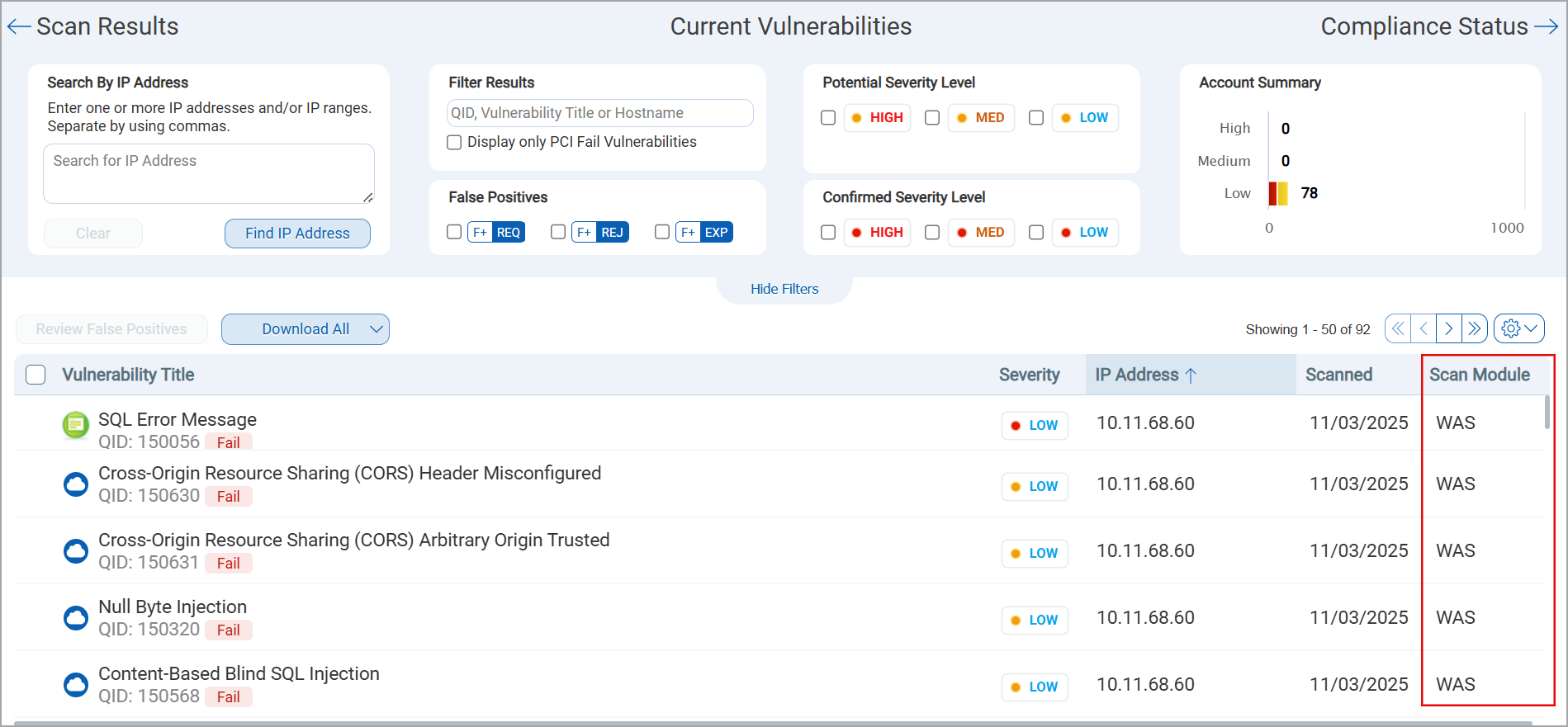
-
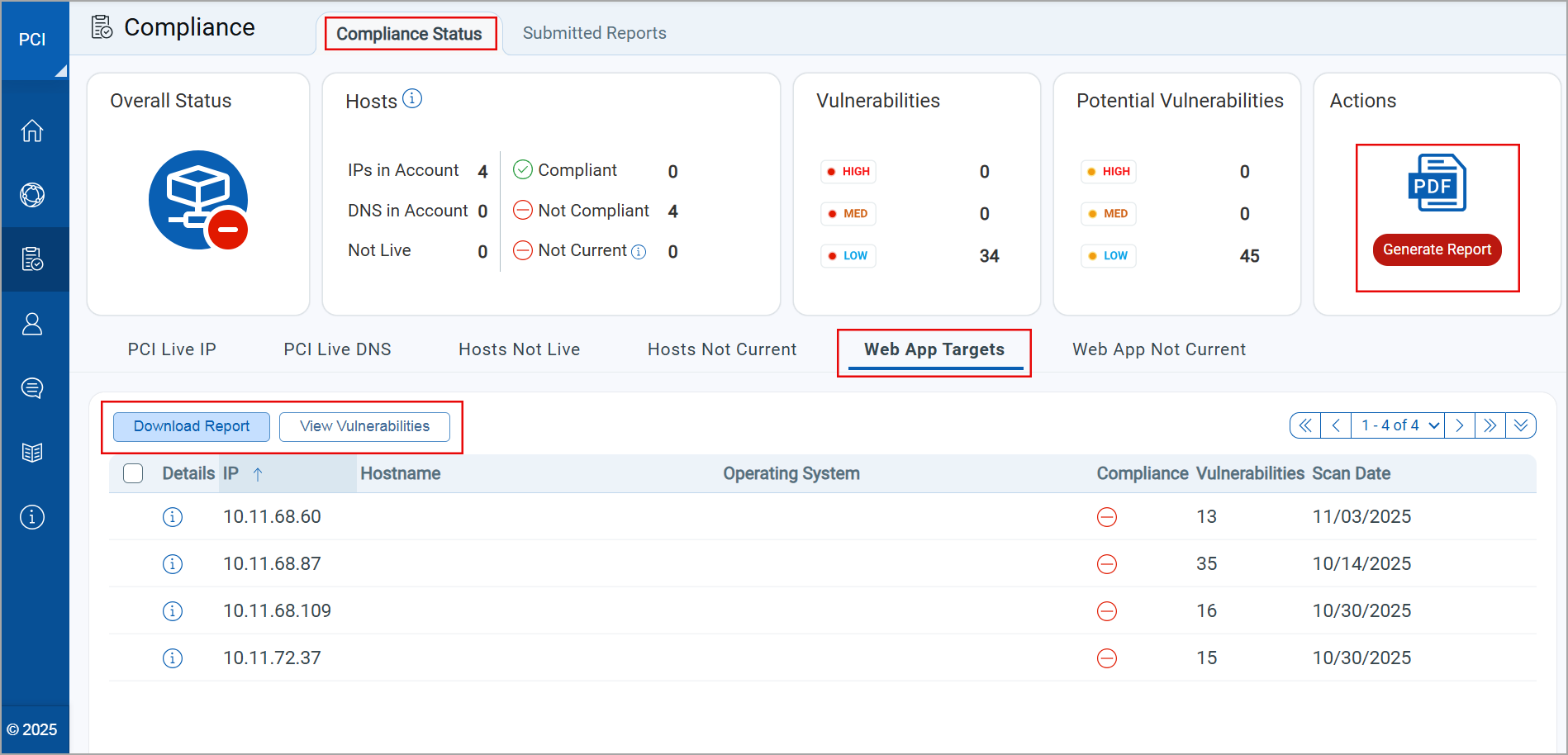
Navigate to the Compliance > Compliance Status tab.
-
Open the Web App Targets section. It lists the Vulnerabilities, IP Addresses, and FQDNs shared with PCI.
-
Click Generate Report. The Report Generation Wizard opens. You can see the asset details and add comments while generating the report.
-
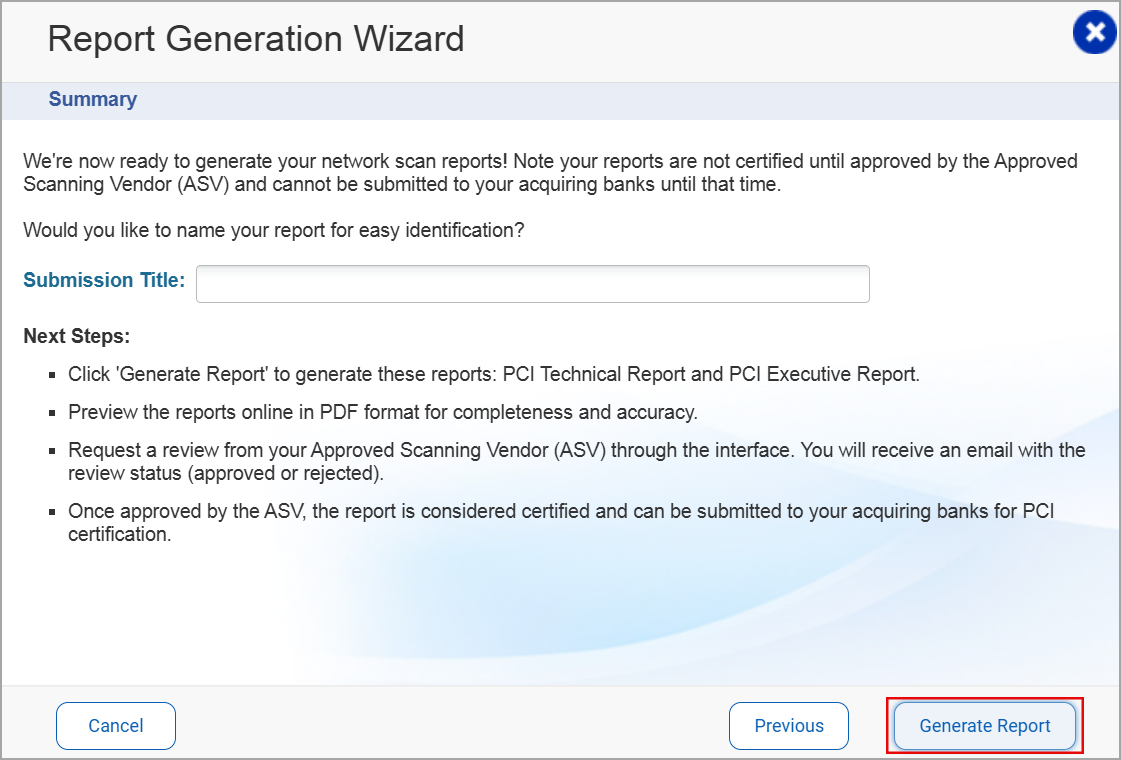
In the Report Generation Wizard, provide the required details, and click Generate Report. The compliance report, consisting of TAS scan data, is generated.
-
Click Next to view and save the compliance reports.
-
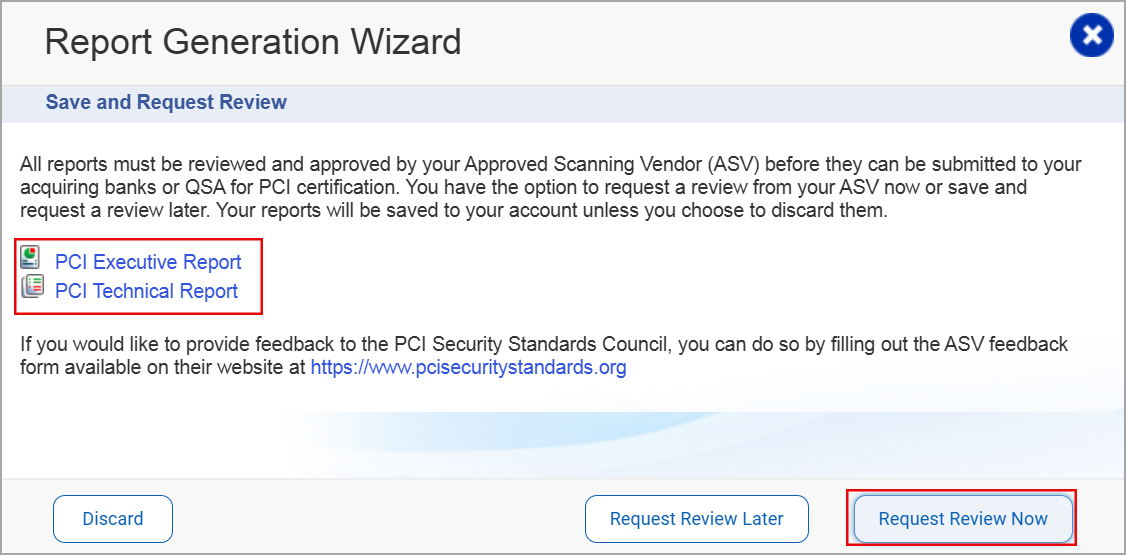
Select the report type. The PCI Executive Report and the PCI Technical Report are downloaded.
-
Click Request Review Now to share the report for attestation to the Approved Scanning Vendor (ASV). You can also schedule the report review with the Request Review Later option.
-
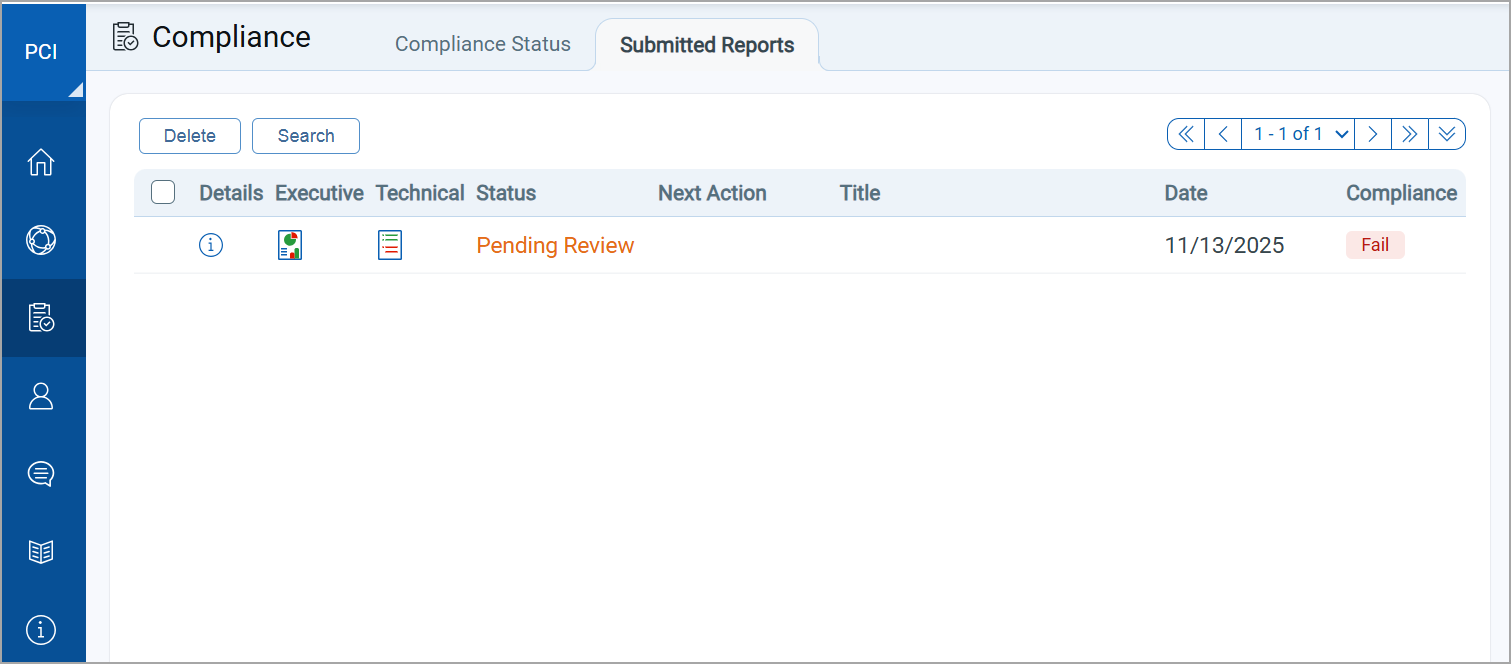
To view report status, navigate to Compliance > Submitted Reports tab.
QQL Tokens
The following tokens are available in the Scans tab in TotalAppSec for TotalApp-PCI integration.
| Token Name | Description |
|---|---|
| scan.canShareWithPCI | Use the value true to find scans that can be shared with the PCI merchant.
|
| scan.isSharedWithPCI | Use the value true to find scans that are shared with the PCI merchant. |
The tokens are available with TotalAppSec version 2.5.
Current Scope of the Integration
The following points outline the current scope of PCI Compliance — TAS integration:
- The PCI Compliance — TAS integration is supported only for TAS Vulnerability scans, which have an IP address or FQDN in the scan URI. If the TAS scan URI contains domain names and other attributes, the option to share scan data with PCI is not available.
- The PCI Merchant users available for sharing the TAS scan data are imported from Vulnerability Management (VM). The PCI Merchant list can only be edited from VM or PCI Admin user applications.
- Currently, the integration supports only the IPv4 assets. The support for IPv6 assets is not available.
- Only the latest vulnerability scans can be shared with the PCI Compliance. The older scan data cannot be shared.
- The vulnerabilities discovered by TAS and PCI scans are displayed separately in the VM user interface. You may see duplicate records for the same assets with a distinct Qualys application tag.