Privilege Level for Scan User Configuration for VMware NSX Manager
VMware NSX Manager is the central management component of VMware NSX (Network Virtualization and Security platform). It provides a centralized interface to configure, manage, and monitor virtual networking and security services
Prerequisite
- You must have admin or Enterprise Admin privilege to log in to NSX Manager.
- To log in to NSX Manager, use the URL:
https://<nsx-manager-ip-address>
Create New Read-only (Auditor Role) User Configuration
You can create a read-only scan user on VMware NSX Manager for security scanning and compliance checks. The scan user can only view configuration settings and cannot make any changes.
Perform the steps to create a new read-only user:
- Add Local User
- Log in to NSX Manager as admin or Enterprise Admin.
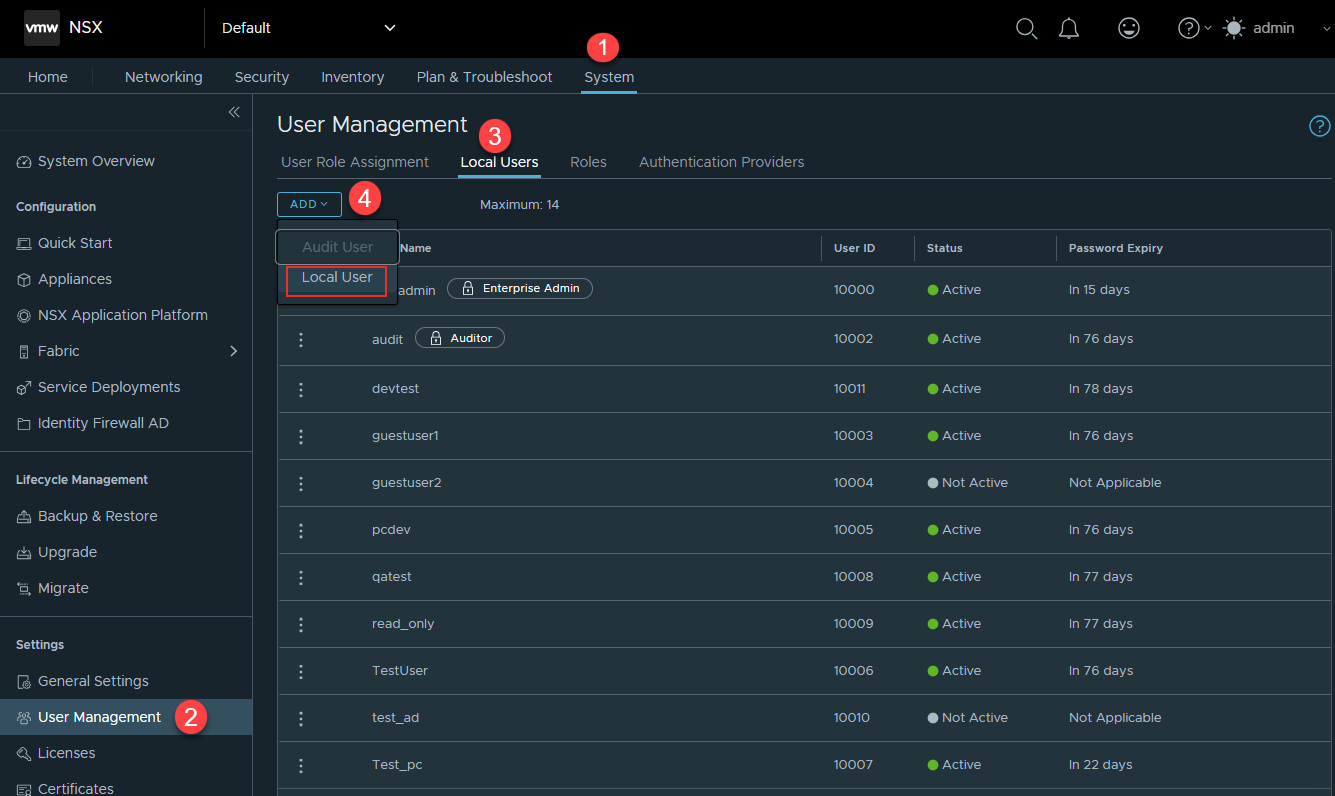
- Navigate to System > User Management > Local Users.
- Click Add.
- Select Local User from the list.
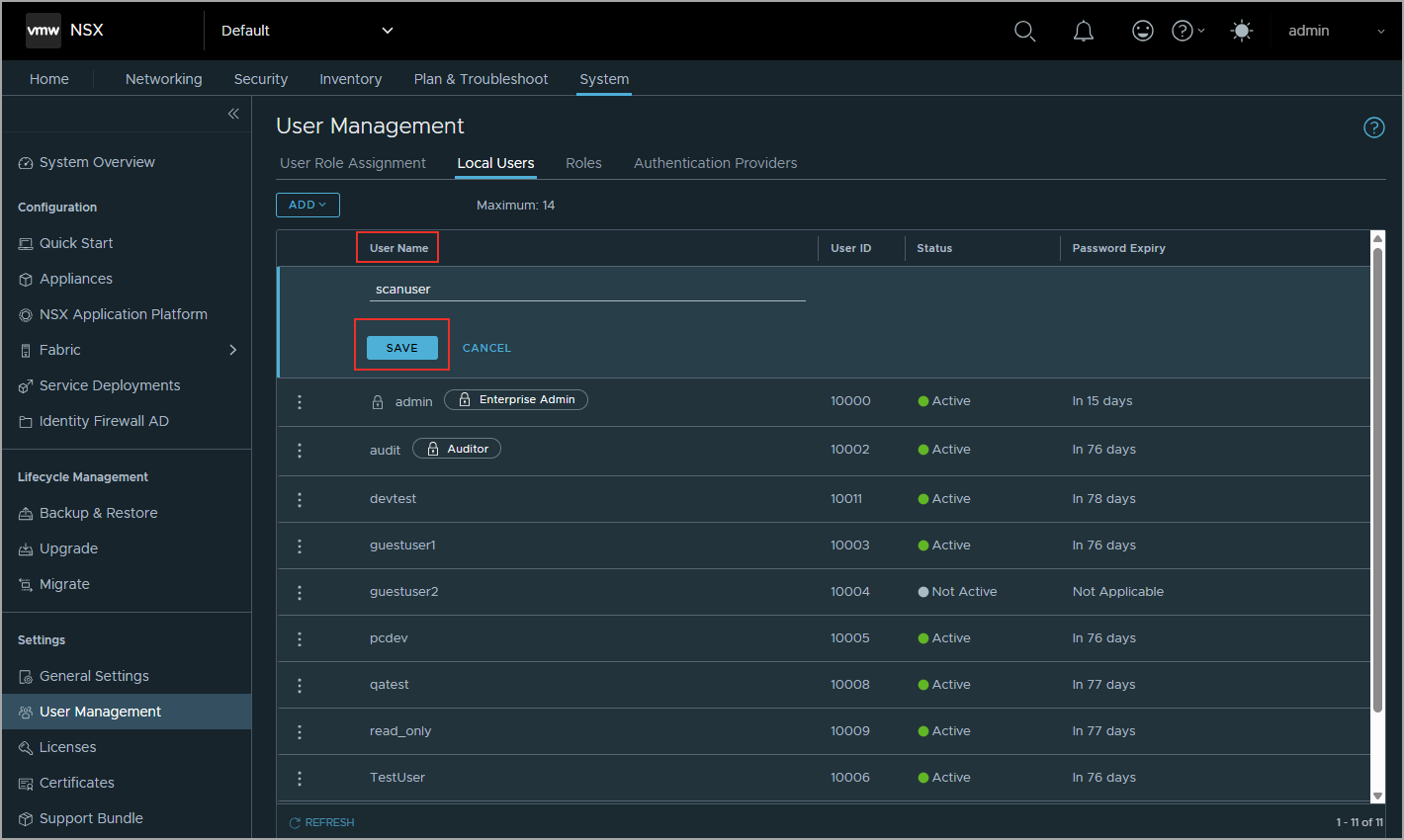
- Enter the User Name and click Save.
- Activate the user
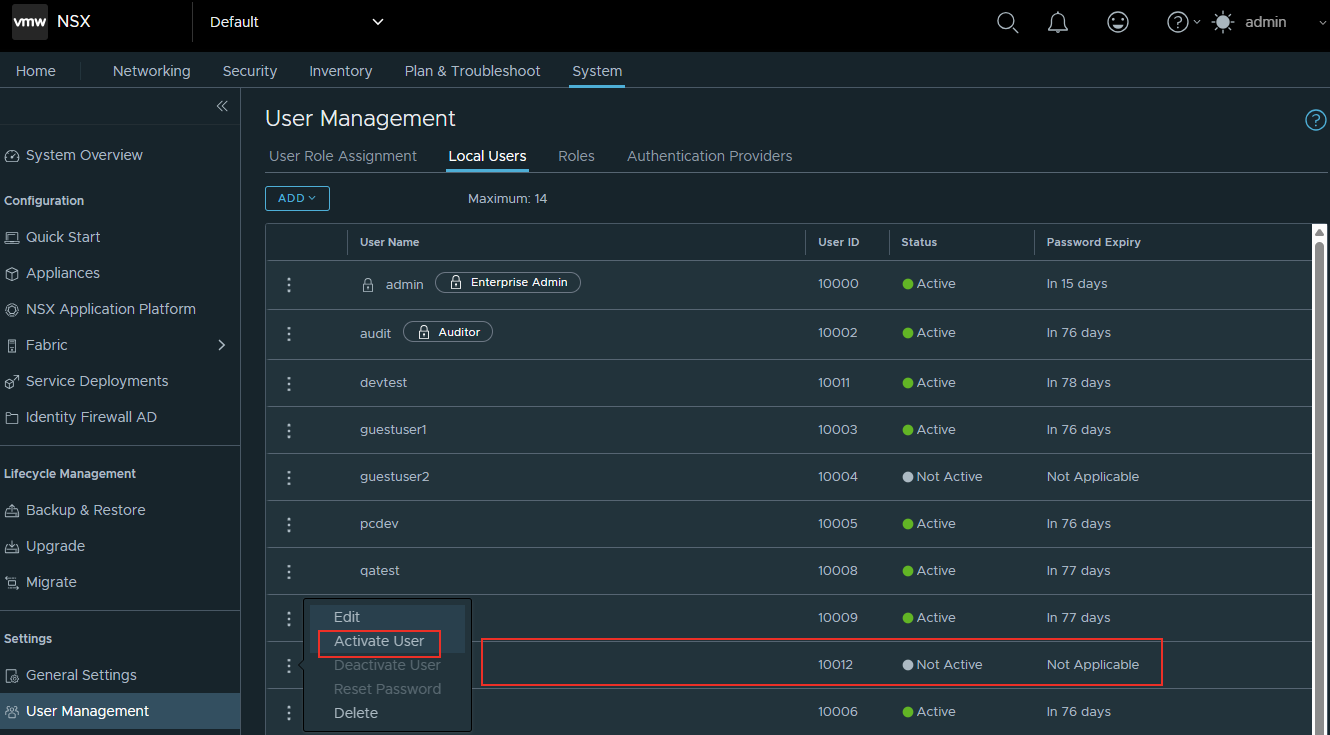
- Select the new user in the Local Users list you created.
- Select Available Actions next to username.
- Select Activate User.
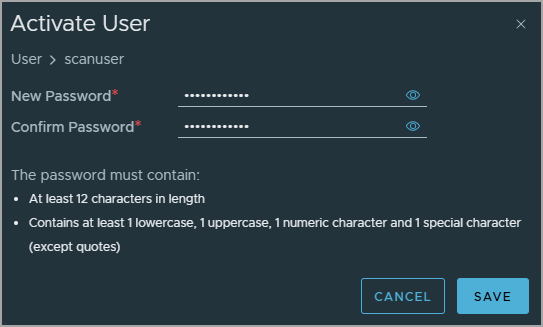
A window is displayed. - Enter the New Password and Confirm Password, and click Save.
- Verification Command
Once you have created a read-only user, you can verify using the command:
curl -u 'scan_account':'password' https://<nsx-manager-ip>/api/v1/node/version
Sample Output:
     {

  "node_version": "4.2.0.0.0.xxxxxxxx",

  "product_version": "4.2.0.0.0.xxxxxxxx"

}
Important Notes
- Default Role: Auditor: Guest users automatically receive the default Auditor role, which provides:
- Read-only access to all NSX features
- No write/modify permissions
- Suitable for security scanning and compliance
- User Limits:
- Maximum local guest users: 14
- Maximum audit users: 1
- Quick Reference:
User Account Summary Role Auditor (assigned automatically) Access Read-only (view only) Status Must be activated before first use Password 12+ chars: 1 upper, 1 lower, 1 number, 1 special First Login The user must change the password - SSH and CLI access to NSX appliances is restricted to the built-in system accounts root, admin, and audit. User-created local accounts and system-generated accounts (such as guestuser1 and guestuser2) are not permitted to access the CLI.
Create an Authentication record for NSX Manager
To create an authentication record for NSX Manager:
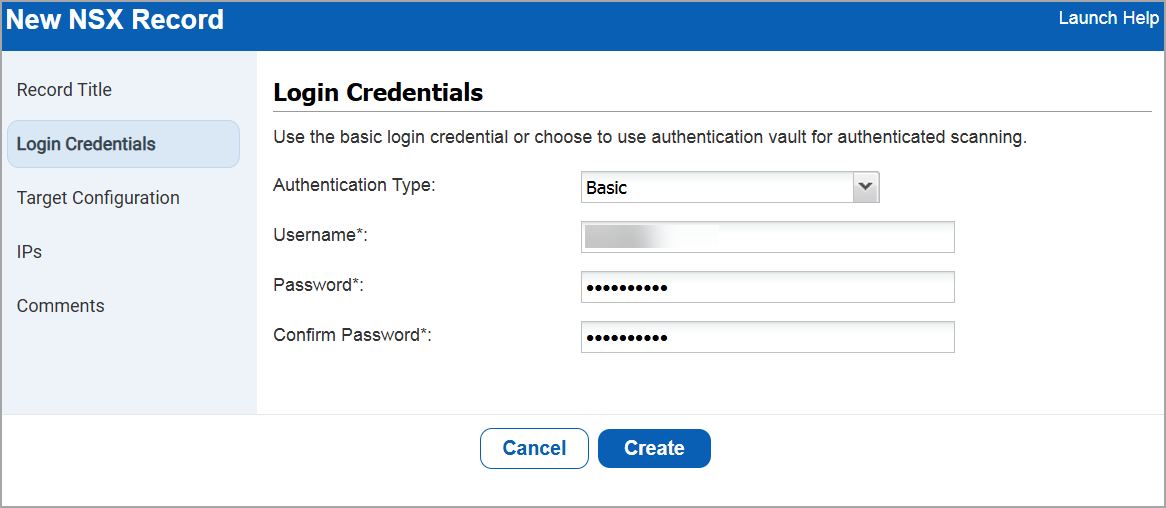
- Go to Authentication > New > VMWare > NSX.
- Under Login Credentials, enter
- Authentication Type as Basic.
- Username, Password, and Confirm Password.
- Under Target Configuration, add Port.
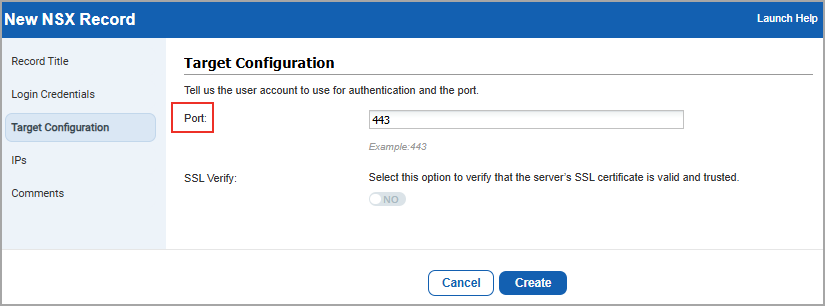
- Click Create.