Report results when using search lists and patch supersedence
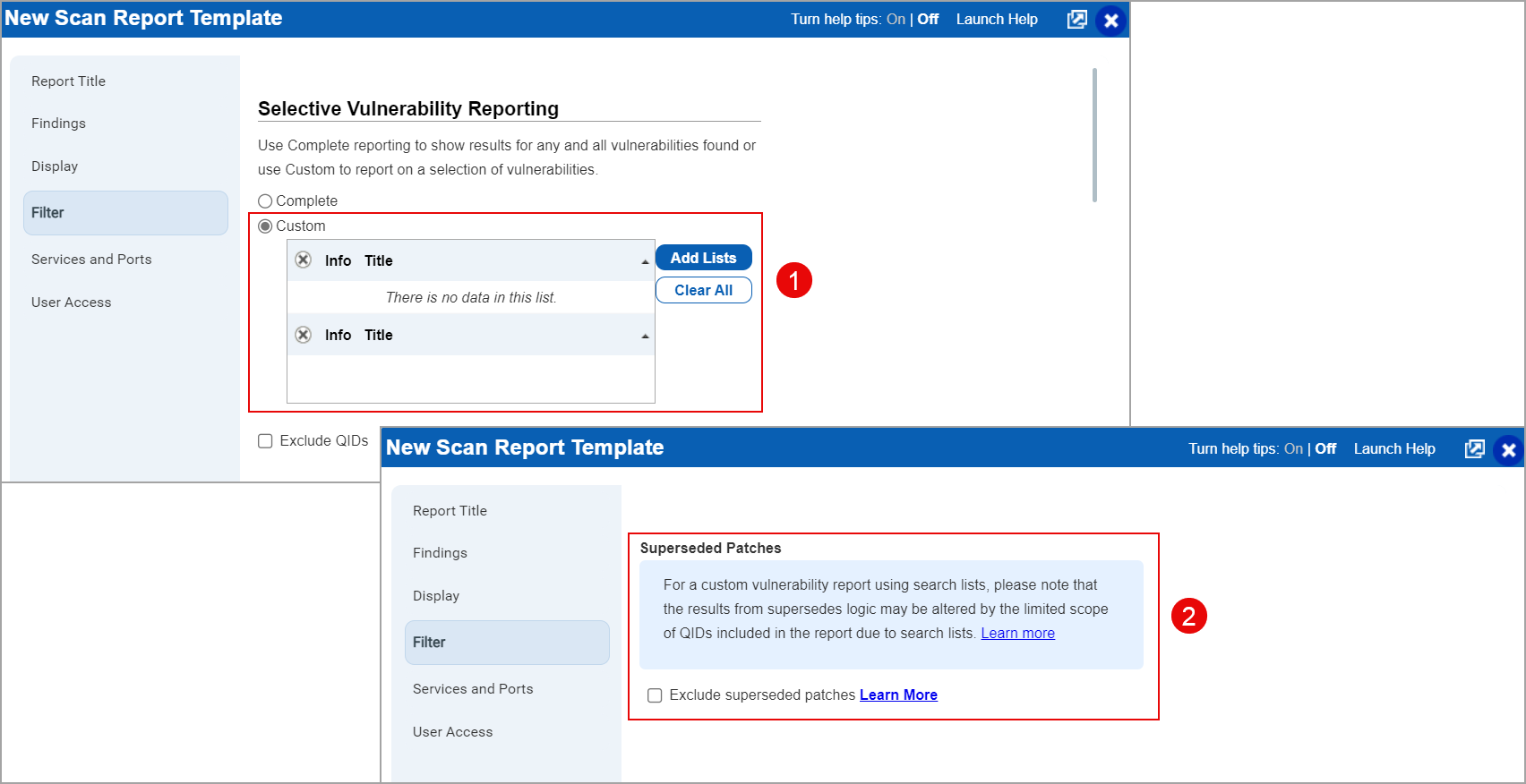
When you apply a custom search list to your report template and also select the Exclude Superseding Patches filter we first determine which QIDs match your search list, and then apply supersedes logic on the list of QIDs.
Patch supersedence logic is performed by traversing a tree of patches based on operating system and detected QIDs to find the highest lead node that satisfies the OS and other criteria. When QIDs are filtered out, either from vulnerability scanning (ie Custom rather than Complete Vulnerability Scanning) in the Option Profile, or by using Threat Protection RTIs or customer Search Lists to filter reporting, this can lead to gaps in the tree structure and break the supersedence logic.
About the Exclude Superseded Patches Filter
Qualys offers the Exclude Superseded Patches filter in report templates to reduce noise in vulnerability reports. This filter excludes older Windows OS-level security updates that a newer update replaces (supersedes). You'll find this filter under Reports > Templates > New > Scan Template > Filter > Exclude Superseded Patches.
This filter works only under specific conditions for Microsoft Windows security update QIDs that follow a supersedence chain. The following sections explain how the exclusion logic works, and why superseded QIDs sometimes still appear in your reports.
What is a Supersedence Chain?
A supersedence chain is a series of QIDs that represent Windows security updates, where each newer update supersedes the previous one. For example, a supersedence chain might look like this:
- QID 92003 (Microsoft Windows Security Update for April 2023)
- QID 92014 (Microsoft Windows Security Update for May 2023)
- QID 92025 (Microsoft Windows Security Update for June 2023)
- QID 92033 (Microsoft Windows Security Update for July 2023)
- QID 92046 (Microsoft Windows Security Update for August 2023)
- QID 92057 (Microsoft Windows Security Update for September 2023)
- QID 92069 (Microsoft Windows Security Update for October 2023)
- QID 92075 (Microsoft Windows Security Update for November 2023)
- QID 92085 (Microsoft Windows Security Update for December 2023)
In this sequence, each QID replaces the previous month's patch.
Conditions for Excluding Superseded Patches
When you enable Exclude Superseded Patches in a report template, Qualys removes older, replaced QIDs from the report only when all of the following conditions are met:
- The entire supersedence chain is flagged in the scan results. Every QID in the chain must be present on the asset.
- The supersedence chain is complete, with no gaps. If even one QID is missing from the sequence, Qualys considers the chain broken.
- The chain exists in the Qualys vulnerability KnowledgeBase. Qualys must have a recognized supersedence relationship between all QIDs in the chain.
What Happens if the Chain is Broken?
Suppose Qualys detects the following QIDs on an asset:
- QID 92003 (Microsoft Windows Security Update for April 2023)
- QID 92014 (Microsoft Windows Security Update for May 2023)
- QID 92025 (Microsoft Windows Security Update for June 2023)
- QID 92033 (Microsoft Windows Security Update for July 2023) — missing
- QID 92046 (Microsoft Windows Security Update for August 2023)
- QID 92057 (Microsoft Windows Security Update for September 2023)
- QID 92069 (Microsoft Windows Security Update for October 2023)
- QID 92075 (Microsoft Windows Security Update for November 2023)
- QID 92085 (Microsoft Windows Security Update for December 2023)
Even though most of the QIDs are present, the supersedence chain is broken because QID 92033 is missing. As a result, Qualys does not exclude the superseded patches, because it cannot confirm the full update history. You may still see multiple QIDs in the report, including older ones such as QID 92003 and QID 92085.
Example of a Complete Chain
Now suppose the scan results contain all of the following QIDs, with no gaps:
- QID 91979 (Microsoft Windows Security Update for February 2023)
- QID 91990 (Microsoft Windows Security Update for March 2023)
- QID 92003 (Microsoft Windows Security Update for April 2023)
- QID 92014 (Microsoft Windows Security Update for May 2023)
- QID 92025 (Microsoft Windows Security Update for June 2023)
- QID 92033 (Microsoft Windows Security Update for July 2023)
- QID 92046 (Microsoft Windows Security Update for August 2023)
- QID 92057 (Microsoft Windows Security Update for September 2023)
- QID 92069 (Microsoft Windows Security Update for October 2023)
- QID 92075 (Microsoft Windows Security Update for November 2023)
- QID 92085 (Microsoft Windows Security Update for December 2023)
In this scenario, the supersedence chain is unbroken and complete. When you enable Exclude Superseded Patches in the report template:
- Only the earliest (oldest) QID in the chain appears in the report. In this example, that's QID 91979 (Microsoft Windows Security Update for February 2023).
- Qualys excludes all other superseded QIDs from the report.
The next section shows how a search list and its Threat Protection RTI filters can independently create the same kind of gap in a supersedence chain.
Important limitations
- This filter applies only to Windows OS-level QIDs. It does not apply to application-level updates.
- The exclusion is report-based only. VM does not delete the detections from the scan results. It deletes only from the generated report.
- Manual validation may be necessary if unexpected QIDs appear despite enabling the filter.
- For other OS-related and application-related superseded exclusions, contact Qualys Support.
Define Your Search List
Use dynamic search lists to report on a custom list of vulnerabilities.
Configure your search list:
- Select a list criteria.
- Select Threat Protection RTI filters (optional) - available only when Threat Protection is enabled.
Each time you use the search list we’ll query the KnowledgeBase to find all matching QIDs. We first look at your list criteria and then we apply the TP RTI filters to determine your final results.
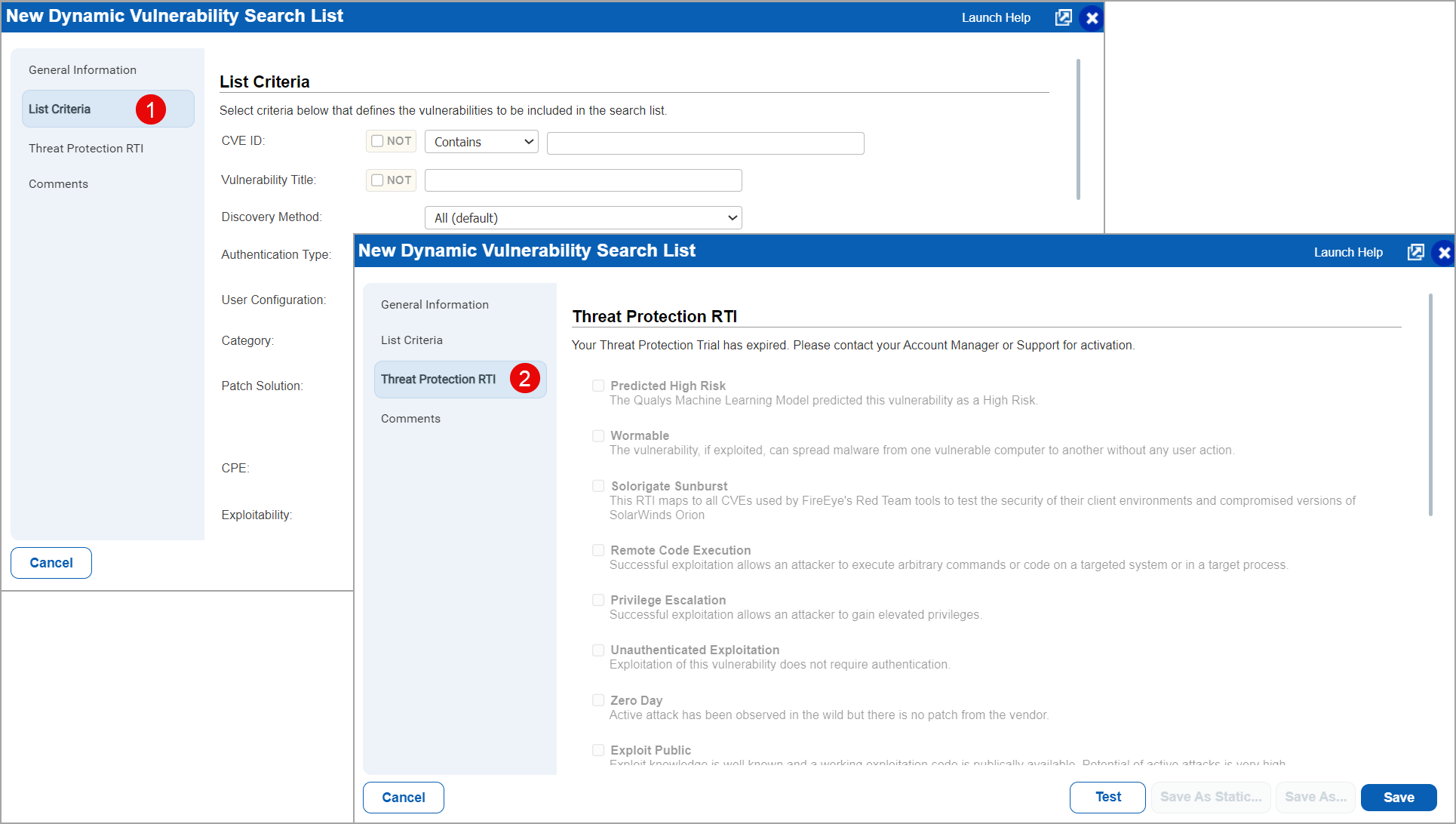
Let us look at sample search lists and how the Threat Protect RTI filters affect the matching QIDs.
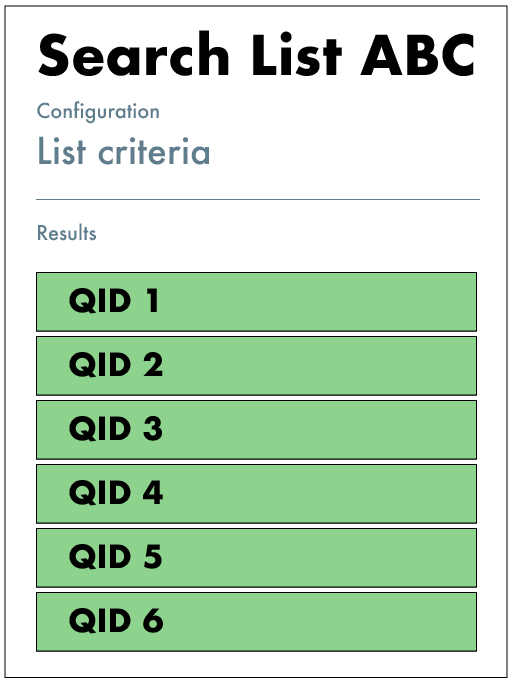
Search List ABC (no TP RTI filters)
The List Criteria matches these QIDs: QID-1, QID-2, QID-3, QID-4, QID-5, QID-6
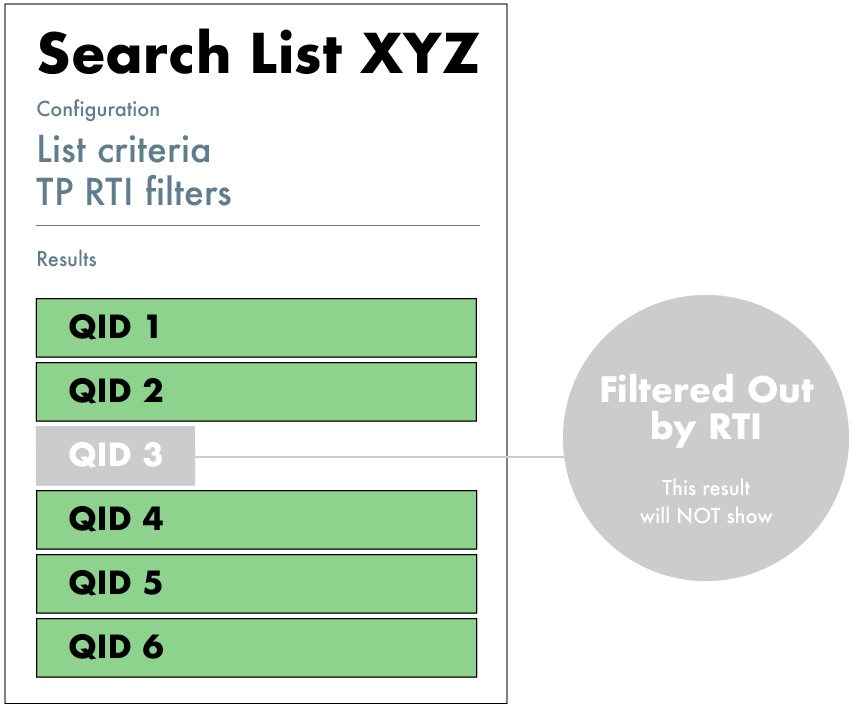
Search List XYZ (with TP RTI filters)
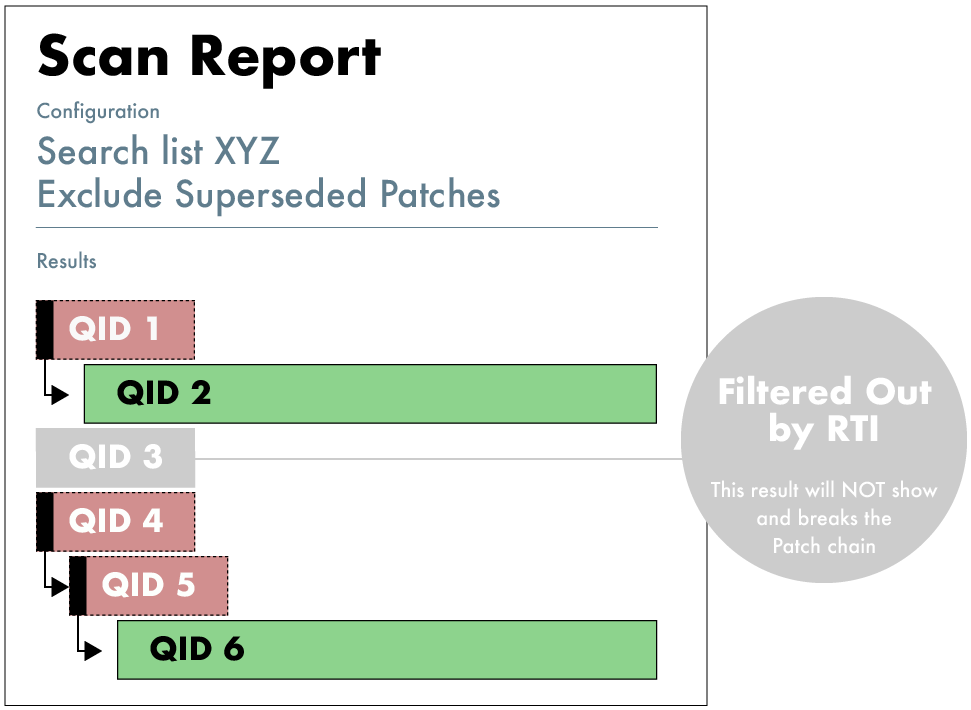
The List Criteria matches the same QIDs as Search List ABC. TP RTI filters are applied to the search list and as a result QID-3 is filtered out. The final list of matching QIDs will be: QID-1, QID-2, QID-4, QID-5, QID-6
Define Your Report Template
Now let’s say you’re going to report on your search lists but you also want to apply the “Exclude Superseded Patches” filter in the report template.
Configure your template:
- Select search lists.
- Select Exclude superseded patches.

When generating host-based reports with Exclude superseded patches enabled, the reporting engine first retrieves the complete list of vulnerabilities for the selected hosts along with all template filters. Next, it evaluates the entire supersedence chain across those QIDs. If a complete supersedence chain is found, all superseded QIDs are removed, leaving only the latest (superseding) QIDs in the report results.
For more details, refer to the article Patch Supersedence: How it works in detail.
View Report Results
Let's imagine a supersedence chain where each QID in our example is superseded by the one above it. QID-1 is superseded by QID-2, QID-2 is superseded by QID-3, QID-3 is superseded by QID-4, and so on.
Search List ABC Report
Your report on Search List ABC will only include QID-6.
The full supersedence chain has been applied. QIDs 1-5 are all superseded and excluded from the report.

Search List XYZ Report
Your report on Search List XYZ will include QID-2 and QID-6.
The supersedence chain breaks at QID-2 because QID-3 was filtered out by the TP RTI filters in the search list. In other words, the QID-2 supersedence check is not performed which causes QID-2 to be included in the report. The supersedence chain is picked up again at QID-4.