Date Format Changes in Host Based Reports
Problem
The date format changes from MM/DD/YY to DD/MM/YY when the host-based report is generated in CSV format.
Cause
This behaviour is due to some configuration or setting in the system in which you are trying to open the CSV file. Language format settings changed on the affected host.
Solution
System administration date settings must be updated from your system's Date > Administrative Format Settings
Perform the steps to fix the issue.
- Click Search option on your Windows host > Date & time settings.
- Click Language & region.
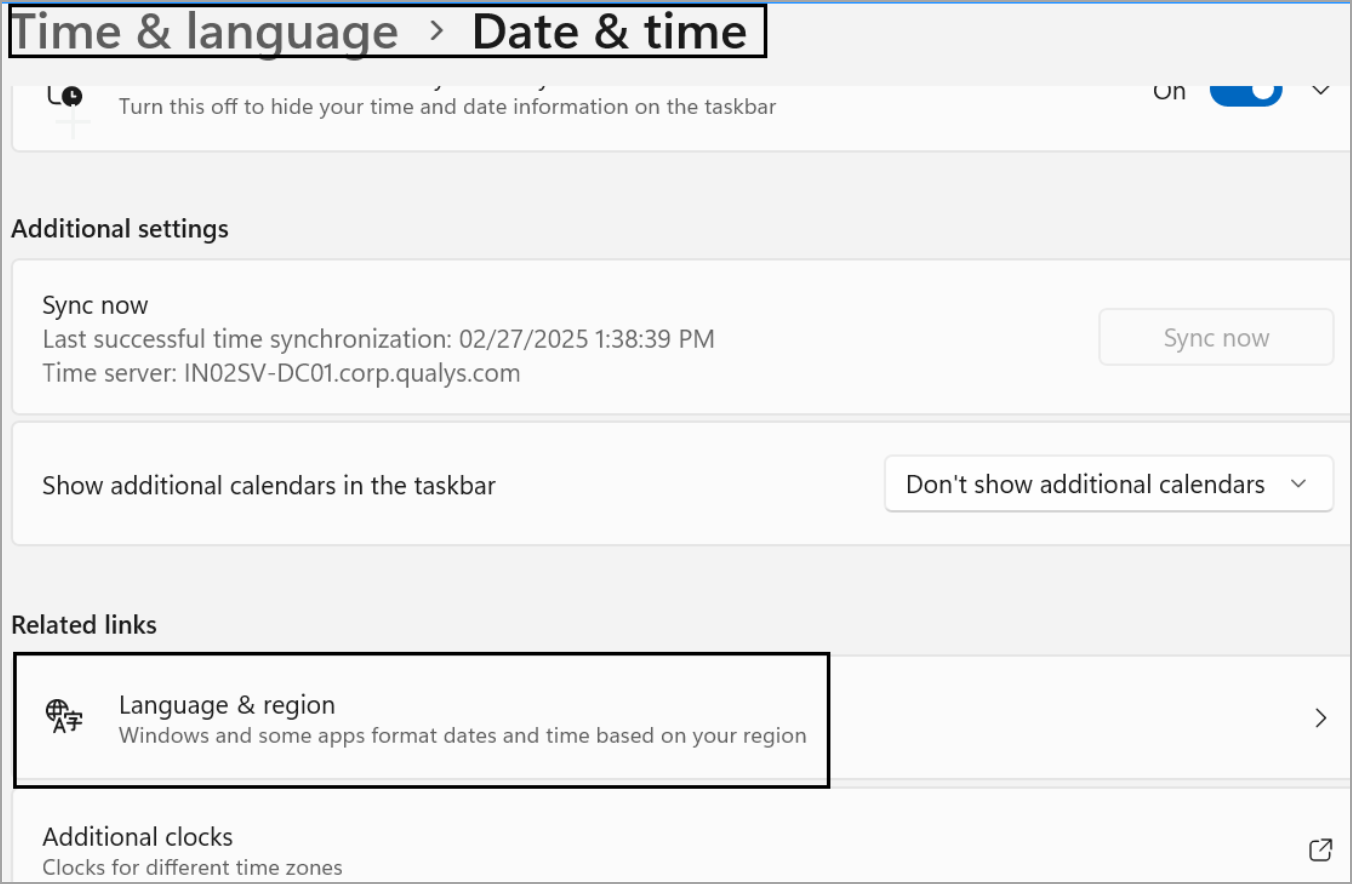
- Scroll down and click Administrative Language settings.
A Region window is displayed. - Select Date and time formats under Region > Format > Date and time formats, to MM/DD/YY.
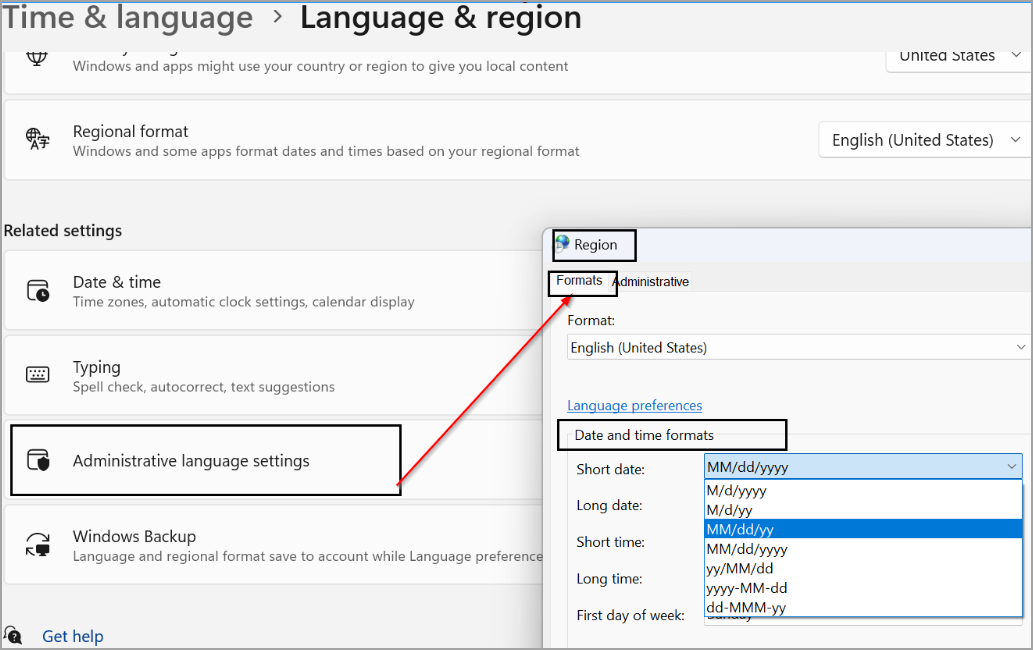
- Click Save.
- Close and open the CSV file.
You get the expected formatting for all the cells.