Policy Audit Release 1.13
July 13, 2026
Authenticate NSX using additional vault providers
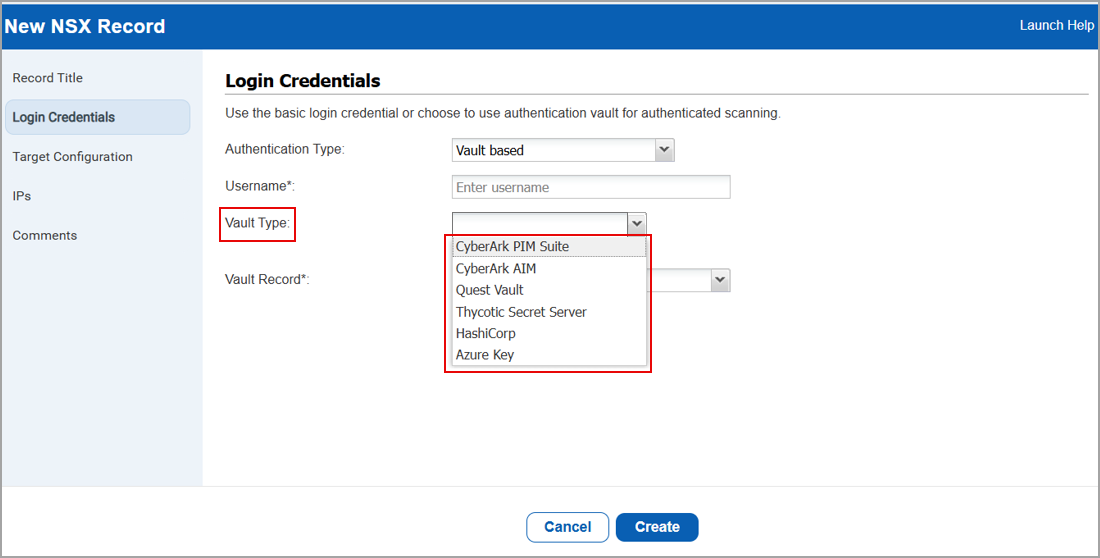
You can now use more vault providers to authenticate NSX environments. Previously, vault-based authentication for NSX supported only HashiCorp Vault. With this release, you can choose from multiple supported vault providers, giving you greater flexibility in securely managing credentials. Also, making it easier to standardize how credentials are stored and accessed across your environment.
This enhancement allows you to integrate NSX authentication with your preferred enterprise vault solution, helping you align with existing security and credential management practices.
To access the vault based authentication for NSX, navigate to Scans > Authentication > New > Hypervisors and Virtualization > NSX > Login Credentials > Authentication Type> Vault Based > under Vault Type, select from the following supported providers:
- CyberArk PIM Suite
- CyberArk AIM
- Thycotic Secret Server
- HashiCorp Vault
- Azure Key Vault
- Quest Vault
Policy Revision Visibility with Change Log
With this release, we have introduced the View Changelog feature that displays the changes made to a policy. The changelog records all additions, modifications, and deletions, including control-level changes made to the policy.
Previously, changes made to a policy were not tracked. Starting with this release, change log details made to the policy hereafter are displayed, enabling you to view the complete history of policy changes.
To view the change log for a policy, refer to the following steps:
- Policies > New > Policy > Import from Library.
In the Policy Editor window, the Create a New Policy window is displayed. - In Label, select Updated.
- In Technology, select an option of your choice.
The associated policies are displayed. For the policies that have an update, the View Changelog option is displayed.
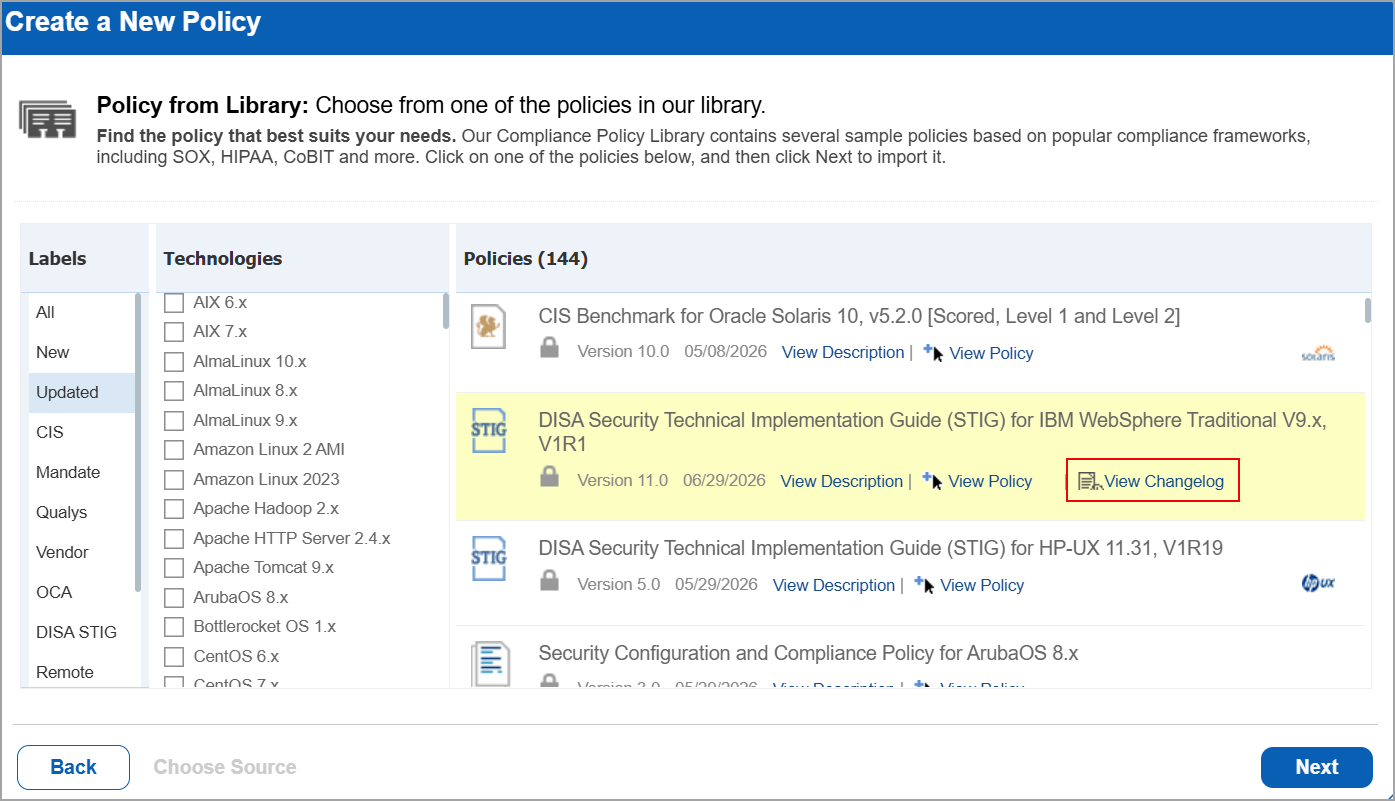
- Select View Changelog.
The View Changelog window is displayed.
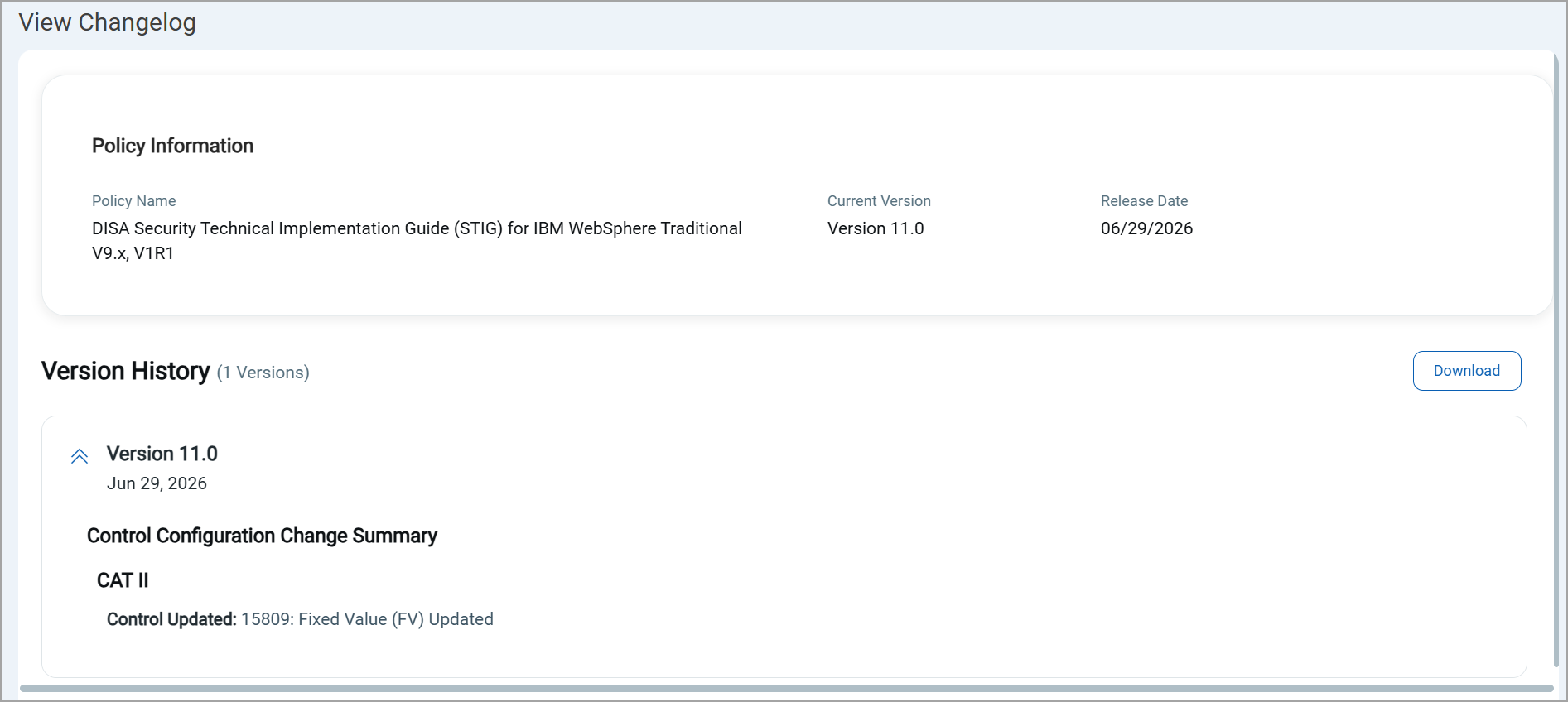
This displays the number of revisions made to the policy and the dates on which they occurred, with the latest revision shown first. Release versions are also updated whenever changes are made to the library policy.
To download the Version history, select Download.
The changelog details are downloaded in PDF format.
Support for Tags in Widgets
You can now use Tags while configuring widgets, making it easier to visualize and analyze tag-related asset data directly from the dashboard.
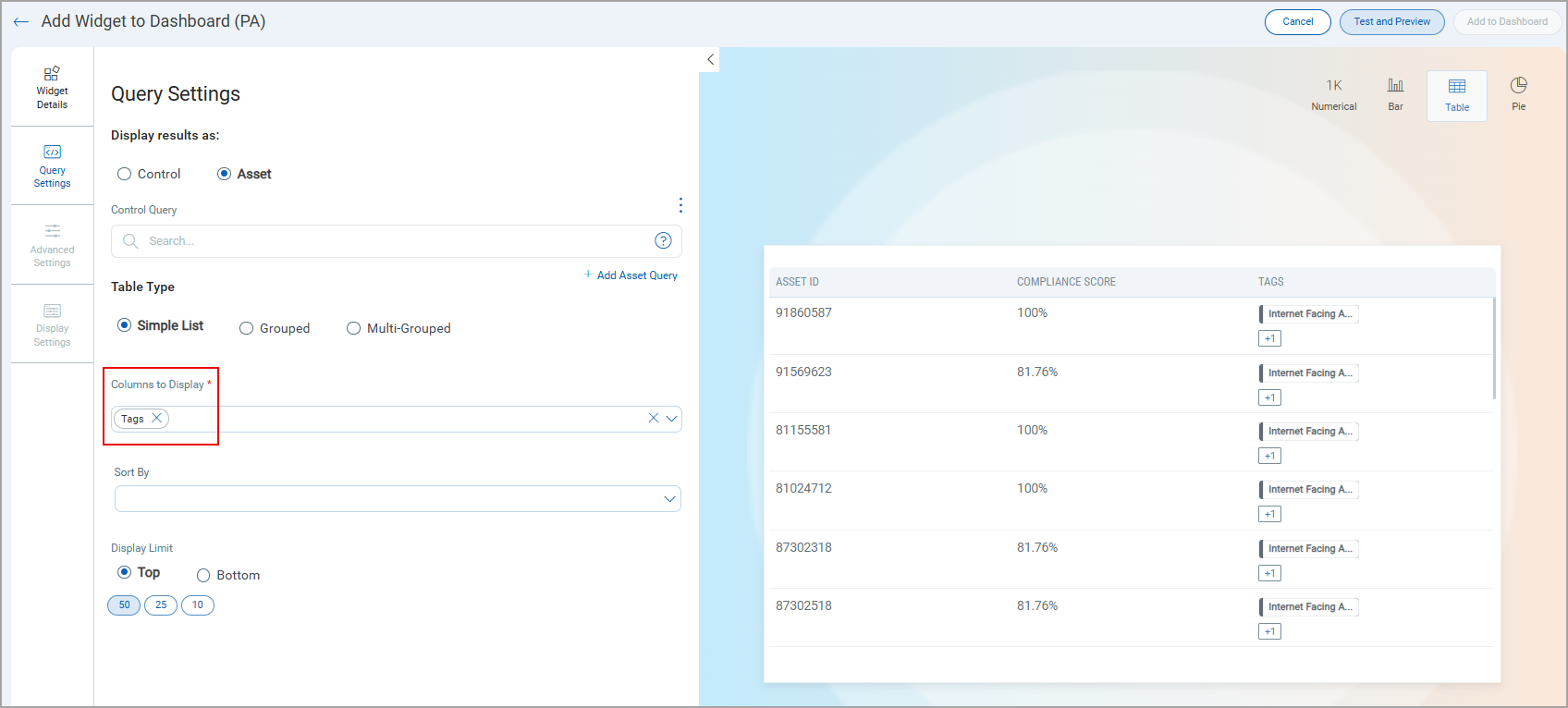
When creating a widget, under Display Results as, if you select Control and under Table Type, you select Simple List, you can now select Tags under Columns to Display to view the associated tags.
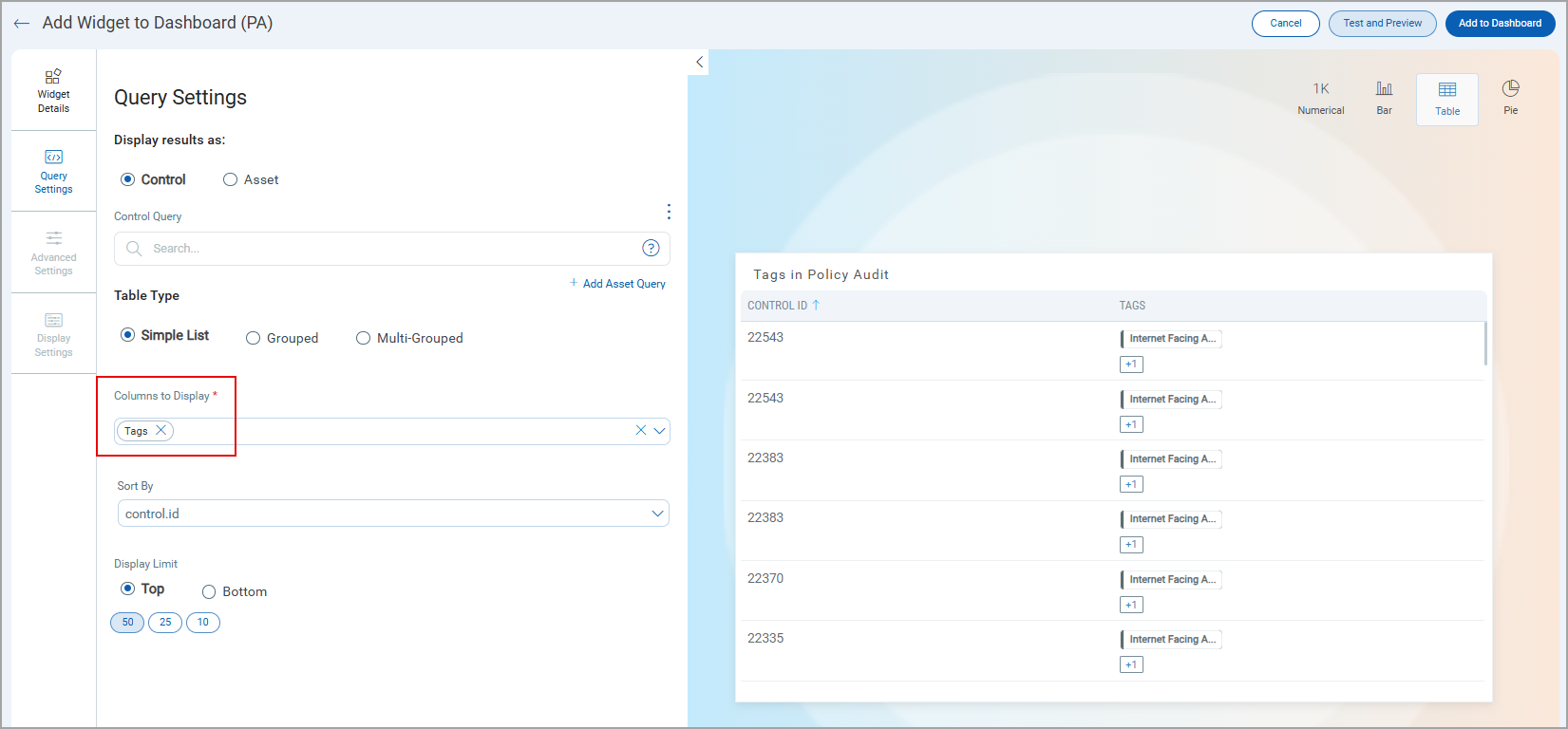
Similarly, when creating a widget, under Display Results as, if you select Assets and under Table Type, you select Simple List, you can now select Tags under Columns to Display to view the associated tags.
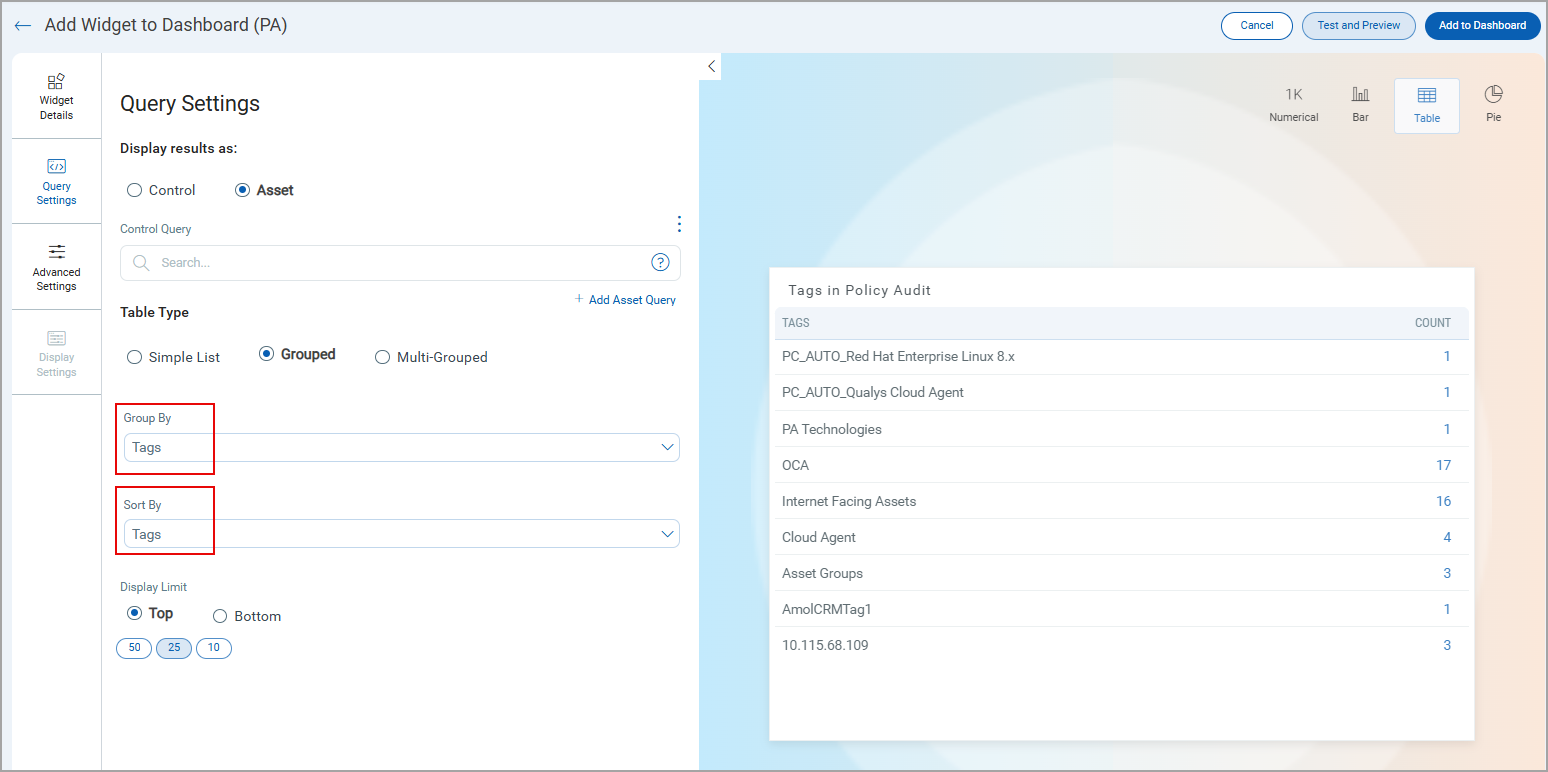
Next, under Display Results as, if you select Assets and under Table Type, you select Grouped, Tags is now available as an option under both Group By and Sort By.
Additionally, you can apply filters using the Advanced Settings section to further refine the widget results.
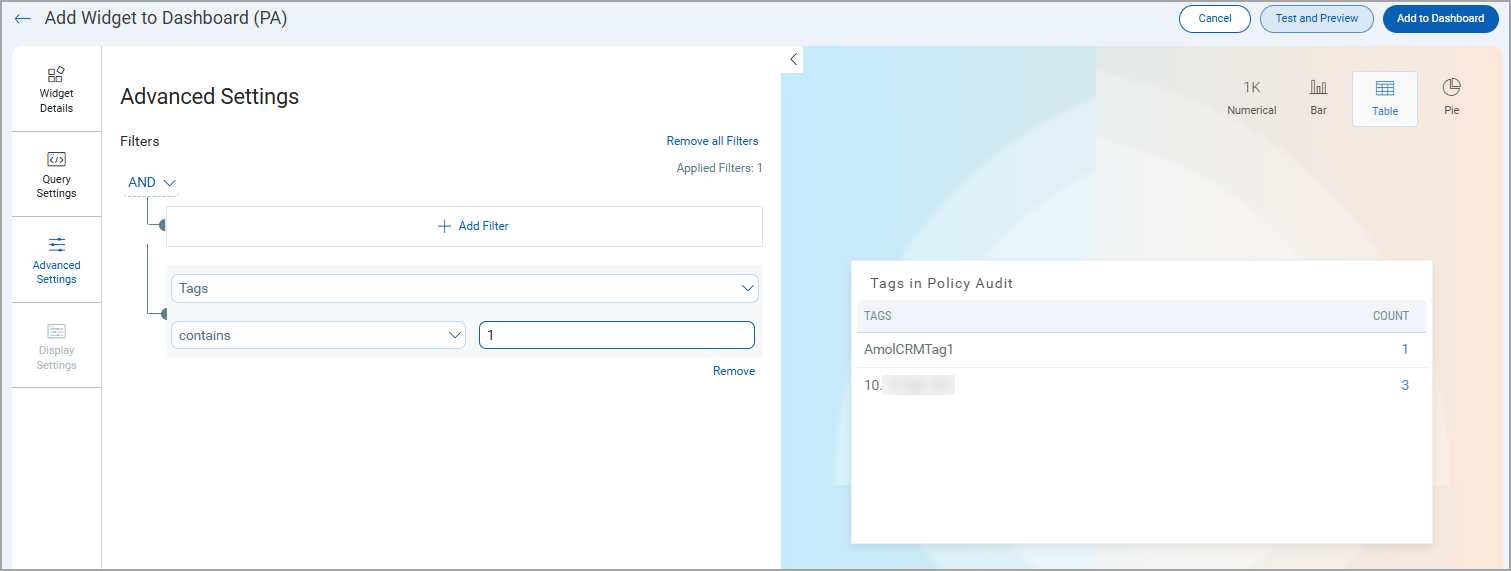
Once you create you widget, select Add to Dashboard. The widget is displayed on your dashboard.
Tag related data can be added to the dashboard only when the widget is configured to the Table format.
UDC Support for SUSE Linux Enterprise 16.x Technology
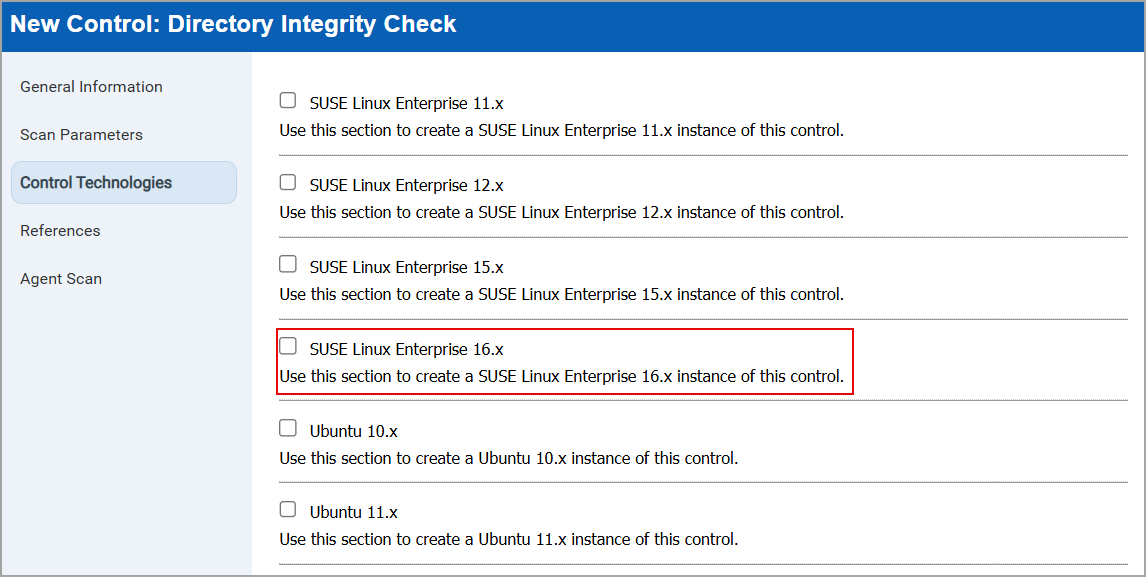
You can now select SUSE Linux Enterprise 16.x as the control technology when creating a new control for Unix Control types.
Previously, SUSE Linux Enterprise 16.x was not supported for Unix Control types. This release adds support for this technology.
To select SUSE Linux Enterprise 16.x technology, navigate to:
- Policies > Controls > New > Control > UDC.
The New Control window is displayed. - In the left pane, select Unix Control Types > From the displayed control types, select a control type of your choice.
- In the left pane, select Control Technologies > Under Technologies, select SUSE Linux Enterprise 16.x.
Support for New Authentication Technology - Verint Financial Compliance 10.x
Verint Financial Compliance 10.x technology is supported for Policy Audit authenticated scans using scanners. This technology is now available for use at the following places:
Policy Editor
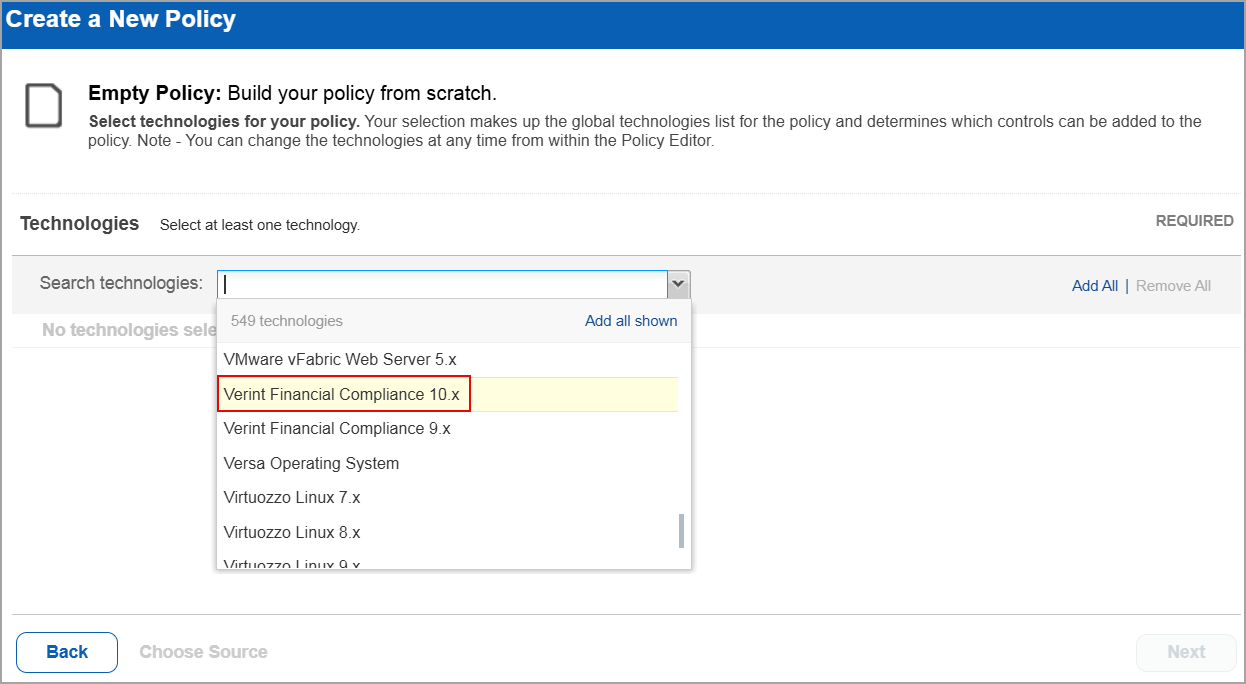
When you create or edit a policy compliance, Verint Financial Compliance 10.x is now available in the list of supported technologies.
Search Controls
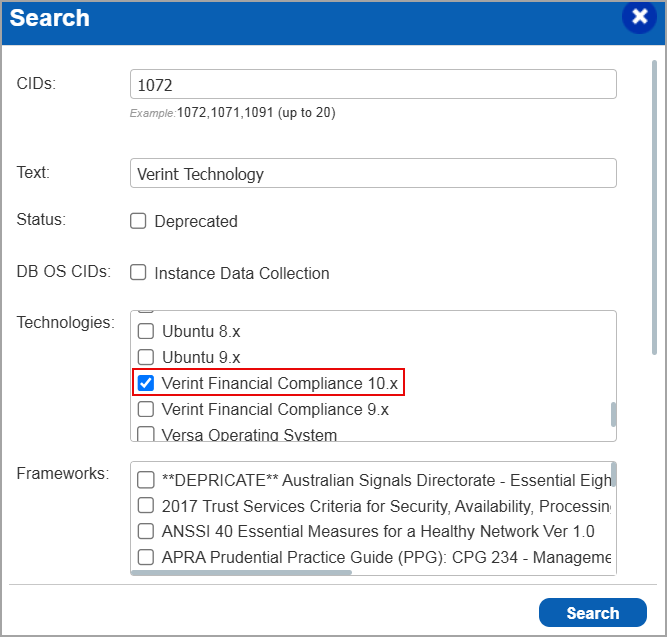
When you search for controls, you see Verint Financial Compliance 10.x in the list of technologies. Go to Policies > Controls > Search and under Technologies, select Verint Financial Compliance 10.x in the list.
Authentication Report
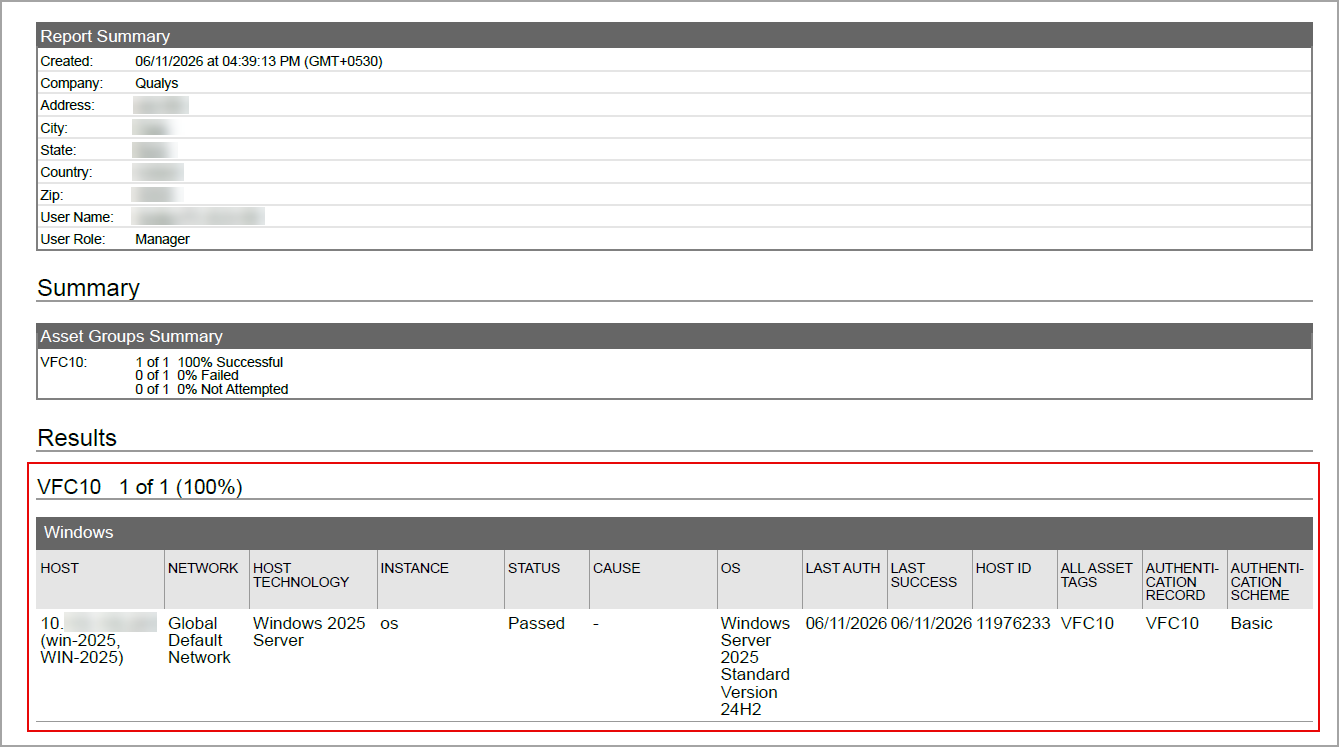
You can view the Verint Financial Compliance 10.x in the authentication report. In the Results section of the report, the Verint Financial Compliance 10.x details are displayed.
Scan Results
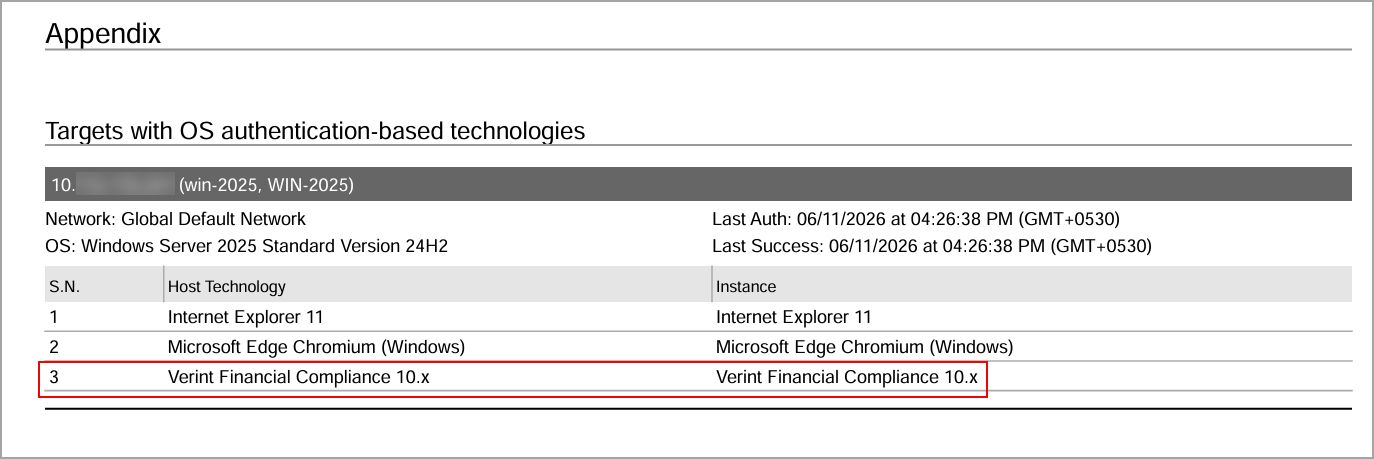
Verint Financial Compliance 10.x is now listed under Application technologies found based on OS-level authentication in the Appendix section of the authentication report.
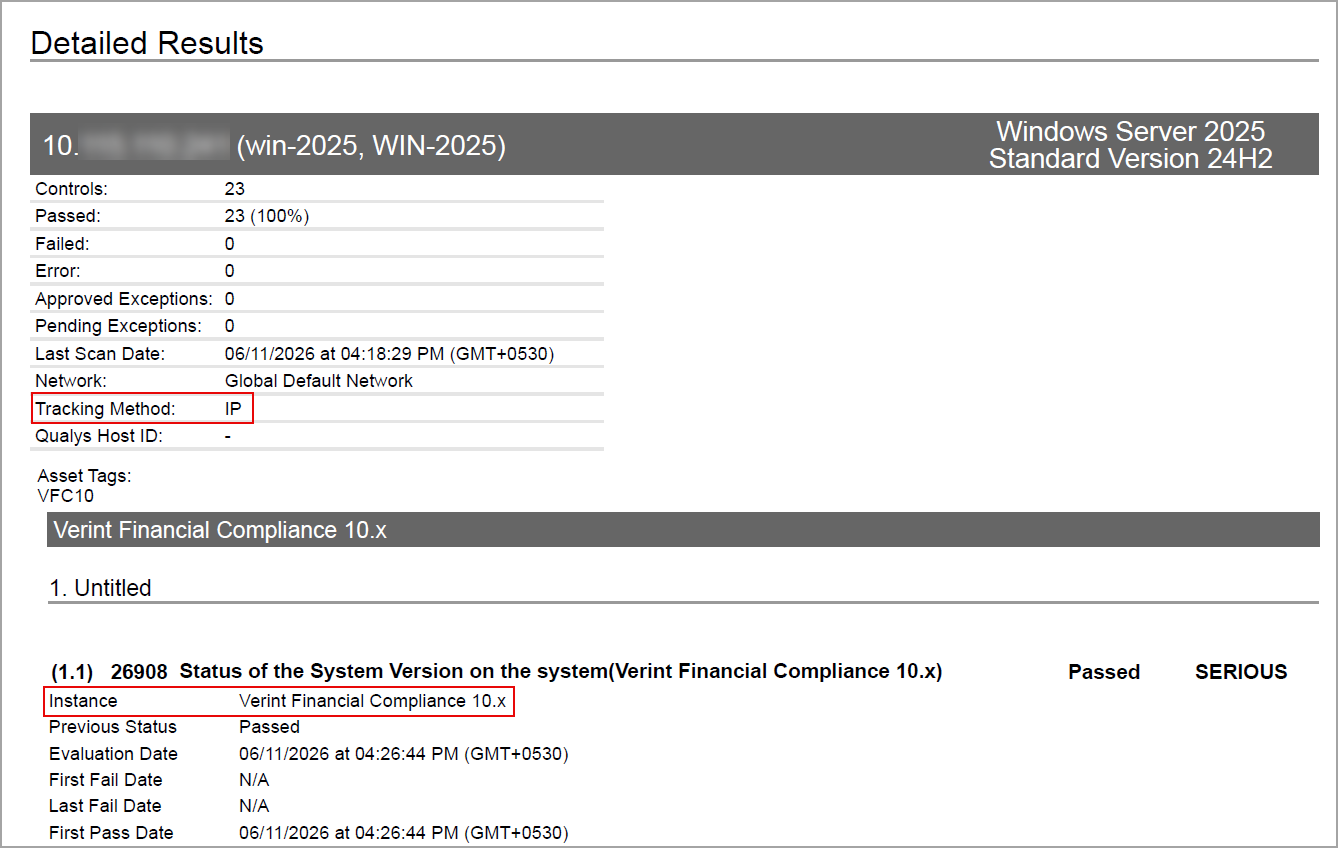
Sample Report
The sample report displays the tracking method and the instances for scanner. In sample compliance reports, you can view the instances of Verint Financial Compliance 10.x for scanned hosts. The sample report displays the scanners tracking method as IP for Verint Financial Compliance 10.x.
Issues Addressed
The following reported and notable customer issues are fixed in this release:
| Component/Category | Description |
| PA | When the user imported a policy in XML format, certain controls with multiple associated data points were reset to their default values, causing the updated values to be lost after import. Additionally, if the uploaded XML file was corrupted, no validation message was displayed to notify the user. Relevant code changes have been made to fix the issue. |
| PA | When the user created a policy with multiple technologies, newly supported controls for an existing technology were automatically included in the policy when support for that technology was added. As a result, the controls became part of the policy without any manual policy modification or change to the policy's last modified date. This is expected behavior. We have now documented this behavior in the Online Help. |
| PA - New UI | When the user attempted to download Posture results in CSV format from the Posture tab, the report download failed when the export contained only one posture record for an asset. Relevant code changes have been made to fix the issue. |
| PA - New UI | When the user viewed the asset trend graph, it displayed incorrect details for the total number of assets. This resulted in inconsistent trend data. Relevant code changes have been made to fix the issue. |
| PA - New UI | When the user viewed the Audit Score (percentage) in a dashboard widget, the displayed score did not match the Audit Score shown in the Posture tab, resulting in an incorrect percentage being displayed. Relevant code changes have been made to fix the issue. |
| PA - Reports | When the user edited a scheduled scorecard report, the mapped policies were not displayed immediately because they were still loading, making it appear as though no policies were associated with the schedule. Relevant code changes have been made to fix the issue. A loading message has now been added to indicate that the policies are loading. |
| PA | When users needed to clear stale Redis cache entries, there was no option to delete specific cache keys without waiting for the scheduled cache rebuild. Relevant code changes have been made to address this issue. A command-line script has been added to delete specific Redis cache keys, allowing stale cache entries to be cleared immediately when required. |
| PA - New UI | When the user viewed the control count on Posture tab, they observed a discrepancy between the number of controls displayed on the Posture tab and the downloaded CSV report. The CSV report displayed the correct control count. Relevant code changes have been made to fix the issue. |
| PA - API | When the user updated authentication records for Cisco APIC, using HashiCorp vault, they observed that the authentication record type was getting incorrectly converted to basic. Relevant code changes have been made to fix the issue. |