VMDR Release 2.13
September 15, 2026
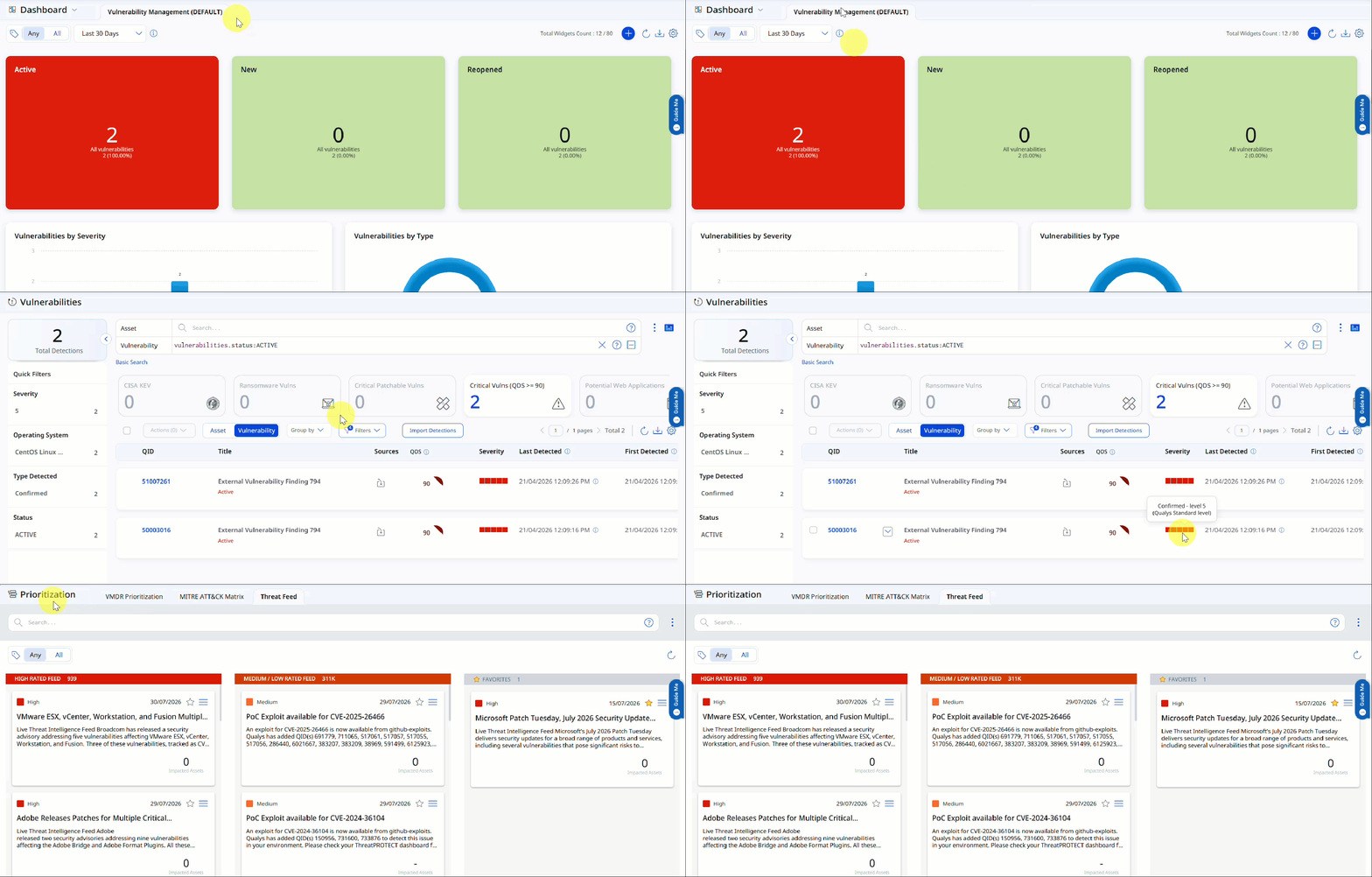
Enhanced VMDR User Interface
With this release, we have introduced an improved user experience across all the VMDR application pages. You can view updates across fonts, colors, typography, and buttons, making the interface more intuitive and easier to use. This release features User Interface (UI) and design system enhancements that improve visual consistency, readability, and usability across the application, resulting in a cleaner, more intuitive user experience.
Key Benefits
- Consistent and clutter-free screens
- Easier-to-read text and labels
- Clearer emphasis on important information
- Faster comprehension of risk, status, and numbers
UI Consistency and Clarity
- Sentence-style text replaces ALL CAPS for labels and text
- Status and source names use a consistent text style throughout the application
- Tables, filters, tabs, and page navigation use uniform colors and text styles
- Buttons and options show clear visual indicators for active, inactive, and secondary states
- Subtle styling for less critical details keeps your focus on what matters most
Charts, Metrics, and Data Presentation
- Updated chart color schemes improve accessibility
- Compact numeric formats improve readability
- Refined color gradients for risk scores and meters improve interpretation
Issues Addressed
The following reported and notable customer issues are fixed in this release:
| Category/Component | Issue |
| Vulnerabilities Tab |
We fixed an issue where the total vulnerability count displayed in the Assets page on the Vulnerabilities tab did not match the actual count for assets with more than 500 vulnerabilities. You can now view the correct total vulnerability count (for example, 3.42K) in the Assets page on the Vulnerabilities tab with more than 500 vulnerabilities. The Vulnerabilities tab listing displays up to 500 vulnerabilities. |
| Vulnerabilities Tab |
We fixed an issue where multiple widgets on the Vulnerabilities tab page displayed the same asset count, even if the widgets used different QQL filters. You can now view the correct asset count based on the QQL configured for each widget. For example, TruRisk Score >=700, Asset Criticality Score >=91, Public Facing Assets, and Not Scanned -30 Days. |
| Asset Details Page |
We fixed an issue where vulnerabilities filtered by QDS on assets with more than 50 vulnerabilities were not displayed in a consistent descending QDS order across all pages in the Asset Details > Vulnerabilities. You can now view vulnerabilities in an accurate, globally consistent descending QDS order across all pages on the Asset Details tab when filtering by QDS. This also applies to assets with multiple vulnerabilities. |