Monitor Alerts
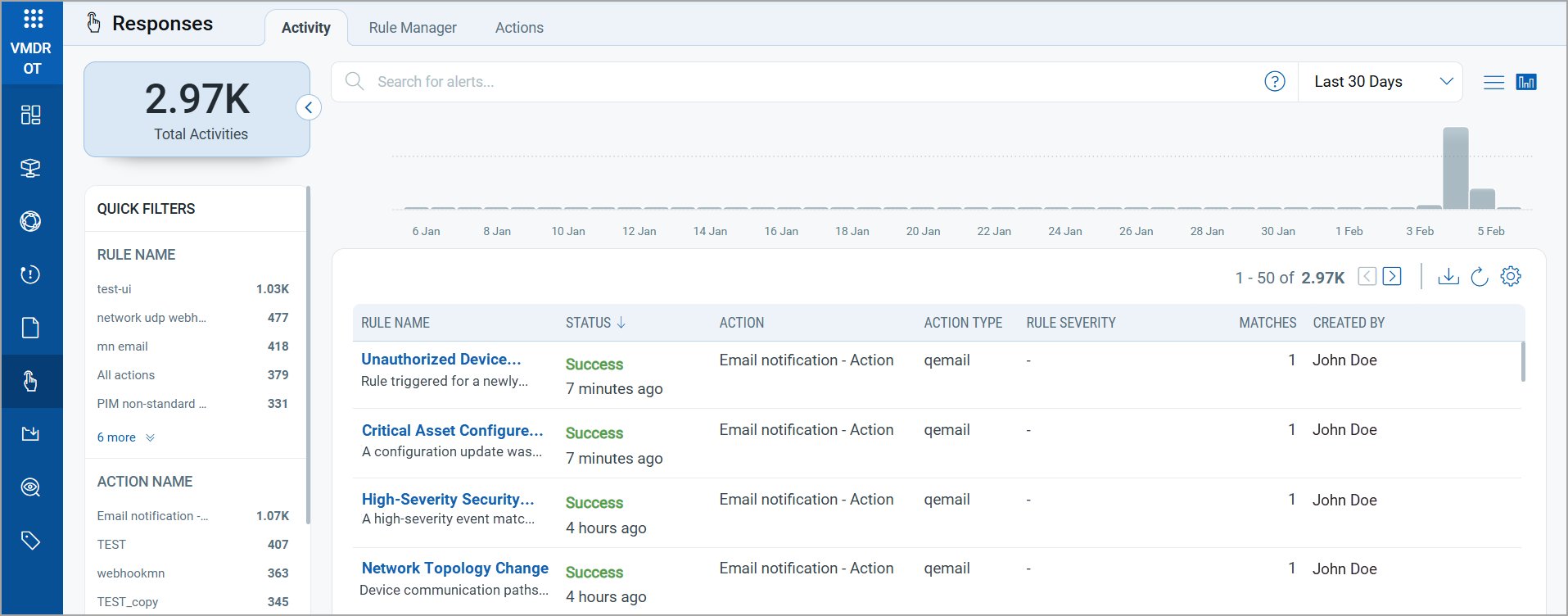
You can view and edit alert rules from the the Activity tab. Here, you can view the following rule details:
| Column | Description |
|---|---|
| Rule Name | Displays the name of the rule.
You can click any of the rules to edit the rules. |
| Status | Displays the execution result of the rule (for example, Success or Failure) and when it occurred. |
| Action | Displays the action that was executed when the rule was triggered. |
| Action Type | Displays the type of action executed (for example, Email, Teams). |
| Rule Severity | Displays the severity assigned to the rule. |
| Matches | Displays the number of event that triggered the alert. |
| Created By | Displays the user who created the rule associated with the activity. |