Manage Actions
The Actions tab lists the Action Name, the Type of action, the number of active or inactive rules, and the Created On date and time of the rule. The list of actions is based on the Action Setting selected while creating a new rule from the Rule Manager.
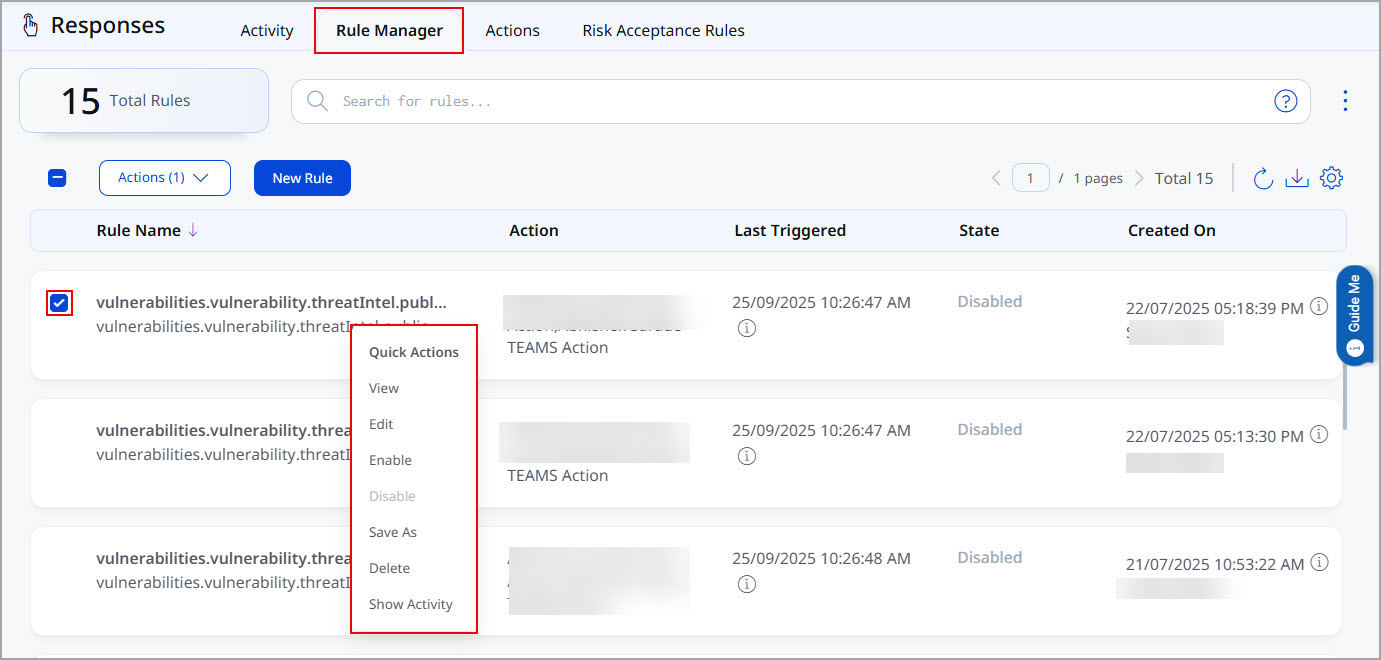
Using the Quick Actions menu on an existing rule, you can perform View, Edit, Enable, Disable, Save As, Delete, or Show Activity actions. The following screenshot is an example of the Quick Actions menu on the Rule Manager tab.