
Cloud Agent Configuration
The following are the Cloud Agent configuration methods.
Upgrading Cloud Agent
You can choose to upgrade the Cloud agent automatically or manually.
Upgrading Cloud Agent Automatically
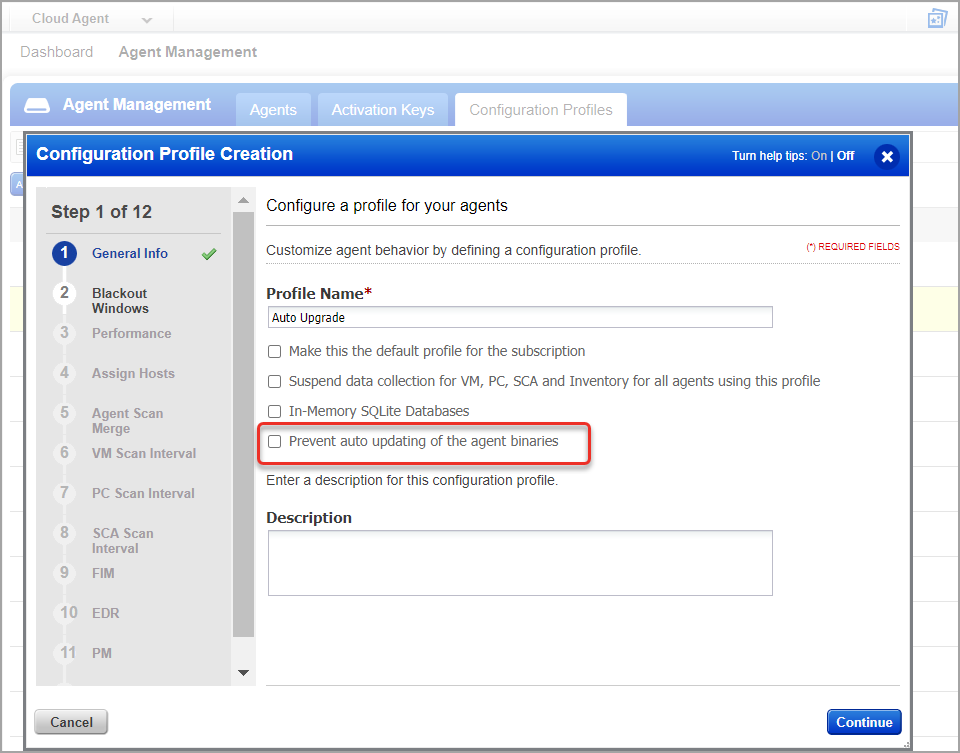
To enable the automatic upgrade of your Cloud Agents, navigate to Configuration > Configuration Profiles tab. Create a new profile or edit an existing profile. In the configuration profile workflow, navigate to the Additional Settings window and select the Auto Update Agent Version checkbox.
The selected auto-update setting is applied to all Cloud Agents associated with the edited Configuration Profile.
Upgrading Cloud Agent Manually
To manually update the Cloud Agents see instructions for upgrading cloud agents in the following installation guides: Windows | Linux | AIX/Unix | MacOS | BSD | AWS Bottlerocket | Gentoo Linux | GCP-COS | Red Hat CoreOS | PowerPC | Solaris |
Deploying Cloud Agent using Third-Party Tools
Qualys Cloud Agents can be deployed using third-party deployment tools. For details, refer to the following resources:
Deploy Qualys Cloud Agent for Windows using Group Policy
Deploy Qualys Windows Cloud Agent with Configuration Manager
Cloud Agent Deployment Methods
Cloud Agent Proxy Configuration
Refer to the following installation guides to learn more about proxy configuration: Windows | Linux | AIX/Unix | MacOS | BSD | AWS Bottlerocket | Gentoo Linux | GCP-COS | Red Hat CoreOS | PowerPC | Solaris |