Assign Cloud Agent Hosts
You can assign the configuration profile directly to Cloud Agent hosts. When you do so, it takes higher priority over other profiles.
Each Cloud Agent can have only one configuration profile assigned. When multiple profiles match a host, the configuration profile is assigned based on the order of the profiles in the configuration profile list.
Select one or more hosts to which the configuration profile should be assigned. You can select hosts by tag or name.
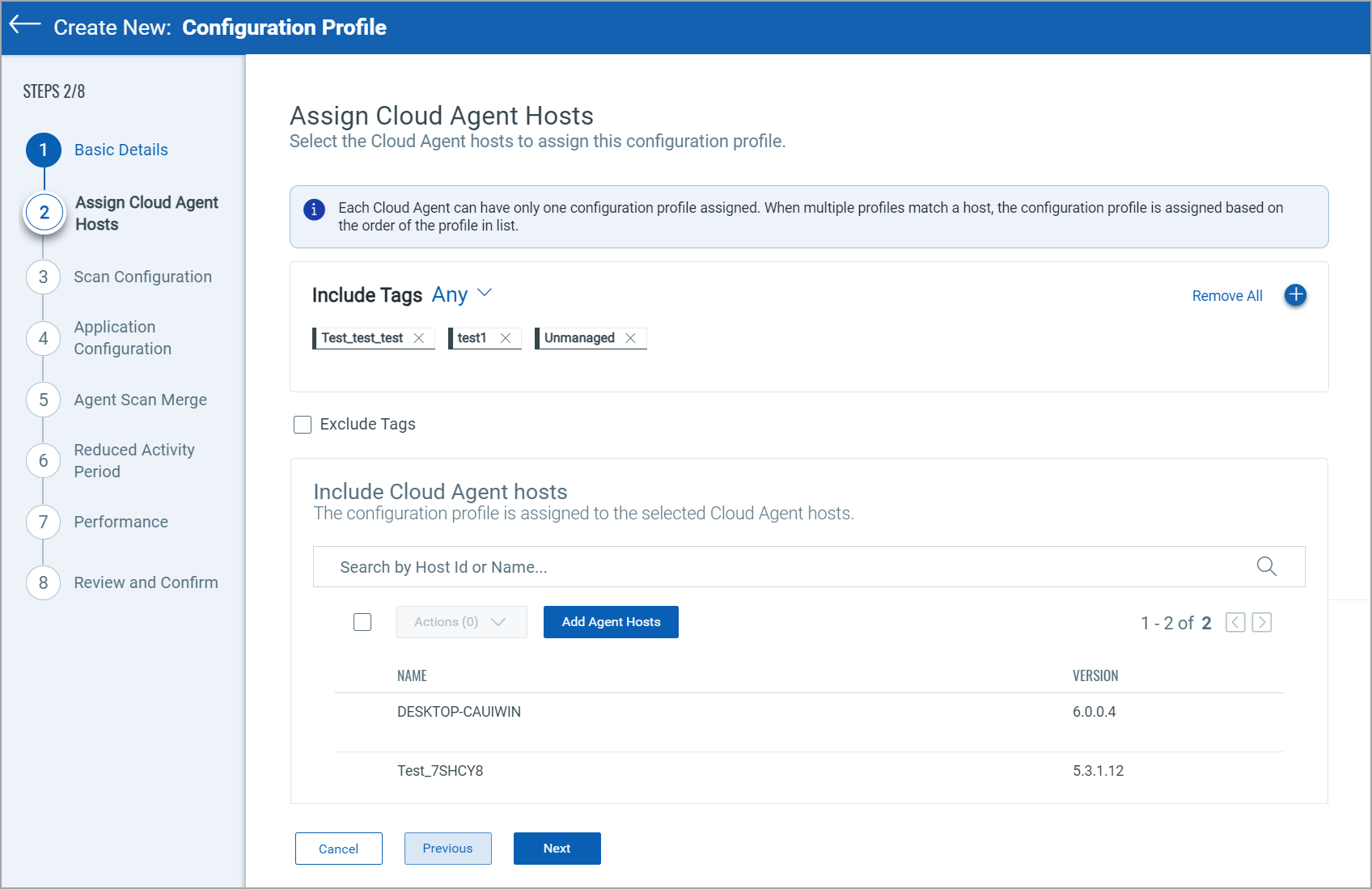
Include Tags
The Cloud Agent tags help group and manage the Cloud Agent more effectively. Select this option to assign your configuration profile to Cloud Agents with specific tags. Click  to add the tags for this option.
If you have selected multiple tags and want to assign the configuration profile to Cloud Agents having all the tags, then select the All option next to the Include Tags option. Similarly, you can assign the configuration profile to Cloud Agents having Any of the selected tags.
Exclude Tags
The Exclude Tags option prevents Cloud Agents with the selected tags from being assigned the configuration profile. This option is not available unless you select the tags.
When you add tags in the Include Tags option, the Exclude Tags checkbox is displayed. Select this checkbox to specify the tags you want to skip when assigning the configuration profile using the Exclude hosts having the selected tags option.
Any or All Options
You can also specify whether to skip Cloud Agent having All the selected tags or Any of the selected tags.
Include Cloud Agent Hosts
Instead of using the tags, you can directly select the agent hosts to which you want to assign the configuration profile.
Perform the following steps to assign the configuration profile directly to the Cloud Agent hosts.
1. Click Add Agent Hosts. The Select Assets window is displayed.
2. Search the host assets to which you want to assign the configuration profile.
3. Click Add. The selected host assets will be displayed under the Include Cloud Agent Hosts section.
4. Click Next to proceed with the selection.
You can remove single/multiple agent hosts from the Include Cloud Agent Hosts section. To remove a few of the selected assets, select the checkbox next to that asset and click Delete in the Actions menu.
Next Step: Scan Configuration