Manage Remote Shell Access Permission
You can add or remove remote shell access permissions for users in the Administration module.
To add the permission, follow these steps:
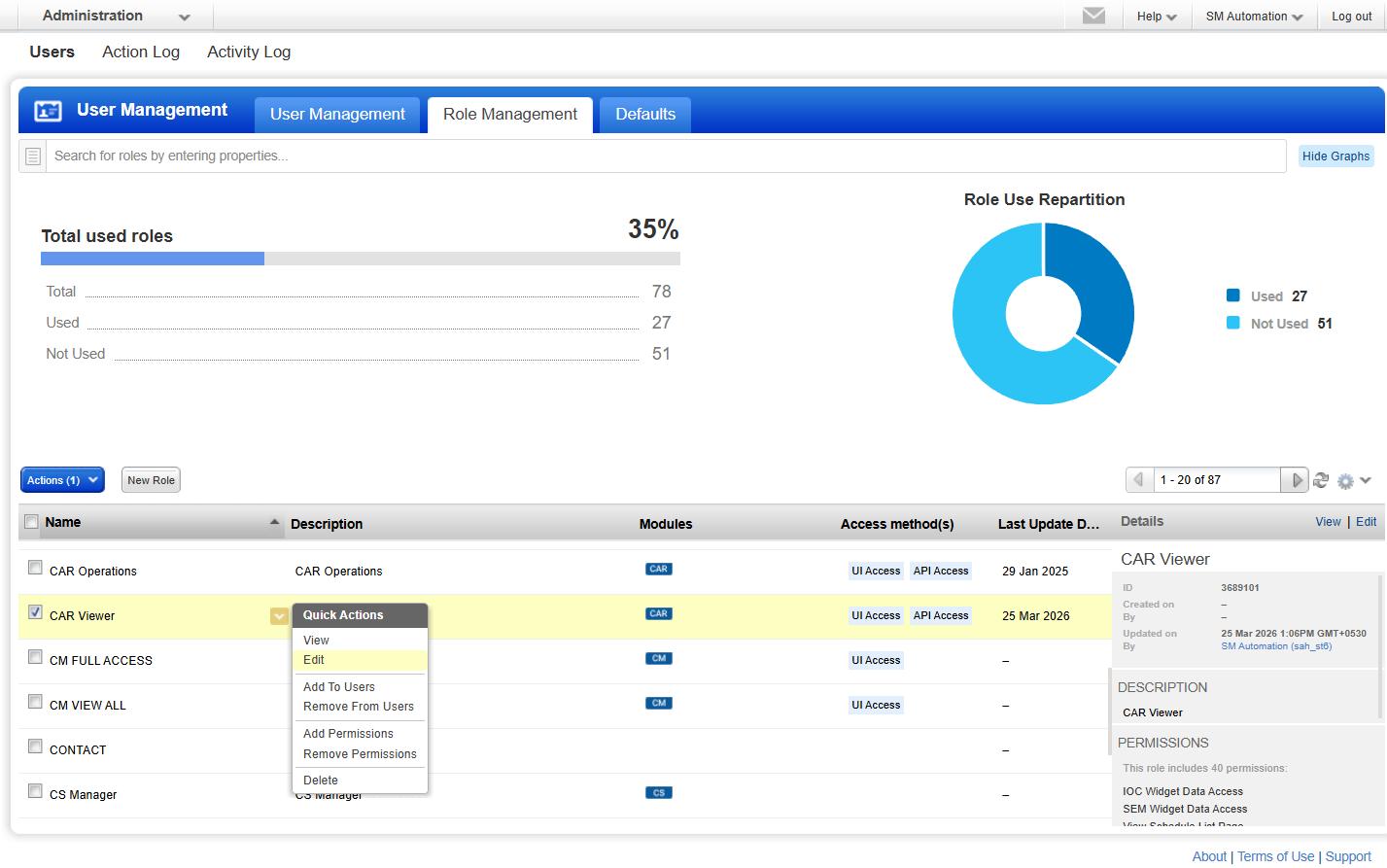
- In the Administration module, navigate to Users > Role Management.
- Select your role name and click Edit from the Quick Actions menu.
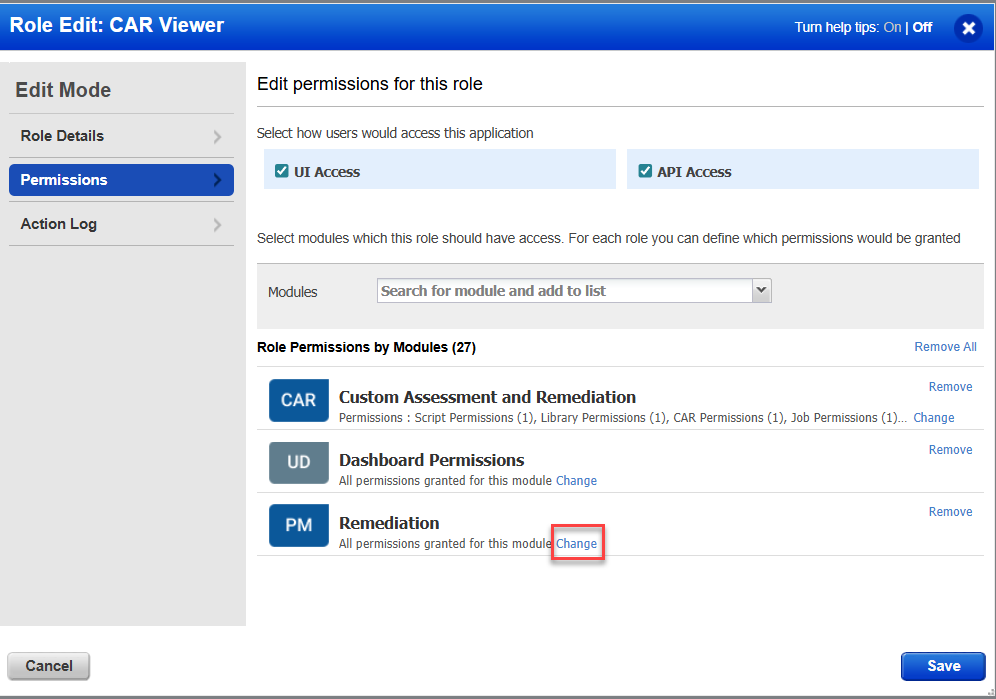
- Navigate to Permissions and click Change for the Remediation module from the section Role Permissions by Modules.
- Select the Remote Shell Access checkbox to enable remote shell access permission.
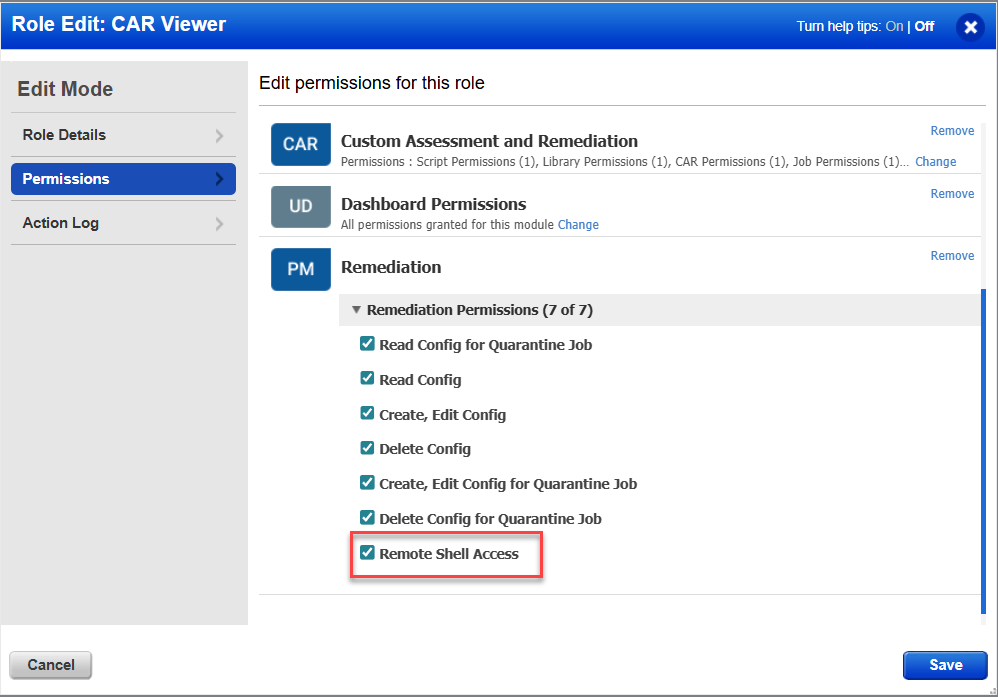
The Remote Shell Access permission is now enabled. You can now initiate a host connection with the asset. - To remove the permission, clear the Remote Shell Access checkbox.