Certificate View Release 4.8
February 09, 2026
Multiple KEM visibility for Certificates and Assets Tabs
With this release, we have enhanced the user interface to provide visibility of multiple Key Encapsulation Mechanism (KEM) algorithms across the Certificates and Assets Tabs. With this enhancement, you can have a more comprehensive view of cryptographic assets and certificates.
This enhancement allows you to quickly verify all supported KEM algorithms, ensure compliance with security standards, and make informed decisions for certificate and asset management. By simplifying the visibility to multiple KEM algorithms, it helps:
- Reduce ambiguity and support secure deployments.
-
Better decision-making to plan for future cryptographic transitions.
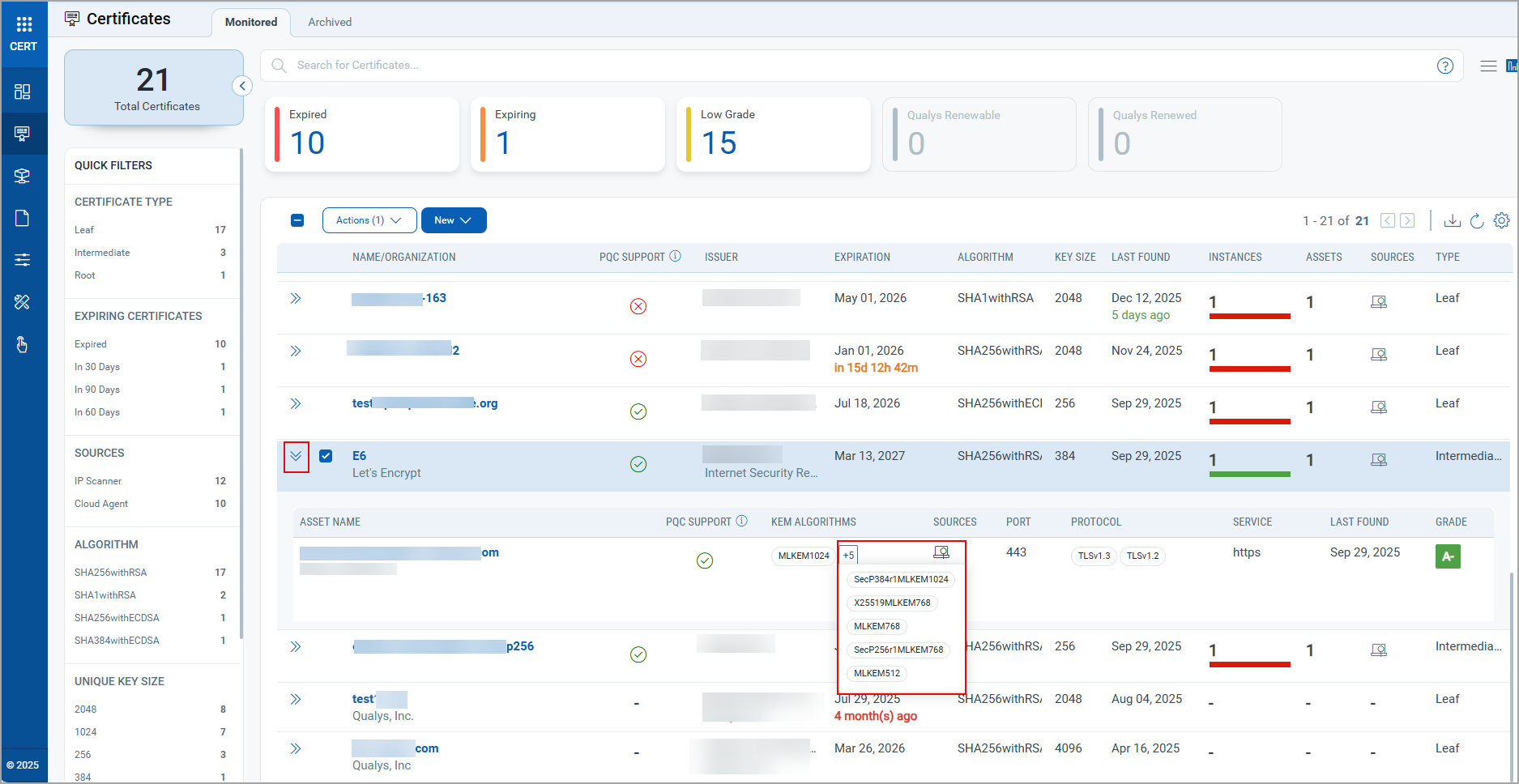
To view this enhancement, go to the Certificates tab > Monitored sub tab, and click  icon to view associated assets at a glance. Click the plus icon in the KEM ALGORITHMS column to view the list of all the KEM algorithms for the associated asset.
Similarly, you can view this functionality in the Assets Tab.
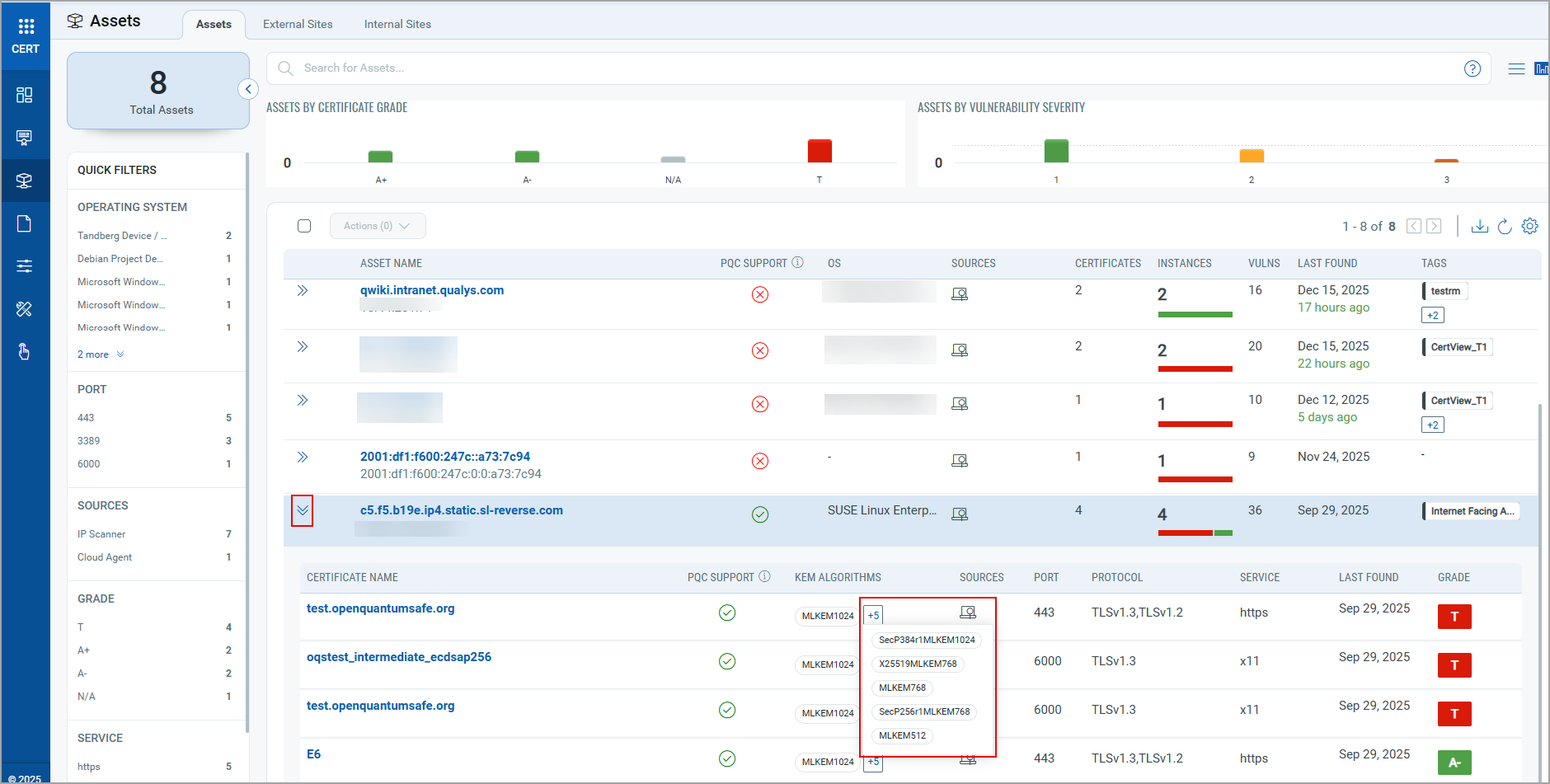
Go to Assets tab > Assets sub tab, click icon to view associated certificates at a glance. Click the plus icon in the KEM ALGORITHMS column to view the list of all the KEM algorithms for the associated certificate.
Post-Quantum Cryptography (PQC) Support in Cipher Suite Details
We have enhanced the Cipher Suite details of the grade summary by adding support for the Post-Quantum Cryptography (PQC). Previously, PQC support was limited to certificate and asset levels, making it difficult to access PQC readiness across Cipher Suites. With this update, you can view the PQC support for Certificates and Assets tabs at a granular level for each cipher suite.
In this enhancement, we have introduced three new columns to the existing Cipher Suite Details, as stated below:
- Key Exchange: Displays the algorithm used for key exchange
- PQC Support: Indicates whether PQC is supported (true or false) for cipher suites
- Forward Secrecy: Indicates whether the Cipher Suites provide forward secrecy (Yes or No). The Forward Secrecy ensures the session keys remain secure even if the private key is exposed.
View PQC Support for Cipher Suites in the Certificates Tab
To view the PQC support and associated details of Cipher Suites, navigate to the Certificates tab > Monitored sub tab, and click icon of a certificate to view the associated assets. Click the Grade  icon to access the summary. In the grade summary, expand the Cipher Suite option to view the Cipher Suite details. Previously, you could only view the Cipher Suite Name, Category, and Strength under the Cipher Suite details.
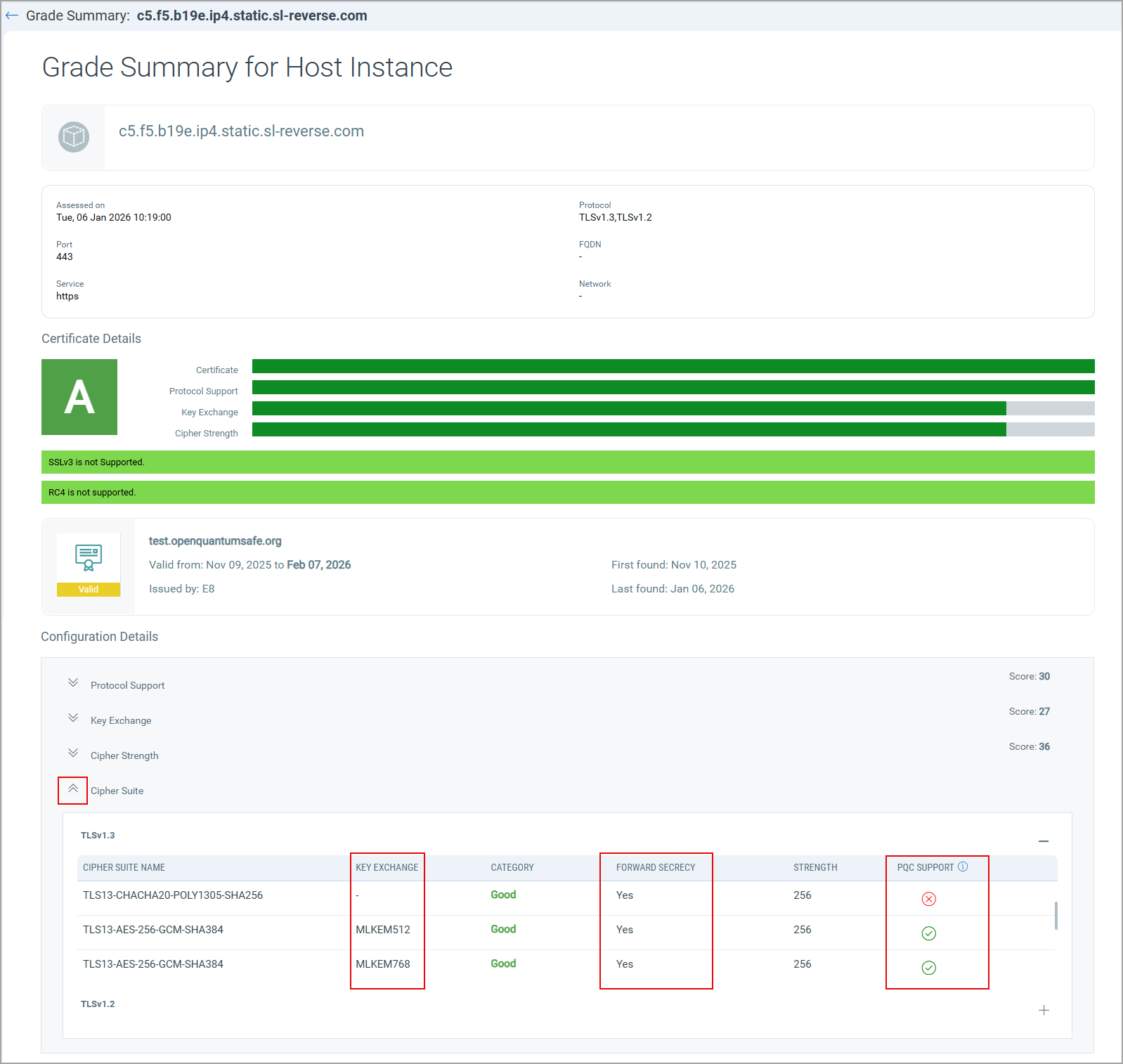
Here, you can view the Cipher Suite details with the newly added columns, such as the supported Key Exchange Algorithms, Forward Secrecy support to the cipher suite (Yes or No), and PQC Support, indicating whether the cipher suite is PQC Supported (true or false).
View PQC Support for Cipher Suites in the Assets Tab
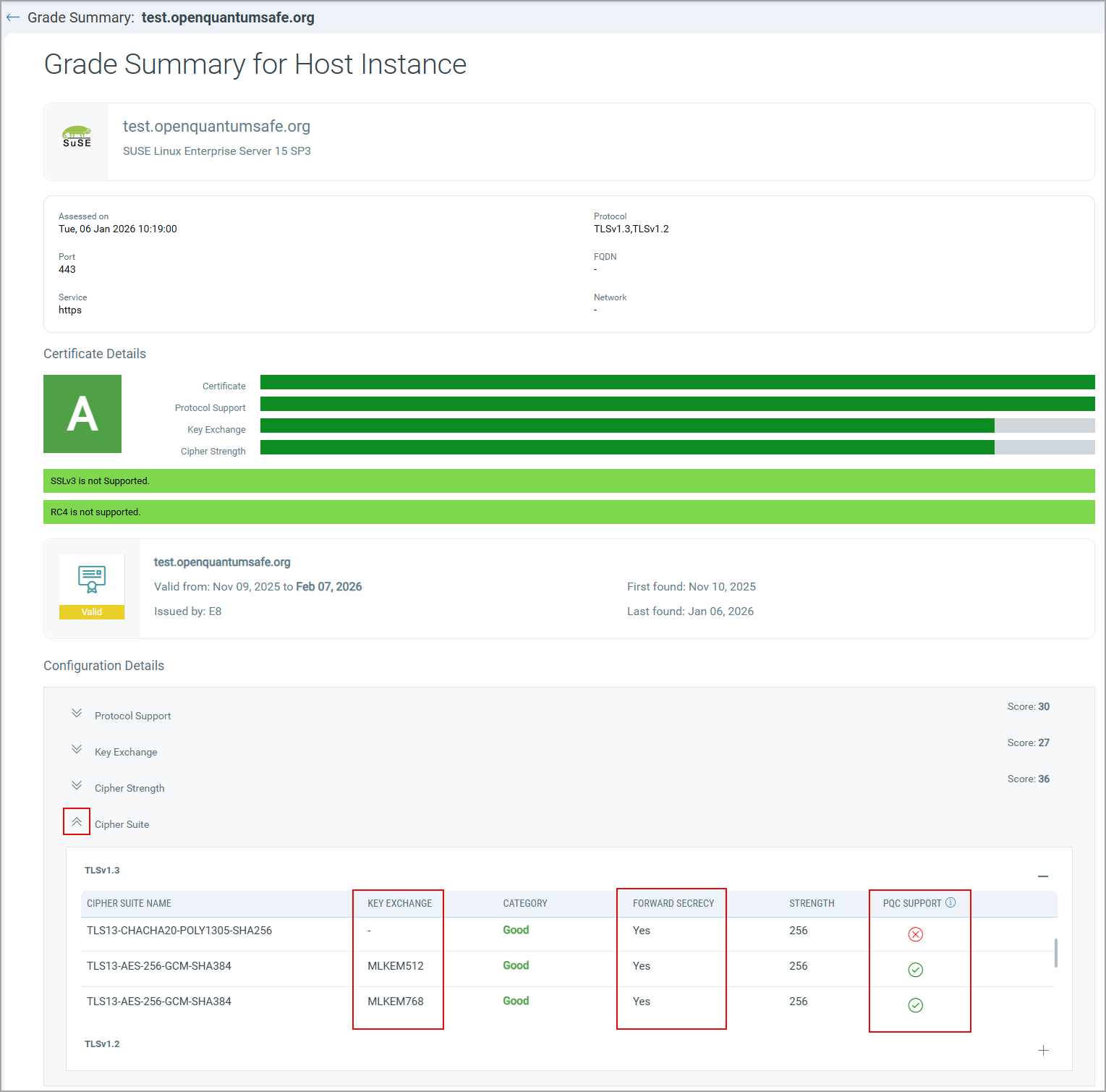
To view the PQC support and associated details of Cipher Suites, navigate to Assets tab > Assets sub tab, click icon to view associated certificates. Click the Grade icon to access the summary. In the grade summary, expand the Cipher Suite option to view the Cipher Suite details.
Added New QQL Tokens Support
The following QQL tokens are added in this release:
For Configuration Tab
| Token | Tab | Description |
|---|---|---|
|
certificate.subject.name |
Configuration > Approved CA |
Use a text value ##### to define the certificate name. Example Show certificates that have this subject name
|
| certificate.hash | Configuration > Approved CA |
Use a text value ##### to specify the certificate fingerprint of the certificates. Example Show certificates that have this hash value
|
| certificate.serialNumber | Configuration > Approved CA |
Use the values ##### to find a certificate having a specific serial number. Example Show the certificate that has this serial number
|
We support nested queries for the AND operator only.
For Certificate Instances Tab
| Token | Tab | Description |
|---|---|---|
|
certificate.instance.pqcSupport |
Assets > Certificate Instances |
Use the token value as true or false to find if the instances have PQC support Example Show certificates that have PQC-supported instances
|
|
certificate.instance.pqcSupportedAlgorithm |
Assets > Certificate Instances |
Use a text value ##### to find the instances with the specified PQC-supported algorithm. Example Show the certificates that have instances supporting the PQC algorithm
|
Updated QQL Token Support
The following QQL token name is updated to align with Token Standardization introduced in Certificate View Release 4.7:
| Old Token | New Token |
|---|---|
| certificate.authority | certificate.type |