Tags
Go to TotalCloud > Configure > Tags to view and manage all the tags available in TotalCloud, including the dynamic tags you create for the selected cloud provider.
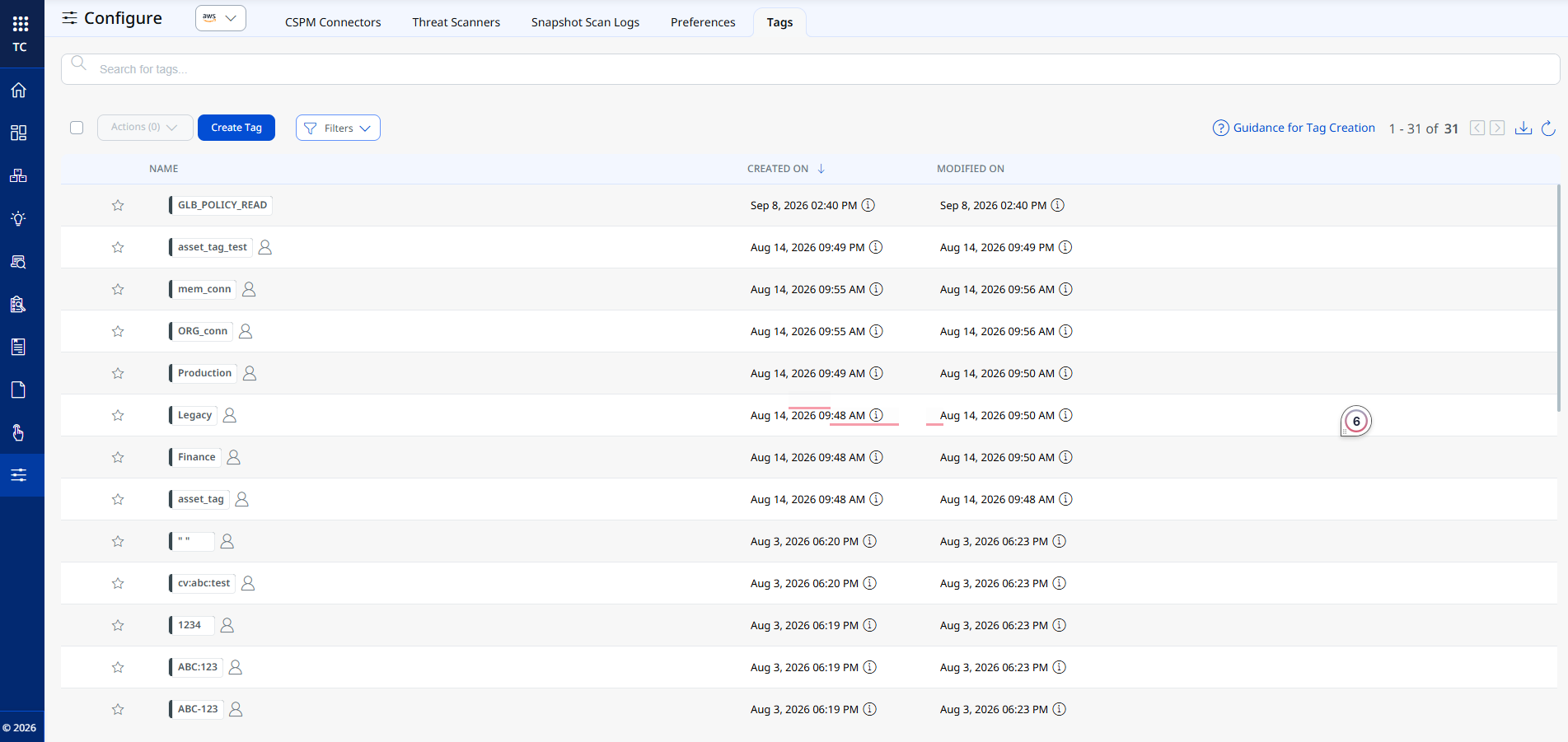
The tag list shows:
- NAME: The name of the tag. Tags marked with a star are added to your Favorite Tags. Tags without a person icon, such as GLB_POLICY_READ, are system tags rather than tags a user created.
- CREATED ON and MODIFIED ON: When the tag was created and last modified.
Use Filters to narrow down the list, or Actions to perform bulk operations on the selected tags. Click Guidance for Tag Creation for recommendations on naming and organizing your tags.
Creating a Dynamic Tag
A dynamic tag is driven by a QQL query instead of a fixed value. As your cloud environment changes, TotalCloud automatically applies the tag to every resource that matches the query, so you don't have to manually re-tag resources.
To create a dynamic tag:
- Click Create Tag on the Tags page, or click Create New Tag from the Select Tags panel when assigning tags to a connector or resource.
- Enter a name for the tag.
- For Tag Rule, select TotalCloud to make it a dynamic tag (select Manual instead if you want a plain, non-dynamic tag).
- Choose the cloud provider(s) the tag rule should evaluate.
- Enter a QQL query that identifies the resources you want tagged, and validate it against your live inventory.
- Save to create the tag.
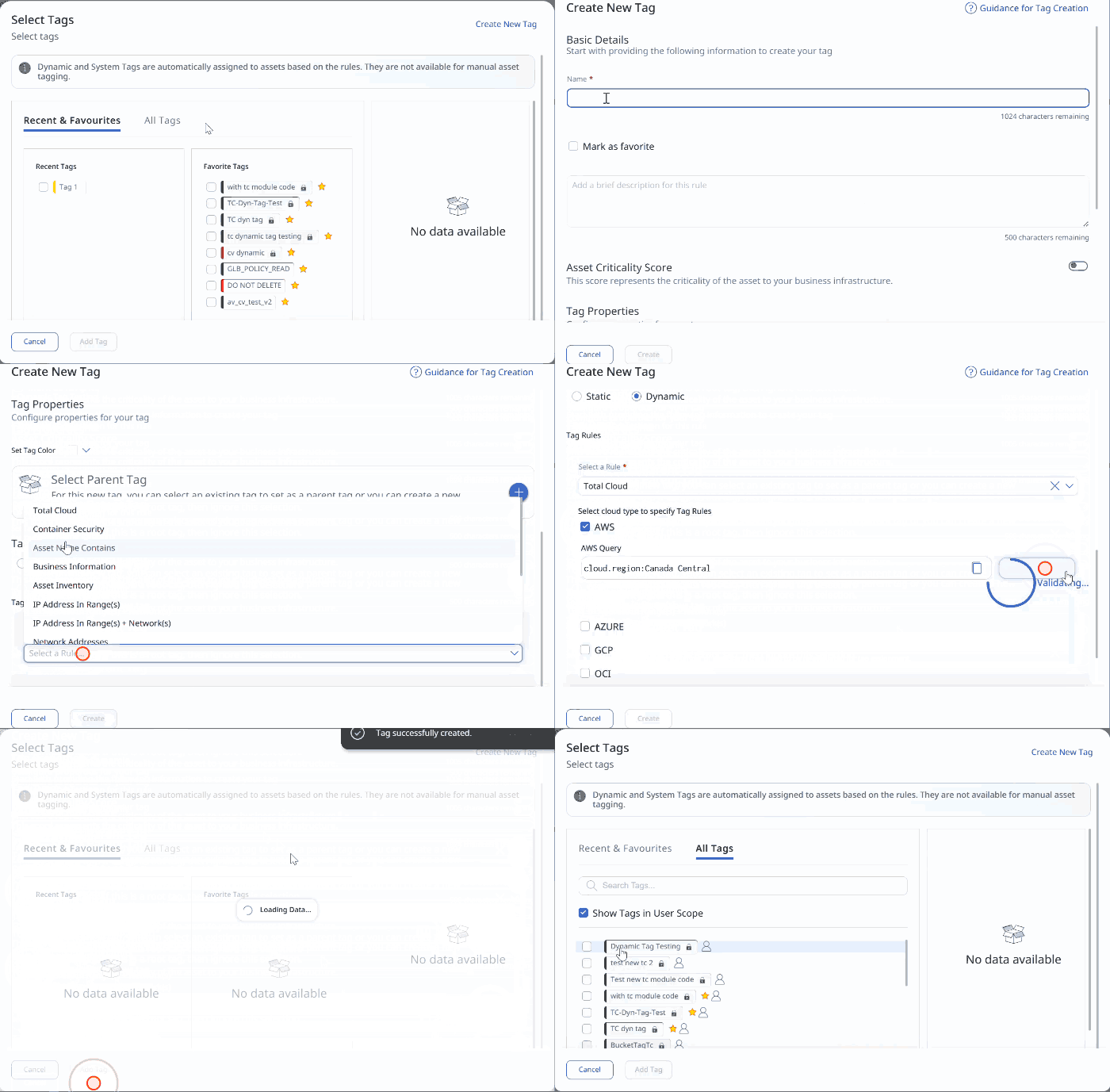
Once created, dynamic tags appear alongside your existing tags across Inventory and Posture.
Dynamic and System tags are automatically assigned to assets based on their rules. They are not available for manual asset tagging.
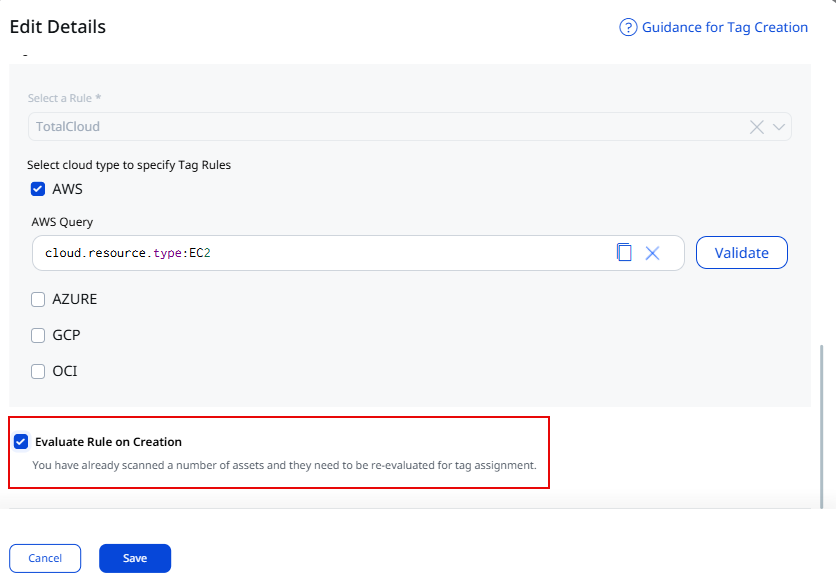
When you edit the tag rules for an existing dynamic tag, make sure to check the Evaluate Rule on Creation checkbox before saving. If the option is not selected before saving, the tag will continue to work according to the previous rule for earlier evaluated assets.