Connector Release 2.19
July 20, 2026
Qualys Connector 2.19 enhances cloud connector management, making it more secure, transparent, and reliable, so your teams spend less time troubleshooting and more time securing.
Workload Identity Federation Authentication for GCP Cloud (Beta)
Applicable for: 
TotalCloud now supports Google Cloud Workload Identity Federation authentication for GCP Individual Connectors and Organization Connectors. This enables secure, keyless authentication, eliminating the need for long-lived service account keys while simplifying connector management.
Workload Identity Federation establishes a trust relationship between Google Cloud and a supported external Identity Provider (IdP), allowing TotalCloud to authenticate using short-lived federated credentials instead of service account keys.
Benefits
- Keyless onboarding: Eliminates the requirement to create, rotate, or store GCP service account JSON keys for Org connectors.
- Operational reuse: A single IDP registration backs multiple GCP connectors across both individual and organization scopes.
- Short-lived credentials: Federated tokens are scoped, short-lived (approximately one hour), and automatically managed by the Workload Identity Federation flow.
Key Features
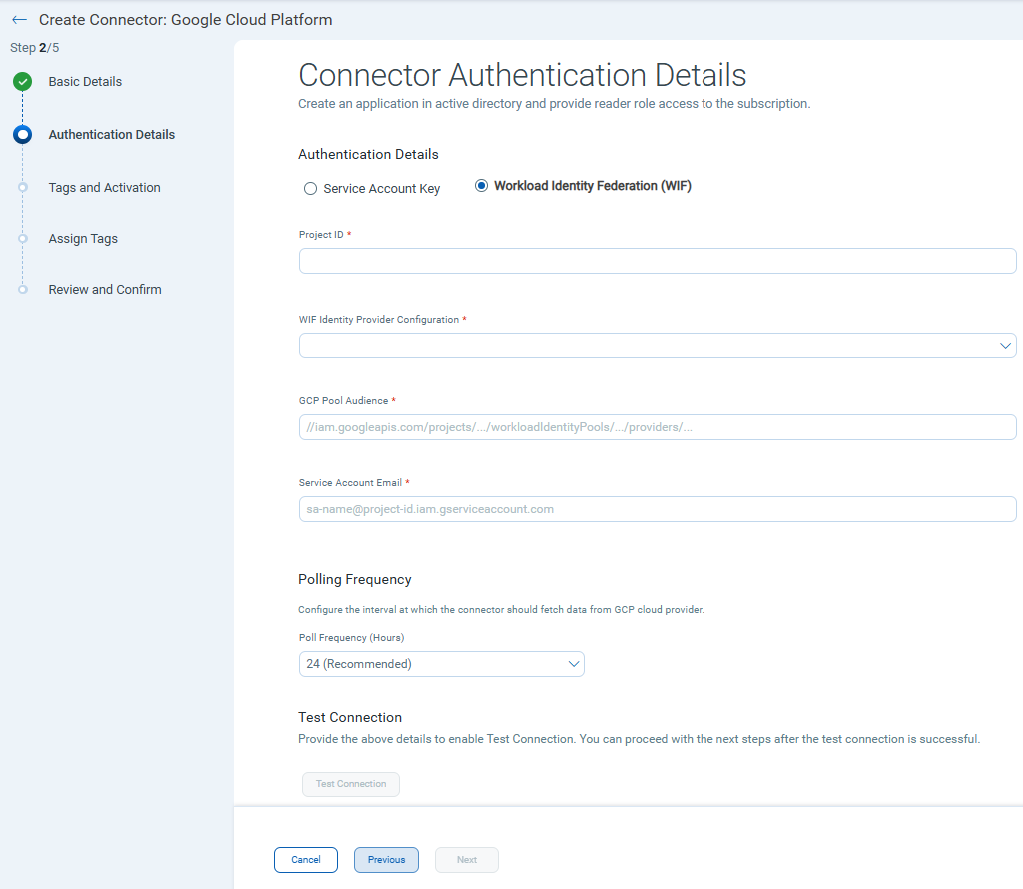
- Connectors > Create Connector/Edit Connector: The authentication details page now includes the Workload Identity Federation option.
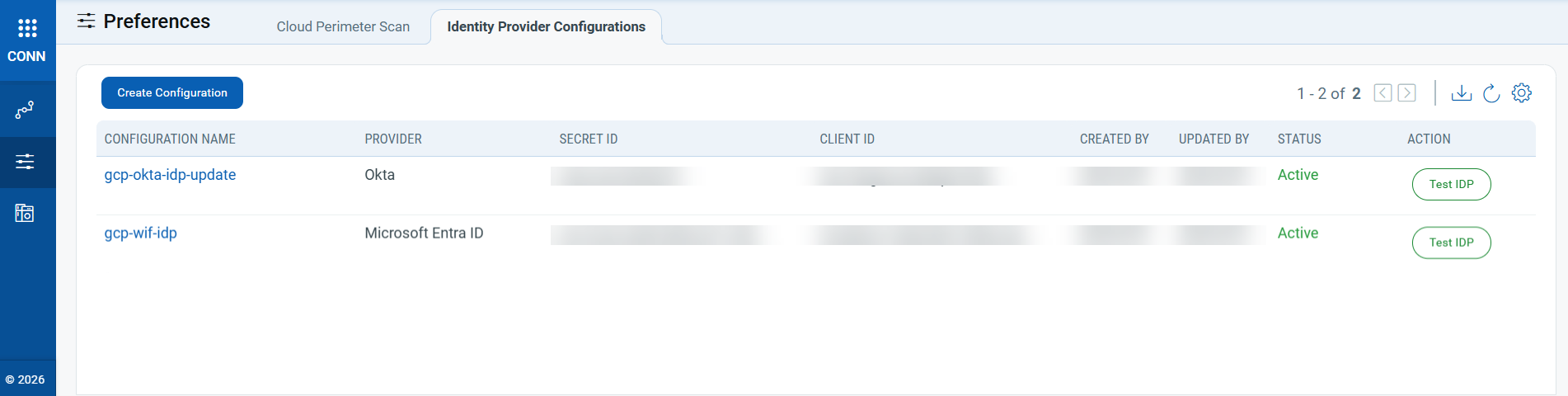
- Preferences > Identity Provider Configurations: Configure and manage IDP entries (Microsoft Entra ID or Okta) before creating the Org connector.
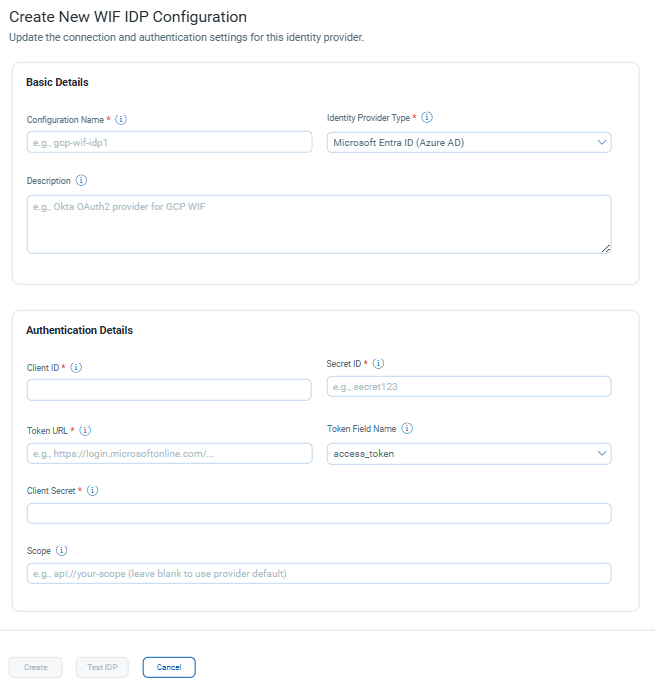
Select Create Configuration to set up a new Workload Identity Federation IDP configuration.
This feature is currently available as a BETA release. Contact your Technical Account Manager (TAM) or Qualys Support to enable Workload Identity Federation for GCP connectors.
For more information about Workload Identity Federation, refer to Google Workload Identity Federation.
Expanded Audit Log Coverage for Connector Operations
Applicable for: 


We have expanded the audit log coverage for connector-related activities by adding support for Edit Connector and Add Tags operations. Audit logs help you track who performed an action, when it occurred, and what changes were made, improving visibility into connector management and supporting audit, security, and compliance requirements.
Refer to Release 2.18 to view all connector activities captured in Audit Logs.
To view the connectors logs, navigate to the Admin module → Activity Logs → Select TC under Module quick filters.
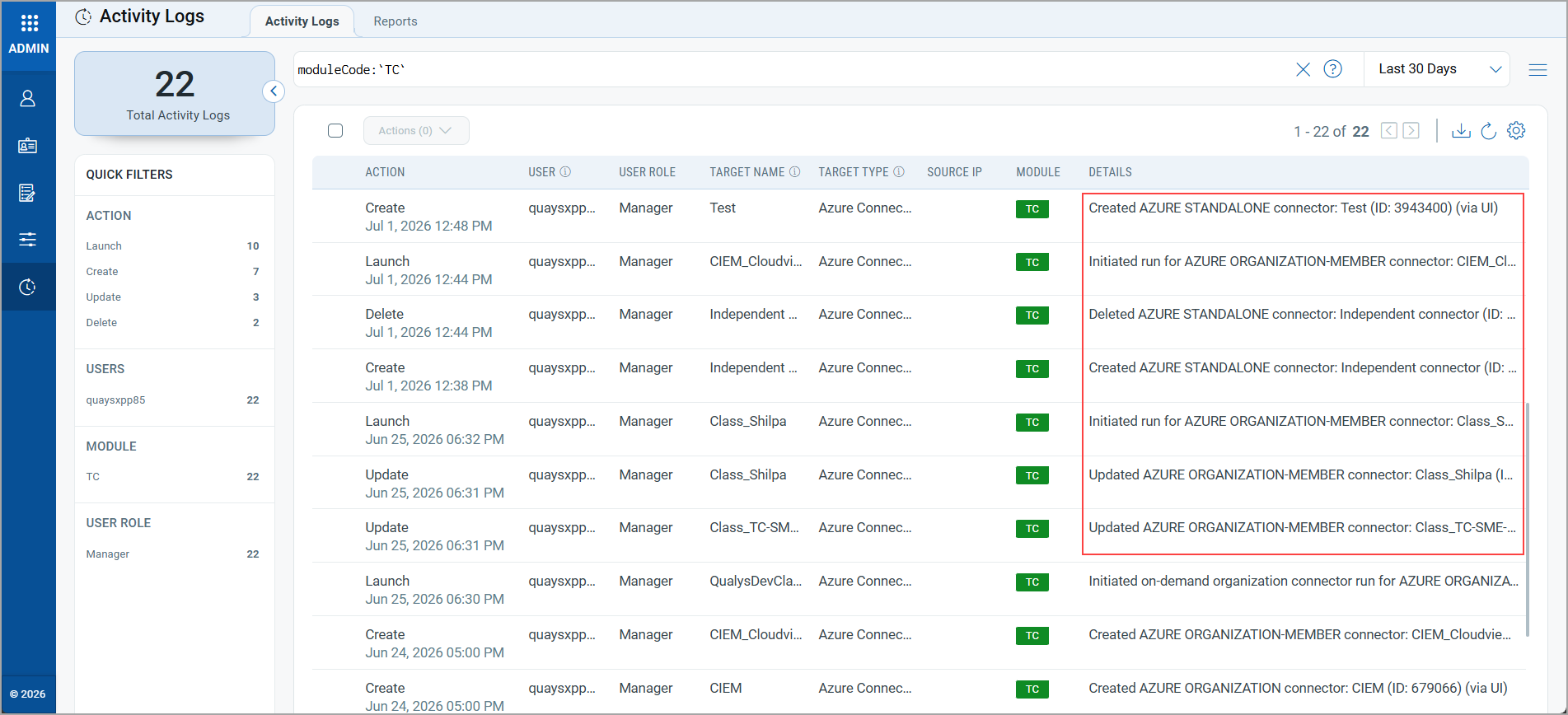
Auto-run and scheduled connector executions are not audited. Only user-initiated, on-demand connector runs are recorded in the audit logs.
Test Connection Support for OCI Connector
Applicable for:
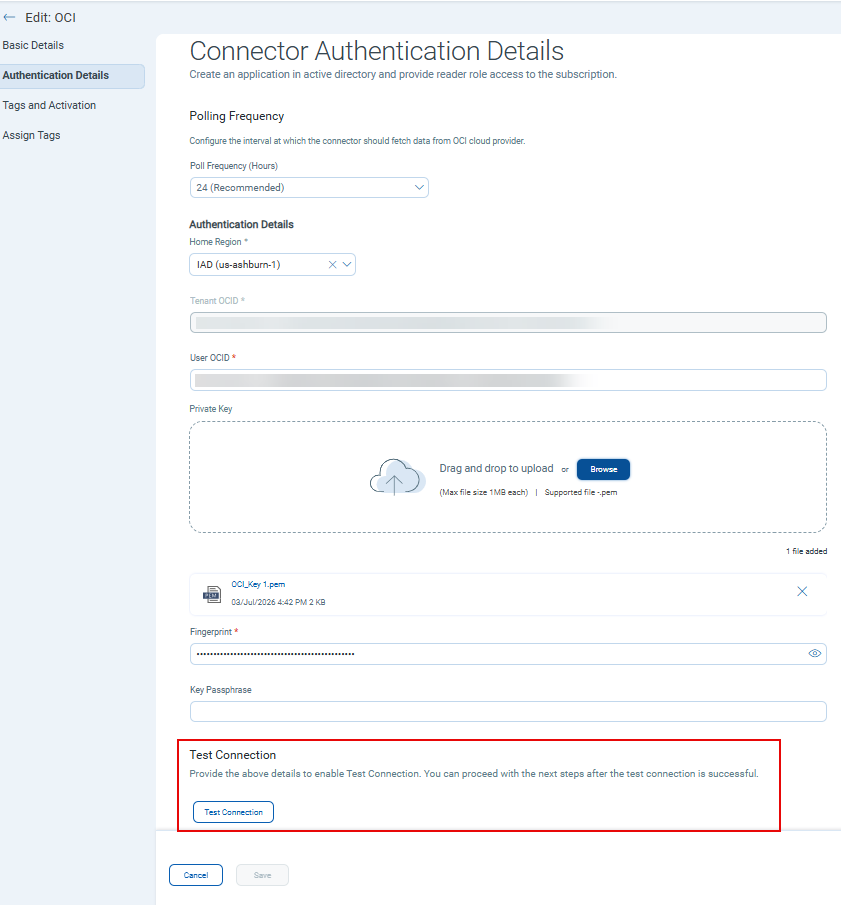
The OCI Connector now includes a Test Connection option during creation and editing. Previously, you could set up an OCI connector by entering authentication details and proceeding without verifying the connection. This update lets you validate your authentication information beforehand, ensuring a successful connection setup.
Navigate to Create Connector or Edit Connector > Provide the required authentication details > Click Test Connection to validate the credentials.
Update to "Select All Regions" Behavior
Applicable for:
Due to the temporary unavailability of the AWS Middle East (Bahrain) (me-south-1) region, it is automatically excluded when you create a new connector using the Select All Regions option (via the UI or the API). Existing connectors are also updated to exclude this region. This change prevents connector creation failures and will remain in effect until the region becomes available again.