Scan Serverless AWS Lambda Function
AWS Lambda is a serverless compute service that lets you run code without provisioning or managing servers. While Lambda simplifies operations and improves scalability, it introduces unique security challenges such as dependency vulnerabilities, misconfigurations, and runtime risks.
Container Security enables you to discover, assess, and secure AWS Lambda functions by providing visibility into function configurations, associated layers, permissions, and vulnerabilities in deployed code packages.
Scan results are available from:
Container Security > Assets > Serverless Functions
This topic explains how you can scan your AWS Lambda function using Qualys Container Security.
Key Concepts
-
Service Account
A Service Account is the AWS account where the Qualys Cloud Scanning Infrastructure is deployed and managed. It hosts the core Qualys scanning components, such as Cloud Operator Lambda function, EventBridge rules, SQS queues, DynamoDB tables, CloudWatch alarms, and Cross-account scanning infrastructure.
The Service Account serves as the central scanning and orchestration account, coordinating Lambda function discovery and vulnerability scanning. A Service account has primary and secondary regions. -
Target Account
A Target Account is the AWS account that contains the Lambda functions you want Qualys to scan.
The Target Account does not host the main Qualys scanning infrastructure. Instead, it contains, Lambda workloads to be scanned, EventBridge rules and permissions required to communicate with the Service Account. - ServiceAccountRegion
ServiceAccountRegion is the AWS Region where the Service Account CloudFormation stack (Qualys Lambda scanning infrastructure) is deployed. This parameter is specified when creating the Target Account stack so that the target account knows where to communicate with the centralized Qualys scanning components. - SecondaryRegions
SecondaryRegions is a list of AWS Regions, excluding the primary deployment region, where Qualys should deploy supporting resources to discover and scan Lambda functions.
This enables multi-region Lambda scanning.
Supported Architecture
Qualys Container Security supports Serverless Lambda function scanning on the following architecture.
| Architecture | Lambda Architecture | Docker Platform |
|---|---|---|
| ARM64 (Graviton) | arm64 | linux/arm64 |
| x86_64 (Intel/AMD) | x86_64 | linux/amd64 |
Pre-requisites
Before you begin, make sure you have the following items ready for Cloud Scanning Infrastructure.
- AWS account
- Designated for the Qualys Service Account scanning infrastructure.
- From your AWS account, the ServiceAccountId where you want to deploy the Service Account stack.
- From your AWS account, the TargetAccountId or OrganizationId where you want to deploy the Target Account stack. That is, the target account of the lambda functions that you want to scan.
- Qualys CloudFormation templates (CFT)
- CFT for Service account
URL:https://qualys-cs-cloud-scanning-cf-template.s3.amazonaws.com/CS-CLOUD-DEPLOYMENT-TEMPLATES-CFT-1.0.0-0/qualys-cs-service-account-scanning.yaml - CFT for Target account
URL:https://qualys-cs-cloud-scanning-cf-template.s3.amazonaws.com/CS-CLOUD-DEPLOYMENT-TEMPLATES-CFT-1.0.0-0/qualys-cs-target-account-scanning.yaml
- CFT for Service account
- Environment details for your Qualys subscription:
- Qualys Cloud Operator Image from Dockerhub.
Refer to How to Get the Qualys Cloud Operator Image? - Authorization: You can either use an Access Token or ClientID and SecretID for the authorization.
ClientID, SecretID
OR
Qualys Enterprise TruRisk™ Platform > Container Security > Configurations > Access Token
Doc References:
- CS 1.43 Release Notes > Development Environment Scanning with QScanner
- API Authentication using Qualys Managed Tokens - Gateway URL: Qualys Enterprise TruRisk™ Platform (POD) gateway URL for backend communication.
- Optional parameter, proxy, if required.
- Qualys Cloud Operator Image from Dockerhub.
How to Get the Qualys Cloud Operator Image?
You need to use the Docker Hub, and push the sensor image to your AWS ECR repository for the Qualys Cloud Operator image.
Use from Docker Hub, but push the image to your AWS ECR repository (public)
Use the following commands to push the Qualys Cloud Operator image to the AWS ECR public repository:
sudo docker pull qualys/cloud-operator:latest
sudo docker tag qualys/cloud-operator:latest <URL to push image to ECR public repository>
sudo docker push <URL to push image to ECR public repository>
For example:
sudo docker pull qualys/cloud-operator:latest
sudo docker tag c3fa63a818df public.ecr.aws/y4h7m2t8/qualys/cloud-operator:latest
sudo docker push public.ecr.aws/y4h7m2t8/qualys/cloud-operator:latest
AWS Lambda function Scan
Follow the steps given below to configure the AWS Lambda Function scan.
Qualys Container Security uses AWS CloudFormation Template (CFT) > CloudFormation Stack for scanning AWS Lambda functions.
You can create a CloudFormation Stack for a Service Account & a Target Account.
Do not create the Service Account Stack and Target Account Stack in the same AWS account.
Follow these deployment instructions to create AWS CloudFormation Stack.
- Log in to your AWS Console.
- Go to CloudFormation, click Create Stack, and select With new Resources.
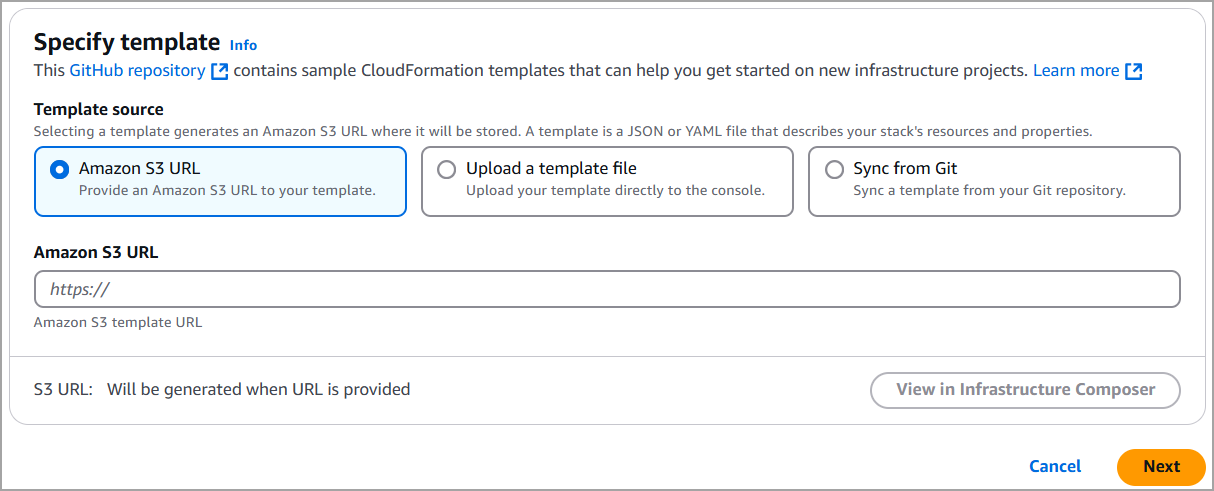
- Select the Amazon S3 URL field, and Specify template.
- To create the Service Account CloudFormation Stack,
Specify the S3 URL of the Service Account CFT (see URL in the Prerequisite section).
To create the Target Account CloudFormation Stack,
Specify the S3 URL of the Target Account CFT.
Then, click Next to continue to the template configuration.
5. Under Stack name,
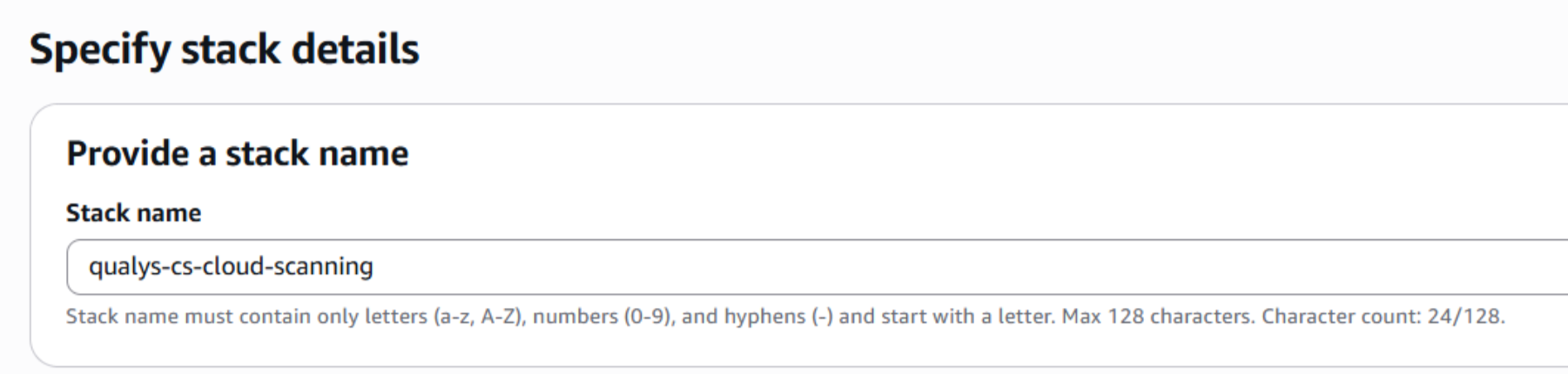
If you are creating a Service Account Stack,
Enter a name for the Qualys AWS Cloud scanning stack (Lambda function), such as 'qualys-cs-cloud-scanning'.
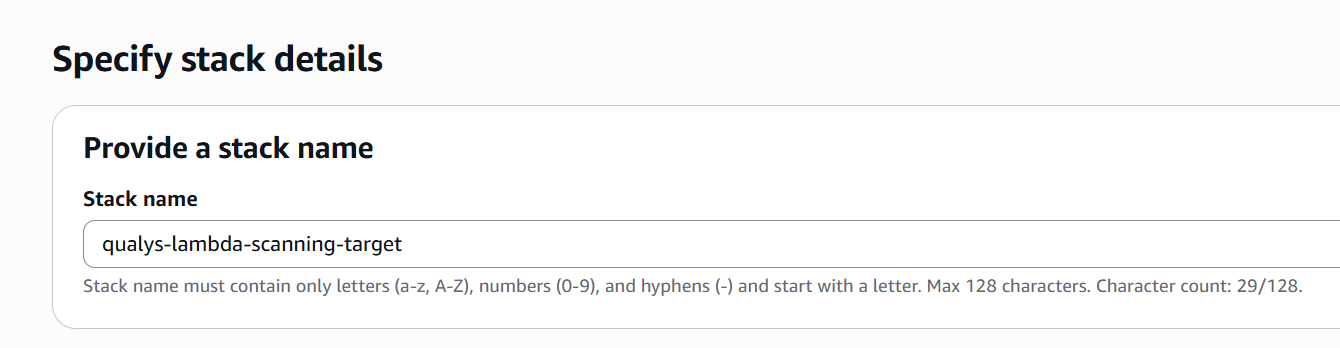
If you are creating a Target Account Stack,
Enter a name for the Qualys AWS Cloud scanning stack (Lambda function), such as 'qualys-cs-cloud-scanning'.
6. Under Parameters, provide environment details for your subscription, including Gateway URL, Qualys Access Token (OR QualysClientId, QualysClientSecret), and so on.
The table below explains the parameters for the Service Account Stack.
| Parameter Name | Mandatory | Default Value | Description |
|---|---|---|---|
| CloudOperatorImageUri | Yes | --- | ECR image URI in the same region as the stack |
| QualysAccessToken OR QualysClientId QualysClientSecret |
Yes | --- | Used for authorization. You can either use QualysAccessToken or QualysClientID, QualysClientSecret |
| GatewayURL | Yes | --- | Qualys Gateway URL. |
| OrganizationId | No | --- | Mandatory if you want to scan a Lambda function from a target account. |
| TargetAccountIds | No | --- | Mandatory if you want to scan a Lambda function from a target account. |
| SecondaryRegions | No | --- | Regions beyond the deploy region; deploys StackSet |
| ScanServiceAccount | No | true | To scan only service accounts. Set false to scan only target accounts. |
| OrchestratorMemorySize | No | 2048 | --- |
| OrchestratorTimeout | No | 900 (max) | --- |
| CloudOperatorLambdaArchitecture | Yes | x86_64 | Architecture for Lambda function (x86_64 or arm64) |
| LogLevel | Yes | Info | Log level for Lambda functions (debug, info, warn, error, fatal) |
The table below explains the parameters for the Target Account Stack.
| Parameter Name | Mandatory | Default Value | Description |
|---|---|---|---|
| SecondaryRegions | No | -- | Additional regions (beyond the stack deploy region) to deploy EventBridge rules for cross-region Lambda detection (For example, sa-east-1,eu-west-1). Must not include the stack deploy region. |
| ServiceAccountId | Yes | -- | AWS Account ID of the service account where the Lambda scanning infrastructure is deployed. |
| ServiceAccountRegion | Yes | -- | AWS region where the service account stack is deployed. For example, us-west-2 |
7. Click Next to continue through the workflow. Acknowledge the Capabilities box.
8. Click Create stack. That’s it!
Resources Created
When the stack creation is successful, several resources are created, and they’ll appear in the Resources section, as shown below.
Here’s another look at the resources created for a Service Account stack named 'qualys-cs-cloud-scanning'.
| Logical ID | Type |
|---|---|
| CloudOperator | AWS::Lambda::Function |
| CloudOperatorEventSourceMapping | AWS::Lambda::EventSourceMapping |
| CloudOperatorLogGroup | AWS ::Logs::LogGroup |
| CloudOperatorOnboardingEventSourceMapping | AWS::Lambda::EventSourceMapping |
| CrossRegionEventBusPolicy | AWS::Events::EventBusPolicy |
| CrossRegionForwardingRule | AWS::Events::Rule |
| DLQMessagesAlarm | AWS::CloudWatch::Alarm |
| EventBridgeToSQSRole | AWS::IAM::Role |
| InitialScanTrigger | Custom::InitialScan |
| LambdaEventsDLQ | AWS::SQS::Queue |
| LambdaEventsQueue | AWS::SQS::Queue |
| LambdaEventsQueuePolicy | AWS::SQS::QueuePolicy |
| LambdaFunctionEventsRule | AWS::Events::Rule |
| LambdaScanJobsTable | AWS::DynamoDB::Table |
| OnboardedAccountsTable | AWS::DynamoDB::Table |
| OnboardingEventsDLQ | AWS::SQS::Queue |
| OnboardingEventsQueue | AWS::SQS::Queue |
| OnboardingEventsQueuePolicy | AWS::SQS::QueuePolicy |
| OrchestratorErrorAlarm | AWS::CloudWatch::Alarm |
| OrchestratorExecutionRole | AWS::IAM::Role |
| OrganizationEventBusPolicy | AWS::Events::EventBusPolicy |
| SecondaryRegionEventBridgeStackSet | AWS::CloudFormation::StackSet |
| SQSQueueDepthAlarm | AWS::CloudWatch::Alarm |
| StackSetAdministrationRole | AWS::IAM::Role |
| StackSetExecutionRole | AWS::IAM::Role |
Here’s another look at the resources created for a Target Account stack named 'qualys-lambda-scanning-target'.
| Logical ID | Type |
|---|---|
| CrossAccountRole | AWS::IAM::Role |
| EventBridgeToSQSRole | AWS::IAM::Role |
| LambdaFunctionEventsRule | AWS::Events::Rule |
| TargetAccountOnboardingNotifier | Custom::TargetAccountOnboardingNotifier |
| TargetAccountOnboardingNotifierFunction | AWS::Lambda::Function |
| TargetAccountOnboardingNotifierRole | AWS::IAM::Role |