EASM Organizations/Subsidiaries
The Organizations/Subsidiaries tab provides a centralized view of your organizations or subsidiaries with their business valuations. This enables you to view the total number of assets that are distributed across different organizations or subsidiaries, track business valuation, and assess TruRisk™ scores for each entity.
By combining TruRisk™ scores and business valuation, you can:
- Get visibility into critical assets across your organizations or subsidiaries.
- Identify organizations with the highest asset volume and TruRisk™ score.
- Prioritize remediation for assets based on the asset TruRisk™ score and associated business valuation.
The Organizations/Subsidiaries tab is located under Inventory > EASM.
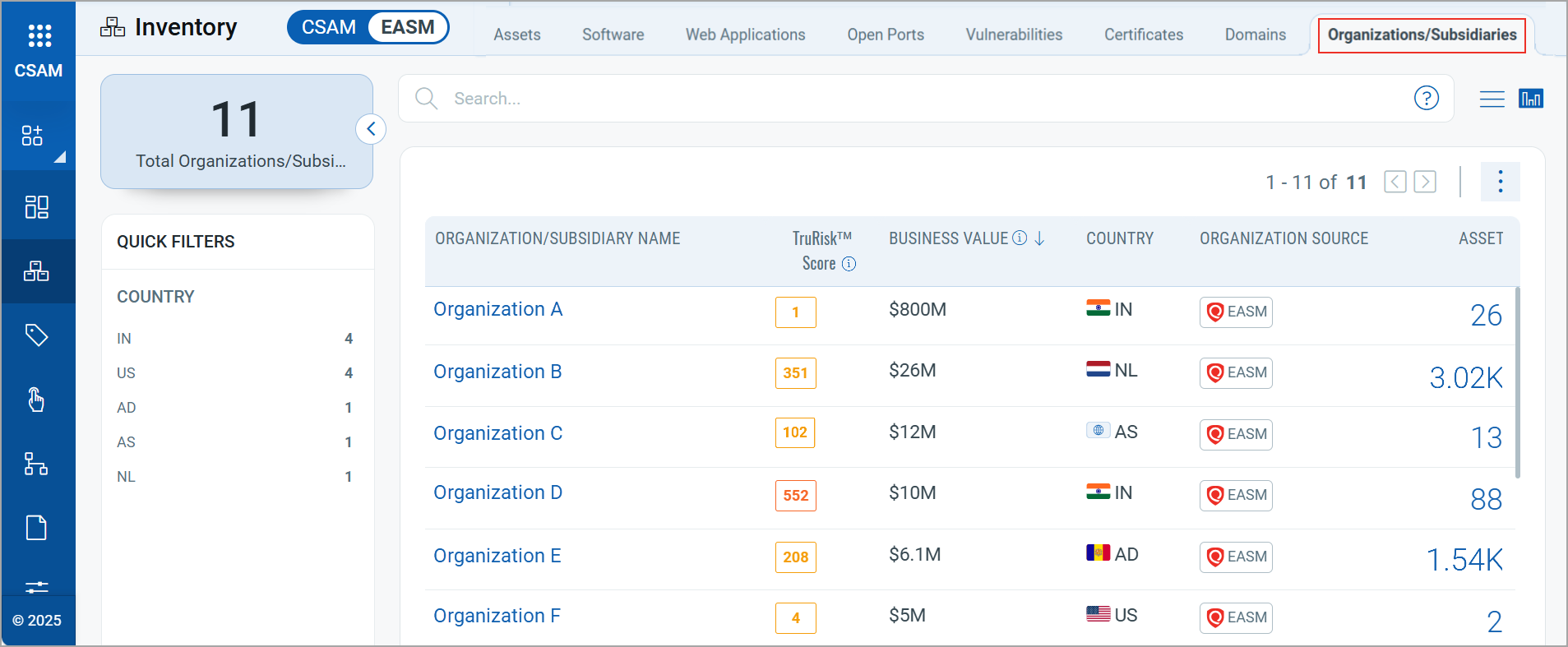
The following table provides the information that you can view on the Organizations/Subsidiaries tab:
| Detail | Description |
|---|---|
| Organization/ Subsidiary Name | Displays the name of the organization or subsidiary.
Click each name to view more details of the organization/subsidiary. For more information, refer to View Organization/Subsidiary Details. |
| TruRisk™ Score | Displays an overall TruRisk™ score for the organization. |
| Business Value | Displays the business valuation of the organization or subsidiary. The values in this column are primarily estimated and provided by Qualys, but you can modify these values as needed. The column then displays the values you have updated. The precedence will be given to the values updated by you.
To edit the business values, refer to Edit Business Value or Country. |
| Country | Displays the country where the organization or subsidiary is registered. |
| Organization Source | Displays the source from which the organization and assets are discovered. |
| Assets | Displays the total number of assets associated with the organization or subsidiary.
Click the asset count to view the associated assets. |
View an Organization or Subsidiary Details
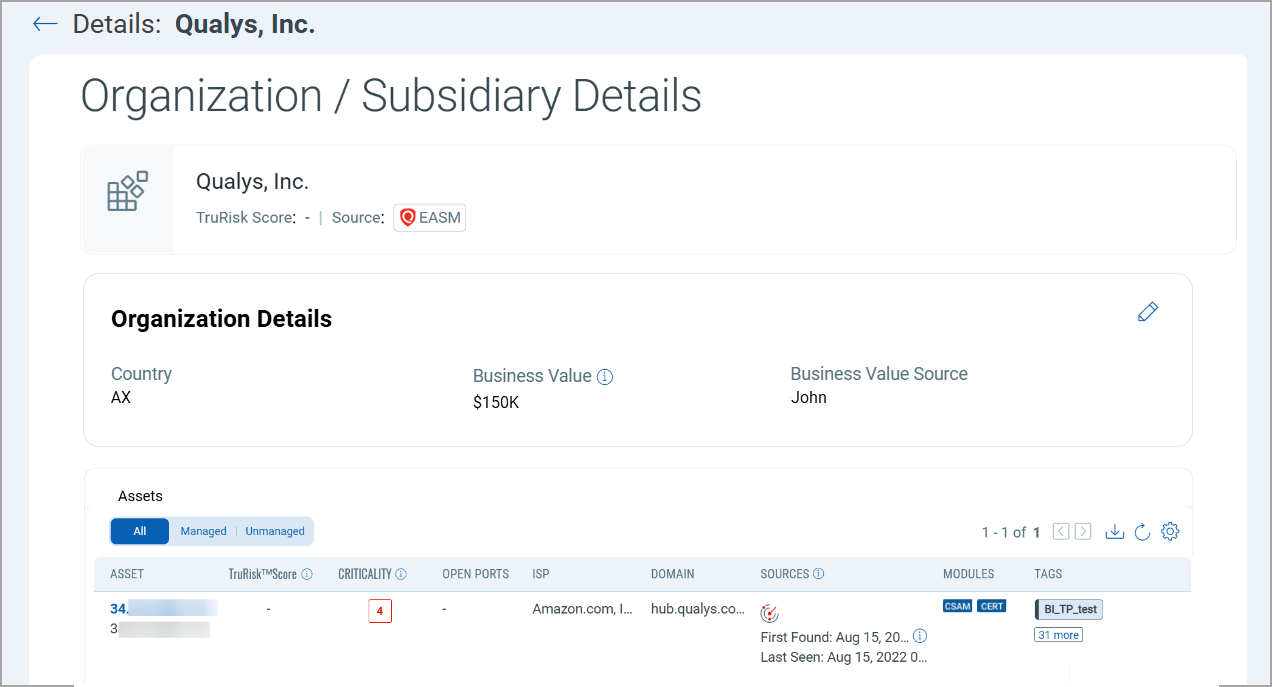
To view details, click an Organization/Subsidiary name. The details page includes the following sections:
- Organization Details:
Displays information such as Country, Business value, and Business value source. If you manually update the Business value or Country, the Business value source displays your username.
For more information, refer to Edit Business Value or Country. - Assets:
Displays all managed and unmanaged assets linked to the selected organization or subsidiary.
Edit Business Value or Country
You can edit the Business Value or Country information for any organization or subsidiary.
To edit, follow these steps:
- Click the edit icon.
- Edit the country and the valuation as required.
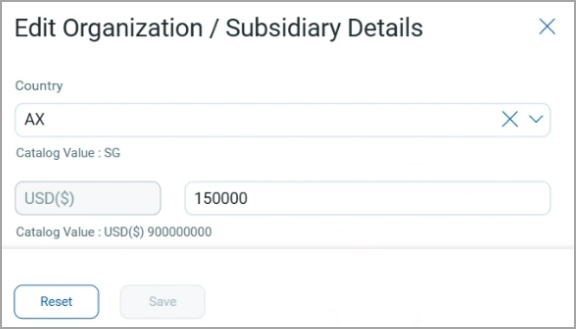
The original value (estimated by Qualys) is displayed as the Catalog value in the edit window. You can click Reset to revert the edited values.
Only whole numbers are accepted for the Business Value. Decimal values are not supported.
- Click Save.
Download Organization/Subsidiary Details
You can download the organization/subsidiary details to your computer.
To download, follow these steps:
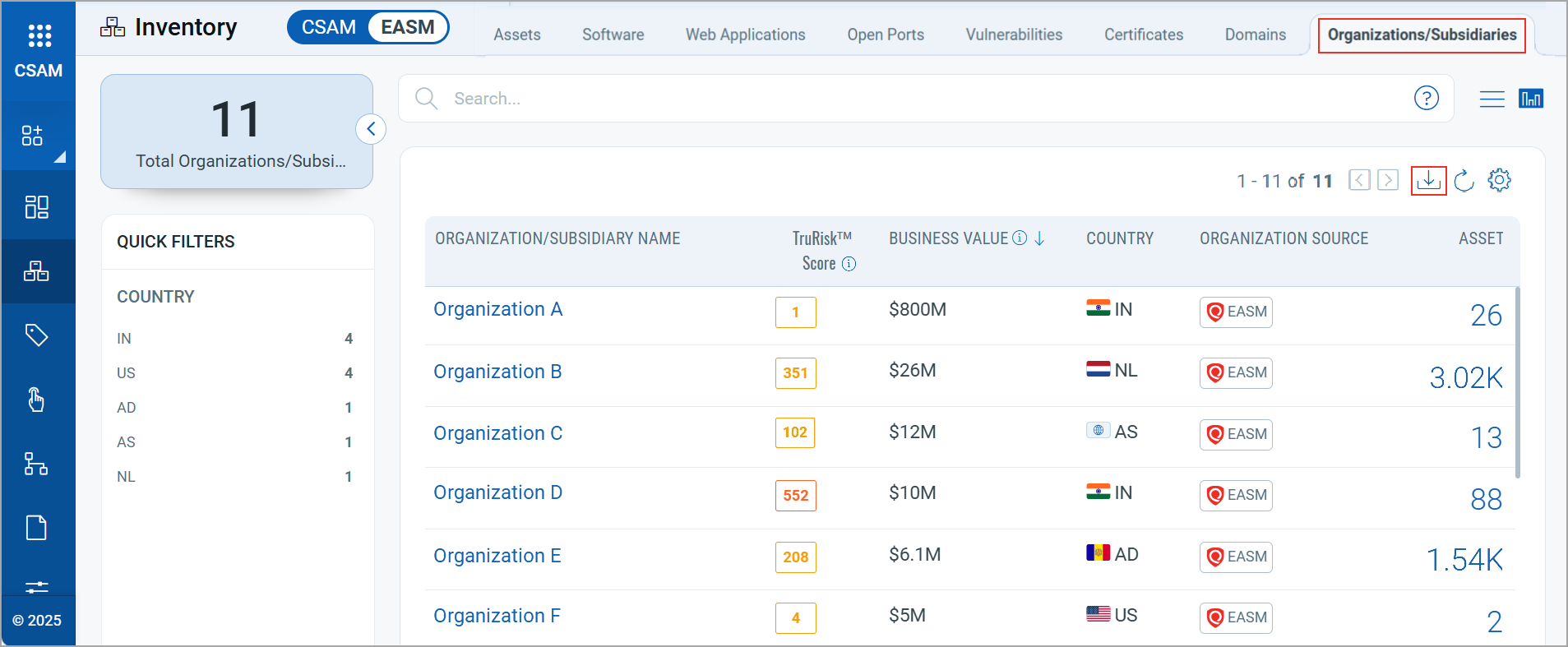
- Click the Download icon.
- Select a download file format from the options:
- Comma-Separated Value (CSV)
- Hypertext Markup Language (HTML)
- Extensible Markup Language (XML)
- Portable Document Format (PDF)
You can also click Create a Report to generate a report for the data. For more information, refer to EASM Organization/Subsidiary Report.
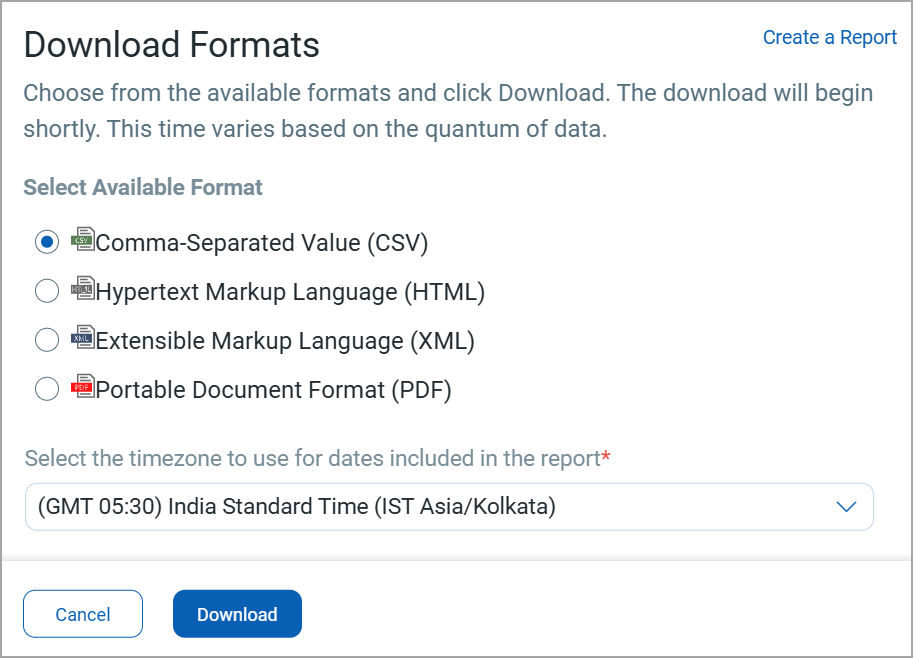
- Select the timezone to use for dates included in the report.
- Click Download.