Qualys Scanner Rule
Configure asset identification rules specifically for assets discovered through Qualys Scanner. These rules define the criteria used to evaluate and merge scanner assets when standard merge identifiers, such as Correlation Identifier and Agentless Tracking Identifier, are unavailable.
View Qualys Scanner Rule
To view the Qualys Scanner rule, follow these steps:
- Navigate to Rules > Asset Identification > Rules.
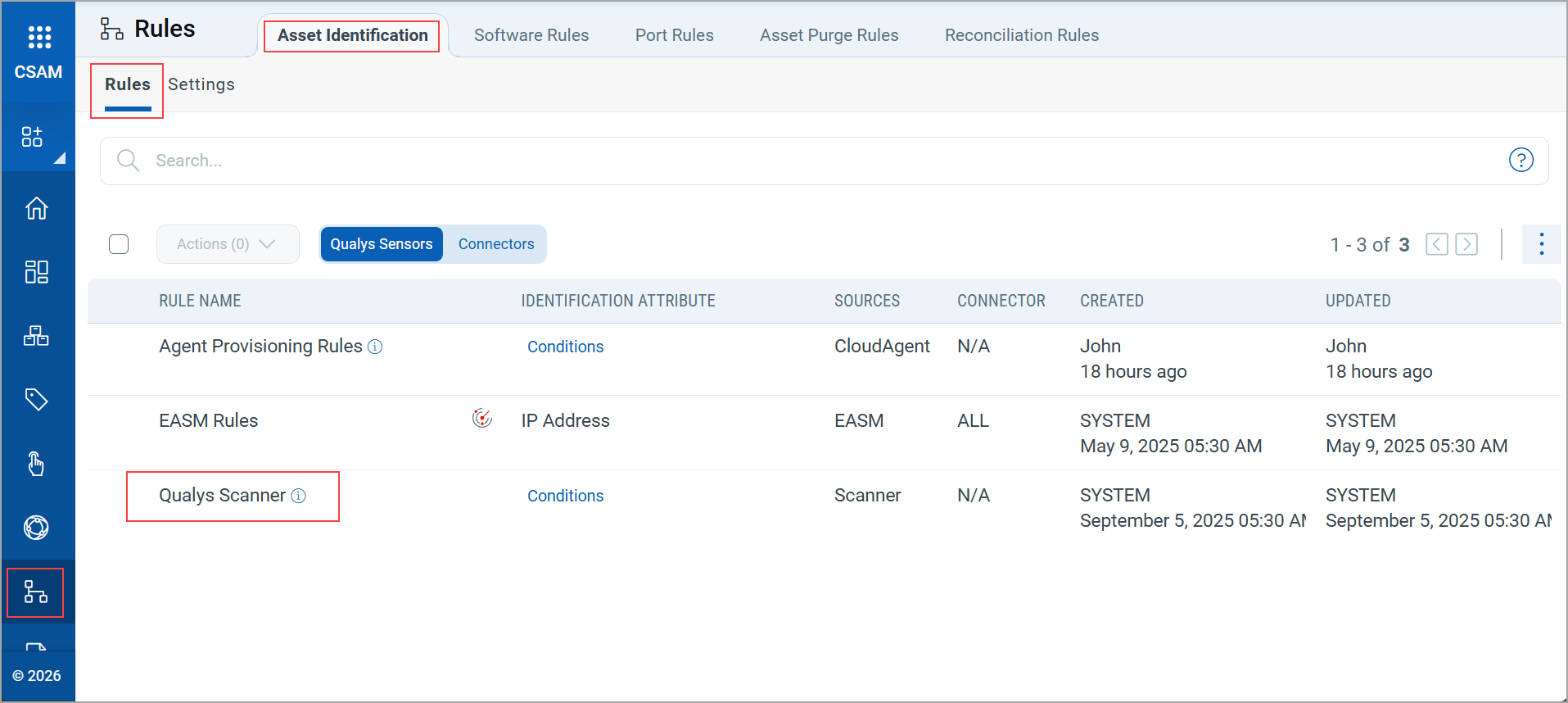
- Select the Qualys Scanner rule to view its details.
You can view the rules based on the tracking methods (IP Address, DNS, and NETBIOS).
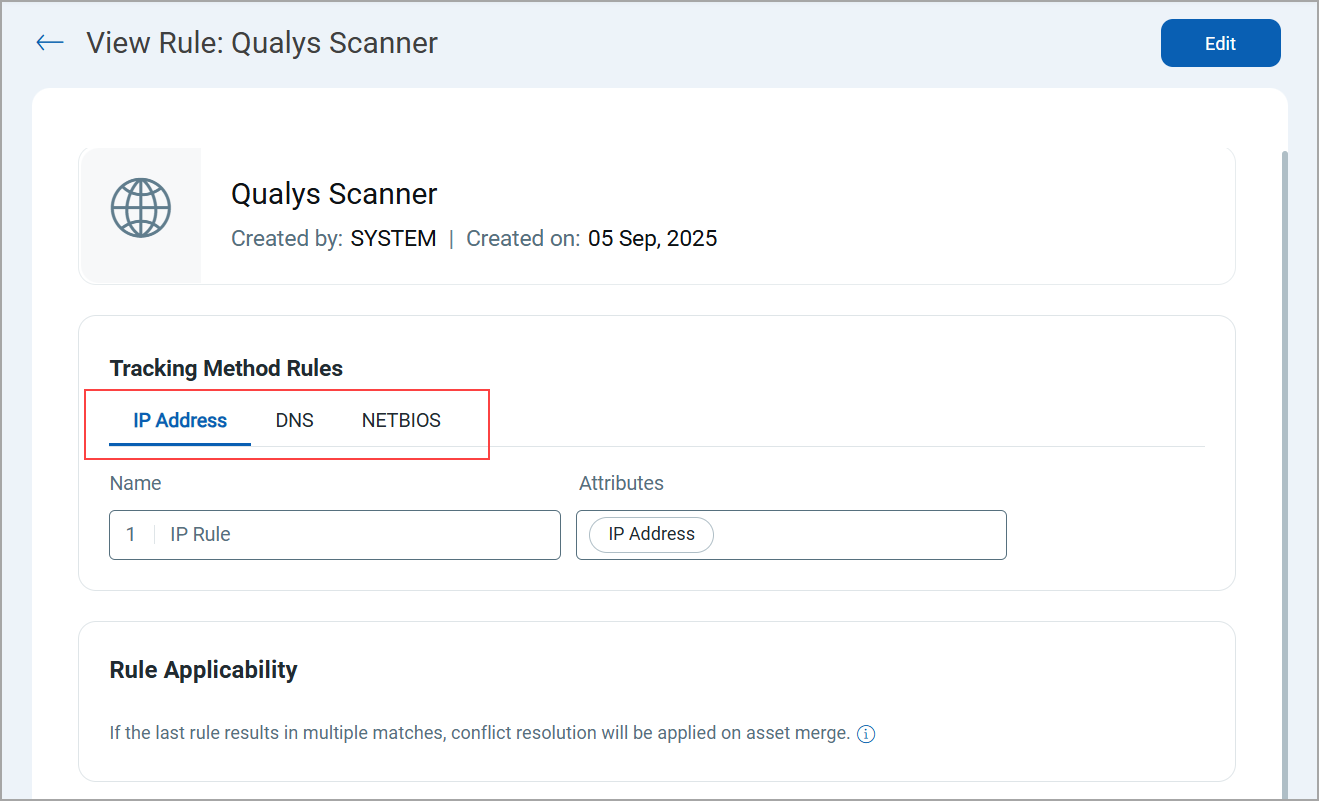
Edit Qualys Scanner Asset Rule
You can edit the rule to define the conditions used for asset matching and merging.
To edit the rule, follow these steps:
- Navigate to Rules > Asset Identification > Rules.
- Select the Qualys Scanner rule and click Edit from the Quick Actions menu.
- Edit the following Tracking Method Rules: IP Address, DNS, and NETBIOS.
A maximum of 5 conditions can be added. At least one primary value must be selected from the Attributes list. The secondary values are available for selection only after the primary value is selected.
You can add the following attributes for each tracking method:
Primary Attribute Secondary Attribute IP Address Serial Number Hostname Cloud Provider Instance ID MAC Address Operating System Netbios 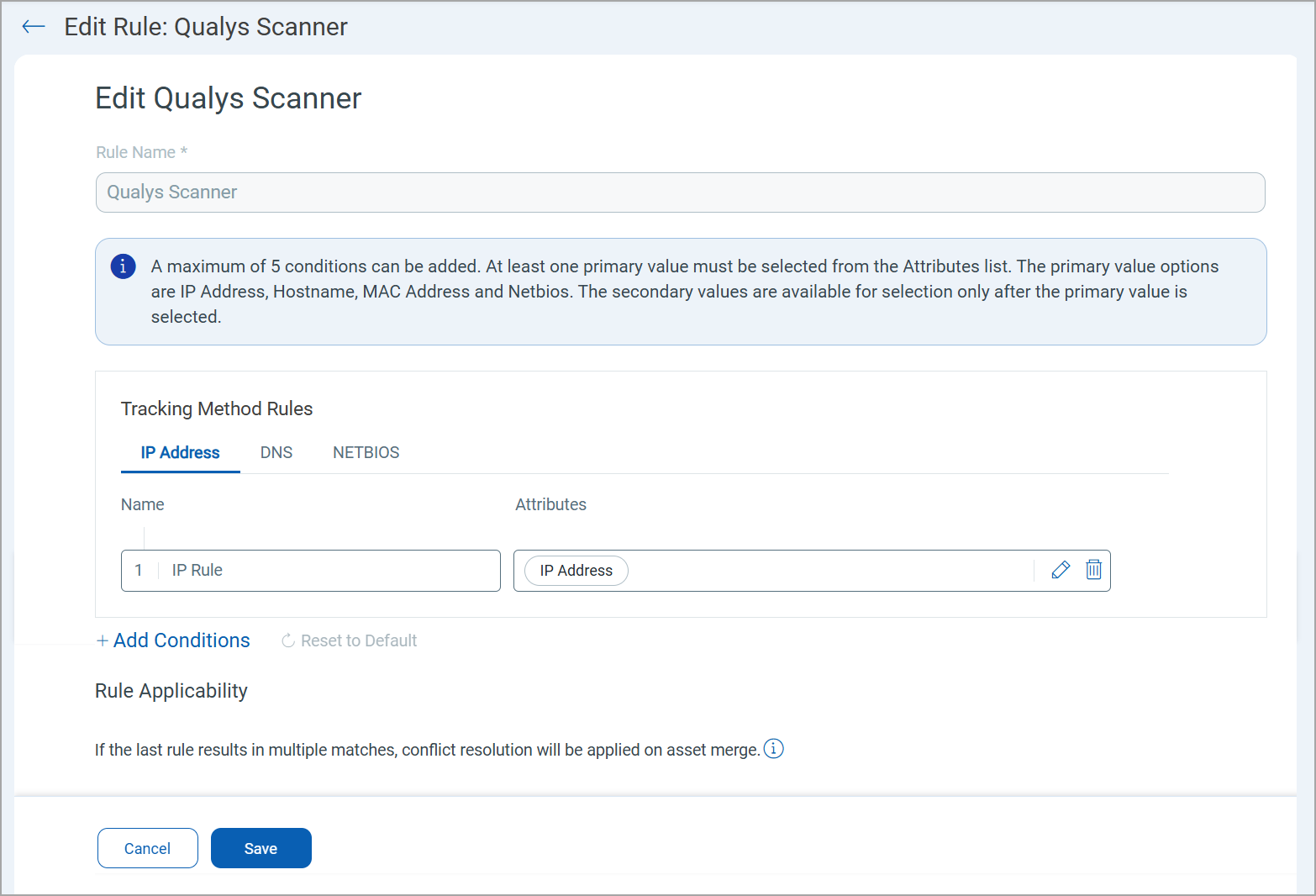
- Click Add Conditions to add more conditions.
You can perform the following actions on the added conditions:
 : Click to add or remove an attribute.
 : Click to delete a condition.
 : Click to drag and drop a condition to rearrange the order of conditions.
- Click Save.
Related Topics