One platform for the full risk lifecycle
Security teams juggle dozens of tools, each with its own view of risk. Enterprise TruRisk™ Management unifies that picture, bringing asset visibility, business context, threat intelligence, prioritization, remediation, and reporting into a single, continuous workflow, enriched by Connectors, TruLens, and TruConfirm, with five AI agents and the ROCky assistant working alongside every stage.
Start from where you are today
Choose the route that matches your environment, then move through each guided step at your own pace.
Bring your vendors' risk data into ETM
ETM connects your third-party vendors to import their security and risk data for TruRisk™ analysis, consolidating vendor information, enriching TruRisk™ scoring, and giving you one unified view of your security posture.
Agents along your ETM journey
Get help from purpose-built AI agents inside ETM to validate exploitability, monitor adversaries, prioritize vulnerabilities, and track compliance around the clock.

ROCky, Cyber Risk AI Assistant
A conversational AI assistant embedded in ETM that helps you query exposures, review risk scores, track remediation, and generate reports, reachable from anywhere in the platform rather than living in one stage.
Learn more about ROCky →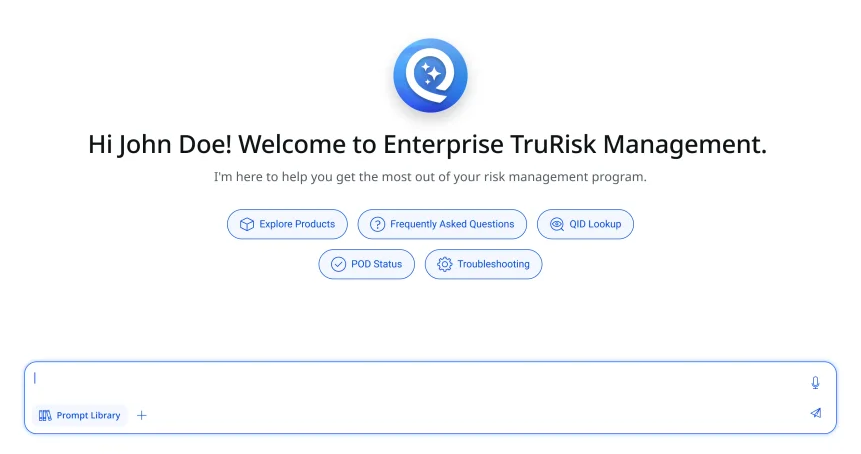
Purpose-built services underneath ETM
Purpose-built capabilities that enrich threat context, validate real-world exploitability, and bring identity risk into your unified ETM view.
AI-powered threat intelligence that sharpens every TruRisk™ score with industry context, financial impact, and early exploit signals.
Learn more about TruLens →Automated, evidence-based exploit validation that confirms real-world exploitability before your team spends a maintenance window on it.
Learn more about TruConfirm →Agentless, snapshot-based vulnerability scanning for cloud workloads, assess risk without deploying agents, sensors, or scan appliances.
Learn more about InstaScan →Extend TruRisk™ to identity infrastructure: discover Active Directory misconfigurations, privilege escalation paths, and identity-based exposures across your environment.
Learn more about ETM Identity →Jump straight to it
Choose a task to jump directly to the relevant ETM topic.
Learn ETM through guided videos
Explore the Qualys ETM video library for product introductions, workflow demonstrations, connector guidance, and practical walkthroughs that help you get more from ETM.