File Integrity Monitoring Release 4.9.3
August 03, 2026
Approval ID Field in Incident Review
You can now associate an Approval ID with an incident during the review process, making it easier to correlate incidents with approved changes and maintain audit traceability. For example, you can link an incident to a ServiceNow Change Request or another IT Service Management (ITSM) approval record.
The Approval ID field is available on the Review step of the Incident Review workflow.
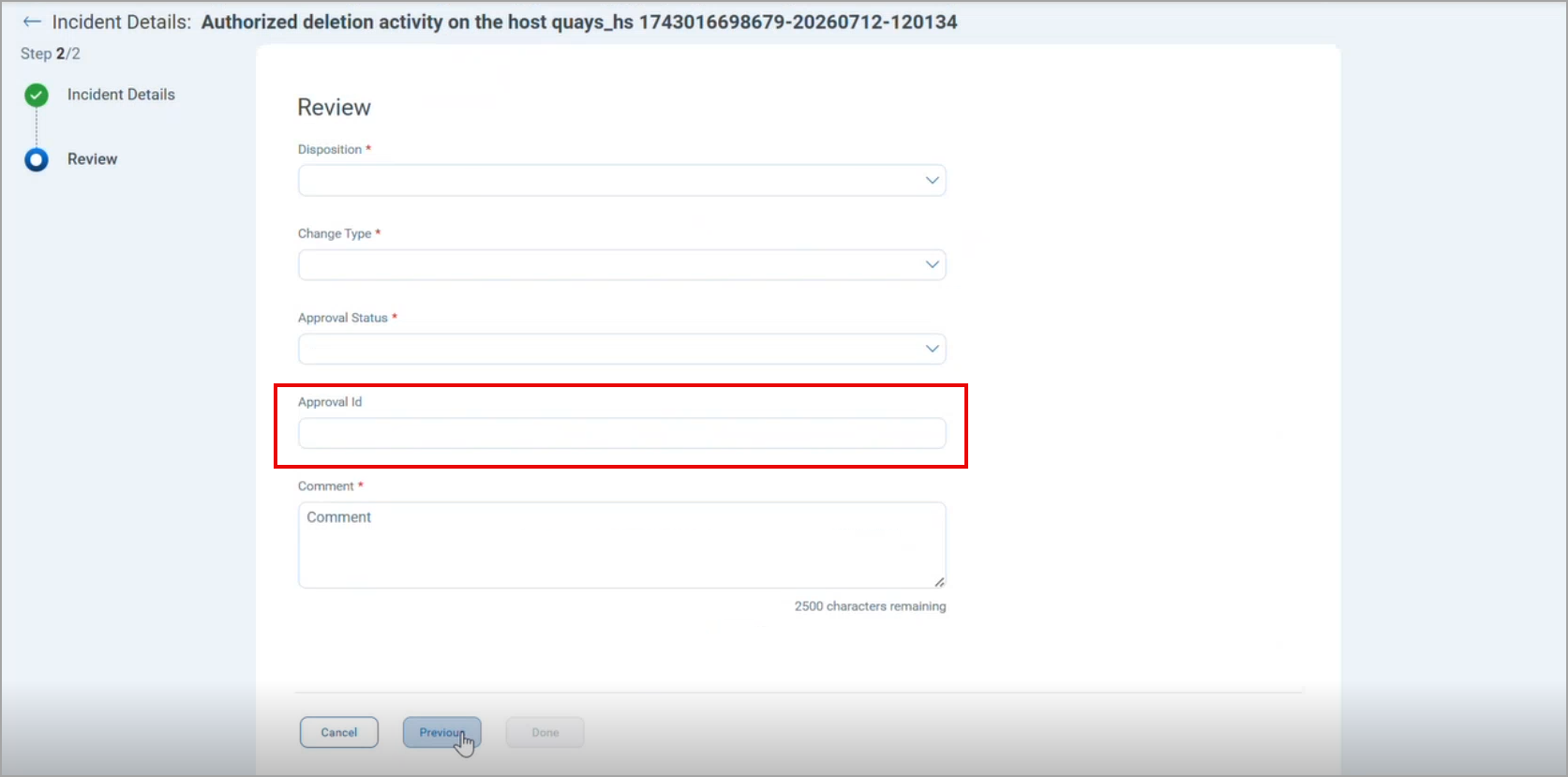
This is an optional field. Existing incident review workflows continue to work without any changes.
The Approval ID is also available on the following pages:
- As a new Approval ID column on the Incidents tab.
- On the Autocorrelation Rule Creation page, while selecting the review mode as Automated
- As a field in Incident Reports
- As an option to add the Approval ID to scheduled event reports.
For more information, refer to FIM Online Help.
Reviewer Validation in Incident and Autocorrelation Rules
File Integrity Monitoring (FIM) can validate reviewers added to Incident Rules or Autocorrelation Rules to catch invalid usernames or email addresses before the rule is saved, preventing reviewers from missing incident notifications. This reduces configuration errors and helps ensure incident notifications reach the intended reviewers.
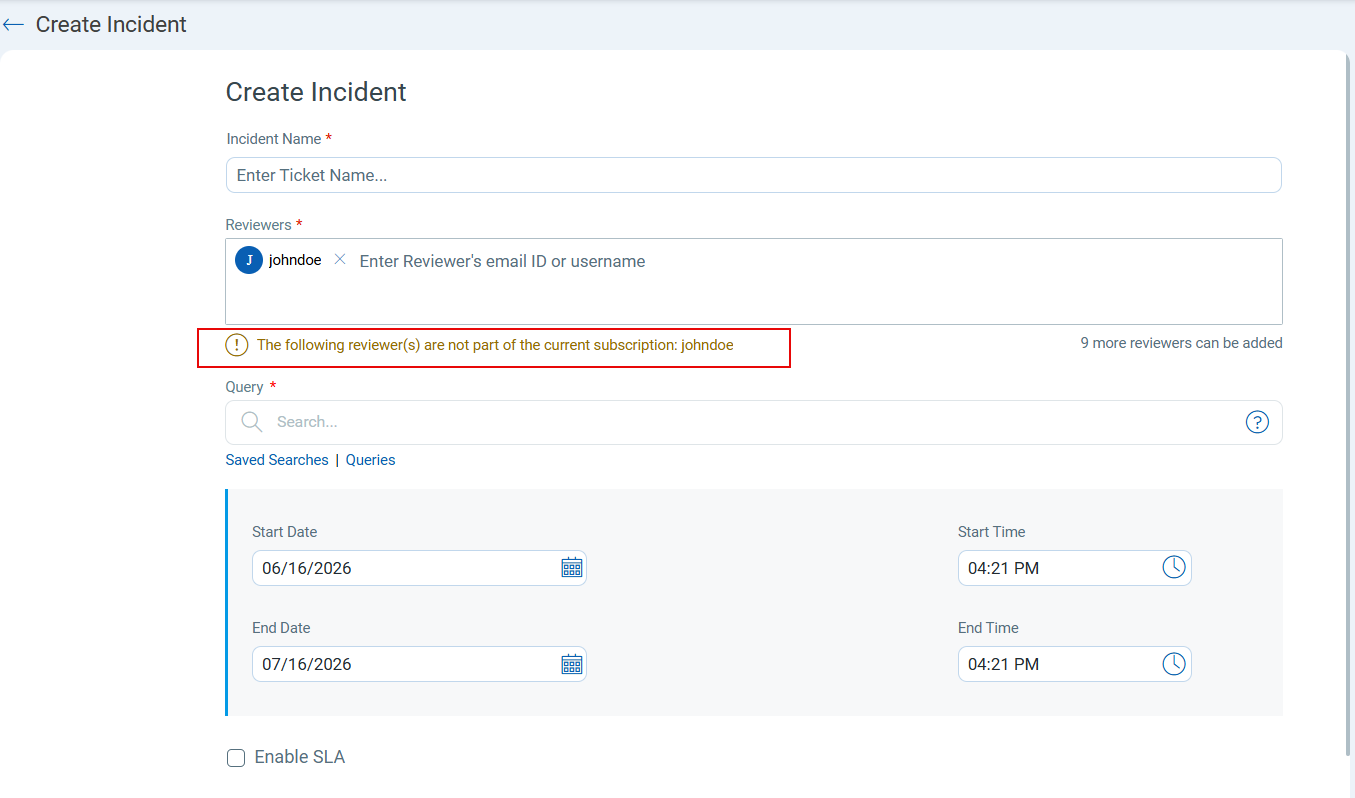
Previously, the Reviewers field used to accept any value without checking, so a rule could be created for a reviewer who did not exist or belonged to a different subscription, and that reviewer would never be notified. The system now checks each reviewer you enter against active users in your subscription. If a reviewer is not found or is from outside of your subscription, a warning is displayed.
Validation displays a warning only and does not prevent you from saving the rule.
This validation applies to the Reviewers field on both the Create Incident page and the Autocorrelation Rule creation page. If more than one entry is invalid, all of them are listed together, comma-separated.
Refer to the following screenshot for the warning message:
Issues Addressed
The following reported and notable issues are fixed in this release:
| Category/Component | Description |
|---|---|
| FIM - API Access Control | We fixed an issue where a user provisioned with only Container Security (CS) module access, and without File Integrity Monitoring (FIM) module access, was able to invoke FIM API endpoints (Incidents, Profiles, and Events) through the API gateway and retrieve FIM data. Now, FIM API endpoints correctly enforce module-level access control, and users without access to the FIM module can no longer retrieve FIM data through these APIs. |
| FIM - Event Insights | We fixed an issue where clicking the FIM Profile link on the Events > Event Insights page truncated the auto-populated search query for FIM rules with an ampersand (&) in the rule name, resulting in an "Unable to fetch the events. Please ensure the query is valid." error. Now, the query is populated correctly for rule names containing an ampersand (&), and the FIM Profile link returns the expected results on the All Events tab. |
| FIM - Correlation Rules | We fixed an issue where correlation rules created to monitor file deletion on a specific drive (For example, C:) also generated alerts for registry key deletion events, even though the rules' QQL queries did not include any registry-related tokens. Now, correlation rules for file deletion activities generate alerts only for the matching file path criteria and no longer include unrelated registry deletion events. |