View Database Information
Databases often contain sensitive information, such as customer or user data. This makes them attractive targets for cyber-attacks and misuse. As a result, various organizations are required to comply with regulations such as GDPR and PCI-DSS for the protection of databases. Access to detailed information about specific database instances enables organizations to assess whether a particular instance falls within the scope of GDPR, PCI compliance, or any other regulation.
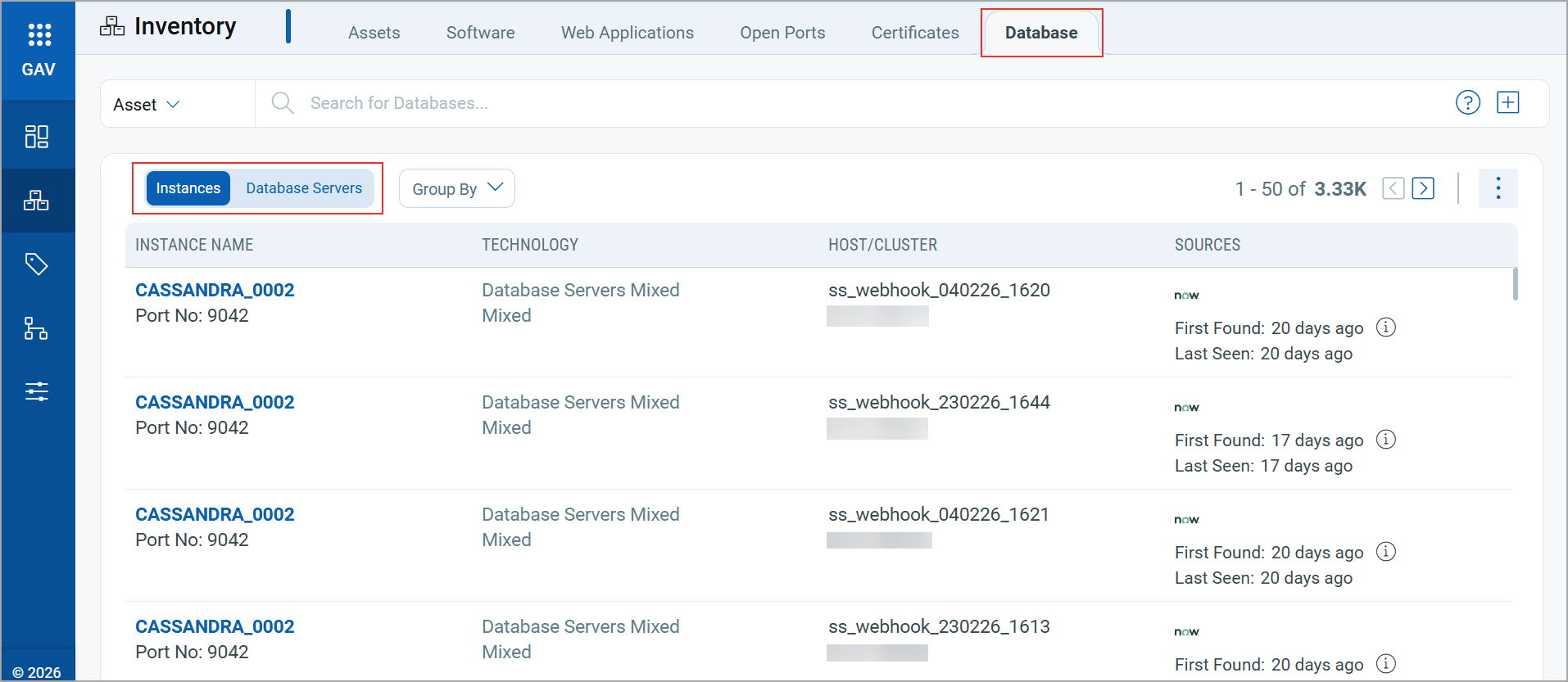
The Database tab allows you to view detailed information about database Instances and Database Servers. You can use the Group By to filter or QQL token to search for a specific instance or server. You can filter the instances based on the Database or Asset using the QQL tokens. For more information on tokens, refer to Search Tokens.
Instances
This section provides a comprehensive view of your database instances. Each column provides detailed insights into:
| Column | Description |
|---|---|
| Instance Name | Provides the Instance name and the Port details. |
| Technology | Provides the database name and version. |
| Host/Cluster | Provides the hostname/cluster where the database is installed, along with its IP addresses. |
| Sources | Provides the source of the instance along with their first found and last seen timestamps. |
You can view more details about an instance by clicking View Details from the Quick Actions Menu. The following details are displayed for an instance:
| Field | Description |
|---|---|
| Identification | |
| Instance Name | The name of the discovered database instance. |
| Instance ID | Qualys-generated identifier for the database instance.
It is derived from the technology identifier and the unique identifier attributes collected during discovery. The Instance ID may be positive or negative. Negative values are expected and do not indicate an issue. |
| Host Name | Hostname of the asset where the instance is discovered. |
| Asset ID | Qualys asset identifier for the host associated with this instance. |
| First Seen | Date and time when Qualys first discovered the instance. |
| Last Seen | Most recent date and time when Qualys discovered or observed the instance. |
| User | Database user associated with the discovered instance, when available. |
| Software Information | |
| Name | Full discovered database software name and version. |
| Installation Path | File-system path where the database software is installed, when available. |
| Install Date | Date on which the database software was installed, when available. |
| Last Used Date | Most recently detected usage date for the software, when available. |
| Other Information | |
| Ref | Discovery reference data used to identify the instance, such as the configuration-file location and port. |
| Port | Network port on which the database instance listens. |
| Pid | Operating-system process ID of the discovered database process. |
| Version | Database version detected for the instance. |
Database Servers
The Database Servers tab provides detailed information about the database servers.
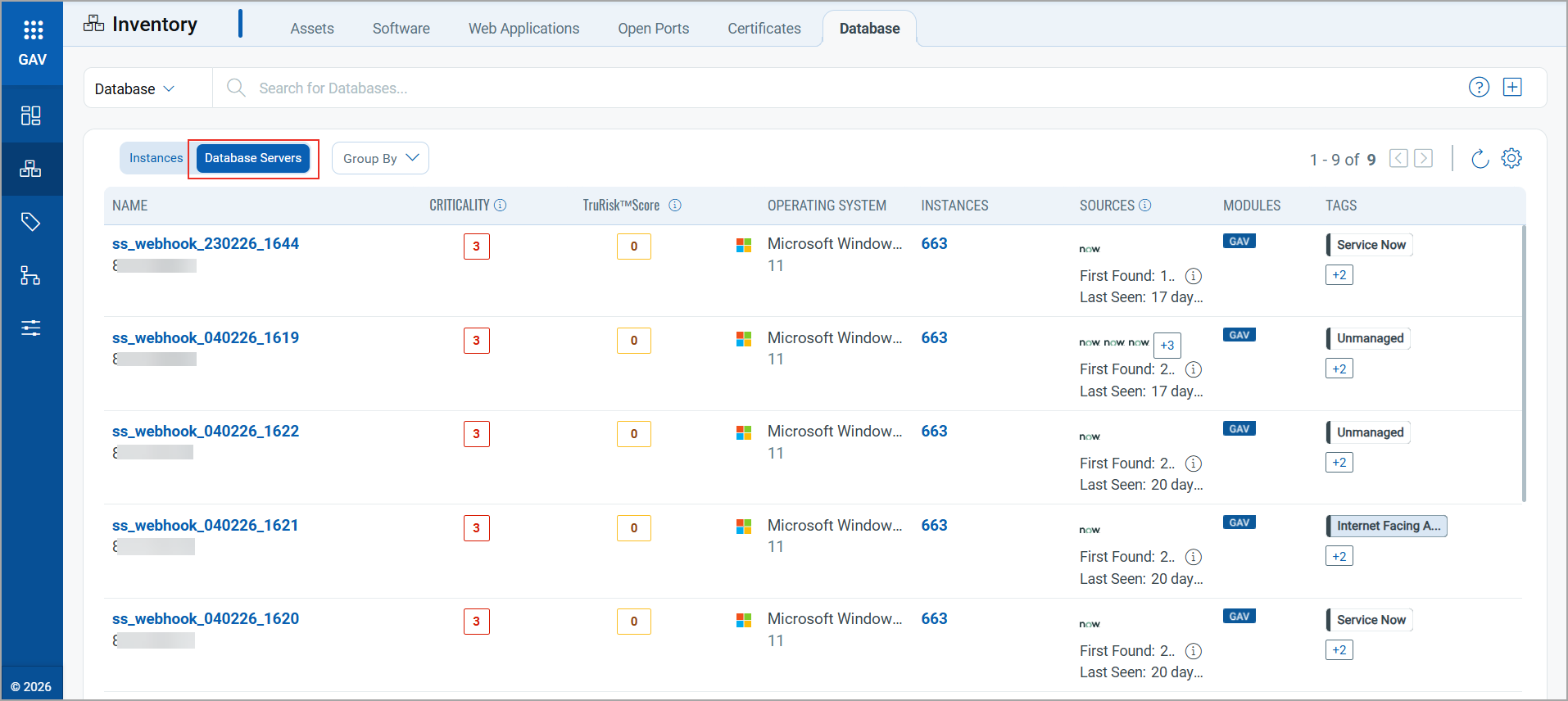
The following details are displayed for each server record:
| Column | Description |
|---|---|
| Name | The name of the database server host. Click the name to view detailed information about the server and its associated database instances. |
| Criticality | Displays the asset criticality score assigned to the database server. |
| TruRisk™ Score | Displays the TruRisk score calculated for the asset. |
| Operating System | Displays the operating system running on the database server. |
| Instances | Displays the number of database instances running on the server. Click the number to view instance details. |
| Sources | Indicates the sources that discovered the database server. The First Found and Last Seen timestamps show when the source first detected and most recently observed the asset. |
| Modules | Displays the Qualys module managing the asset. |
| Tags | Displays the tags associated with the database server. |
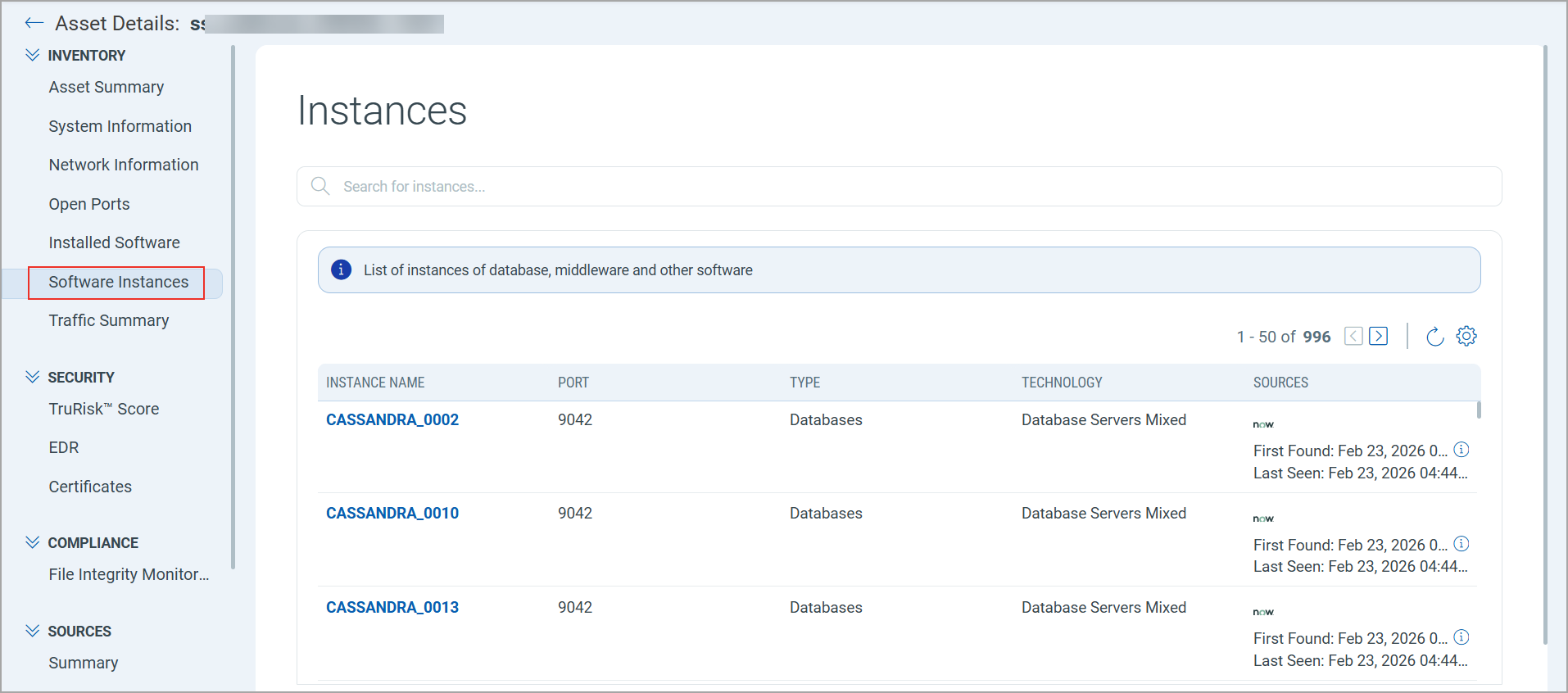
Clicking on the Instances number redirects you to the Asset Details > Software Instances tab. This tab provides more details on instances.