Extract Cloud Agent Parameters
Before you start deploying Cloud Agent as a component, you must you must extract all the required Cloud Agent parameters.
The following are the steps to extract the Cloud Agent parameters.
- In the Cloud Agent user interface, navigate to Agent Management > Activation Keys.
- Select an activation key and open the Quick Actions menu.
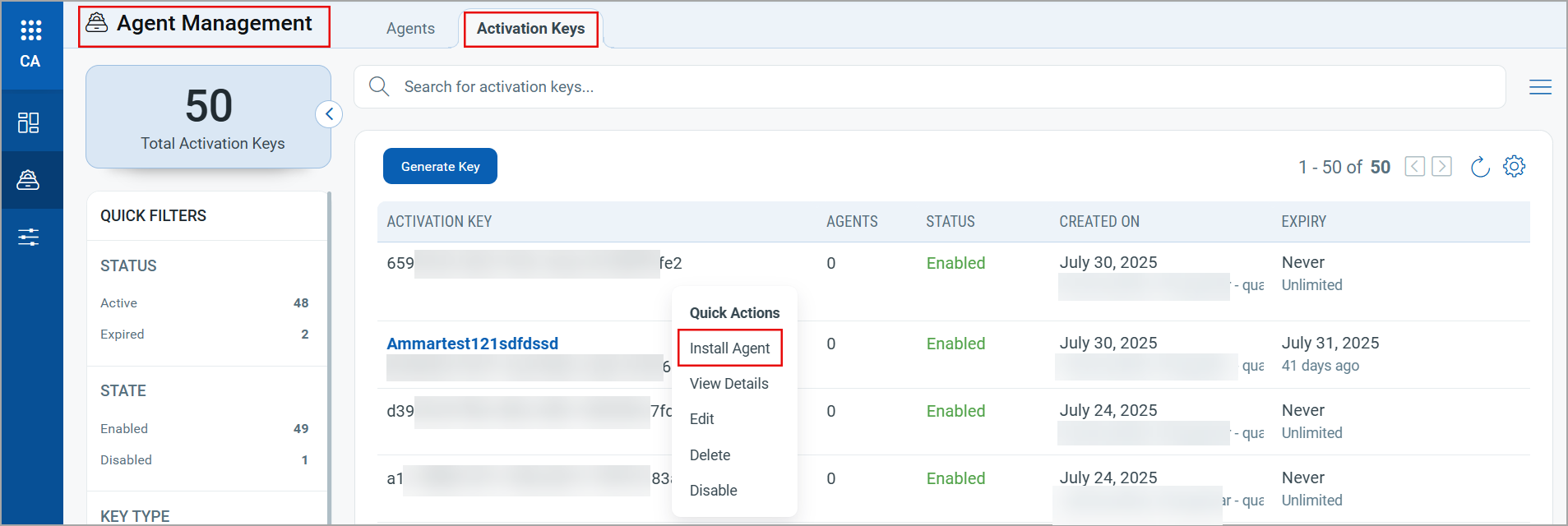
- Click Install Agent. The Install Agents page opens.
- Select an installer package based on your platform. Click Install instruction.
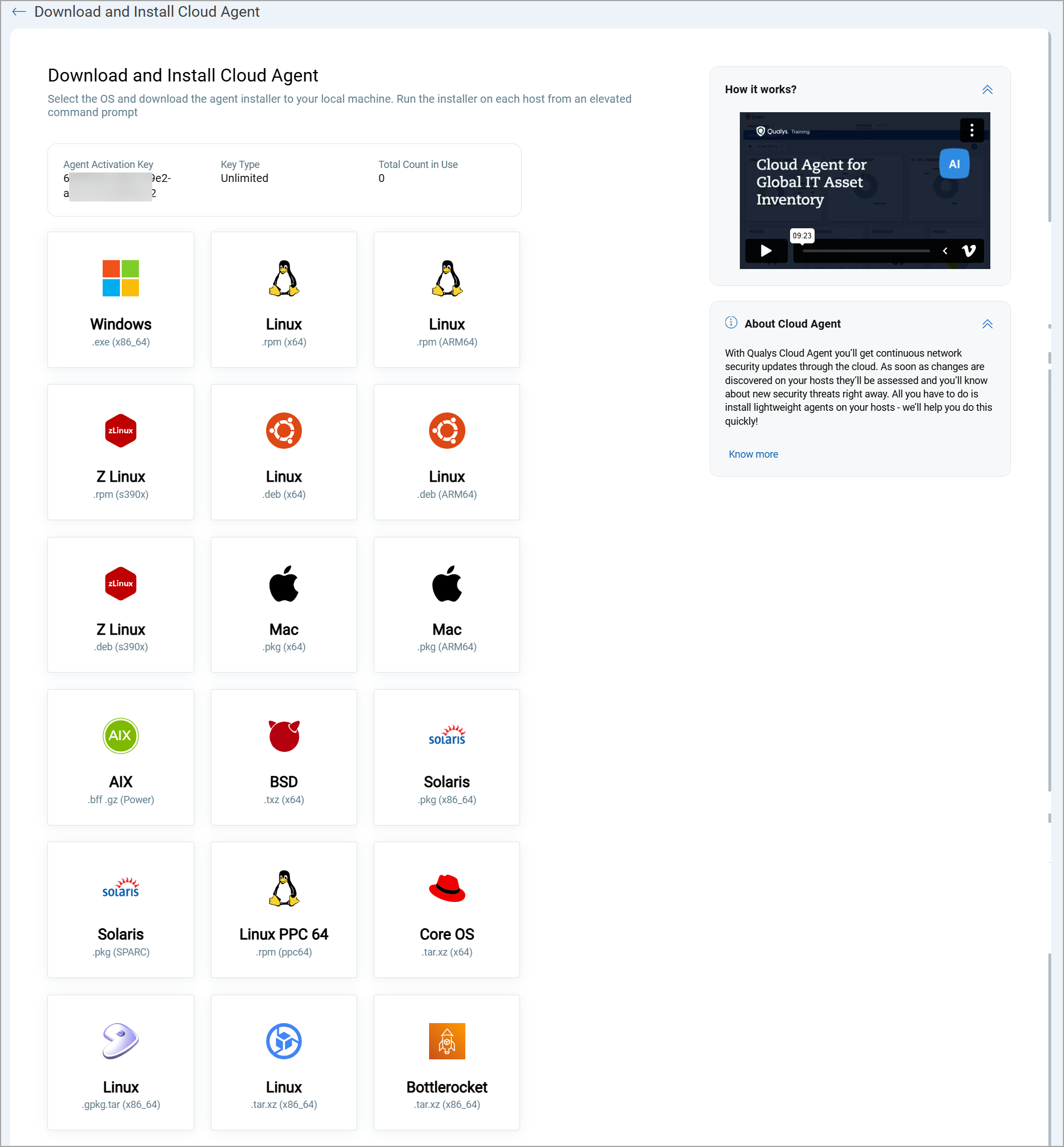
Select the Cloud Agent package based on your installer type. The steps to deploy Cloud Agent as a Component are the same for all Cloud Agent packages. For example, Windows, Linux, and so on.
- On the Install Agents page, select an appropriate option from Standard, Azure Security Center, and OCI Security Center as per your requirements.
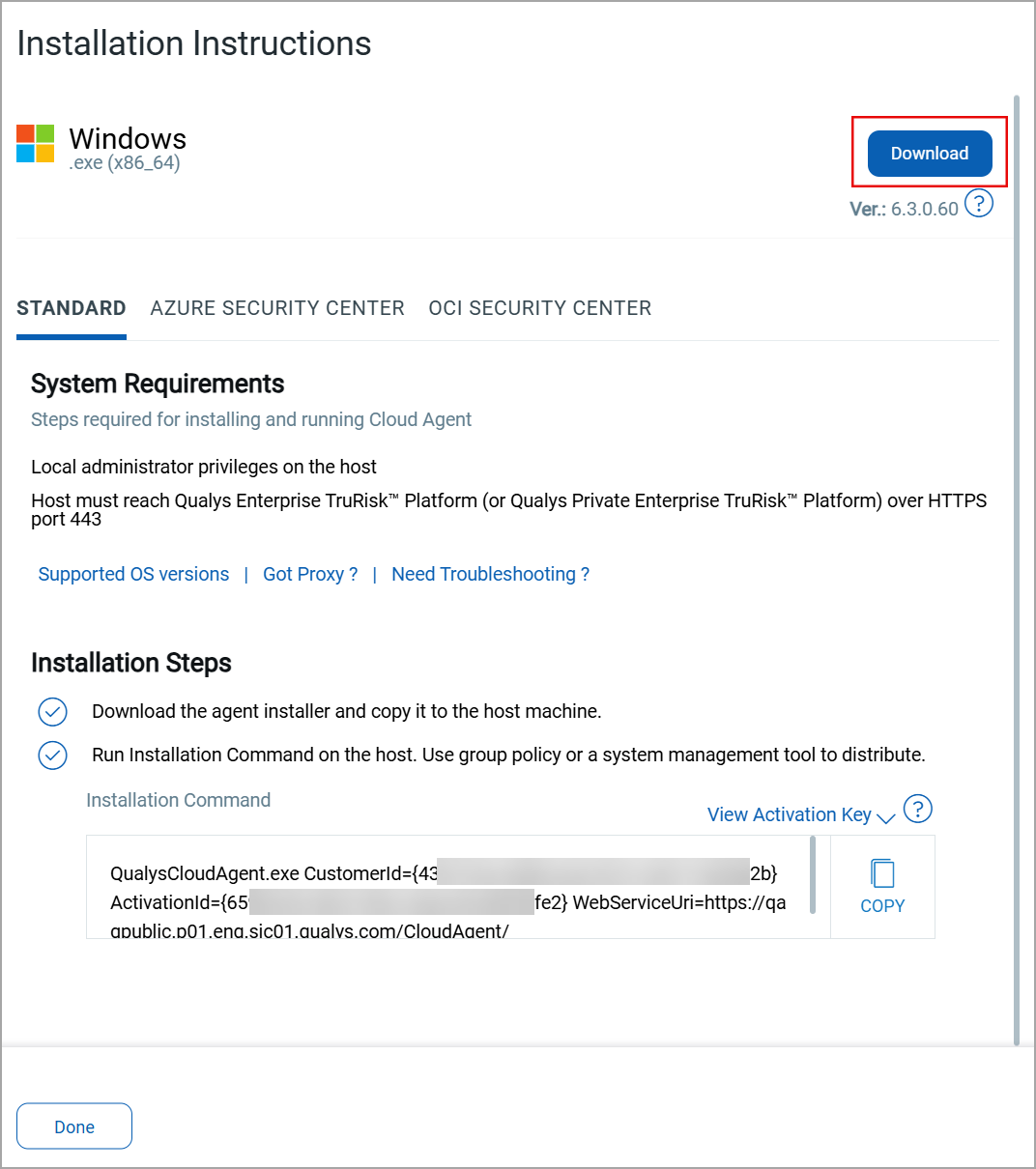
- Copy and paste the Installation Command to a safe location. The installation command contains the following Cloud Agent parameters, required for creating an image recipe.
CustomerID: Unique customer ID for your subscription.
ActivationID: Unique activation ID to activate the Cloud Agent.
WebServiceUri: The platform URL where your account is hosted.
Note these parameters from the installation command, as you will need them to create Configuration Parameters for the image recipe.
Next Step: Steps to Deploy Cloud Agent as AWS EC2 Image Builder Component